Multiple addEventListener Logics for HTML Elements Ondblclick Tutorial
In yesterday’s Multiple addEventListener Logics for HTML Elements Primer Tutorial‘s “function ael_more” you may have noticed the codeline …
document.getElementById(iois.id.replace('i','td')).addEventListener("click", window["ev" + fnum + '']);
… we use to set up the [element].addEventListener means by which we add “onclick” event code logic when it is an event total larger than thirty, in the “totally dynamic” scenario. The alternative to eval second parameter window[‘ele-ID’] idea we got helped out with via this very useful link, thanks.
We need this methodology, too, with today’s improvements, namely …
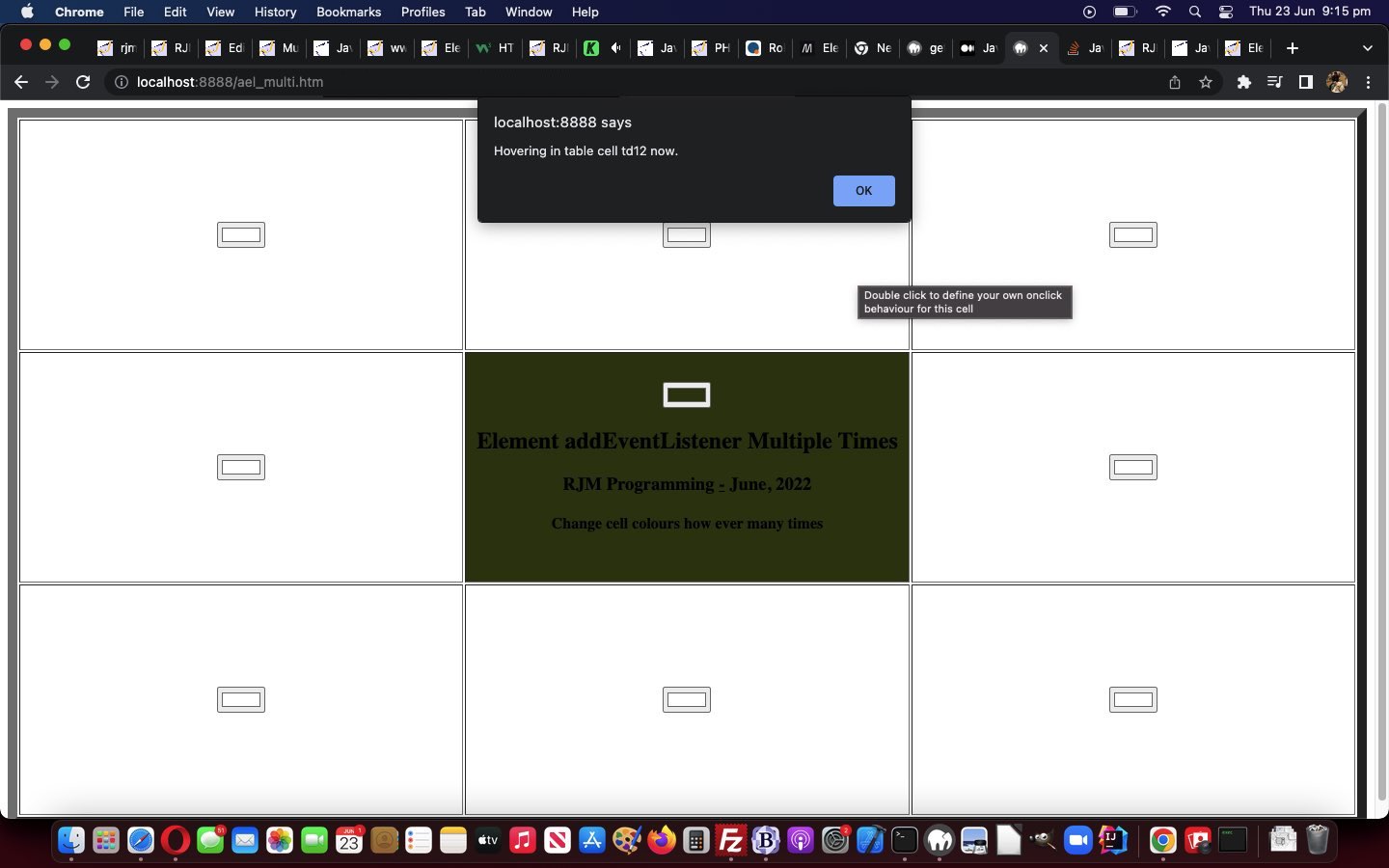
- allow “ondblclick” of (table) cell logic to cause a Javascript prompt popup allow the user to personalize their own event logic via …
- event logic itself
- event type
- if “onclick”, the interval in milliseconds, between recalled logic
… so that the first double click on cell td12 with user entry …
console.log(new Date()); evtt=”onmouseover”;
… would set in play …
document.getElementById('td12').addEventListener("mouseover", window['dc1'], false);
… calling on a dynamically created …
<script type='text/javascript'>

   function dc1() {

      var threet=3000;

      var evtt="onclick";

      console.log(new Date());

      evtt="onmouseover;"

      if (evtt == "onclick") {  setTimeout(dc1, threet);  }

   }

</script>
… called into play only when the user hovers over the (table) cell “td12” …
   function yourevent(evt) {

     var oev='';

     var mtrdo=evt.target;

     var tag=null;

     ffnum++;

     tag = document.createElement('script');

     tag.type='text/javascript';

     tag.innerHTML=' function dc' + ffnum + '() { var evtt="onclick", threet=3000; ' + ('' + prompt('Enter event logic for this cell id=' + mtrdo.id + ' ( hosting colour picker id=' + mtrdo.id.replace('td','i') + ' and hosted by row id=' + mtrdo.id.substring(0,3).replace('td','tr') + ' and table id=mytable and body id=mybody ) which happens every 3000 seconds after your entry (though you can suffix event code by ... threet=6000; ... to make it after 6 seconds for instance and/or suffix by ... evtt="o' + 'nmousedown"; ... to make applicable event a non-onclick one ).','') + '; if (evtt == "onclick") { setTimeout(dc' + ffnum + ', threet); }').replace('null; if (evtt == "onclick") { setTimeout(dc' + ffnum + ', threet); }','').replace(/^\;\ if\ \(evtt\ \=\=\ \"onclick\"\)\ \{\ setTimeout\(dc\'\ \+\ ffnum\ \+\ \'\,\ threet\)\;\ \}/g,'').replace(';;',';').replace('};','}') + ' return true; } ';

     document.head.appendChild(tag);

     if (tag.innerHTML.replace('var evtt="onclick"', '').replace(/\ evtt\ \=/g,' evtt=').replace(/\ evtt\=\ /g,' evtt=').split(' evtt="on').length > 1) {

     oev=(tag.innerHTML.replace('var evtt="onclick"', '').replace(/\ evtt\ \=/g,' evtt=').replace(/\ evtt\=\ /g,' evtt=').split(' evtt="on')[1].split('"')[0]).toLowerCase();

     mtrdo.addEventListener(oev, window["dc" + ffnum + ''], false);

     } else {

     mtrdo.addEventListener("click", window["dc" + ffnum + '']);

     mtrdo.click();

     }

   }
… in our changed “proof of concept” ael_multi.html‘s improved cell multiple background colour controller web application.
Previous relevant Multiple addEventListener Logics for HTML Elements Primer Tutorial is shown below.
Multiple addEventListener Logics for HTML Elements Primer Tutorial
The dynamic creation of event logic associated with webpage HTML elements is a powerful tool for making your webpages dynamic.
In the case of the great [element].addEventListener means by which you can make this happen, there is a great feature that goes …
If you can swing it that the second “function” parameter to [element].addEventListener is unique and just a straight simple function object reference you can pile on multiple same-type event logics onto the one HTML element
We wanted to combine that premise with a dynamic user entered “data item” into that mix, in our “proof of concept” ael_multi.html‘s cell multiple background colour controller web application for you, today. This means creating a discrete “not existing beforehand” Javascript function on the fly. Yes, we can do that via …
   var thirty=1;

   var bcols=['#ffffff'];

   var icols=[''];


   function moreevs() {

     var tag=null;

     for (var i=2; i<=30; i++) {
      tag = document.createElement('script');

      tag.type='text/javascript';

      tag.innerHTML=' function ev' + i + '() { document.getElementById(icols[' + i + ']).style.backgroundColor=bcols[' + i + '];  setTimeout(ev' + i + ', 3000);  } ';

      document.head.appendChild(tag);

     }

     thirty=30;

   }


   function ev1() {

      document.getElementById(icols[1]).style.backgroundColor=bcols[1];

      setTimeout(ev1, 3000);

   }
… but how do we get the proper [element].addEventListener call into the mix? This was a “first time” usage for us as per the eval inspired …
   var fnum=0;


   function ael_more(iois) {

     var tag=null;

     var eok=true;

     fnum++;

     if (fnum > thirty) {

      tag = document.createElement('script');

      tag.type='text/javascript';

      tag.innerHTML=' function ev' + fnum + '() { document.getElementById(icols[' + fnum + ']).style.backgroundColor=bcols[' + fnum + '];  setTimeout(ev' + fnum + ', 3000);  } ';

      document.head.appendChild(tag);

      thirty=fnum;

      eok=false;

     }

     bcols.push(iois.value);

     icols.push(iois.id.replace('i','td'));

     if (eok) {

     document.getElementById(iois.id.replace('i','td')).addEventListener("click", eval("ev" + fnum + '()'));

     } else {

     document.getElementById(iois.id.replace('i','td')).addEventListener("click", window["ev" + fnum + '']);

     }

     document.getElementById(iois.id.replace('i','td')).click();

   }
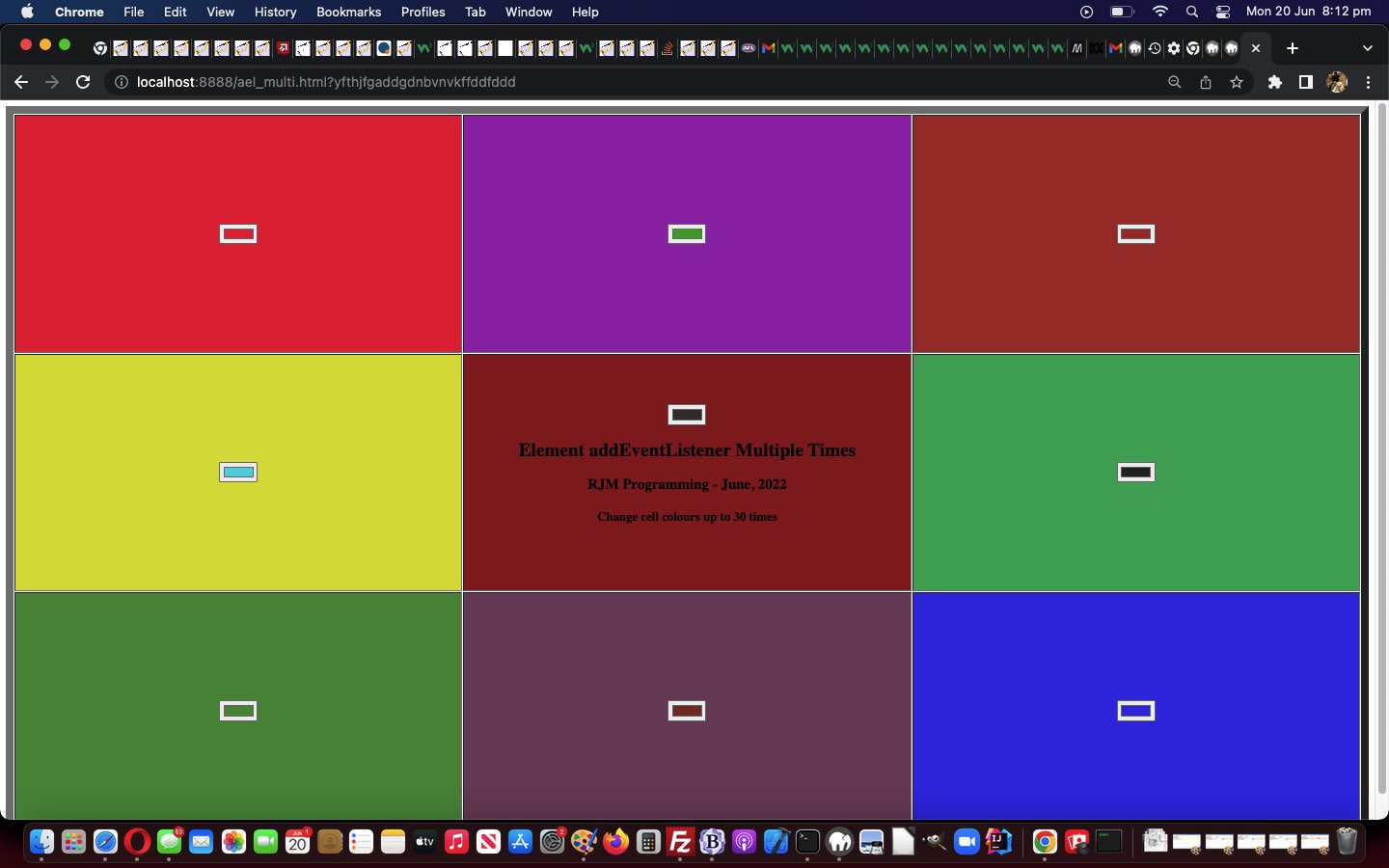
… you can see in (perhaps animated) action below, where the user chooses background colours from the colour picker elements shown …
If this was interesting you may be interested in this too.
If this was interesting you may be interested in this too.




Naming the things in a bathroom is a smarter vocabulary exercise than it first looks, because every learner already knows the room, so the words attach to objects they can see and touch instead of floating on a flashcard. Asking how many things can you name turns it into a game rather than a test, and the counting itself becomes the motivation: one more word than last time is a visible win. I like the way this kind of lesson uses a photograph as the prompt, since a picture gives every student the same starting point regardless of level, and the stronger students can move on to describing what each thing is for while beginners are still collecting nouns. The bathroom is a good choice of room too, because it is full of everyday words that textbooks often skip, the small objects people actually say out loud every morning. A daily habit of naming five new things around the house would build a working vocabulary faster than memorising lists, and this post is a good template for it.