WordPress TwentyTen Theme Search Scrolling Revisited Tutorial
Belief systems can stick, perhaps to your detriment, on occasions. Until recently, somehow, we thought it was asking too much of Javascript DOM, that we can dynamically change an HTML element attribute …
- id
- name
… as if they were sacrosanct attributes, or something. This belief, regarding name is doubly naive, as name is used in form navigation, flagging the element values that will be passed on through to the destination webpage.
Recently we’ve been debunking such naivety, using methodology always available to you regarding the extremely flexible, and non-damaging, ways of Javascript and DOM, on the clientside of the webpage “client/server equation”. In other words …
If you don’t know if something will work, or not, using clientside Javascript, and it’s Document Object Model (ie. DOM) arrangements, just try it. What harm can it do, except to something in the webpage session you are in, or perhaps HTTP Cookies or perhaps window.localStorage, all of which can be repaired, and, for that matter examined, using a web inspector?
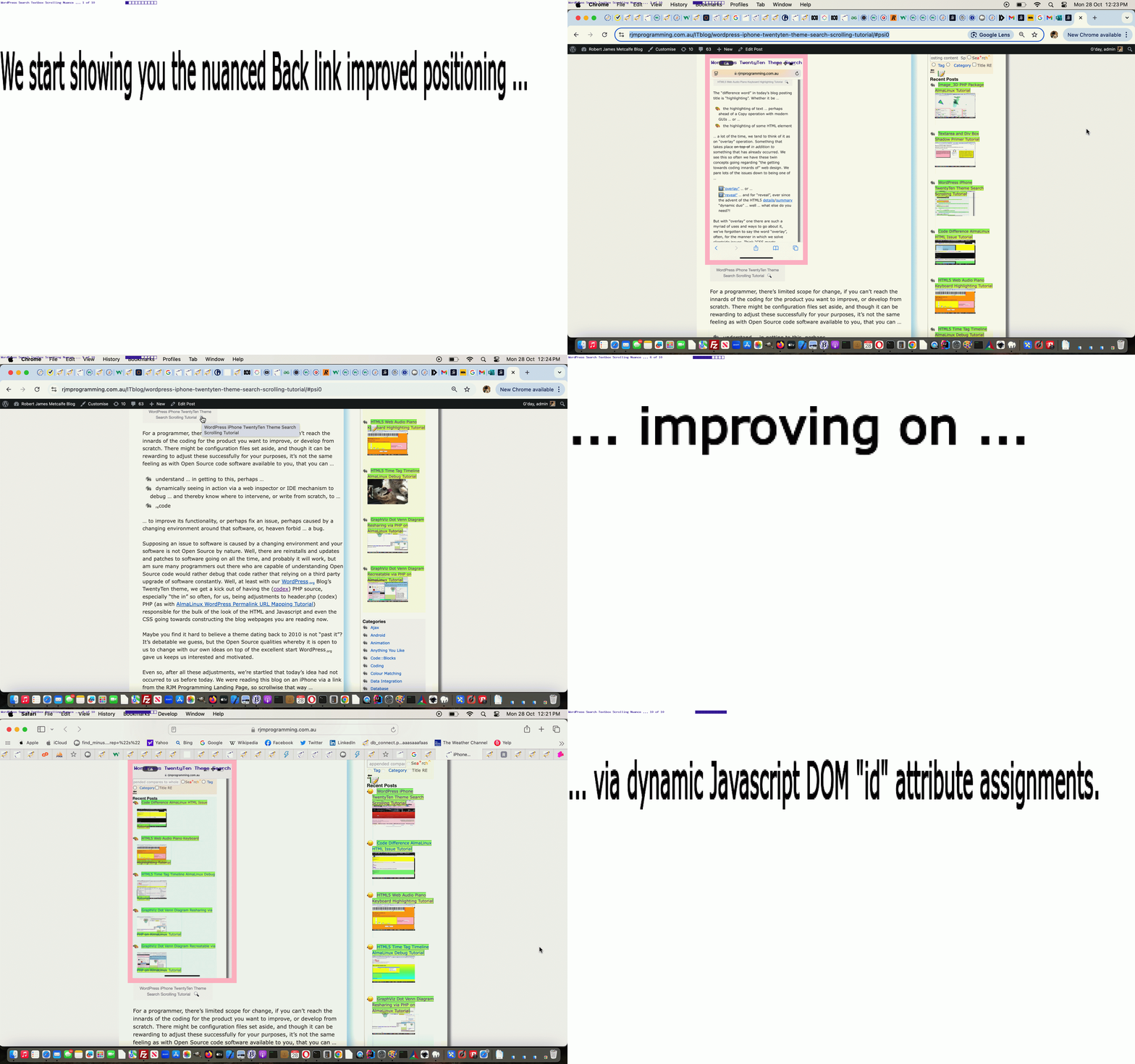
Here’s a case in point, for us. The other day, with WordPress iPhone TwentyTen Theme Search Scrolling Tutorial we referenced an inhouse WordPress Blog TwentyTen theme’s header.php’s PHP (writing Javascript) code snippet …
<?php
function captionsearchit() {
var ps=document.getElementsByTagName("p");
for (var i=0; i<ps.length; i++) {
if (('' + ps[i].className) == 'wp-caption-text') {
ps[i].innerHTML+=" <a onclick=\"document.getElementById('s').scrollIntoView();\" style=text-decoration:none;cursor:pointer; title=Search>🔍</a>";
}
}
}
?>
… which “did the job”, but on us mulling over it’s stinginess regarding where any Back 🔙 link would lob you back onto (ie. not showing up the top the blog posting’s full title always), we thought an improvement could be made by …
- prefixing an “a” to the caption emoji 🔍 link’s id attribute and …
- assign what we used to have as this emoji link id attribute to the hosting element …
… which we’ll (more happily, and more contextually, and less stingily) lob back onto as per, the new header.php (PHP writing Javascript) snippet …
<?php
function captionsearchit() {
var fone=-1, was_ih='';
var ps=document.getElementsByTagName("p");
for (var i=0; i<ps.length; i++) {
if (('' + ps[i].className) == 'wp-caption-text') {
if (fone < 0) { fone=i; }
was_ih=ps[i].innerHTML;
if (('' + ps[i].id).indexOf('psi') != -1) {
ps[i].innerHTML+=" <a title='Search ...' data-title='" + was_ih + "' id=apsi" + i + " onclick=\"if (document.getElementById('spanback')) { document.getElementById('spanback').style.display='inline-block'; document.getElementById('aback').title='Back to reading ' + this.getAttribute('data-title') + ' ...'; this.title=this.getAttribute('data-title'); document.getElementById('aback').href=('#' + this.id).replace('#a','#'); } document.getElementById('s').scrollIntoView();\" style=text-decoration:none;cursor:pointer; title=Search>🔍</a>";
} else {
ps[i].id='psi' + i;
ps[i].innerHTML+=" <a title='Search ...' data-title='" + was_ih + "' id=apsi" + i + " onclick=\"if (document.getElementById('spanback')) { document.getElementById('spanback').style.display='inline-block'; document.getElementById('aback').title='Back to reading ' + this.getAttribute('data-title') + ' ...'; this.title=this.getAttribute('data-title'); document.getElementById('aback').href=('#' + this.id).replace('#a','#'); } document.getElementById('s').scrollIntoView();\" style=text-decoration:none;cursor:pointer; title=Search>🔍</a>";
}
}
}
postcaptionsearchit();
}
?>
… our ps[i].id=’psi’ + i; being a case in point where the dynamic assignment of an element id attribute is quite handy!
If this was interesting you may be interested in this too.




Naming the things in a bathroom is a smarter vocabulary exercise than it first looks, because every learner already knows the room, so the words attach to objects they can see and touch instead of floating on a flashcard. Asking how many things can you name turns it into a game rather than a test, and the counting itself becomes the motivation: one more word than last time is a visible win. I like the way this kind of lesson uses a photograph as the prompt, since a picture gives every student the same starting point regardless of level, and the stronger students can move on to describing what each thing is for while beginners are still collecting nouns. The bathroom is a good choice of room too, because it is full of everyday words that textbooks often skip, the small objects people actually say out loud every morning. A daily habit of naming five new things around the house would build a working vocabulary faster than memorising lists, and this post is a good template for it.