Animated GIF Creator URL Media Representation Revisit Tutorial

Animated GIF Creator URL Media Representation Revisit Tutorial

Animated GIF Creator URL Media Representation Revisit Tutorial

Recently, when we presented Media Representation of URL Tutorial we outlined the current state of play for us when asked to represent a URL in a media form, when we said …

  • Google Page Speed Insights could supply an image data URI of a screenshot of that URL as a web browser webpage … but now out of reach to us … and/or …
  • Google used to supply a data URI QR Code image representation … but now out of reach to us … so our research got us to the excellent …
  • goqr.me free API means to a data URI QR Code image representation … thanks

There, we shored up our https://www.rjmprogramming.com.au/recording_ideas.php Media Middle Manager in this regard.

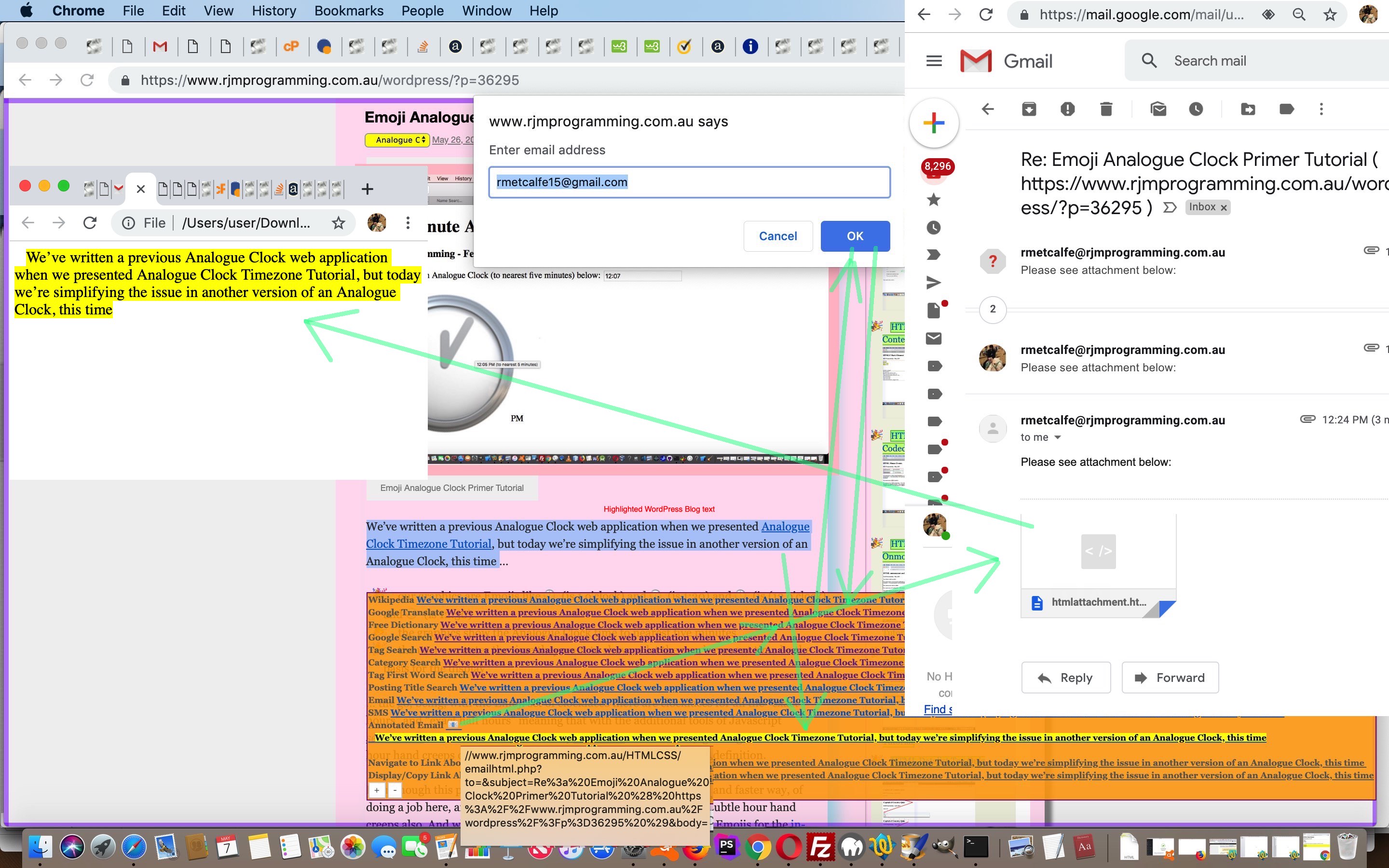
And today, in a similar vein to above, applied to the thinking behind up to today (for a wee while) non functional HtTp and hTtP prefixing logic parts to the Animated GIF Creator web application of the recent Osascript AppleScript Copy and Paste Ideas Tutorial we start redirecting URLs to allow QR Code URL representations to be represented as animated GIF slide QR Code data URIs via two new Javascript functions …

<?php echo ”

function newerserver(inngidea) { // ?askfor=' + retas(ampsuffix) + '&askyou=
// ?justcontent=' + retas(ampsuffix) + '&askfor=' + encodeURIComponent(document.URL.split('//')[0] + newserver('//chart.googleapis.com
//api.qrserver.com/v1/create-qr-code/?size=300x300&data=
outidea=inngidea;
if (inngidea.indexOf('?askfor=') != -1 && inngidea.indexOf('&askyou=') != -1) {
outidea=outidea.replace('?askfor=', '?justcontent=').replace('&askyou=', '&askfor=');
inngidea=outidea.split('&askfor=')[1];
var newinn='http://api.qrserver.com/v1/create-qr-code/?size=300x300&data=' + inngidea;
if (inngidea.indexOf('googleapis.com/chart?chs=') != -1 && inngidea.indexOf('googleapis.') < 15) {
outidea=outidea.replace(inngidea, (newinn));
} else {
outidea=outidea.replace(inngidea, (newinn));
}
}
return outidea;
}

function newserver(ingidea) { //chart.googleapis.com/chart?chs=300x300&cht=qr&chl=
//api.qrserver.com/v1/create-qr-code/?size=300x300&data=
outidea=ingidea;
if (ingidea.indexOf('chart.googleapis.com/chart?chs=') != -1 && ingidea.indexOf('.googleapis.') < 15) {
outidea=outidea.replace('chart.googleapis.com/chart?chs=', 'api.qrserver.com/v1/create-qr-code/?size=').replace('&chl=', '&data=').replace('&cht=qr/', '').replace('&cht=qr', '').replace('&choe=UTF-8', '');
}
return outidea;
}

“; ?>

… in the changed PHP downloadable (ideally to the, perhaps MAMP, local Apache web server’s Document Root’s PHP subdirectory’s animegif directory) tutorial_to_animated_gif.php inhouse animated GIF creator “public” web application.


Previous relevant Osascript AppleScript Copy and Paste Ideas Tutorial is shown below.

Animated GIF Creator URL Media Representation Revisit Tutorial

Animated GIF Creator URL Media Representation Revisit Tutorial

Recently, when we presented Media Representation of URL Tutorial we outlined the current state of play for us when asked to represent a URL in a media form, when we said …

  • Google Page Speed Insights given supply an image data URI of a screenshot … but now out of reach to us … and/or …
  • Google used to supply a data URI QR Code image representation … but now out of reach to us … so our research got us to the excellent …
  • goqr.me free API means to a data URI QR Code image representation … thanks

There, we shored up our https://www.rjmprogramming.com.au/recording_ideas.php Media Middle Manager in this regard.

And today, in a similar vein to above, applied to the thinking behind up to today (for a wee while) non functional parts to the Animated GIF Creator web application of the recent Osascript AppleScript Copy and Paste Ideas Tutorial we start redirecting URLs to allow QR Code URL representations to be represented as animated GIF slide data URIs via two new Javascript functions …

<?php echo ”

function newerserver(inngidea) { // ?askfor=' + retas(ampsuffix) + '&askyou=
// ?justcontent=' + retas(ampsuffix) + '&askfor=' + encodeURIComponent(document.URL.split('//')[0] + newserver('//chart.googleapis.com
//api.qrserver.com/v1/create-qr-code/?size=300x300&data=
outidea=inngidea;
if (inngidea.indexOf('?askfor=') != -1 && inngidea.indexOf('&askyou=') != -1) {
outidea=outidea.replace('?askfor=', '?justcontent=').replace('&askyou=', '&askfor=');
inngidea=outidea.split('&askfor=')[1];
var newinn='http://api.qrserver.com/v1/create-qr-code/?size=300x300&data=' + inngidea;
if (inngidea.indexOf('googleapis.com/chart?chs=') != -1 && inngidea.indexOf('googleapis.') < 15) {
outidea=outidea.replace(inngidea, (newinn));
} else {
outidea=outidea.replace(inngidea, (newinn));
}
}
return outidea;
}

function newserver(ingidea) { //chart.googleapis.com/chart?chs=300x300&cht=qr&chl=
//api.qrserver.com/v1/create-qr-code/?size=300x300&data=
outidea=ingidea;
if (ingidea.indexOf('chart.googleapis.com/chart?chs=') != -1 && ingidea.indexOf('.googleapis.') < 15) {
outidea=outidea.replace('chart.googleapis.com/chart?chs=', 'api.qrserver.com/v1/create-qr-code/?size=').replace('&chl=', '&data=').replace('&cht=qr/', '').replace('&cht=qr', '').replace('&choe=UTF-8', '');
}
return outidea;
}

“; ?>

… in the changed PHP downloadable (ideally to the, perhaps MAMP, local Apache web server’s Document Root’s PHP subdirectory’s animegif directory) tutorial_to_animated_gif.php inhouse animated GIF creator “public” web application.


Previous relevant Osascript AppleScript Copy and Paste Ideas Tutorial is shown below.

Osascript AppleScript Copy and Paste Ideas Tutorial

Osascript AppleScript Copy and Paste Ideas Tutorial

Yesterday’s Animated GIF Slide Clipboard Automation Tutorial clipboard themes has spurred today’s interests in …

  • macOS
  • osascript
  • AppleScript
  • command key ideas regarding …
    1. Select All … command-A
    2. Copy … command-C
    3. Paste … command-V

    … thinking

… and whether, back at a webpage it can be useful. So far, we have just made a start with …

So far the jury is out?!


Previous relevant Animated GIF Slide Clipboard Automation Tutorial is shown below.

Animated GIF Slide Clipboard Automation Tutorial

Animated GIF Slide Clipboard Automation Tutorial

Onto yesterday’s Animated GIF Slide Clipboard Tutorial one might say …

We can do better.

… and, well …

Nala

Luna

Do fish swim?

What is the optimal pH range for the denaturation of polymerase in a standard PCR protocol?

… and though Luna’s observations have merit … mind you …

The question seems to be based on a misunderstanding of the standard PCR process. The polymerase used in a standard PCR, such as Taq polymerase, is a thermostable enzyme and is not denatured at the high temperatures and standard pH conditions used in the protocol; its stability at high heat is what makes PCR possible.

… we’re agreeing with Nala (and who knows? … maybe Luna) in saying …

  • regarding Windows (eg. MAMP) incarnations … phase one improvements could happen
  • regarding macOS (eg. MAMP) incarnations … phase one improvements and some quite interesting phase two automation improvements, that, given some permissions yielded over to MAMP, could have the pasting off the Clipboard automated to email or SMS messaging conduits be happening

Yes, in phase one we’ve improved …

  • any slide textbox ending up with a URL prefixed by http://localhost can have right click logic working for it (in addition to the “last one only off a browsed for set of image files” scenario of yesterday)
  • the user can toggle (via the header “… or …” (now, when relevant, span element) new onclick event logic) between “a” link “mailto:” email and “sms:” message conduit modes

… and phase two …

  • uses macOS osascript AppleScript smarts to (perhaps, it depends on Sytem Settings permissions regarding your Apache local web server application’s Accessibility permissions) paste Clipboard contents into email or SMS bodies programmatically ahead of any user control … but …
  • that meant we had to fill out email To: and Cc: and Bcc: and SMS To: fields with data the user is bound to want to override (because we wanted the cursor to be appropriately positioned ahead of the automated pasting from Clipboard automations)

And so, you might think of all this as “nuance” and that could be a fair interpretation, but there is for some, we have no doubt, the chance to get your “automation ideas” flowing too, perhaps?!

Yesterday’s “recall of thyself” now looks like …

<?php

if (isset($_GET['pasteit']) || isset($_POST['pasteit'])) {
$reitis='';
$retis='';
sleep(1);
//$reitis=shell_exec("osascript -e 'tell application \"System Events\" to keystroke \"v\" using command down'");
if (4 == 6) {
// Thanks to https://www.google.com/search?q=macos+osascript+paste+from+graphical+clipboard+where+the+cursor+is+in+Mail+window&sca_esv=a49badc5b1a0e808&rlz=1C5OZZY_en&sxsrf=AE3TifMx00e3y_mcCT_VU614bB_ymYj0cw%3A1766536704547&ei=ADZLabCRIfqd4-EPv5btkAc&ved=0ahUKEwiwkYeG_tSRAxX6zjgGHT9LG3IQ4dUDCBE&uact=5&oq=macos+osascript+paste+from+graphical+clipboard+where+the+cursor+is+in+Mail+window&gs_lp=Egxnd3Mtd2l6LXNlcnAiUW1hY29zIG9zYXNjcmlwdCBwYXN0ZSBmcm9tIGdyYXBoaWNhbCBjbGlwYm9hcmQgd2hlcmUgdGhlIGN1cnNvciBpcyBpbiBNYWlsIHdpbmRvd0iMJFDrA1ifIHABeACQAQCYAfABoAG7EqoBBjAuMTAuM7gBA8gBAPgBAZgCAaACzAHCAg0QIxjwBRiwAhgnGJ4GmAMAiAYBkgcDMi0xoAfYHLIHAzItMbgHzAHCBwMzLTHIBwiACAA&sclient=gws-wiz-serp
$retis=shell_exec("osascript -e 'tell application \"Mail\"
activate
end tell

tell application \"System Events\"
tell process \"Mail\"
-- Bring the frontmost window into focus (e.g., the message composition window)
set frontmost to true
-- Simulate the Command+V (paste) keystroke
keystroke \"v\" using command down
end tell
end tell
'");
}

// Thanks to https://www.google.com/search?q=macos+osascript+paste+from+clipboard+where+the+cursor+is+in+whatever+window&rlz=1C5OZZY_en&oq=macos+osascript+paste+from+clipboard+where+the+cursor+is+in+whatever+window&gs_lcrp=EgZjaHJvbWUyBggAEEUYOdIBCTQ3NDg4ajBqN6gCALACAA&sourceid=chrome&ie=UTF-8
$retis=shell_exec("osascript -e 'tell application \"System Events\"
# Get the name of the current application (which is likely the Script Editor or Automator)
set currentApp to name of current application

# Check if the current app is one of the script runners and hide it to allow the target app to become frontmost
if currentApp is in {\"Script Editor\", \"Automator\", \"Script Debugger\"} then
set visible of process currentApp to false
# Wait a moment for the target app to become active
delay 0.1
end if

# Simulate the Command+V keystroke in the now frontmost application
keystroke \"v\" using command down


# (Optional) Unhide the script application afterward
if currentApp is in {\"Script Editor\", \"Automator\", \"Script Debugger\"} then
set visible of process currentApp to true
end if
end tell
'");

exit;
}

if (isset($_GET['osait'])) { // thanks to https://www.google.com/search?q=windows+graphics+into+clipboard+via+command+line&sca_esv=ef9c456e5bf53dd9&rlz=1C5OZZY_en&sxsrf=AE3TifOUmp2qSnwU3XOr4yUlFd-5cCYEVg%3A1766456241084&ei=sftJacX1BPW8seMP2e_x4Qs&ved=0ahUKEwiFkoum0tKRAxV1XmwGHdl3PLwQ4dUDCBE&uact=5&oq=windows+graphics+into+clipboard+via+command+line&gs_lp=Egxnd3Mtd2l6LXNlcnAiMHdpbmRvd3MgZ3JhcGhpY3MgaW50byBjbGlwYm9hcmQgdmlhIGNvbW1hbmQgbGluZTIKEAAYsAMY1gQYRzIKEAAYsAMY1gQYRzIKEAAYsAMY1gQYRzIKEAAYsAMY1gQYRzIKEAAYsAMY1gQYRzIKEAAYsAMY1gQYRzIKEAAYsAMY1gQYRzIKEAAYsAMY1gQYR0jYAVAAWABwAXgBkAEAmAEAoAEAqgEAuAEDyAEAmAIBoAIImAMAiAYBkAYIkgcBMaAHALIHALgHAMIHAzItMcgHBYAIAA&sclient=gws-wiz-serp
$thingo=str_replace('+',' ',urldecode($_GET['osait']));
$mto="?";
//file_put_contents($_SERVER['DOCUMENT_ROOT'] . DIRECTORY_SEPARATOR . 'x.xx', $thingo);
if (PHP_OS == 'Darwin' || substr(strtolower(('' . PHP_OS)),0,3) == 'win') {
if (PHP_OS == 'Darwin') {
$mto="please.change@email.address?cc=please.change@email.address&bcc=please.change@email.address&";
}
//file_put_contents($_SERVER['DOCUMENT_ROOT'] . DIRECTORY_SEPARATOR . 'x.xxx', $thingo);
if (strpos(strtolower($thingo), '.png') !== false) {
//file_put_contents($_SERVER['DOCUMENT_ROOT'] . DIRECTORY_SEPARATOR . 'x.x', "osascript -e 'tell application \"Finder\" to set the clipboard to (read (POSIX file \"" . $thingo . "\") as «class PNGf»)'");
if (PHP_OS == 'Darwin') {
exec("osascript -e 'tell application \"Finder\" to set the clipboard to (read (POSIX file \"" . $thingo . "\") as «class PNGf»)'");
} else {
//$fp = fopen($thingo, 'r');
//$gcont=fread($fp, filesize($thingo));
//fclose($fp);
$fp = fopen($_SERVER['DOCUMENT_ROOT'] . DIRECTORY_SEPARATOR . 'stop_extravaganza.bzt', 'x');
fwrite($fp, "powershell.exe -windowstyle hidden -Command \"Add-Type -AssemblyName System.Windows.Forms; [Windows.Forms.Clipboard]::SetImage([System.Drawing.Image]::Fromfile('" . $thingo . "'))\" & erase " . str_replace("/","\\",$_SERVER['DOCUMENT_ROOT'] . DIRECTORY_SEPARATOR) . 'stop_extravaganza.b*t');
fclose($fp);
if (isset($_GET['mailto'])) {
sleep(65);
}
}
if (isset($_GET['mailto'])) {
$parstuff='';
if (strlen($_GET['mailto']) > 1) {
$parstuff=" parent.document.getElementById('" . str_replace('+',' ',urldecode($_GET['mailto'])) . "').style.textShadow='1px 1px red'; parent.document.getElementById('" . str_replace('+',' ',urldecode($_GET['mailto'])) . "').style.cursor='pointer'; if (parent.document.getElementById('mailtovssms')) { if (parent.document.getElementById('mailtovssms').value.toLowerCase() == parent.document.getElementById('mailtovssms').value) { parent.setlastb('" . str_replace('+',' ',urldecode($_GET['mailto'])) . "'); } } ";
}
echo "<html><body onload=\" if (parent.document.getElementById('mailtovssms')) { if (parent.document.getElementById('mailtovssms').value.toUpperCase() == parent.document.getElementById('mailtovssms').value) { document.getElementById('aemail').href=document.getElementById('aemail').href.replace('please.change@email.address?cc=please.change@email.address&bcc=please.change@email.address&','?'); } } if (parent.document.getElementById('mailtovssms')) { if (parent.document.getElementById('mailtovssms').value.toLowerCase() == 'sms') { if (parent.document.getElementById('mailtovssms').value == 'SMS') { document.getElementById('aemail').href='sms:&body='; } else { document.getElementById('aemail').href='sms:rmetcalfe15@gmail.com&body='; } } } document.getElementById('aemail').click(); " . $parstuff . "\"><a style=display:none; id=aemail target=_top href='mailto:" . $mto . "subject=Slide%20" . urlencode(basename($thingo)) . "%20in%20clipboard%20ready%20for%20you%20to%20paste%20as%20attachment%20below&20...&body='>Email</a></body></html>";
}
} else if (strpos(strtolower($thingo), '.jp') !== false) {
//file_put_contents($_SERVER['DOCUMENT_ROOT'] . DIRECTORY_SEPARATOR . 'x.x', "osascript -e 'tell application \"Finder\" to set the clipboard to (read (POSIX file \"" . $thingo . "\") as «class JPEG»)'");
if (PHP_OS == 'Darwin') {
exec("osascript -e 'tell application \"Finder\" to set the clipboard to (read (POSIX file \"" . $thingo . "\") as «class JPEG»)'");
} else {
//$fp = fopen($thingo, 'r');
//$gcont=fread($fp, filesize($thingo));
//fclose($fp);
$fp = fopen($_SERVER['DOCUMENT_ROOT'] . DIRECTORY_SEPARATOR . 'stop_extravaganza.bzt', 'x');
fwrite($fp, "powershell.exe -windowstyle hidden -Command \"Add-Type -AssemblyName System.Windows.Forms; [Windows.Forms.Clipboard]::SetImage([System.Drawing.Image]::Fromfile('" . $thingo . "'))\" & erase " . str_replace("/","\\",$_SERVER['DOCUMENT_ROOT'] . DIRECTORY_SEPARATOR) . 'stop_extravaganza.b*t');
fclose($fp);
if (isset($_GET['mailto'])) {
sleep(65);
}
}
if (isset($_GET['mailto'])) {
$parstuff='';
if (strlen($_GET['mailto']) > 1) {
$parstuff=" parent.document.getElementById('" . str_replace('+',' ',urldecode($_GET['mailto'])) . "').style.textShadow='1px 1px red'; parent.document.getElementById('" . str_replace('+',' ',urldecode($_GET['mailto'])) . "').style.cursor='pointer'; if (parent.document.getElementById('mailtovssms')) { if (parent.document.getElementById('mailtovssms').value.toLowerCase() == parent.document.getElementById('mailtovssms').value) { parent.setlastb('" . str_replace('+',' ',urldecode($_GET['mailto'])) . "'); } } ";
}
echo "<html><body onload=\"if (parent.document.getElementById('mailtovssms')) { if (parent.document.getElementById('mailtovssms').value.toUpperCase() == parent.document.getElementById('mailtovssms').value) { document.getElementById('aemail').href=document.getElementById('aemail').href.replace('please.change@email.address?cc=please.change@email.address&bcc=please.change@email.address&','?'); } } if (parent.document.getElementById('mailtovssms')) { if (parent.document.getElementById('mailtovssms').value.toLowerCase() == 'sms') { if (parent.document.getElementById('mailtovssms').value == 'SMS') { document.getElementById('aemail').href='sms:&body='; } else { document.getElementById('aemail').href='sms:rmetcalfe15@gmail.com&body='; } } } document.getElementById('aemail').click(); " . $parstuff . "\"><a style=display:none; id=aemail target=_top href='mailto:" . $mto . "subject=Slide%20" . urlencode(basename($thingo)) . "%20in%20clipboard%20ready%20for%20you%20to%20paste%20as%20attachment%20below&20...&body='>Email</a></body></html>";
}
} else if (strpos(strtolower($thingo), '.gif') !== false) {
if (PHP_OS == 'Darwin') {
exec("osascript -e 'tell application \"Finder\" to set the clipboard to (read (POSIX file \"" . $thingo . "\") as «class GIF»)'");
} else {
//$fp = fopen($thingo, 'r');
//$gcont=fread($fp, filesize($thingo));
//fclose($fp);
$fp = fopen($_SERVER['DOCUMENT_ROOT'] . DIRECTORY_SEPARATOR . 'stop_extravaganza.bzt', 'x');
fwrite($fp, "powershell.exe -windowstyle hidden -Command \"Add-Type -AssemblyName System.Windows.Forms; [Windows.Forms.Clipboard]::SetImage([System.Drawing.Image]::Fromfile('" . $thingo . "'))\" & erase " . str_replace("/","\\",$_SERVER['DOCUMENT_ROOT'] . DIRECTORY_SEPARATOR) . 'stop_extravaganza.b*t');
fclose($fp);
if (isset($_GET['mailto'])) {
sleep(65);
}
}
if (isset($_GET['mailto'])) {
$parstuff='';
if (strlen($_GET['mailto']) > 1) {
$parstuff=" parent.document.getElementById('" . str_replace('+',' ',urldecode($_GET['mailto'])) . "').style.textShadow='1px 1px red'; parent.document.getElementById('" . str_replace('+',' ',urldecode($_GET['mailto'])) . "').style.cursor='pointer'; if (parent.document.getElementById('mailtovssms')) { if (parent.document.getElementById('mailtovssms').value.toLowerCase() == parent.document.getElementById('mailtovssms').value) { parent.setlastb('" . str_replace('+',' ',urldecode($_GET['mailto'])) . "'); } } ";
}
echo "<html><body onload=\"if (parent.document.getElementById('mailtovssms')) { if (parent.document.getElementById('mailtovssms').value.toUpperCase() == parent.document.getElementById('mailtovssms').value) { document.getElementById('aemail').href=document.getElementById('aemail').href.replace('please.change@email.address?cc=please.change@email.address&bcc=please.change@email.address&','?'); } } if (parent.document.getElementById('mailtovssms')) { if (parent.document.getElementById('mailtovssms').value.toLowerCase() == 'sms') { if (parent.document.getElementById('mailtovssms').value == 'SMS') { document.getElementById('aemail').href='sms:&body='; } else { document.getElementById('aemail').href='sms:rmetcalfe15@gmail.com&body='; } } } document.getElementById('aemail').click(); " . $parstuff . "\"><a style=display:none; id=aemail target=_top href='mailto:" . $mto . "subject=Slide%20" . urlencode(basename($thingo)) . "%20in%20clipboard%20ready%20for%20you%20to%20paste%20as%20attachment%20below&20...&body='>Email</a></body></html>";
}
}
exit;
}
} else if (isset($_POST['osait'])) {
$thingo=str_replace('+',' ',urldecode($_POST['osait']));
$mto="?";
if (PHP_OS == 'Darwin' || substr(strtolower(('' . PHP_OS)),0,3) == 'win') {
if (PHP_OS == 'Darwin') {
$mto="please.change@email.address?cc=please.change@email.address&bcc=please.change@email.address&";
}
if (strpos(strtolower($thingo), '.png') !== false) {
if (PHP_OS == 'Darwin') {
exec("osascript -e 'tell application \"Finder\" to set the clipboard to (read (POSIX file \"" . $thingo . "\") as «class PNGf»)'");
} else {
//$fp = fopen($thingo, 'r');
//$gcont=fread($fp, filesize($thingo));
//fclose($fp);
$fp = fopen($_SERVER['DOCUMENT_ROOT'] . DIRECTORY_SEPARATOR . 'stop_extravaganza.bzt', 'x');
fwrite($fp, "powershell.exe -windowstyle hidden -Command \"Add-Type -AssemblyName System.Windows.Forms; [Windows.Forms.Clipboard]::SetImage([System.Drawing.Image]::Fromfile('" . $thingo . "'))\" & erase " . str_replace("/","\\",$_SERVER['DOCUMENT_ROOT'] . DIRECTORY_SEPARATOR) . 'stop_extravaganza.b*t');
fclose($fp);
if (isset($_POST['mailto'])) {
sleep(65);
}
}
if (isset($_POST['mailto'])) {
$parstuff='';
if (strlen($_POST['mailto']) > 1) {
$parstuff=" parent.document.getElementById('" . str_replace('+',' ',urldecode($_POST['mailto'])) . "').style.textShadow='1px 1px red'; parent.document.getElementById('" . str_replace('+',' ',urldecode($_POST['mailto'])) . "').style.cursor='pointer'; if (parent.document.getElementById('mailtovssms')) { if (parent.document.getElementById('mailtovssms').value.toLowerCase() == parent.document.getElementById('mailtovssms').value) { parent.setlastb('" . str_replace('+',' ',urldecode($_POST['mailto'])) . "'); } } ";
}
echo "<html><body onload=\"if (parent.document.getElementById('mailtovssms')) { if (parent.document.getElementById('mailtovssms').value.toUpperCase() == parent.document.getElementById('mailtovssms').value) { document.getElementById('aemail').href=document.getElementById('aemail').href.replace('please.change@email.address?cc=please.change@email.address&bcc=please.change@email.address&','?'); } } if (parent.document.getElementById('mailtovssms')) { if (parent.document.getElementById('mailtovssms').value.toLowerCase() == 'sms') { if (parent.document.getElementById('mailtovssms').value == 'SMS') { document.getElementById('aemail').href='sms:&body='; } else { document.getElementById('aemail').href='sms:rmetcalfe15@gmail.com&body='; } } } document.getElementById('aemail').click(); " . $parstuff . "\"><a style=display:none; id=aemail target=_top href='mailto:" . $mto . "subject=Slide%20" . urlencode(basename($thingo)) . "%20in%20clipboard%20ready%20for%20you%20to%20paste%20as%20attachment%20below&20...&body='>Email</a></body></html>";
}
} else if (strpos(strtolower($thingo), '.jp') !== false) {
if (PHP_OS == 'Darwin') {
exec("osascript -e 'tell application \"Finder\" to set the clipboard to (read (POSIX file \"" . $thingo . "\") as «class JPEG»)'");
} else {
//$fp = fopen($thingo, 'r');
//$gcont=fread($fp, filesize($thingo));
//fclose($fp);
$fp = fopen($_SERVER['DOCUMENT_ROOT'] . DIRECTORY_SEPARATOR . 'stop_extravaganza.bzt', 'x');
fwrite($fp, "powershell.exe -windowstyle hidden -Command \"Add-Type -AssemblyName System.Windows.Forms; [Windows.Forms.Clipboard]::SetImage([System.Drawing.Image]::Fromfile('" . $thingo . "'))\" & erase " . str_replace("/","\\",$_SERVER['DOCUMENT_ROOT'] . DIRECTORY_SEPARATOR) . 'stop_extravaganza.b*t');
fclose($fp);
if (isset($_POST['mailto'])) {
sleep(65);
}
}
if (isset($_POST['mailto'])) {
$parstuff='';
if (strlen($_POST['mailto']) > 1) {
$parstuff=" parent.document.getElementById('" . str_replace('+',' ',urldecode($_POST['mailto'])) . "').style.textShadow='1px 1px red'; parent.document.getElementById('" . str_replace('+',' ',urldecode($_POST['mailto'])) . "').style.cursor='pointer'; if (parent.document.getElementById('mailtovssms')) { if (parent.document.getElementById('mailtovssms').value.toLowerCase() == parent.document.getElementById('mailtovssms').value) { parent.setlastb('" . str_replace('+',' ',urldecode($_POST['mailto'])) . "'); } } ";
}
echo "<html><body onload=\"if (parent.document.getElementById('mailtovssms')) { if (parent.document.getElementById('mailtovssms').value.toUpperCase() == parent.document.getElementById('mailtovssms').value) { document.getElementById('aemail').href=document.getElementById('aemail').href.replace('please.change@email.address?cc=please.change@email.address&bcc=please.change@email.address&','?'); } } if (parent.document.getElementById('mailtovssms')) { if (parent.document.getElementById('mailtovssms').value.toLowerCase() == 'sms') { if (parent.document.getElementById('mailtovssms').value == 'SMS') { document.getElementById('aemail').href='sms:&body='; } else { document.getElementById('aemail').href='sms:rmetcalfe15@gmail.com&body='; } } } document.getElementById('aemail').click(); " . $parstuff . "\"><a style=display:none; id=aemail target=_top href='mailto:" . $mto . "subject=Slide%20" . urlencode(basename($thingo)) . "%20in%20clipboard%20ready%20for%20you%20to%20paste%20as%20attachment%20below&20...&body='>Email</a></body></html>";
}
} else if (strpos(strtolower($thingo), '.gif') !== false) {
if (PHP_OS == 'Darwin') {
exec("osascript -e 'tell application \"Finder\" to set the clipboard to (read (POSIX file \"" . $thingo . "\") as «class GIF»)'");
} else {
//$fp = fopen($thingo, 'r');
//$gcont=fread($fp, filesize($thingo));
//fclose($fp);
$fp = fopen($_SERVER['DOCUMENT_ROOT'] . DIRECTORY_SEPARATOR . 'stop_extravaganza.bzt', 'x');
fwrite($fp, "powershell.exe -windowstyle hidden -Command \"Add-Type -AssemblyName System.Windows.Forms; [Windows.Forms.Clipboard]::SetImage([System.Drawing.Image]::Fromfile('" . $thingo . "'))\" & erase " . str_replace("/","\\",$_SERVER['DOCUMENT_ROOT'] . DIRECTORY_SEPARATOR) . 'stop_extravaganza.b*t');
fclose($fp);
if (isset($_POST['mailto'])) {
sleep(65);
}
}
if (isset($_POST['mailto'])) {
$parstuff='';
if (strlen($_POST['mailto']) > 1) {
$parstuff=" parent.document.getElementById('" . str_replace('+',' ',urldecode($_POST['mailto'])) . "').style.textShadow='1px 1px red'; parent.document.getElementById('" . str_replace('+',' ',urldecode($_POST['mailto'])) . "').style.cursor='pointer'; if (parent.document.getElementById('mailtovssms')) { if (parent.document.getElementById('mailtovssms').value.toLowerCase() == parent.document.getElementById('mailtovssms').value) { parent.setlastb('" . str_replace('+',' ',urldecode($_POST['mailto'])) . "'); } } ";
}
echo "<html><body onload=\"if (parent.document.getElementById('mailtovssms')) { if (parent.document.getElementById('mailtovssms').value.toUpperCase() == parent.document.getElementById('mailtovssms').value) { document.getElementById('aemail').href=document.getElementById('aemail').href.replace('please.change@email.address?cc=please.change@email.address&bcc=please.change@email.address&','?'); } } if (parent.document.getElementById('mailtovssms')) { if (parent.document.getElementById('mailtovssms').value.toLowerCase() == 'sms') { if (parent.document.getElementById('mailtovssms').value == 'SMS') { document.getElementById('aemail').href='sms:&body='; } else { document.getElementById('aemail').href='sms:rmetcalfe15@gmail.com&body='; } } } document.getElementById('aemail').click(); " . $parstuff . "\"><a style=display:none; id=aemail target=_top href='mailto:" . $mto . "subject=Slide%20" . urlencode(basename($thingo)) . "%20in%20clipboard%20ready%20for%20you%20to%20paste%20as%20attachment%20below&20...&body='>Email</a></body></html>";
}
}
exit;
}
}

?>

… and the lead into that (PHP writing out Javascript) looks like …

<?php echo ”

function getlastb() {
if (document.getElementById(lastidbecomes)) {
document.getElementById(lastidbecomes).title=document.getElementById(lastidbecomes).title.replace('Currently in clipboard and right click ', 'Right click ');
document.getElementById(lastidbecomes).style.textShadow='0px 1px orange';
}
return lastidbecomes;
}

function morstoggle(ospn) {
if (document.getElementById('mailtovssms')) {
if (document.getElementById('mailtovssms').value.toLowerCase() == 'sms') {
document.getElementById('mailtovssms').value=document.getElementById('mailtovssms').value.replace('SMS','MAILTO').replace('sms','mailto');
ospn.title=ospn.title.split('it currently being')[0] + 'it currently being mailto:';
} else {
document.getElementById('mailtovssms').value=document.getElementById('mailtovssms').value.replace('MAILTO','SMS').replace('mailto','sms');
ospn.title=ospn.title.split('it currently being')[0] + 'it currently being sms:';
}
}
}

function setlastb(bv) {
if (document.getElementById(lastidbecomes)) {
document.getElementById(lastidbecomes).title=document.getElementById(lastidbecomes).title.replace('Currently in clipboard and right click ', 'Right click ');
document.getElementById(lastidbecomes).style.textShadow='0px 1px orange';
}
lastidbecomes=bv;
if (document.getElementById(lastidbecomes)) {
document.getElementById(lastidbecomes).title=document.getElementById(lastidbecomes).title.replace(/^Right\ click\ /g, 'Currently in clipboard and right click ');
document.getElementById(lastidbecomes).style.textShadow='1px 1px red';
}
\n" . (PHP_OS == 'Darwin' ? " document.getElementById('ifosa').src=document.URL.split('?')[0].split('#')[0] + '?pasteit=' + encodeURIComponent(bv); " : '') . "\n
}

function postselw() {
var ssfx='', numsfx=1, lastsfnd='', sepfrom='/', septo='/', previdbecomes=lastidbecomes, isf=0, sfars=[], srfarlist=',';
if (pdurl.indexOf('//localhost') != -1 && document.getElementById('slideshow')) {
//alert(45); // pdurl, lastfounddarwin
while (document.getElementById(('slideshow' + numsfx).replace(/^slideshow1$/g,'slideshow'))) {
if (document.getElementById(('slideshow' + numsfx).replace(/^slideshow1$/g,'slideshow')).value.trim() != '') {
lastsfnd=document.getElementById(('slideshow' + numsfx).replace(/^slideshow1$/g,'slideshow')).value.trim();
if (lastsfnd.indexOf('//localhost') != -1 && document.getElementById(('slideshow' + numsfx).replace(/^slideshow1$/g,'slideshow')).title.indexOf('ight click ') == -1 && document.getElementById(('slideshow' + numsfx).replace(/^slideshow1$/g,'slideshow')).outerHTML.indexOf(' oncontextmenu=') == -1) {
" . (strtolower(substr(('' . PHP_OS),0,3)) == 'win' ? ' septo=String.fromCharCode(92); ' : '') . "\n
document.getElementById(('slideshow' + numsfx).replace(/^slideshow1$/g,'slideshow')).oncontextmenu=function(event){ event.preventDefault(); event.target.style.cursor='progress'; document.getElementById('ifosa').src=document.URL.split('?')[0].split('#')[0] + '?mailto=' + event.target.id + '&osait=' + encodeURIComponent(('" . $_SERVER['DOCUMENT_ROOT'] . '/' . "' + event.target.value.split('//localhost' + lastsfnd.split('//localhost')[1].split('/')[0] + '/')[1]).replace(sepfrom,septo).replace(sepfrom,septo).replace(sepfrom,septo).replace(sepfrom,septo).replace(sepfrom,septo).replace(sepfrom,septo).replace(sepfrom,septo).replace(sepfrom,septo).replace(sepfrom,septo).replace(sepfrom,septo)); };
srfarlist+=('slideshow' + numsfx).replace(/^slideshow1$/g,'slideshow') + ',';
}
lastidbecomes=('slideshow' + numsfx).replace(/^slideshow1$/g,'slideshow');
}
numsfx++;
}
if (lastsfnd != lastfounddarwin && lastsfnd.indexOf('//localhost') != -1) {
lastfounddarwin=lastsfnd;
if (document.getElementById('ifosa')) {
if (previdbecomes != lastidbecomes && previdbecomes != '') {
document.getElementById(previdbecomes).title=document.getElementById(previdbecomes).title.replace(/^Currently\ in\ clipboard\ and\ right\ click\ can\ set\ up\ email\ attachment\ of\ it\.\ /g,'Right click can set up email or SMS attachment of it. ');
document.getElementById(previdbecomes).style.textShadow='0px 1px orange';
}
document.getElementById(lastidbecomes).style.textShadow='1px 1px red';
if (document.getElementById(lastidbecomes).outerHTML.indexOf(' oncontextmenu=') == -1 && document.getElementById(lastidbecomes).title.indexOf('ight click ') == -1) {
document.getElementById(lastidbecomes).oncontextmenu=function(event){ event.preventDefault(); event.target.style.cursor='progress'; document.getElementById('ifosa').src=document.URL.split('?')[0].split('#')[0] + '?mailto=' + event.target.id + '&osait=' + encodeURIComponent(('" . $_SERVER['DOCUMENT_ROOT'] . '/' . "' + event.target.value.split('//localhost' + lastsfnd.split('//localhost')[1].split('/')[0] + '/')[1]).replace(sepfrom,septo).replace(sepfrom,septo).replace(sepfrom,septo).replace(sepfrom,septo).replace(sepfrom,septo).replace(sepfrom,septo).replace(sepfrom,septo).replace(sepfrom,septo).replace(sepfrom,septo).replace(sepfrom,septo)); };
}
previdbecomes=lastidbecomes;
srfarlist=srfarlist.replace(',' + lastidbecomes + ',', ',');
document.getElementById(lastidbecomes).title='Currently in clipboard and right click can set up email or SMS attachment of it. ' + document.getElementById(lastidbecomes).title;
" . (strtolower(substr(('' . PHP_OS),0,3)) == 'win' ? ' septo=String.fromCharCode(92); ' : '') . "\n
document.getElementById('ifosa').src=document.URL.split('?')[0].split('#')[0] + '?osait=' + encodeURIComponent(('" . $_SERVER['DOCUMENT_ROOT'] . '/' . "' + lastsfnd.split('//localhost' + lastsfnd.split('//localhost')[1].split('/')[0] + '/')[1]).replace(sepfrom,septo).replace(sepfrom,septo).replace(sepfrom,septo).replace(sepfrom,septo).replace(sepfrom,septo).replace(sepfrom,septo).replace(sepfrom,septo).replace(sepfrom,septo).replace(sepfrom,septo).replace(sepfrom,septo));
} else {
if (previdbecomes != lastidbecomes && previdbecomes != '') {
document.getElementById(previdbecomes).title=document.getElementById(previdbecomes).title.replace(/^Currently\ in\ clipboard\ and\ right\ click\ can\ set\ up\ email\ attachment\ of\ it\.\ /g,'Right click can set up email or SMS attachment of it. ');
document.getElementById(previdbecomes).style.textShadow='0px 1px orange';
}
document.getElementById(lastidbecomes).style.textShadow='1px 1px red';
" . (strtolower(substr(('' . PHP_OS),0,3)) == 'win' ? ' septo=String.fromCharCode(92); ' : '') . "\n
if (document.getElementById(lastidbecomes).outerHTML.indexOf(' oncontextmenu=') == -1 && document.getElementById(lastidbecomes).title.indexOf('ight click ') == -1) {
document.getElementById(lastidbecomes).oncontextmenu=function(event){ event.preventDefault(); event.target.style.cursor='progress'; document.getElementById('ifosa').src=document.URL.split('?')[0].split('#')[0] + '?mailto=' + event.target.id + '&osait=' + encodeURIComponent(('" . $_SERVER['DOCUMENT_ROOT'] . '/' . "' + event.target.value.split('//localhost' + lastsfnd.split('//localhost')[1].split('/')[0] + '/')[1]).replace(sepfrom,septo).replace(sepfrom,septo).replace(sepfrom,septo).replace(sepfrom,septo).replace(sepfrom,septo).replace(sepfrom,septo).replace(sepfrom,septo).replace(sepfrom,septo).replace(sepfrom,septo).replace(sepfrom,septo)); };
}
previdbecomes=lastidbecomes;
srfarlist=srfarlist.replace(',' + lastidbecomes + ',', ',');
document.getElementById(lastidbecomes).title='Currently in clipboard and right click can set up email or SMS attachment of it. ' + document.getElementById(lastidbecomes).title;
iizhr = new XMLHttpRequest();
iizform=new FormData();
" . (strtolower(substr(('' . PHP_OS),0,3)) == 'win' ? ' septo=String.fromCharCode(92); ' : '') . "\n
iizform.append('osait', ('" . $_SERVER['DOCUMENT_ROOT'] . '/' . "' + lastsfnd.split('//localhost' + lastsfnd.split('//localhost')[1].split('/')[0] + '/')[1]).replace(sepfrom,septo).replace(sepfrom,septo).replace(sepfrom,septo).replace(sepfrom,septo).replace(sepfrom,septo).replace(sepfrom,septo).replace(sepfrom,septo).replace(sepfrom,septo).replace(sepfrom,septo).replace(sepfrom,septo));
iizhr.open('get', './tutorial_to_animated_gif.php', true);
iizhr.send(iizform);
}
}
sfars=srfarlist.split(',');
for (isf=0; isf<sfars.length; isf++) {
if (sfars[isf].trim() != '' && sfars[isf] != lastidbecomes) {
if (document.getElementById(sfars[isf]).outerHTML.indexOf(' oncontextmenu=') == -1 && document.getElementById(sfars[isf]).title.indexOf('ight click ') == -1) {
document.getElementById(sfars[isf]).title='Right click can set up email or SMS attachment of it. ' + document.getElementById(sfars[isf]).title;
document.getElementById(sfars[isf]).style.textShadow='1px 0px yellow';
}
}
}
lastidbecomes=previdbecomes;
setTimeout(postselw, 5000);
}
}

setTimeout(postselw, 5000);
setInterval(selw, 1000);

“; ?>

… in the changed PHP downloadable (ideally to the, perhaps MAMP, local Apache web server’s Document Root’s PHP subdirectory’s animegif directory) tutorial_to_animated_gif.php inhouse animated GIF creator “public” web application (but not happening in that “public” realm but rather in the “download” local “Intranet feeling” (perhaps MAMP) setup we’re hoping you get to with these Animated GIF creation thoughts). And those Windows provisos still hold, in the MAMP PHP version we have here.


Previous relevant Animated GIF Slide Clipboard Tutorial is shown below.

Animated GIF Slide Clipboard Tutorial

Animated GIF Slide Clipboard Tutorial

The recent excitement in the underlying operating macOS system last talked about at Local Operating System Menu Pbcopy macOS Clipboard Tutorial recently regarding the command line commands …


pbcopy and pbpaste

… we now realize could benefit from a little temporing, along with Window’s “clip” equivalent command because …

  • they only ever work for clipboard data that is “text” … and today’s idea, in our minds, involved graphical (image) data … and so research led us to …
  • macOS Windows
    osascript -e ‘set the clipboard to (read (POSIX file “/path/to/your/image.jpg”) as JPEG picture)’

    Thanks to great advice of pbpaste equivalent for graphics in clipboard
    powershell.exe -Command “Add-Type -AssemblyName System.Windows.Forms; [System.Windows.Forms.Clipboard]::SetImage($([System.Drawing.Image]::Fromfile(‘C:\Path\To\your_image.png’)))”

    Thanks to great advice of windows graphics into clipboard via command line

    … instead, for ideas regarding the clipboard with “graphical” data

We wanted to apply this thinking to any “last defined” slide of an animated GIF creation (via PHP web application discussed with Animated GIF Slide Extraction User Experience Tutorial) session where the user browses for their input image files off the local operating file system in either …

  • macOS
  • Windows

These ideas get used in an HTML iframe “recall of thyself” new snippet of PHP code that looks like …

<?php

if (isset($_GET['osait'])) { // thanks to https://www.google.com/search?q=windows+graphics+into+clipboard+via+command+line&sca_esv=ef9c456e5bf53dd9&rlz=1C5OZZY_en&sxsrf=AE3TifOUmp2qSnwU3XOr4yUlFd-5cCYEVg%3A1766456241084&ei=sftJacX1BPW8seMP2e_x4Qs&ved=0ahUKEwiFkoum0tKRAxV1XmwGHdl3PLwQ4dUDCBE&uact=5&oq=windows+graphics+into+clipboard+via+command+line&gs_lp=Egxnd3Mtd2l6LXNlcnAiMHdpbmRvd3MgZ3JhcGhpY3MgaW50byBjbGlwYm9hcmQgdmlhIGNvbW1hbmQgbGluZTIKEAAYsAMY1gQYRzIKEAAYsAMY1gQYRzIKEAAYsAMY1gQYRzIKEAAYsAMY1gQYRzIKEAAYsAMY1gQYRzIKEAAYsAMY1gQYRzIKEAAYsAMY1gQYRzIKEAAYsAMY1gQYR0jYAVAAWABwAXgBkAEAmAEAoAEAqgEAuAEDyAEAmAIBoAIImAMAiAYBkAYIkgcBMaAHALIHALgHAMIHAzItMcgHBYAIAA&sclient=gws-wiz-serp
$thingo=str_replace('+',' ',urldecode($_GET['osait']));
//file_put_contents($_SERVER['DOCUMENT_ROOT'] . DIRECTORY_SEPARATOR . 'x.xx', $thingo);
if (PHP_OS == 'Darwin' || substr(strtolower(('' . PHP_OS)),0,3) == 'win') {
//file_put_contents($_SERVER['DOCUMENT_ROOT'] . DIRECTORY_SEPARATOR . 'x.xxx', $thingo);
if (strpos(strtolower($thingo), '.png') !== false) {
//file_put_contents($_SERVER['DOCUMENT_ROOT'] . DIRECTORY_SEPARATOR . 'x.x', "osascript -e 'tell application \"Finder\" to set the clipboard to (read (POSIX file \"" . $thingo . "\") as «class PNGf»)'");
if (PHP_OS == 'Darwin') {
exec("osascript -e 'tell application \"Finder\" to set the clipboard to (read (POSIX file \"" . $thingo . "\") as «class PNGf»)'");
} else {
//$fp = fopen($thingo, 'r');
//$gcont=fread($fp, filesize($thingo));
//fclose($fp);
$fp = fopen($_SERVER['DOCUMENT_ROOT'] . DIRECTORY_SEPARATOR . 'stop_extravaganza.bzt', 'x');
fwrite($fp, "powershell.exe -windowstyle hidden -Command \"Add-Type -AssemblyName System.Windows.Forms; [Windows.Forms.Clipboard]::SetImage([System.Drawing.Image]::Fromfile('" . $thingo . "'))\" & erase " . str_replace("/","\\",$_SERVER['DOCUMENT_ROOT'] . DIRECTORY_SEPARATOR) . 'stop_extravaganza.b*t');
fclose($fp);
if (isset($_GET['mailto'])) {
sleep(65);
}
}
if (isset($_GET['mailto'])) {
echo "<html><body onload=\"document.getElementById('aemail').click();\"><a style=display:none; id=aemail target=_top href='mailto:?subject=Slide%20" . urlencode(basename($thingo)) . "%20in%20clipboard%20ready%20for%20you%20to%20paste%20as%20attachment%20below&20...&body='>Email</a></body></html>";
}
} else if (strpos(strtolower($thingo), '.jp') !== false) {
//file_put_contents($_SERVER['DOCUMENT_ROOT'] . DIRECTORY_SEPARATOR . 'x.x', "osascript -e 'tell application \"Finder\" to set the clipboard to (read (POSIX file \"" . $thingo . "\") as «class JPEG»)'");
if (PHP_OS == 'Darwin') {
exec("osascript -e 'tell application \"Finder\" to set the clipboard to (read (POSIX file \"" . $thingo . "\") as «class JPEG»)'");
} else {
//$fp = fopen($thingo, 'r');
//$gcont=fread($fp, filesize($thingo));
//fclose($fp);
$fp = fopen($_SERVER['DOCUMENT_ROOT'] . DIRECTORY_SEPARATOR . 'stop_extravaganza.bzt', 'x');
fwrite($fp, "powershell.exe -windowstyle hidden -Command \"Add-Type -AssemblyName System.Windows.Forms; [Windows.Forms.Clipboard]::SetImage([System.Drawing.Image]::Fromfile('" . $thingo . "'))\" & erase " . str_replace("/","\\",$_SERVER['DOCUMENT_ROOT'] . DIRECTORY_SEPARATOR) . 'stop_extravaganza.b*t');
fclose($fp);
if (isset($_GET['mailto'])) {
sleep(65);
}
}
if (isset($_GET['mailto'])) {
echo "<html><body onload=\"document.getElementById('aemail').click();\"><a style=display:none; id=aemail target=_top href='mailto:?subject=Slide%20" . urlencode(basename($thingo)) . "%20in%20clipboard%20ready%20for%20you%20to%20paste%20as%20attachment%20below&20...&body='>Email</a></body></html>";
}
} else if (strpos(strtolower($thingo), '.gif') !== false) {
if (PHP_OS == 'Darwin') {
exec("osascript -e 'tell application \"Finder\" to set the clipboard to (read (POSIX file \"" . $thingo . "\") as «class GIF»)'");
} else {
//$fp = fopen($thingo, 'r');
//$gcont=fread($fp, filesize($thingo));
//fclose($fp);
$fp = fopen($_SERVER['DOCUMENT_ROOT'] . DIRECTORY_SEPARATOR . 'stop_extravaganza.bzt', 'x');
fwrite($fp, "powershell.exe -windowstyle hidden -Command \"Add-Type -AssemblyName System.Windows.Forms; [Windows.Forms.Clipboard]::SetImage([System.Drawing.Image]::Fromfile('" . $thingo . "'))\" & erase " . str_replace("/","\\",$_SERVER['DOCUMENT_ROOT'] . DIRECTORY_SEPARATOR) . 'stop_extravaganza.b*t');
fclose($fp);
if (isset($_GET['mailto'])) {
sleep(65);
}
}
if (isset($_GET['mailto'])) {
echo "<html><body onload=\"document.getElementById('aemail').click();\"><a style=display:none; id=aemail target=_top href='mailto:?subject=Slide%20" . urlencode(basename($thingo)) . "%20in%20clipboard%20ready%20for%20you%20to%20paste%20as%20attachment%20below&20...&body='>Email</a></body></html>";
}
}
exit;
}
} else if (isset($_POST['osait'])) {
$thingo=str_replace('+',' ',urldecode($_POST['osait']));
if (PHP_OS == 'Darwin' || substr(strtolower(('' . PHP_OS)),0,3) == 'win') {
if (strpos(strtolower($thingo), '.png') !== false) {
if (PHP_OS == 'Darwin') {
exec("osascript -e 'tell application \"Finder\" to set the clipboard to (read (POSIX file \"" . $thingo . "\") as «class PNGf»)'");
} else {
//$fp = fopen($thingo, 'r');
//$gcont=fread($fp, filesize($thingo));
//fclose($fp);
$fp = fopen($_SERVER['DOCUMENT_ROOT'] . DIRECTORY_SEPARATOR . 'stop_extravaganza.bzt', 'x');
fwrite($fp, "powershell.exe -windowstyle hidden -Command \"Add-Type -AssemblyName System.Windows.Forms; [Windows.Forms.Clipboard]::SetImage([System.Drawing.Image]::Fromfile('" . $thingo . "'))\" & erase " . str_replace("/","\\",$_SERVER['DOCUMENT_ROOT'] . DIRECTORY_SEPARATOR) . 'stop_extravaganza.b*t');
fclose($fp);
if (isset($_POST['mailto'])) {
sleep(65);
}
}
if (isset($_POST['mailto'])) {
echo "<html><body onload=\"document.getElementById('aemail').click();\"><a style=display:none; id=aemail target=_top href='mailto:?subject=Slide%20" . urlencode(basename($thingo)) . "%20in%20clipboard%20ready%20for%20you%20to%20paste%20as%20attachment%20below&20...&body='>Email</a></body></html>";
}
} else if (strpos(strtolower($thingo), '.jp') !== false) {
if (PHP_OS == 'Darwin') {
exec("osascript -e 'tell application \"Finder\" to set the clipboard to (read (POSIX file \"" . $thingo . "\") as «class JPEG»)'");
} else {
//$fp = fopen($thingo, 'r');
//$gcont=fread($fp, filesize($thingo));
//fclose($fp);
$fp = fopen($_SERVER['DOCUMENT_ROOT'] . DIRECTORY_SEPARATOR . 'stop_extravaganza.bzt', 'x');
fwrite($fp, "powershell.exe -windowstyle hidden -Command \"Add-Type -AssemblyName System.Windows.Forms; [Windows.Forms.Clipboard]::SetImage([System.Drawing.Image]::Fromfile('" . $thingo . "'))\" & erase " . str_replace("/","\\",$_SERVER['DOCUMENT_ROOT'] . DIRECTORY_SEPARATOR) . 'stop_extravaganza.b*t');
fclose($fp);
if (isset($_POST['mailto'])) {
sleep(65);
}
}
if (isset($_POST['mailto'])) {
echo "<html><body onload=\"document.getElementById('aemail').click();\"><a style=display:none; id=aemail target=_top href='mailto:?subject=Slide%20" . urlencode(basename($thingo)) . "%20in%20clipboard%20ready%20for%20you%20to%20paste%20as%20attachment%20below&20...&body='>Email</a></body></html>";
}
} else if (strpos(strtolower($thingo), '.gif') !== false) {
if (PHP_OS == 'Darwin') {
exec("osascript -e 'tell application \"Finder\" to set the clipboard to (read (POSIX file \"" . $thingo . "\") as «class GIF»)'");
} else {
//$fp = fopen($thingo, 'r');
//$gcont=fread($fp, filesize($thingo));
//fclose($fp);
$fp = fopen($_SERVER['DOCUMENT_ROOT'] . DIRECTORY_SEPARATOR . 'stop_extravaganza.bzt', 'x');
fwrite($fp, "powershell.exe -windowstyle hidden -Command \"Add-Type -AssemblyName System.Windows.Forms; [Windows.Forms.Clipboard]::SetImage([System.Drawing.Image]::Fromfile('" . $thingo . "'))\" & erase " . str_replace("/","\\",$_SERVER['DOCUMENT_ROOT'] . DIRECTORY_SEPARATOR) . 'stop_extravaganza.b*t');
fclose($fp);
if (isset($_POST['mailto'])) {
sleep(65);
}
}
if (isset($_POST['mailto'])) {
echo "<html><body onload=\"document.getElementById('aemail').click();\"><a style=display:none; id=aemail target=_top href='mailto:?subject=Slide%20" . urlencode(basename($thingo)) . "%20in%20clipboard%20ready%20for%20you%20to%20paste%20as%20attachment%20below&20...&body='>Email</a></body></html>";
}
}
exit;
}
}

?>

… so that …

  • the last slide browsed for in macOS or Windows incarnations will get their contents slotted into the operating system Clipboard
  • right click event logic is added so that an “a” “mailto:” link inspired mail client email can be created awaiting the user pasting that Clipboard image contents into the body of the email as an attachment

… in the changed PHP downloadable (ideally to the, perhaps MAMP, local Apache web server’s Document Root’s PHP subdirectory’s animegif directory) tutorial_to_animated_gif.php inhouse animated GIF creator “public” web application (but not happening in that “public” realm but rather in the “download” local “Intranet feeling” (perhaps MAMP) setup we’re hoping you get to with these Animated GIF creation thoughts).

And then, as far as Windows goes with today’s extension of functionality, all the advice of Local Operating System Menu Ffmpeg Windows Front Camera and Audio Recordings Tutorial we refreshed the other day …

… and involved a more savvy and downloadable lookfor_extravaganza.bat arrangement regarding the names of the video and audio devices to stream from …


rem lookfor_extravaganza.bat
rem RJM Programming
rem November, 2025
rem Help out open_extravaganza.php on local Windows MAMP incarnation regarding no file_put_contents nor exec nor shell_exec allowed
rem Installed via ...
rem Win + R
rem shell:startup
rem ... copied into place via advice of ...
rem https://www.google.com/search?q=continuousnning+in+background+at+login&rlz=1C5OZZY_en&oq=continuousnning+in+background++at+login&gs_lcrp=EgZjaHJvbWUyBggAEEUYOTIJCAEQIRgKGKABMgkIAhAhGAoYoAEyCQgDECEYChigAdIBCjc1MjA1ajBqMTWoAgCwAgA&sourceid=chrome&ie=UTF-8
@echo off
cd C:\MAMP\htdocs
echo y > c:\MAMP\htdocs\open_extravaganza.y
if exist c:\MAMP\htdocs\dshow_va.txt erase c:\MAMP\htdocs\dshow_va.txt < c:\MAMP\htdocs\open_extravaganza.y c:\PROGRA~1\IMAGEM~1.0~Q\ffmpeg.exe -f dshow -list_devices true -i dummy 2> c:\MAMP\htdocs\dshow_va.txt
:top
if exist c:\MAMP\htdocs\stop_extravaganza.bzt rename c:\MAMP\htdocs\stop_extravaganza.bzt stop_extravaganza.bat
if exist c:\MAMP\htdocs\stop_extravaganza.bat start "" c:\MAMP\htdocs\stop_extravaganza.bat
:stop
if exist c:\MAMP\htdocs\open_extravaganza.bxt rename c:\MAMP\htdocs\open_extravaganza.bxt open_extravaganza.bat
if exist c:\MAMP\htdocs\open_extravaganza.bat call c:\MAMP\htdocs\open_extravaganza.bat
if exist c:\MAMP\htdocs\open_extravaganza.bat erase c:\MAMP\htdocs\open_extravaganza.bat < c:\MAMP\htdocs\open_extravaganza.y ping /w 5000 127.0.0.1 > NUL
if exist c:\MAMP\htdocs\stop_extravaganza.bat goto stop
goto top

… is made use of in this project too.


Previous relevant Animated GIF Slide Extraction User Experience Tutorial is shown below.
Animated GIF Slide Extraction User Experience Tutorial

Animated GIF Slide Extraction User Experience Tutorial

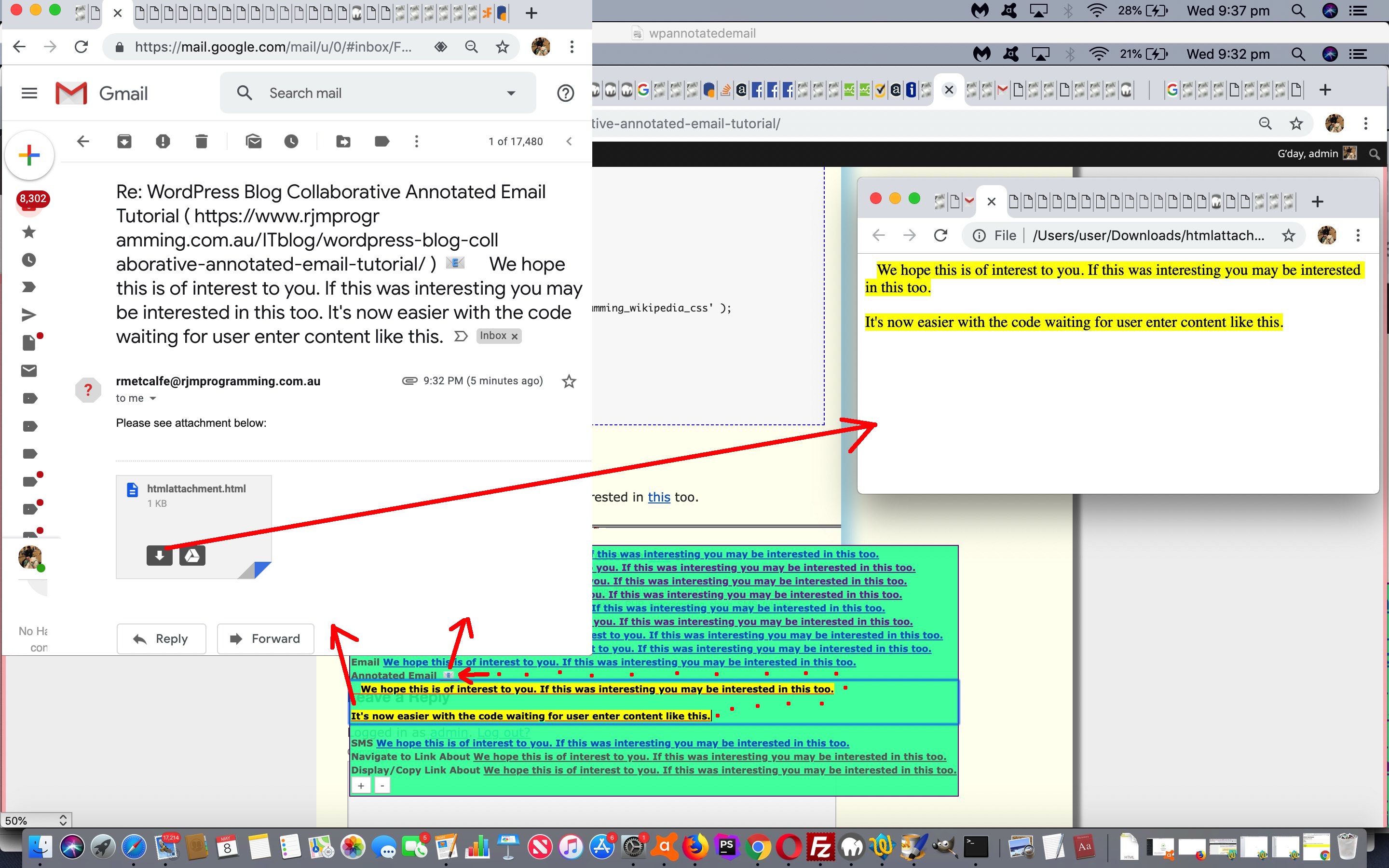
We often equate the term “user experience” with “niceties”, in that we often find we deal with “user experience” issues well into a project, but you can put more effort into forward design planning so that you deal with it better throughout the project. We found with the Animated GIF Slide Extraction project of yesterday’s Animated GIF Creation Canvas Integration via Slide Extraction Tutorial that issues that had annoyed us for several days past, but which did not stop the web application working, turned into a day where we felt that we were improving the “user experience” by “fixing annoyances” and “adding niceties”, today. As you might imagine, this can be subjective, because just because we think an idea is an improvement does not mean every user out there will think so, and this is where time set aside for real users to try a product (ie. user acceptance testing) ahead of “going live” can be a great idea.

Anyway, there was …

  • an annoyance, on non-mobile, we first introduced when we integrated Animated GIF Creation in with Animated GIF Slide Extraction a couple of days ago … too much cursor:progress; usage … and in fixing we were astonished that cursor:wait; displays the same graphics … anyway, we think it helps when a cursor can help a user get used to identifying wherein the workflow they are situated at any given time …
    <?php echo ”

    function cursorcheck(defisidea) {
    if (window.parent) { if (parent.document.getElementById('cursorchoice')) { if (parent.document.getElementById('cursorchoice').value != '') { return parent.document.getElementById('cursorchoice').value; } } }
    return defisidea;
    }

    “; ?>
    … looking to parent …

    <input data-choice='' type=hidden value='help' id='cursorchoice'></input>
  • we felt better adding <hr> horizontal rule elements above and below the middle HTML iframe we set aside for client browsing functionality … and also …
  • made that iframe less wide enabling us to place to the right of it a hashtag navigational “a” link back up to the top …

    <hr>
    <iframe onload=pcheckit(this); style='display:inline-block;width:80%;height:160px;' id=myifthree src='/PHP/read_exif_off_image_rotate.php#itwo'></iframe> <a id=atotop style='display:inline-block;vertical-align:top;width:15%;text-shadow: -1px 1px 1px #952dff;' onclick="window.scrollTo(0,0);" href='#mydet'>&#11014; Top</a>
    <hr>

    … and …
  • given a background indicative of the goings on with the extracted animated GIF slide …

    function ob(tv) {
    if (tv == '' && intc != '') {
    tv=intc;
    document.getElementById('agname').value=intc;
    document.getElementById('mygimage').src=intc;
    document.getElementById('atotop').style.backgroundImage='linear-gradient(rgba(255,255,255,0.2),rgba(255,255,255,0.2)),URL(' + intc + ')';
    document.getElementById('atotop').style.backgroundSize='contain';
    document.getElementById('atotop').style.backgroundRepeat='no-repeat';

    if (window.parent) {
    if (window.parent != window.self) {
    parent.document.getElementById('myta').setAttribute('data-img', document.getElementById('myta').getAttribute('data-img'));
    parent.document.getElementById('myta').title=document.getElementById('myta').title;
    parent.document.getElementById('agname').value=intc;
    parent.document.getElementById('mygimage').src=intc;
    parent.document.getElementById('atotop').style.backgroundImage='linear-gradient(rgba(255,255,255,0.2),rgba(255,255,255,0.2)),URL(' + intc + ')';
    parent.document.getElementById('atotop').style.backgroundSize='contain';
    parent.document.getElementById('atotop').style.backgroundRepeat='no-repeat';

    parent.document.getElementById('agname').value=intc;
    parent.document.getElementById('mygimage').title='Finding slide ' + eval(1 + eval(eval(-1 + eval('' + gifloc.replace('%',''))) % ij)) + ' of ' + ij + ' ... please wait ...';
    parent.document.getElementById('mysum').innerHTML=appbut('Animated GIF Slide Extraction Display ... RJM Programming - May, 2024 ... Finding slide ' + eval(1 + eval(eval(-1 + eval('' + gifloc.replace('%',''))) % ij)) + ' of ' + ij + ' ... please wait ...');
    parent.document.getElementById('slidenumber').value='' + eval(1 + eval(eval(-1 + eval('' + gifloc.replace('%',''))) % ij));
    parent.unsetit();
    }
    }
    //tv=gifurl;
    ij=0;
    setTimeout(function(){ intc=''; }, 27000);
    }
    if (tv.trim() != '') {
    if (tv.indexOf('data') != 0 && tv.indexOf('//') != -1 && document.URL.indexOf('//') != -1) {
    if (tv.split('//')[1].split('/')[0].toLowerCase().replace(/^www\./g,'') != document.URL.split('//')[1].split('/')[0].toLowerCase().replace(/^www\./g,'')) {
    document.getElementById('myiffour').src='/getex.php?dodu=y&url=' + encodeURIComponent(tv); //window.open('/getex.php?dodu=y&url=' + encodeURIComponent(tv), '_blank');
    } else {
    prefetch(tv);
    }
    } else {
    prefetch(tv);
    }
    }
    }

    … and …
  • should the user click one (of the now two, and colour coded, as below) Animated GIF Creation action buttons now presented in our “reveal” details/summary the scrolling now lands

    function appittwo(iob) {
    if (('' + document.getElementById('agmode').getAttribute('data-mode')) != '') {
    document.getElementById('agmode').setAttribute('data-mode', '');
    document.getElementById('followthrough').value=('' + document.getElementById('agmode').getAttribute('data-mode'));
    } else {
    document.getElementById('agmode').setAttribute('data-mode', 'rcmysubmit');
    document.getElementById('cursorchoice').setAttribute('data-choice', 'rcmysubmit');
    document.getElementById('cursorchoice').value='copy';
    document.getElementById('followthrough').value=('' + document.getElementById('agmode').getAttribute('data-mode'));
    if (document.getElementById('followxthrough')) {
    document.getElementById('followxthrough').value=('' + document.getElementById('agmode').getAttribute('data-mode'));
    }
    document.getElementById('agmode').style.display='none';
    document.getElementById('agmodetwo').style.display='none';
    document.getElementById('agmodethree').style.display='none';
    setTimeout(function(){ document.getElementById('myifthree').scrollIntoView(); }, 8000); //location.href='#myifthree';
    }
    }

    function appit(iob) {
    if (('' + document.getElementById('agmode').getAttribute('data-mode')) != '') {
    document.getElementById('agmode').setAttribute('data-mode', '');
    document.getElementById('followthrough').value=('' + document.getElementById('agmode').getAttribute('data-mode'));
    } else {
    document.getElementById('agmode').setAttribute('data-mode', 'mysubmit');
    document.getElementById('cursorchoice').setAttribute('data-choice', 'mysubmit');
    document.getElementById('cursorchoice').value='copy';
    document.getElementById('followthrough').value=('' + document.getElementById('agmode').getAttribute('data-mode'));
    if (document.getElementById('followxthrough')) {
    document.getElementById('followxthrough').value=('' + document.getElementById('agmode').getAttribute('data-mode'));
    }
    document.getElementById('agmode').style.display='none';
    document.getElementById('agmodetwo').style.display='none';
    document.getElementById('agmodethree').style.display='none';
    setTimeout(function(){ document.getElementById('myifthree').scrollIntoView(); }, 8000); //location.href='#myifthree';
    }
    }

    … at the top of that middle iframe which is short enough so it and the Animated GIF Creation iframe are viewable on many platforms, those button presses created personalized animated GIFs there and then (at least on non-mobile), the user there to see that happening … where …
  • the user clicking the buttons up the top or down the bottom regarding Animate GIF Creation work for the two “submit” button modes can see which one was pressed via new border:5px dotted yellow; styling …
    <?php

    $indone="youllneverfindthis";
    $outdone="youllneverfindthis";


    if (isset($_POST['followthrough']) || isset($_GET['followthrough'])) {
    if (isset($_POST['followthrough'])) {
    if (strlen($_POST['followthrough']) > 0) {
    $indone='#' . $_POST['followthrough'] . " { ba";
    $outdone='#' . $_POST['followthrough'] . " { border:5px dotted yellow; ba";

    if ($_POST['followthrough'] == 'overlayit') {
    $smallfillin="\n setTimeout(function(){ overlaythem(); }, 8000); \n document.getElementById('" . $_POST['followthrough'] . "').style.border='4px dotted pink'; \n";
    } else {
    $smallfillin="\n document.getElementById('" . $_POST['followthrough'] . "').style.border='4px dotted pink'; \n setTimeout(function(){ document.getElementById('" . $_POST['followthrough'] . "').click(); }, 5000); \n";
    }
    }
    } else if (isset($_GET['followthrough'])) {
    if (strlen($_GET['followthrough']) > 0) {
    $indone='#' . $_GET['followthrough'] . " { ba";
    $outdone='#' . $_GET['followthrough'] . " { border:5px dotted yellow; ba";

    if ($_GET['followthrough'] == 'overlayit') {
    $smallfillin="\n setTimeout(function(){ overlaythem(); }, 8000); \n document.getElementById('" . $_GET['followthrough'] . "').style.border='4px dotted pink'; \n";
    } else {
    $smallfillin="\n document.getElementById('" . $_GET['followthrough'] . "').style.border='4px dotted pink'; \n setTimeout(function(){ document.getElementById('" . $_GET['followthrough'] . "').click(); }, 5000); \n";
    }
    }
    }
    }

    ?>
    applied

    <?php echo ”

    <style>
    input[type=submit]:active {
    border: 5px dotted yellow;
    }
    a { padding: 5px 5px 5px 5px; margin: 5px 5px 5px 5px; border: 1px solid red; background-color: #f0f0f0; }
    ::placeholder {
    font-size: 9px;
    }
    ::-webkit-input-placeholder { /* Chrome/Opera/Safari */
    font-size: 9px;
    }
    ::-moz-placeholder { /* Firefox 19+ */
    font-size: 9px;
    }
    :-ms-input-placeholder { /* IE 10+ */
    font-size: 9px;
    }
    :-moz-placeholder { /* Firefox 18- */
    font-size: 9px;
    }" . str_replace($indone, $outdone, "
    #mysubmit { background-color: #98FB98; }
    #rcmysubmit { background-color: #AFEEEE; }
    #overlayit { background-color: #FADADD; }
    #imsel { background-color: cyan; }
    #jmsel { background-color: magenta; }
    #watermarkmode { background-color: olive; }
    #selwhs { background-color: teal; }
    #sfilteris { background-color: lightgreen; } ") . "
    </style>

    “; ?>
    to the relevant bottom button

Codewise we have …


Previous relevant Animated GIF Creation Canvas Integration via Slide Extraction Tutorial is shown below.

Animated GIF Creation Canvas Integration via Slide Extraction Tutorial

Animated GIF Creation Canvas Integration via Slide Extraction Tutorial

Thinking about yesterday’s Animated GIF Creation Data Limits via Slide Extraction Tutorial‘s progress …

What about if the user is happy to use those filled in animated GIF slide textboxes (with delay and title) to create a user created (and downloadable) animated GIF there and then?

Well, we know that user could click their own presented button, but we wanted to flag it up at the parent ahead of time too, in terms of clarity in the changed seventh draft extract_ag_slide_huh_of.html Animated GIF Slide Extraction web application (or Animated GIF Slide Extraction via User Interaction web application version), which you can try below.

So, what’s all this got to do with an HTML canvas element (in case we have readers who take notice of the nuances of blog posting titles, that is)? Well, once you reach the stage with our inhouse Animated GIF Creator web application, where it has created your own animated GIF image, there is an “onclick” subsection of functionality that, in our new scenario, suffered from an error 404 (Bad Request) because the codeline ran as …

<?php echo ”

canvwo.push(window.open('/HTMLCSS/user_of_signature_signature.htm?slide=' + tid.replace(/^slideshow1$/g,'slideshow') + useyourwords, '_blank', 'top=' + eval(screen.height - hw) + ',left=' + eval(screen.width - hw) + ',width=' + hw + ',height=' + hw));

“; ?>

… but got that error because variable useyourwords contains an animated GIF “first slide” data-URI (useful in that a [canvasContext].drawImage() call of it would do what “drawImage” does with animated GIFs anyway (going back to the original point regarding this whole thread of blog postings)) which caused an overshoot of data size limits on conventional ($_GET style) address bar URLs (perhaps involving ? and & arguments (whether they be five minute or ten minute ones)). But regular readers will know, for a happy couple of months now, we recognize we do not always have to call into play serverside PHP and its $_POST mechanisms here, because we can also call on our life changing hashtagging (ie. #) (clientside approach for HTML/Javascript/CSS webpage) ideas now! Yay!!!!! And so, it came to pass, that … yes … there was light on yonder hilland vale … whatever that is … as “we broke bread” … shall we say … let’s … with some new hashtagging code in the changed PHP tutorial_to_animated_gif.php inhouse animated GIF creator web application

<?php echo ”

if (eval('' + ('' + '/HTMLCSS/user_of_signature_signature.htm?slide=' + tid.replace(/^slideshow1$/g,'slideshow') + useyourwords).length) <= 800) {
canvwo.push(window.open('/HTMLCSS/user_of_signature_signature.htm?slide=' + tid.replace(/^slideshow1$/g,'slideshow') + useyourwords, '_blank', 'top=' + eval(screen.height - hw) + ',left=' + eval(screen.width - hw) + ',width=' + hw + ',height=' + hw));
} else {
canvwo.push(window.open('/HTMLCSS/user_of_signature_signature.htm?slide=' + tid.replace(/^slideshow1$/g,'slideshow') + useyourwords.replace('&','#'), '_blank', 'top=' + eval(screen.height - hw) + ',left=' + eval(screen.width - hw) + ',width=' + hw + ',height=' + hw));
}


“; ?>

… as above and with the changed user_of_signature_signature.htm User of Signature Signature inhouse canvas graphic data web application “canvas hoster” …


var thewords=(location.search + location.hash).split('thewords=')[1] ? decodeURIComponent((location.search + location.hash).split('thewords=')[1].split('&')[0]) : "";
if (thewords.indexOf('data') == 0) { thewords=thewords.replace(/\ /g,'+'); }

… to bring “canvas integration” into the mix.


Previous relevant Animated GIF Creation Data Limits via Slide Extraction Tutorial is shown below.

Animated GIF Creation Data Limits via Slide Extraction Tutorial

Animated GIF Creation Data Limits via Slide Extraction Tutorial

Even PHP’s $_POST[] approach to HTML form navigation data sharing has it’s limits, and that can be challenged when considering a whole set of data-URI defined animated GIF slide images.

But, behind the scenes, when $_POST[] does not get filled out with regard to the data limits of the Apache/PHP/MySql (in our case) web server involved, there is still php://input

PHP provides a number of miscellaneous I/O streams that allow access to PHP’s own input and output streams, the standard input, output and error file descriptors, in-memory and disk-backed temporary file streams, and filters that can manipulate other file resources as they are read from and written to.

php://stdin, php://stdout and php://stderr 
php://stdin, php://stdout and php://stderr allow direct access to the corresponding input or output stream of the PHP process. The stream references a duplicate file descriptor, so if you open php://stdin and later close it, you close only your copy of the descriptor-the actual stream referenced by STDIN is unaffected. It is recommended that you simply use the constants STDIN, STDOUT and STDERR instead of manually opening streams using these wrappers.

php://stdin is read-only, whereas php://stdout and php://stderr are write-only.

… we can turn to (thanks, PHP), that can save the day in a lot of these scenarios.

The thing is, which our parent HTML and Javascript can help with, we want to be flagging the scenario where we should be checking that php://input usage might be coming into play. Well, even for an HTML form method=POST action=[ourRelevantPHP] scenario, the PHP global $_SERVER[‘QUERY_STRING’] is honoured, shall we say (separate to any $_GET[] ideas, is what we are getting at here). So we can, at the client HTML and Javascript parent (and client) end, set a unique $_SERVER[‘QUERY_STRING’] condition to test for in a changed sixth draft extract_ag_slide_huh_of.html Animated GIF Slide Extraction web application (or Animated GIF Slide Extraction via User Interaction web application version), which you can try below, nuancing yesterday’s Animated GIF Creation Interfacing via Slide Extraction Tutorial


<form id=agf style=display:none; method=POST data-target=ifconto action='/PHP/animegif/tutorial_to_animated_gif.php?theword=numfillin'>
</form>

… and then, up at that “[ourRelevantPHP]” changed PHP tutorial_to_animated_gif.php inhouse animated GIF creator web application we can test as per

<?php

if (strpos(('' . $_SERVER['QUERY_STRING']), '=numfillin') !== false && !isset($_POST['numfillin']) && !isset($_GET['numfillin'])) {
$fp = fopen("php://input", "r");
$post = "" . file_get_contents("php://input");
fclose($fp);
$prefdelim='?';
$pairings=[];
//file_put_contents('yes.yes', substr($post,0,300));
if (strpos($post, '=') !== false && strpos($post, '?') === false) {
$pairings=explode('=', ('?' . $post));
} else if (strpos($post, '=') !== false) {
$pairings=explode('=', ('' . $post));
}
if (strpos($post, '=') !== false) { // && strpos($post, '?') !== false) {
$post='';
//file_put_contents('yesagain.yes', '' . sizeof($pairings));
for ($ipairings=1; $ipairings<sizeof($pairings); $ipairings++) {
$thisval=explode('&', $pairings[$ipairings])[0];
$thisname=explode($prefdelim, $pairings[-1 + $ipairings])[1];
if (strpos(('~' . $thisval), '~data') !== false) {
$_POST[$thisname]=$thisval;
} else {
$_POST[$thisname]=$thisval;
}
if (strpos($thisname, 'slideshow') !== false) {
//file_put_contents('yes_yet_again.yes', '' . $thisname . ' ' . strlen($thisval));
}
//file_put_contents('yes_again.yes', '' . $thisname . ' ' . strlen($thisval));
$prefdelim='&';
}
$pairings=[];
}
}
$post='';

if (isset($_GET['numfillin'])) { $numfillin=$_GET['numfillin']; }
if (isset($_POST['numfillin'])) { $numfillin=$_POST['numfillin']; }

$nonplus=' ';
$theplus='+';
if ($numfillin >= 2) {
if (isset($_GET['numfillin'])) {
$numfillin=$_GET['numfillin'];
if (isset($_GET['slideshow'])) {
if (str_replace('+',' ',substr(urldecode($_GET['slideshow']),0,1)) == ' ') { $theplus=' '; $nonplus='+'; }
$preurl=str_replace($nonplus,$theplus,urldecode($_GET['slideshow']));
}
$nonplus=' ';
$theplus='+';
if (isset($_GET['slideshow2'])) {
if (str_replace('+',' ',substr(urldecode($_GET['slideshow2']),0,1)) == ' ') { $theplus=' '; $nonplus='+'; }
$bigfillin=str_replace(' value=""',' value="' . str_replace($nonplus,$theplus,urldecode($_GET['slideshow2'])) . '"',$twopattern);
} else {
$bigfillin=$twopattern;
}
} else if (isset($_POST['numfillin'])) {
$numfillin=$_POST['numfillin'];
if (isset($_POST['slideshow'])) {
//file_put_contents('yes_slideshow_again.yes', '' . $numfillin);
if (str_replace('+',' ',substr(urldecode($_POST['slideshow']),0,1)) == ' ') { $theplus=' '; $nonplus='+'; }
$preurl=str_replace($nonplus,$theplus,urldecode($_POST['slideshow']));
}
if (isset($_POST['slideshow2'])) {
//file_put_contents('yes_slideshow2_again.yes', '' . $numfillin);
if (str_replace('+',' ',substr(urldecode($_POST['slideshow2']),0,1)) == ' ') { $theplus=' '; $nonplus='+'; }
$bigfillin=str_replace(' value=""',' value="' . str_replace($nonplus,$theplus,urldecode($_POST['slideshow2'])) . '"',$twopattern);
} else {
$bigfillin=$twopattern;
}
}
$nonplus=' ';
$theplus='+';
for ($ijh=3; $ijh<=$numfillin; $ijh++) {
$pretwopattern='<div id="fdiv' . $ijh . '">';
if (isset($_GET['slideshow' . $ijh])) {
if (str_replace('+',' ',substr(urldecode($_GET['slideshow' . $ijh]),0,1)) == ' ') { $theplus=' '; $nonplus='+'; }
$bigfillin=str_replace('<div id="fdiv' . (-1 + $ijh) . '"></div>', '<div id="fdiv' . (-1 + $ijh). '">' . $pretwopattern . str_replace(' value=""',' value="' . str_replace($nonplus,$theplus,urldecode($_GET['slideshow' . $ijh])) . '"',str_replace('slideshow2"', 'slideshow' . $ijh . '"', str_replace('<div id="fdiv2"', '<div id="fdiv' . $ijh . '"', str_replace('>2<', '>' . $ijh . '<', str_replace('ours2', 'ours' . $ijh, $twopattern))))) . $posttwopattern . '</div>', $bigfillin);
} else if (isset($_POST['slideshow' . $ijh])) {
//file_put_contents('yes_slideshow' . $ijh . '_again.yes', '' . $numfillin);
if (str_replace('+',' ',substr(urldecode($_POST['slideshow' . $ijh]),0,1)) == ' ') { $theplus=' '; $nonplus='+'; }
$bigfillin=str_replace('<div id="fdiv' . (-1 + $ijh) . '"></div>', '<div id="fdiv' . (-1 + $ijh). '">' . $pretwopattern . str_replace(' value=""',' value="' . str_replace($nonplus,$theplus,urldecode($_POST['slideshow' . $ijh])) . '"',str_replace('slideshow2"', 'slideshow' . $ijh . '"', str_replace('<div id="fdiv2"', '<div id="fdiv' . $ijh . '"', str_replace('>2<', '>' . $ijh . '<', str_replace('ours2', 'ours' . $ijh, $twopattern))))) . $posttwopattern . '</div>', $bigfillin);
} else {
$bigfillin=str_replace('<div id="fdiv' . (-1 + $ijh) . '"></div>', '<div id="fdiv' . (-1 + $ijh). '">' . $pretwopattern . str_replace('slideshow2"', 'slideshow' . $ijh . '"', str_replace('<div id="fdiv2"', '<div id="fdiv' . $ijh . '"', str_replace('>2<', '>' . $ijh . '<', str_replace('ours2', 'ours' . $ijh, $twopattern)))) . $posttwopattern . '</div>', $bigfillin);
}
$nonplus=' ';
$theplus='+';
if ($ijh == $numfillin) {
$ijh++;
$bigfillin=str_replace('<div id="fdiv' . (-1 + $ijh) . '"></div>', '<div id="fdiv' . (-1 + $ijh). '">' . $pretwopattern . str_replace('slideshow2"', 'slideshow' . $ijh . '"', str_replace('<div id="fdiv2"', '<div id="fdiv' . $ijh . '"', str_replace('>2<', '>' . $ijh . '<', str_replace('ours2', 'ours' . $ijh, $twopattern)))) . $posttwopattern . '</div>', $bigfillin);
}
}
}

?>

… to cater for more scenarios, we’re hoping!


Previous relevant Animated GIF Creation Interfacing via Slide Extraction Tutorial is shown below.

Animated GIF Creation Interfacing via Slide Extraction Tutorial

Animated GIF Creation Interfacing via Slide Extraction Tutorial

The work of today combines …

… to add the chance for a user to use what ImageMagick produces as an Animated GIF slide and fill this out into the textboxes of the Animated GIF Creator “child” iframe hosted incarnation “quietly” filled out probably “below the fold”, but scrollable toable.

There are data limits to what the Animated GIF Creator can handle, but perhaps it can help a user create their own Animated GIFs, for their own purposes, via other sources.

Sources for courses

… we’d say. But we would say that, wouldn’t we?!

To make this happen, amongst the …

  1. PHP … and …
  2. Korn Shell

… helper components (to get to ImageMagick) we swap the “tidying up of interim files” role Korn Shell used to do, quite successfully (and still does for any interim “whole Animated GIF” files created), passing the responsibilities to the PHP to do (via passing over to the Korn Shell a new extra argument, to tell it this is the new arrangement). And at the changed third draft agtoslides.php PHP (working with the changed third draft agtoslides.ksh), before the “outputting command line” is executed, a whole lot of “child asks stuff of the parent” “programming talk and action” happens (and works, because our Client Pre-emptive Iframe Onload Event logic looks for that iframe document’s document.body.innerHTML as the representation of the extracted slide (of the animated GIF) of interest) …

<?php

$preoutp='';
$postoutp='';

$inn=0;
$ij=0;
$otherstuff="";
if (isset($_GET['delay'])) {
$otherstuff.='delay=' . str_replace('+',' ',urldecode($_GET['delay'])) . '&';
}
if (isset($_POST['delay'])) {
$otherstuff.='delay=' . str_replace('+',' ',urldecode($_POST['delay'])) . '&';
}
if (isset($_GET['title'])) {
$otherstuff.='title=' . str_replace('+',' ',urldecode($_GET['title'])) . '&';
}
if (isset($_POST['title'])) {
$otherstuff.='title=' . str_replace('+',' ',urldecode($_POST['title'])) . '&';
}
if (file_exists('/tmp/agtoslides/xx' . explode(' ',$infill)[0] . '_' . substr(('00000' . $inn),-5) . '.png')) {
while (file_exists('/tmp/agtoslides/xx' . explode(' ',$infill)[0] . '_' . substr(('00000' . $inn),-5) . '.png')) {
$ij++;
$inn++;
}
}
$inn=0;
while (file_exists('/tmp/agtoslides/xx' . explode(' ',$infill)[0] . '_' . substr(('00000' . $inn),-5) . '.png')) {
if ($postoutp == '') {
$postoutp='</body></html>';
$preoutp="<html><body onload=\" parent.agslideshow('slideshow','data:image/" . explode('#',str_replace('jpg','jpeg',strtolower(explode('.','/tmp/agtoslides/xx' . explode(' ',$infill)[0] . '_' . substr(('00000' . $inn),-5) . '.png')[-1 + sizeof(explode('.','/tmp/agtoslides/xx' . explode(' ',$infill)[0] . '_' . substr(('00000' . $inn),-5) . '.png'))])))[0] . ';base64,' . base64_encode(file_get_contents(explode('#','/tmp/agtoslides/xx' . explode(' ',$infill)[0] . '_' . substr(('00000' . $inn),-5) . '.png')[0])) . "'); ";
}
if ($postoutp != '') {
if ($inn > 0) {
$preoutp.=" parent.agslideshow('slideshow" . ('' . (1 + $inn)) . "','data:image/" . explode('#',str_replace('jpg','jpeg',strtolower(explode('.','/tmp/agtoslides/xx' . explode(' ',$infill)[0] . '_' . substr(('00000' . $inn),-5) . '.png')[-1 + sizeof(explode('.','/tmp/agtoslides/xx' . explode(' ',$infill)[0] . '_' . substr(('00000' . $inn),-5) . '.png'))])))[0] . ';base64,' . base64_encode(file_get_contents(explode('#','/tmp/agtoslides/xx' . explode(' ',$infill)[0] . '_' . substr(('00000' . $inn),-5) . '.png')[0])) . "'); ";
}
}
unlink('/tmp/agtoslides/xx' . explode(' ',$infill)[0] . '_' . substr(('00000' . $inn),-5) . '.png');
$inn++;
}
if ($postoutp != '') { $preoutp.=" parent.preagslideshow('/PHP/animegif/tutorial_to_animated_gif.php?" . $otherstuff . "numfillin=" . ('' . $ij) . "'); \">"; }
//file_put_contents('x.x', $preoutp . $outp . $postoutp);
echo $preoutp . $outp . $postoutp;
exit;

?>

… to have the new parent Javascript functions …


function preagslideshow(theurl) {
if (theurl.indexOf('delay=') != -1) {
if (9 == 9) {
document.getElementById('agf').innerHTML+='<input type=hidden name=delay value="' + decodeURIComponent(theurl.split('delay=')[1].split('&')[0]) + '"></input>';
} else {
jjform.append('delay', decodeURIComponent(theurl.split('delay=')[1].split('&')[0]));
}
}
if (theurl.indexOf('title=') != -1) {
if (9 == 9) {
document.getElementById('agf').innerHTML+='<input type=hidden name=title value="' + decodeURIComponent(theurl.split('title=')[1].split('&')[0]) + '"></input>';
} else {
jjform.append('title', decodeURIComponent(theurl.split('title=')[1].split('&')[0]));
}
}
if (theurl.indexOf('numfillin=') != -1) {
if (9 == 9) {
document.getElementById('agf').innerHTML+='<input type=hidden name=numfillin value="' + decodeURIComponent(theurl.split('numfillin=')[1].split('&')[0]) + '"></input>';
} else {
jjform.append('numfillin', decodeURIComponent(theurl.split('numfillin=')[1].split('&')[0]));
}
}
if (9 == 9) {
document.getElementById('agf').innerHTML+='<input type=submit style=display:none; id=mysubag value=Submit></input>';
//alert(document.getElementById('agf').outerHTML);
document.getElementById('mysubag').click();
} else {
jjxhr.onreadystatechange = twoslidedu;
//jjxhr.responseType = "Document";
jjxhr.open('post', theurl.split('?')[0], true);
//document.getElementById('ifconto').src=theurl;
}
}

function agslideshow(thename, thevalue) {
if (1 == 1) {
if (thename == 'slideshow') {
if (9 == 9) {
//alert(thevalue);
document.getElementById('agf').innerHTML='<input type=hidden name=slideshow value="' + thevalue + '"></input>';
} else {
jjform = new FormData();
jjxhr = new XMLHttpRequest();
jjform.append('slideshow', thevalue);
}
} else {
if (9 == 9) {
document.getElementById('agf').innerHTML+='<input type=hidden name=' + thename + ' value="' + thevalue + '"></input>';
} else {
jjform.append(thename, thevalue);
}
}
} else {
agconto.getElementById(thename).value=thevalue;
}
}

… working with the new static HTML …


<form id=agf style=display:none; method=POST data-target=ifconto action='/PHP/animegif/tutorial_to_animated_gif.php'>
</form>

… be able to assist with this new Animated GIF Creator interfacing to happen for the user, should they be interested, in a changed fifth draft extract_ag_slide_huh_of.html Animated GIF Slide Extraction web application (or Animated GIF Slide Extraction via User Interaction web application version), which you can try below.


Previous relevant Animated GIF Slide Extraction Reveal Tutorial is shown below.

Animated GIF Slide Extraction Reveal Tutorial

Animated GIF Slide Extraction Reveal Tutorial

Around here, we’re not ashamed to simplify 90% of web design issues into two categories …

  1. an “overlay” issue … or …
  2. a “reveal” issue

… and today’s improvements, pitted against the progress up until yesterday’s Animated GIF Slide Extraction Absolute URL Tutorial, pitted these two “colossuses” (at least in our mind) against each other as concept ideas towards today’s work’s solution. Which wins? We opted for a “reveal” solution, where the initial position is “reveal”.

We could have “overlayed” but we went for the KISS (“keep it simple simpleton”) principle, where, what you see at the top of a webpage takes prominence for the user. The thing is, though, in this alternate input section, we are not fussed that it stays around, hence the details/summary “reveal” way a user can make it disappear at any given point in time.

Here’s the thing, though, a details/summary “reveal” pairing has that “summary” innerHTML content part that can remain, no matter what, as a status informer mechanism we’re hoping helps out the “formerly obtuse” web application ways of our Animated GIF Extraction web application, in a changed fourth draft extract_ag_slide_huh_of.html Animated GIF Slide Extraction web application (or Animated GIF Slide Extraction via User Interaction web application version), which you can try below.


Previous relevant Animated GIF Slide Extraction Absolute URL Tutorial is shown below.

Animated GIF Slide Extraction Absolute URL Tutorial

Animated GIF Slide Extraction Absolute URL Tutorial

The other user entry the user might do using the Animated GIF Slide Extraction web application of yesterday’s Animated GIF Slide Extraction Browsing Tutorial onto …

  • relative animated GIF URL (within the address bar domain of use or an absolute URL serving similar purposes) … and yesterday’s …
  • browsed for local animated GIF file of interest … is today’s …
  • absolute URL pointing to a domain not the same as the address bar domain of use

As you might guess this last option for the user may not work for a domain with very high security, but being as hotlinking images makes the Internet woooorrrrllllddd go around perhaps the user can try this underlying curl based logic out, to see with a changed third draft extract_ag_slide_huh_of.html Animated GIF Slide Extraction web application (or Animated GIF Slide Extraction via User Interaction web application version), try below.

You may have noticed in our first draft we were not concerned with two incarnations of the web application being executed at once. Back then, one might interfere with the next if interrupted during the serverside ImageMagick phase of creating the png slides off the input animated GIF. Recently, we have started using …


uniquifier

… based logic (but in non-SQL realms) for that ImageMagick work. By and large the internal use only interim file naming in this ImageMagick phase is 99.9999999% sure to be unique to your session, and so not interfering, or accidentally picking up, other sessional data. You might want to look out for a textbox named “random”, in the code, regarding how we make that happen …


user@Users-Air htdocs % fgrep -n "'random'" extract_ag_slide_huh_of.html
157: jjform.append('random', document.getElementById('random').value);
165: document.getElementById('myif').src='./agtoslides.php?agname=' + encodeURIComponent(document.getElementById('agname').value) + '&slidenumber=' + encodeURIComponent(document.getElementById('slidenumber').value) + '&random=' + encodeURIComponent(document.getElementById('random').value);
167: //window.open('//www.rjmprogramming.com.au/Mac/extract_ag_slide_huh_of.html?slide=' + encodeURIComponent(document.getElementById('slidenumber').value) + '&random=' + encodeURIComponent(document.getElementById('random').value) + '#url=' + encodeURIComponent(document.getElementById('agname').value), '_blank', 'top=10,left=10,width=600,height=600');
173: document.getElementById('random').value='' + Math.floor(Math.random() * 198786753);
293: document.getElementById('random').value='' + Math.floor(Math.random() * 198786753);
376:<body onload="document.getElementById('random').value='' + Math.floor(Math.random() * 19878675); setTimeout(askaway,8000); ob(gifurl);">
user@Users-Air htdocs %


Previous relevant Animated GIF Slide Extraction Browsing Tutorial is shown below.

Animated GIF Slide Extraction Browsing Tutorial

Animated GIF Slide Extraction Browsing Tutorial

As of the recent Animated GIF Slide Extraction Primer Tutorial‘s progress with an Extraction of a User Nominated Animated GIF Slide web application’s …

  • input animated GIF URL modus operandi … today we add …
  • local operating system file browsing method of user animated GIF entry

… approach to our web application’s functionality abilities in a changed second draft extract_ag_slide_huh_of.html Animated GIF Slide Extraction web application (or Animated GIF Slide Extraction via User Interaction web application version) helped out, especially via PHP’s acceptance of HTML form method=POST data, by …

… or via arrangements below.


Previous relevant Animated GIF Slide Extraction Primer Tutorial is shown below.

Animated GIF Slide Extraction Primer Tutorial

Animated GIF Slide Extraction Primer Tutorial

Would you believe …

  • the extraction of an HTML video element still is not too hard using that HTML video element object as the first parameter to a [canvasContext].drawImage method call (as you might recall reading the recent Canvas DrawImage First Parameter Primer Tutorial) … whereas …
  • the extraction of an HTML animated GIF image (ie. img) element still is a lot harder, regarding only the clientside Javascript side of web applications because using that animated GIF img object as that first parameter to a [canvasContext].drawImage method call results only in the first still (or slide) of that animated GIF

? And so, to proceed with our “Animated GIF Slide Extraction” web application where a user can ask for the still (or slide) to be honed in on, needed us to design it so that a …

… looking arrangement could fulfil our requirements, so far, where the user can supply …

  1. [animatedGIFimageFileName] … and …
  2. slide number to extract (which can be entered as a percentage, being as our “HTML and Javascript parent (clientside) web application” logics are capable of determining an animated GIF’s …

    • number of slides (PHP extracts) … and, albeit not needed so far, with this project …
    • duration of an animated GIF “run through”

    )

… in …


var ij=0;

/** @param {Uint8Array} uint8 */
function isGifAnimated(uint8) { // thanks to https://stackoverflow.com/questions/69564118/how-to-get-duration-of-gif-image-in-javascript#:~:text=Mainly%20use%20parseGIF()%20%2C%20then,duration%20of%20a%20GIF%20image.
if (origgifloc == '') { origgifloc=gifloc; }
pbefore='';
//ij=0;
let duration = 0;
for (let i = 0, len = uint8.length; i < len; i++) {
if (uint8[i] == 0x21
&& uint8[i + 1] == 0xF9
&& uint8[i + 2] == 0x04
&& uint8[i + 7] == 0x00)
{
const delay = (uint8[i + 5] << 8) | (uint8[i + 4] & 0xFF);
duration += delay < 2 ? 10 : delay;


if (doit || gifloc.indexOf('%') != -1 || 1 == 1) {
ij++;
doit=true;
gifloc=origgifloc;
pbefore='' + ('gifloc=' + gifloc + ' and duration=' + eval(duration / 100) + ' and ij=' + ij + ' ');
if (origgifloc.indexOf('%') != -1) { gifloc='' + Math.round(eval(eval(gifloc.replace('%','')) * eval('' + ij) / 100.0)); }
//document.title='' + pbefore + ' ... ' + gifloc;
}
}
}
if (eval(duration / 100) <= 0.11) {
return 0;
}
//if (gifloc.indexOf('%') != -1) {
// alert('' + eval(duration / 100) + ' vs ' + delay);
// gifloc=gifloc.replace('%','');
//}
if (1 == 5 && canextract > 0) {
alert('' + eval(duration / 100));
} else {

var newimg=new Image();
newimg.onload = function(){
ih=newimg.height;
iw=newimg.width;
document.getElementById('dimg').style.width='' + eval(1 * newimg.width) + 'px';
document.getElementById('dimg').style.height='' + eval(1 * newimg.height) + 'px';
document.getElementById('dimg').style.background='linear-gradient(rgba(255,255,255,0.9),rgba(255,255,255,0.9)),url(' + gifurl + ')';
//document.getElementById('dimg').style.backgroundPosition='' + iw + 'px ' + ih + 'px';
document.getElementById('dimg').style.backgroundPosition='0px 0px';
document.getElementById('dimg').style.backgroundSize='' + newimg.width + 'px ' + newimg.height + 'px';
document.getElementById('dimg').style.backgroundRepeat='no-repeat';
document.getElementById('dimg').src='#';
document.getElementById('dimg').src=gifurl;
document.getElementById('mygimage').style.opacity='0.1';
};

newimg.src=gifurl;
goi=document.getElementById('mygimage');
goisrc=gifurl;
document.getElementById('mygimage').src=gifurl;
//newimg.src=gifurl;
setTimeout(function(){
jjform = new FormData();
jjxhr = new XMLHttpRequest();
document.getElementById('agname').value=gifurl;
document.getElementById('mygimage').title='Finding slide ' + eval(1 + eval(eval(-1 + eval('' + gifloc.replace('%',''))) % ij)) + ' of ' + ij + ' ... please wait ...';
document.getElementById('slidenumber').value='' + eval(1 + eval(eval(-1 + eval('' + gifloc.replace('%',''))) % ij));
jjform.append('agname', gifurl);
jjform.append('slidenumber', '' + eval(1 + eval( eval(-1 + eval('' + gifloc.replace('%',''))) % ij)));
jjxhr.onreadystatechange = oneslidedu;
//jjxhr.responseType = "Document";
jjxhr.open('post', './agtoslides.php', true);
if (1 == 1) {
if (eval('' + document.getElementById('agname').value.length) < 400) {
//document.getElementById('dimg').style.opacity='0.1';
document.body.style.cursor='progress';
document.getElementById('myif').src='./agtoslides.php?agname=' + encodeURIComponent(document.getElementById('agname').value) + '&slidenumber=' + encodeURIComponent(document.getElementById('slidenumber').value);
} else {
//document.getElementById('dimg').style.opacity='0.1';
document.body.style.cursor='progress';
document.getElementById('mysub').click();
}
} else {
jjxhr.send(jjform);
}
}, 5000);
}
return duration / 100; // if 0.1 is not an animated GIF
}

… and to try this out you can turn the iframe below into a user interaction one via a click below

If this was interesting you may be interested in this too.


If this was interesting you may be interested in this too.

If this was interesting you may be interested in this too.

If this was interesting you may be interested in this too.

If this was interesting you may be interested in this too.

If this was interesting you may be interested in this too.
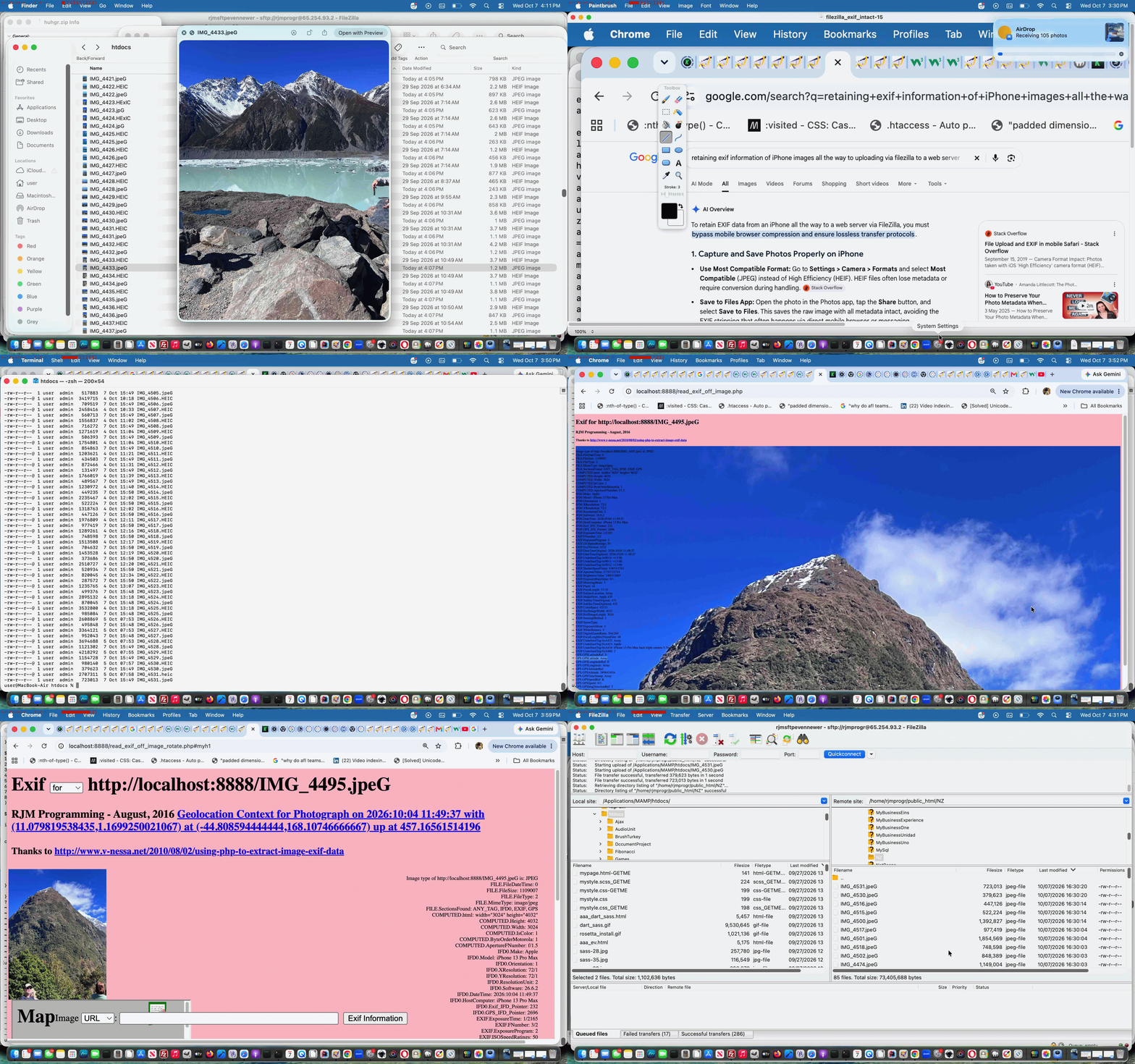

If this was interesting you may be interested in this too.


If this was interesting you may be interested in this too.


If this was interesting you may be interested in this too.

If this was interesting you may be interested in this too.

If this was interesting you may be interested in this too.


If this was interesting you may be interested in this too.
Posted in eLearning, Event-Driven Programming, Tutorials | Tagged , , , , , , , , , , , , , , | Leave a comment

Client Browsing Safari Image Blob Copy Canvas Paste Tutorial

Client Browsing Safari Image Blob Copy Canvas Paste Tutorial

Client Browsing Safari Image Blob Copy Canvas Paste Tutorial

Yes, yesterday’s Client Browsing Mimetypes Not Image Copying Tutorial‘s issue …

where, with images, we noticed Safari needs more consideration as it output “blob” URLs within the copied buffer

… ended up, for us, involving HTML5


canvas

… element as the “go between” …

  • from a “blob” (output with image graphical Copy buffers on Safari) …
  • to the data URI we are more comfortable working with as your generic image (img element) data representative

… via new …


if (isSafari) { // thanks to https://www.google.com/search?q=safari+returns+image+paste+as+blob+reader.result%3D%27%27&sca_esv=75e6d7a8c6f57b91&rlz=1C5OZZY_en&sxsrf=ANbL-n7aIEShTuNr1B3m9mwDmxo6Y6DyLg%3A1775970178074&ei=gifbaeiUBIj61e8PjM31sQ4&biw=1440&bih=741&ved=0ahUKEwjo3eG8xOeTAxUIffUHHYxmPeYQ4dUDCBE&uact=5&oq=safari+returns+image+paste+as+blob+reader.result%3D%27%27&gs_lp=Egxnd3Mtd2l6LXNlcnAiM3NhZmFyaSByZXR1cm5zIGltYWdlIHBhc3RlIGFzIGJsb2IgcmVhZGVyLnJlc3VsdD0nJzIFECEYoAFIoS5QggdYuSlwAXgAkAEAmAHhAaAB2geqAQUwLjMuMrgBA8gBAPgBAfgBApgCBqAChAjCAg4QABiABBiwAxiGAxiKBcICCBAAGLADGO8FwgIEECMYJ8ICBRAAGO8FmAMAiAYBkAYFkgcFMS4zLjKgB50OsgcFMC4zLjK4B_gHwgcHMC4yLjMuMcgHF4AIAA&sclient=gws-wiz-serp and https://stackoverflow.com/questions/38004917/how-to-render-a-blob-on-a-canvas-element
document.addEventListener('paste', (event) => {
const items = (event.clipboardData || event.originalEvent.clipboardData).items;
for (const item of items) {
if (item.type.indexOf('image') !== -1) {
itype='' + item.type;
const blob = item.getAsFile();
// Create a temporary URL for the blob
const url = URL.createObjectURL(blob);

// Set as image source
const imgf = new Image();

imgf.onload = function(){
//document.title=';';
var zcanvas = document.createElement('canvas');
zcanvas.width = imgf.width;
zcanvas.height = imgf.height;
var zctx = zcanvas.getContext('2d');
zctx.drawImage(imgf, 0, 0);
xaltdu=zcanvas.toDataURL("image/jpeg", 0.1);
itype='image/jpeg';
imgf.src=xaltdu;

// Get JPG as Data URL (quality 0.9)

//document.getElementById('ssimgis').innerHTML='Image';
//document.getElementById('dsimgis').appendChild(imgf);
//document.getElementById('dsimgis').open=true;

//xaltdu=document.getElementById('dsimgis').innerHTML.split(' src="')[1].split('"')[0];
setTimeout(function(){ xaltdu=''; }, 24100); //xaltdu='';
document.getElementById('divcopyspan').innerHTML='';
document.getElementById('divcopyspan').title=xaltdu;
mydivo.innerHTML='⬆️ 🖼️';
othertypes();

}

imgf.src = url;

// Optional: Revoke to free memory
// img.onload = () => URL.revokeObjectURL(url);
}
}
});
}

… in the changed client_browsing.htm client side local file browsing HTML and Javascript inhouse helper.


Previous relevant Client Browsing Mimetypes Not Image Copying Tutorial is shown below.

Client Browsing Mimetypes Not Image Copying Tutorial

Client Browsing Mimetypes Not Image Copying Tutorial

Extending yesterday’s Called Upon Client Browsing Specifically Onpaste Image Copying Tutorial

  • exclusively image (media) functioning copy and paste functionality … today we shore up …
  • other mimetypes … starting with …
    1. text
    2. video
    3. audio

    … interfacing functionality

In amongst the text work we saw some categories of input data, as per …

  • select all/copy PDF from within a PDF application … paste (into span contenteditable=true element)
  • select all/copy pure HTML from within a text editor application … paste (into span contenteditable=true element)
  • select all/copy WordPress [] blog posting prefixed HTML from within a text editor application … paste (into span contenteditable=true element)
  • select all/copy just plain text from within a text editor application … paste (into span contenteditable=true element)

… via modes of input …

  • select all/copy of graphical data … where, with images, we noticed Safari needs more consideration as it output “blob” URLs within the copied buffer …
  • select all/copy of just the data URI (eg. Google Image Search of “clipart”->right click->Copy Image Address can output)

… regarding the standalone mode of use of the changed client_browsing.htm client side local file browsing HTML and Javascript inhouse helper.


Previous relevant Called Upon Client Browsing Specifically Onpaste Image Copying Tutorial is shown below.

Called Upon Client Browsing Specifically Onpaste Image Copying Tutorial

Called Upon Client Browsing Specifically Onpaste Image Copying Tutorial

Yesterday’s Called Upon Client Browsing Onpaste Image Copying Tutorial had us adjusting …

… optional, but potential, use of image copying and pasting via the dual purpose (unchanged from yesterday) local file browsing HTML and Javascript inhouse helper


var twaconto=null, twacontoiurl=null, twacontojurl=null;

function lookfor() {
var uis=document.getElementById('cbi').src.replace('=','=' + Math.floor(Math.random() * 9));
if (twacontojurl) {
if ((twacontojurl.innerHTML + twacontojurl.title).indexOf('data:') == 0) {
twocontocont='data:' + (twacontojurl.innerHTML + twacontojurl.title).split('data:')[1];
document.getElementById('imgurl').value=twocontocont;
twacontojurl.innerHTML='';
twacontojurl.title='';
document.getElementById('cbi').style.visibility='hidden';
document.getElementById('cbi').src=uis; //'/HTMLCSS/client_browsing.htm?d=' + Math.floor(Math.random() * 19897865) + '&wording=Allimages%20images%2E%20';
document.getElementById('cbi').style.visibility='visible';
}
}
}

function checkit(iois) {
twaconto = (iois.contentWindow || iois.contentDocument);
if (twaconto != null) {
if (twaconto.document) { twaconto = twaconto.document; }
if (twaconto.getElementById('divcopyspan')) {
twacontojurl=twaconto.getElementById('divcopyspan');
}
if (twacontoiurl || twacontojurl) { setInterval(lookfor, 3000); }
}
}

… where the browsing smarts of the inhouse client browser are catered for elsewhere, and so, Javascript global variable twacontoiurl is unused.


Previous relevant Called Upon Client Browsing Onpaste Image Copying Tutorial is shown below.

Called UponClient Browsing Onpaste Image Copying Tutorial

Called Upon Client Browsing Onpaste Image Copying Tutorial

As promised at yesterday’s Client Browsing Onpaste Image Copying Tutorial, today, we start looking further than …

  • yesterday’s “standalone” incarnation of our now potentially dual purpose “browsing and pasting” inhouse client browsing web application … to, today …
  • “called upon” incarnation of our inhouse client browsing web application

… and, as we suspected, today’s first look was pretty salutary in proving “no one paradigm size fits all” with the number of scenarios a “called upon” incarnation of our inhouse client browsing web application can throw up.

Where we think the inhouse client browsing web application for this new “paste” functionality can flourish can be via what we like to call “client pre-emptive iframe” Javascript logic back at the caller, where we extend the code for that HTML iframe’s onload event …


var twaconto=null, twacontoiurl=null, twacontojurl=null;

function lookfor() {
if (twacontojurl) {
if ((twacontojurl.innerHTML + twacontojurl.title).indexOf('data:') == 0) {
twocontocont='data:' + (twacontojurl.innerHTML + twacontojurl.title).split('data:')[1];
document.getElementById('background').value=twocontocont;
twacontojurl.innerHTML='';
twacontojurl.title='';
if (twocontocont.replace('/gif','.gif') == -1 || (twocontocont.indexOf('data:') == 0 || twocontocont.slice(-5).indexOf('.') != -1)) {
setTimeout(reduceimsize, 100);
} else {
console.log('why? ' + twocontocont.substring(0,200));
}
document.getElementById('cbi').style.visibility='hidden';
document.getElementById('cbi').src='/HTMLCSS/client_browsing.htm?d=' + Math.floor(Math.random() * 19897865) + '&wording=Allimages%20images%2E%20';
document.getElementById('cbi').style.visibility='visible';
setTimeout(refocus,1500);
}
}

if (twacontoiurl) {
if (twacontoiurl.innerHTML.indexOf('data:') == 0) {
twocontocont=twacontoiurl.innerHTML;
twacontoiurl.innerHTML='';
document.getElementById('background').value=twocontocont;
if (twocontocont.replace('/gif','.gif') == -1 || (twocontocont.indexOf('data:') == 0 || twocontocont.slice(-5).indexOf('.') != -1)) {
setTimeout(reduceimsize, 100);
} else {
console.log('why? ' + twocontocont.substring(0,200));
}
document.getElementById('cbi').style.visibility='hidden';
document.getElementById('cbi').src='/HTMLCSS/client_browsing.htm?d=' + Math.floor(Math.random() * 19897865) + '&wording=Allimages%20images%2E%20';
document.getElementById('cbi').style.visibility='visible';
setTimeout(refocus,1500);
}
}
}

function checkit(iois) {
twaconto = (iois.contentWindow || iois.contentDocument);
if (twaconto != null) {
if (twaconto.document) { twaconto = twaconto.document; }
twacontoiurl=document.getElementById('result');
if (twaconto.getElementById('divcopyspan')) {
twacontojurl=twaconto.getElementById('divcopyspan');
}

if (twacontoiurl) { setInterval(lookfor, 3000); }
}
}

… featuring in our changed audio_card.htm Audio Card example call of the changed client_browsing.htm client side local file browsing HTML and Javascript inhouse helper.


Previous relevant Client Browsing Onpaste Image Copying Tutorial is shown below.

Client Browsing Onpaste Image Copying Tutorial

Client Browsing Onpaste Image Copying Tutorial

Don’t mean to sound like a broken record, but the sentiments of …

The recent onpaste event work has other places of “interventional interest”, for us, on top of the day before yesterday’s One Image Website Onpaste Uploading Device Copying Tutorial.

… continue today (building on yesterday’s Universal Clipboard Onpaste Canvas Annotations Tutorial), adding onpaste Image copying and Pasting logic into …

  • today, our inhouse client browsing web application, in standalone mode … and then …
  • tomorrow and on, our inhouse client browsing web application, being called upon

… so that, as far as Image data goes, this inhouse client browsing web application is dual purpose, the user able to …

  1. click a button to go file browsing for that (Image) file … or, for example …
    • mobile device
    • take a photograph via mobile device Camera app … and it being iOS iPhone …
    • via Photos app hover over relevant image and tap Copy option … and it being iOS iPhone with a MacBook Air of the same network nearby …
    • be in a web browser starting up our inhouse client browsing (and, now, image copy pasting) web application … with one new HTML span contenteditable=true onpaste and onblur savvy …

      <span title=""Image copy paste here." onclick="csclick=0; setTimeout(csc,20000); event.stopPropagation();" onblur="youruplit(this,1);" onpaste="youruplit(this,0);" contenteditable="true" id="imgcopycheck" style="border:2px dotted red;width:50px;height:25px;display:inline-block;">&#x2B06;&#xFE0F; &#x1F5BC;&#xFE0F;</span>

      … element …
    • click on that new span element …
    • Edit->Paste (or command-V) … accesses the great Apple Universal Clipboard functionality …

      var yehbutisob=false, xcelem=null, xccontext=null, xcimg=null, within=false, mydivo=null, origh=-1, origw=-1, altdu='', dlm='"', copyspans='', gij=0;
      var zcontent=[], zfilename='', zoptions=null, csclick=-1;

      function iftoolarge(zimg,zw,zh) {
      var zcanvas = document.createElement('canvas');
      zcanvas.width = zw;
      zcanvas.height = zh;
      var zctx = zcanvas.getContext('2d');

      zctx.drawImage(zimg, 0, 0);

      // Get JPG as Data URL (quality 0.9)
      altdu=zcanvas.toDataURL("image/jpeg", 0.1);

      setTimeout(function(){
      if (document.getElementById('divcopyspan') && document.getElementById('gb')) {
      //document.getElementById('divcopyspan').style.background='url(' + document.getElementById('divcopyspan').title + ')';
      //document.getElementById('divcopyspan').style.backgroundRepeat='no-repeat';
      //document.getElementById('divcopyspan').innerHTML='  <br>  ';
      //document.getElementById('divcopyspan').style.display='block';
      document.getElementById('gb').src=document.getElementById('divcopyspan').title;
      document.body.style.cursor='pointer';
      }
      }, 12000);

      setTimeout(function(){ xcimg.src=altdu; }, 2000);
      return false;
      }

      function csc() {
      csclick=-2;
      }

      function youruplit(divo, isonblurnotonpaste) {
      var isimg=false;
      var divoinnerHTML=divo.innerHTML.replace('data:video/','data:image/').replace('data:audio/','data:image/');
      if (csclick == -2) {
      csclick=0;
      setTimeout(function(){ csclick=-1; }, 4000);
      } else {
      csclick=-1;
      }
      dlm='"';
      if (isonblurnotonpaste != 0) {
      yehbutisob=true;
      }
      if (divoinnerHTML.indexOf('data:image/') != -1 && divoinnerHTML.indexOf('"data:image/') == -1 && divoinnerHTML.indexOf("'data:image/") == -1) {
      mydivo=divo;
      if (divo.innerHTML.indexOf('data:image/') != -1 && divo.innerHTML.indexOf('"data:image/') == -1 && divo.innerHTML.indexOf("'data:image/") == -1) {
      xcimg=new Image;
      isimg=true;
      } else if (divo.innerHTML.indexOf('data:video/') != -1 && divo.innerHTML.indexOf('"data:video/') == -1 && divo.innerHTML.indexOf("'data:video/") == -1) {
      xcimg=new Video;
      } else if (divo.innerHTML.indexOf('data:audio/') != -1 && divo.innerHTML.indexOf('"data:audio/') == -1 && divo.innerHTML.indexOf("'data:audio/") == -1) {
      xcimg=new Audio;
      }
      //console.log('cancontw,canconth=' + cancontw + ',' + canconth + ' cancont=' + cancont);
      xcimg.onload = function(){
      if (altdu == ' ') {
      return iftoolarge(xcimg,xcimg.width,xcimg.height);
      } else if (altdu == '') {
      if (('' + mydivo.title).indexOf(' Paste') != -1) {
      parent.document.getElementById('divcopyspan').innerHTML=xcimg.src; //'data:image/' + mydivo.innerHTML.split('data:image/')[1].split(dlm)[0];
      } else {
      document.getElementById('divcopyspan').innerHTML=xcimg.src; //'data:image/' + mydivo.innerHTML.split('data:image/')[1].split(dlm)[0];
      }
      mydivo.innerHTML='&#x2B06;&#xFE0F; &#x1F5BC;&#xFE0F;';
      simulatenewfile(document.getElementById('divcopyspan').innerHTML);
      setTimeout(function(){ altdu=''; }, 4000);
      } else {
      if (('' + divo.title).indexOf(' Paste') != -1) {
      parent.document.getElementById('divcopyspan').innerHTML=altdu;
      } else {
      document.getElementById('divcopyspan').innerHTML=altdu;
      }
      mydivo.innerHTML='&#x2B06;&#xFE0F; &#x1F5BC;&#xFE0F;';
      simulatenewfile(document.getElementById('divcopyspan').innerHTML);
      setTimeout(function(){ altdu=''; }, 4000);
      }
      };
      if (!isimg) {
      altdu='';
      xcimg.src=divo.innerHTML.split('/')[0] + '/' + divo.innerHTML.split(divo.innerHTML.split('/')[0] + '/')[1].split(' ')[0].split("'")[0].split('"')[0].split('>')[0].split('&')[0].split('&#')[0].split(' ')[0].split('<')[0];
      } else if (eval('' + ('data:image/' + divo.innerHTML.split('data:image/')[1].split(' ')[0].split("'")[0].split('"')[0].split('>')[0].split('&')[0].split('&#')[0].split(' ')[0].split('<')[0]).length) > 9000000) {
      altdu=' ';
      xcimg.src='data:image/' + divo.innerHTML.split('data:image/')[1].split(' ')[0].split("'")[0].split('"')[0].split('>')[0].split('&')[0].split('&#')[0].split(' ')[0].split('<')[0];
      } else {
      altdu='';
      xcimg.src='data:image/' + divo.innerHTML.split('data:image/')[1].split(' ')[0].split("'")[0].split('"')[0].split('>')[0].split('&')[0].split('&#')[0].split(' ')[0].split('<')[0];
      }

      } else if (divoinnerHTML.indexOf('"data:image/') != -1 || divoinnerHTML.indexOf("'data:image/") != -1) {
      mydivo=divo;
      dlm=divo.innerHTML.split('data:' + divo.innerHTML.split('data:')[1].split('/')[0] + '/')[0].slice(-1);
      //alert('dlm=' + dlm + ' ' + divo.innerHTML.substring(0,100));
      if (divo.innerHTML.indexOf('data:image/') != -1) {
      xcimg=new Image;
      isimg=true;
      } else if (divo.innerHTML.indexOf('data:video/') != -1) {
      xcimg=new Video;
      } else if (divo.innerHTML.indexOf('data:audio/') != -1) {
      xcimg=new Audio;
      }
      //console.log('cancontw,canconth=' + cancontw + ',' + canconth + ' cancont=' + cancont);
      xcimg.onload = function(){
      if (altdu == ' ') {
      return iftoolarge(xcimg,xcimg.width,xcimg.height);
      } else if (altdu == '') {
      if (('' + mydivo.title).indexOf(' Paste') != -1) {
      parent.document.getElementById('divcopyspan').innerHTML=xcimg.src; //'data:image/' + mydivo.innerHTML.split('data:image/')[1].split(dlm)[0];
      } else {
      document.getElementById('divcopyspan').innerHTML=xcimg.src; //'data:image/' + mydivo.innerHTML.split('data:image/')[1].split(dlm)[0];
      }
      mydivo.innerHTML='&#x2B06;&#xFE0F; &#x1F5BC;&#xFE0F;';
      simulatenewfile(document.getElementById('divcopyspan').innerHTML);
      setTimeout(function(){ altdu=''; }, 4000);
      } else {
      if (('' + divo.title).indexOf(' Paste') != -1) {
      parent.document.getElementById('divcopyspan').innerHTML=altdu;
      } else {
      document.getElementById('divcopyspan').innerHTML=altdu;
      }
      mydivo.innerHTML='&#x2B06;&#xFE0F; &#x1F5BC;&#xFE0F;';
      simulatenewfile(document.getElementById('divcopyspan').innerHTML);
      setTimeout(function(){ altdu=''; }, 4000);
      }
      };
      if (!isimg) {
      altdu='';
      xcimg.src=divo.innerHTML.split('/')[0] + '/' + divo.innerHTML.split(divo.innerHTML.split('/')[0] + '/')[1].split(' ')[0].split("'")[0].split('"')[0].split('>')[0].split('&')[0].split('&#')[0].split(' ')[0].split('<')[0];
      } else if (eval('' + divo.innerHTML.length) > 9000000 && isimg) {
      altdu=' ';
      xcimg.src='data:image/' + divo.innerHTML.split('data:image/')[1].split(dlm)[0];
      } else {
      altdu='';
      xcimg.src='data:image/' + divo.innerHTML.split('data:image/')[1].split(dlm)[0];
      }

      } else if (eval('' + divo.innerHTML.length) < 30 && isonblurnotonpaste == 0) {

      yehbutisob=false;
      mydivo=divo;
      setTimeout(function(){
      if (!yehbutisob) {
      if (('' + mydivo.title).indexOf(' Paste') != -1) {
      //mydivo.innerHTML='&#x2B06;&#xFE0F; &#x1F5BC;&#xFE0F;';
      parent.document.getElementById('outthere').focus();
      //top.document.title+=('33');
      } else {
      //mydivo.innerHTML='&#x2B06;&#xFE0F; &#x1F5BC;&#xFE0F;';
      document.getElementById('outthere').focus();
      //top.document.title=('333');
      }
      yehbutisob=true;
      }
      }, 8000);
      } else {
      setTimeout(function(){ within=false; }, 56000);
      }

      }

      … and then we optionally tab out …
    • in standalone mode, see a representation of that image displayed …

… in the changed client_browsing.htm client side local file browsing HTML and Javascript inhouse helper.


Previous relevant Universal Clipboard Onpaste Canvas Annotations Tutorial is shown below.

Universal Clipboard Onpaste Canvas Annotations Tutorial

Universal Clipboard Onpaste Canvas Annotations Tutorial

The recent onpaste event work has other places of “interventional interest”, for us, on top of the day before yesterday’s One Image Website Onpaste Uploading Device Copying Tutorial.

How about using it to have …

  • mobile device
  • take a photograph via mobile device Camera app … and it being iOS iPhone …
  • via Photos app hover over relevant image and tap Copy option … and it being iOS iPhone with a MacBook Air of the same network nearby …
  • be in a web browser starting up our inhouse canvas annotation helper web application … with two new HTML span contenteditable=true onpaste and onblur savvy …

    <span title="Image copy Paste here to populate canvas fitting in." onclick="event.stopPropagation();" onblur="myuplit(this,1);" onpaste="myuplit(this,0);" contenteditable="true" id="imgcopycheck" style="border:2px dotted red;width:50px;height:25px;display:inline-block;">&#x2B06;&#xFE0F; &#x1F5BC;&#xFE0F;</span> <span title="Image copy Paste here to populate canvas resizing." onclick="event.stopPropagation();" onblur="myuplit(this,1);" onpaste="myuplit(this,0);" contenteditable="true" id="imgcopychecken" style="border:2px dotted red;width:50px;height:25px;display:inline-block;">&#x2B06;&#xFE0F; &#x1F4C8;</span>

    … elements …
  • click on the one of interest regarding image sizing …
  • Edit->Paste (or command-V) … accesses the great Apple Universal Clipboard functionality …

    var yehbutisob=false, xcelem=null, xccontext=null, xcimg=null, within=false, mydivo=null, origh=-1, origw=-1, altdu='';

    function iftoolarge(zimg,zw,zh) {
    var zcanvas = document.createElement('canvas');
    zcanvas.width = zw;
    zcanvas.height = zh;
    var zctx = zcanvas.getContext('2d');

    zctx.drawImage(zimg, 0, 0);

    // Get JPG as Data URL (quality 0.9)
    altdu=zcanvas.toDataURL("image/jpeg", 0.1);

    setTimeout(function(){ xcimg.src=altdu; altdu=''; }, 2000);
    return false;
    }

    function myuplit(divo, isonblurnotonpaste) {
    if (isonblurnotonpaste != 0) {
    yehbutisob=true;
    }
    if (divo.innerHTML.indexOf('data:image/') == 0) {
    mydivo=divo;
    if (('' + divo.title).indexOf(' Paste') != -1) {
    xcelem=parent.document.getElementById('topcanvas');
    } else {
    xcelem=document.getElementById('topcanvas');
    }
    xccontext = xcelem.getContext("2d");
    xcimg=new Image;
    //console.log('cancontw,canconth=' + cancontw + ',' + canconth + ' cancont=' + cancont);
    xcimg.onload = function(){
    if (altdu == ' ') {
    return iftoolarge(xcimg,xcimg.width,xcimg.height);
    } else {
    if (mydivo.id.indexOf('en') != -1) {
    if (origw < 0) {
    origw=eval('' + xcelem.width);
    origh=eval('' + xcelem.height);
    }
    xcelem.width=xcimg.width;
    xcelem.height=xcimg.height;
    xccontext.drawImage(xcimg,0,0);
    } else {
    if (origw > 0) {
    xcelem.width=origw;
    xcelem.height=origh;
    } else {
    xcelem.width=xcelem.width;
    xcelem.height=xcelem.height;
    }
    //setTimeout(function(){
    //top.document.title=('1;' + yehbutisob);
    xccontext.drawImage(xcimg,0,0,xcimg.width,xcimg.height,0,0,xcelem.width,xcelem.height);
    }
    if (mydivo.id.indexOf('en') != -1) {
    mydivo.innerHTML='&#x2B06;&#xFE0F; &#x1F4C8;';
    } else {
    mydivo.innerHTML='&#x2B06;&#xFE0F; &#x1F5BC;&#xFE0F;';
    }
    //}, 6000);
    //alert(1);
    }
    };
    if (eval('' + divo.innerHTML.length) > 9000000) {
    altdu=' ';
    } else {
    altdu='';
    }
    xcimg.src=divo.innerHTML;

    } else if (divo.innerHTML.indexOf('"data:image/') != -1) {
    mydivo=divo;
    if (('' + divo.title).indexOf(' Paste') != -1) {
    xcelem=parent.document.getElementById('topcanvas');
    } else {
    xcelem=document.getElementById('topcanvas');
    }
    xccontext = xcelem.getContext("2d");
    xcimg=new Image;
    //console.log('cancontw,canconth=' + cancontw + ',' + canconth + ' cancont=' + cancont);
    xcimg.onload = function(){
    if (altdu == ' ') {
    return iftoolarge(xcimg,xcimg.width,xcimg.height);
    } else {
    if (mydivo.id.indexOf('en') != -1) {
    if (origw < 0) {
    origw=eval('' + xcelem.width);
    origh=eval('' + xcelem.height);
    }
    xcelem.width=xcimg.width;
    xcelem.height=xcimg.height;
    xccontext.drawImage(xcimg,0,0);
    } else {
    if (origw > 0) {
    xcelem.width=origw;
    xcelem.height=origh;
    } else {
    xcelem.width=xcelem.width;
    xcelem.height=xcelem.height;
    }
    //setTimeout(function(){
    //top.document.title=('2;' + yehbutisob);
    xccontext.drawImage(xcimg,0,0,xcimg.width,xcimg.height,0,0,xcelem.width,xcelem.height);
    }
    if (mydivo.id.indexOf('en') != -1) {
    mydivo.innerHTML='&#x2B06;&#xFE0F; &#x1F4C8;';
    } else {
    mydivo.innerHTML='&#x2B06;&#xFE0F; &#x1F5BC;&#xFE0F;';
    }
    //}, 6000);
    //alert(2);
    }
    };
    if (eval('' + divo.innerHTML.length) > 9000000) {
    altdu=' ';
    } else {
    altdu='';
    }
    xcimg.src='data:image/' + divo.innerHTML.split('data:image/')[1].split('"')[0];

    } else if (eval('' + divo.innerHTML.length) < 30 && isonblurnotonpaste == 0) {

    yehbutisob=false;
    mydivo=divo;
    setTimeout(function(){
    if (!yehbutisob) {
    if (('' + mydivo.title).indexOf(' Paste') != -1) {
    if (mydivo.id.indexOf('en') != -1) {
    mydivo.innerHTML='&#x2B06;&#xFE0F; &#x1F4C8;';
    } else {
    mydivo.innerHTML='&#x2B06;&#xFE0F; &#x1F5BC;&#xFE0F;';
    }
    parent.document.getElementById('jsemail').focus();
    //top.document.title+=('33');
    } else {
    if (mydivo.id.indexOf('en') != -1) {
    mydivo.innerHTML='&#x2B06;&#xFE0F; &#x1F4C8;';
    } else {
    mydivo.innerHTML='&#x2B06;&#xFE0F; &#x1F5BC;&#xFE0F;';
    }
    document.getElementById('jsemail').focus();
    //top.document.title+=('333');
    }
    yehbutisob=true;
    }
    }, 8000);
    } else {
    setTimeout(function(){ within=false; }, 56000);
    }

    }

    function checkoncp() {
    if (parent.document.getElementById('mydbut') && parent.document.getElementById('target') && !parent.document.getElementById('imgcopycheck')) {
    parent.document.getElementById('target').innerHTML+="<span title=\"Image copy Paste here to populate canvas fitting in.\" onclick=\"event.stopPropagation();\" onblur=\"myuplit(this,1);\" onpaste=\"myuplit(this,0);\" contenteditable=true id=\"imgcopycheck\" style=\"border:2px dotted red;width:50px;height:25px;display:inline-block;\">&#x2B06;&#xFE0F; &#x1F5BC;&#xFE0F;</span> <span title=\"Image copy Paste here to populate canvas resizing.\" onclick=\"event.stopPropagation();\" onblur=\"myuplit(this,1);\" onpaste=\"myuplit(this,0);\" contenteditable=true id=\"imgcopychecken\" style=\"border:2px dotted red;width:50px;height:25px;display:inline-block;\">&#x2B06;&#xFE0F; &#x1F4C8;</span>";
    } else if (document.getElementById('mydbut') && document.getElementById('target') && !document.getElementById('imgcopycheck')) {
    document.getElementById('target').innerHTML+="<span title=\"Image Copy paste here to populate canvas fitting in.\" onclick=\"event.stopPropagation();\" onblur=\"myuplit(this,1);\" onpaste=\"myuplit(this,0);\" contenteditable=true id=\"imgcopycheck\" style=\"border:2px dotted red;width:50px;height:25px;display:inline-block;\">&#x2B06;&#xFE0F; &#x1F5BC;&#xFE0F;</span> <span title=\"Image Copy paste here to populate canvas resizing.\" onclick=\"event.stopPropagation();\" onblur=\"myuplit(this,1);\" onpaste=\"myuplit(this,0);\" contenteditable=true id=\"imgcopychecken\" style=\"border:2px dotted red;width:50px;height:25px;display:inline-block;\">&#x2B06;&#xFE0F; &#x1F4C8;</span>";
    } else {
    setTimeout(checkoncp, 5000);
    }
    }

    setTimeout(checkoncp, 5000);

    … and then we optionally tab out …
  • see canvas be given content that is that image (ie. digital photograph) … ready for …
  • optional annotation functionality there

… to flesh out what you might be trying to achieve, and facilitated by our changed web_share_api_test.js external Javascript?


Previous relevant One Image Website Onpaste Uploading Device Copying Tutorial is shown below.

One Image Website Onpaste Uploading Device Copying Tutorial

One Image Website Onpaste Uploading Device Copying Tutorial

Further to yesterday’s One Image Website Onpaste Uploading Hashtagging Tutorial you may be wondering about our original gambit statement wondering if regarding …

take a new relevant photograph (on an iPhone, for instance) … and then easily …

… upload? Aren’t we worried about the iPhone device end of …

  1. getting the image off the Camera app …
  2. and then referencing in the Photos app …
  3. via a long hover and choosing the Copy option

… will just fall upon deaf ears as far as our MacBook Air web browser use of the “One Image Website” webpage goes?

Well, read this “if an iPhone is connected to a MacBook Air can the copy buffer of the iPhone be transferred to the copy buffer of the MacBook Air?” ask …

Yes, if an iPhone is connected to a MacBook Air—or even just nearby—the copy buffer (clipboard) of the iPhone can be transferred to the copy buffer of the MacBook Air. Apple calls this feature Universal Clipboard.

It allows you to copy text, images, photos, and videos on your iPhone and instantly paste them onto your Mac (or vice versa).

Cute, huh?! If on the same network, and close, the iPhone and MacBook Air do not even need an Apple White Lead connection, necessarily, though we noticed it sped up the process!

Given the “smarts” at this end, today, we turned to …


var myxhr=null, formis=null, iclen=0, icsuffix='', extnew='.png', yehbutisob=true;
var ipuvalid=true, ipis='', lhend='', lhdata='', fourthousand=(document.URL.indexOf('diris=') != -1 ? 10000 : 4000), gencount=0, upcount=(document.URL.indexOf('data=%') != -1 ? eval('' + decodeURIComponent(document.URL.split('data=')[1].split('&')[0].split('#')[0]).split(',').length) : 0);
var fetchcmd="./index.php?diris=images&prefixis=DSC_0&startsuffix=279&endsuffix=364", within=false;

// Thanks to https://www.google.com/search?q=javascript+convert+png+to+jpg&rlz=1C5OZZY_en&oq=javascript+convert+png+to+jpg&gs_lcrp=EgZjaHJvbWUyCggAEEUYFhgeGDkyCAgBEAAYFhgeMggIAhAAGBYYHjINCAMQABiGAxiABBiKBTIHCAQQABjvBdIBCTEyNzIxajBqN6gCALACAA&sourceid=chrome&ie=UTF-8
const convertPngToJpg = (pngDataUrl) => {
const img = new Image();
img.onload = () => {
const canvas = document.createElement('canvas');
canvas.width = img.width;
canvas.height = img.height;
const ctx = canvas.getContext('2d');

// Optional: Fill white background (JPEGs don't support transparency)
ctx.fillStyle = "#FFFFFF";
ctx.fillRect(0, 0, canvas.width, canvas.height);

ctx.drawImage(img, 0, 0);

// Get JPG as Data URL (quality 0.9)
const jpgDataUrl = canvas.toDataURL("image/jpeg", 0.1);
extnew='.jpg';
icsuffix=(' 0' + jpgDataUrl.length);
formis.append('newdurl', jpgDataUrl);
myxhr.open('POST', './index.php'); //, true);
myxhr.onreadystatechange=mstateChanged;
myxhr.send(formis);
console.log(jpgDataUrl);
};
img.src = pngDataUrl;
};

… as a solution to massive image png copy buffers coming off the camera being fed into an HTML5 canvas and out as a reduced size jpeg image to allow PHP $_POST methodologies used for the uploading process not be overwhelmed, as per the adjusted Ajax code …


function mstateChanged() {
var ioff=1, thisoff=1;
var vsoff=0, getridof='YouLlneverFinDtHis';
//document.title=document.title.substring(0,1) + ' readyState=' + myxhr.readyState + ' and status=' + myxhr.status + ' ' + iclen;
if (myxhr.readyState == 4) {
if (myxhr.status == 200) {
//alert(iclen);
setTimeout(function(){
if (document.URL.indexOf('#') != -1 && lhdata == '' && document.URL.indexOf('data=%') != -1) {
lhdata=(('' + location.search + decodeURIComponent(('' + location.hash).replace(/^undefined/g,'').replace(/^null/g,'').replace(/^\#/g,''))).split('data=')[1] ? decodeURIComponent(('' + location.search + decodeURIComponent(('' + location.hash).replace(/^undefined/g,'').replace(/^null/g,'').replace(/^\#/g,'')))).split('data=')[eval(-1 + decodeURIComponent(('' + location.search + decodeURIComponent(('' + location.hash).replace(/^undefined/g,'').replace(/^null/g,'').replace(/^\#/g,'')))).split('data=').length)].split('&')[0].split('#')[0] : '');
var coms=lhdata.split(',');
vsoff=eval('' + fetchcmd.split('endsuffix=')[1].split('&')[0].split('#')[0]);
getridof=fetchcmd.split('diris=')[1].split('&')[0].split('#')[0] + '/' + fetchcmd.split('prefixis=')[1].split('&')[0].split('#')[0];
for (var iuyt=0; iuyt<coms.length; iuyt++) {
//alert(coms[iuyt] + ' ... ' + getridof + ' ... ' + coms[iuyt].replace('[','').replace(']','').replace('"','').replace('"','').replace(getridof,''));
thisoff=eval(eval(coms[iuyt].replace('[','').replace(']','').replace('"','').replace('"','').replace(getridof,'').split('.')[0]) - vsoff + 1);
if (thisoff > ioff) { ioff=thisoff; }
}
}
if (document.URL.indexOf('#') == -1) {
if (lhdata == '' && fetchcmd.indexOf('endsuffix=') != -1) {
lhdata='["' + fetchcmd.split('diris=')[1].split('&')[0].split('#')[0] + '/' + fetchcmd.split('prefixis=')[1].split('&')[0].split('#')[0] + eval(1 + eval('' + fetchcmd.split('endsuffix=')[1].split('&')[0].split('#')[0])) + extnew + '"]';
lhend='#' + encodeURIComponent(eval(1 + number_of_image) + '.' + fetchcmd.split('endsuffix=')[1].split('&')[0].split('#')[0]) + '&diris=' + fetchcmd.split('diris=')[1] + '&data=' + encodeURIComponent(lhdata);
if (document.URL.indexOf(lhend.substring(1)) == -1) {
if (6 == 6) {
location.href=(document.URL.indexOf('?') != -1 ? document.URL.split('#')[0] + '&endbit=' + reduced(lhend).substring(1) + lhend : document.URL.split('#')[0] + '?endbit=' + reduced(lhend).substring(1) + lhend);
} else {
location.hash=lhend;
}
}
}
} else if (lhdata.indexOf('[') != -1) {
lhdata=lhdata.replace('[', '["' + fetchcmd.split('diris=')[1].split('&')[0].split('#')[0] + '/' + fetchcmd.split('prefixis=')[1].split('&')[0].split('#')[0] + eval(ioff + eval('' + fetchcmd.split('endsuffix=')[1].split('&')[0].split('#')[0])) + extnew + '",');
lhend='#' + encodeURIComponent(eval(1 + number_of_image) + '.' + fetchcmd.split('endsuffix=')[1].split('&')[0].split('#')[0]) + '&diris=' + fetchcmd.split('diris=')[1] + '&data=' + encodeURIComponent(lhdata);
if (document.URL.indexOf(lhend.substring(1)) == -1) {
if (6 == 6) {
location.href=(document.URL.indexOf('?') != -1 ? document.URL.split('&')[0].replace('data=','daWASta=').replace('?diris=','?dirWASis=').replace('?endbit=','?endWASbit=') + '&endbit=' + reduced(lhend).substring(1) + lhend : document.URL.split('#')[0].replace('data=','daWASta=') + '?endbit=' + reduced(lhend).substring(1) + lhend);
} else {
location.hash=lhend;
}
}
}
within=false;
}, 26000);
}
}
}

function uplitc(icontis) {
if (icontis.indexOf('data:image/') == 0) {
//document.title='A';
myxhr = new XMLHttpRequest();
formis = new FormData();
formis.append('diris', fetchcmd.split('diris=')[1].split('&')[0].split('#')[0]);
formis.append('prefixis', fetchcmd.split('prefixis=')[1].split('&')[0].split('#')[0]);
formis.append('startsuffix', fetchcmd.split('startsuffix=')[1].split('&')[0].split('#')[0]);
formis.append('endsuffix', fetchcmd.split('endsuffix=')[1].split('&')[0].split('#')[0]);
iclen=eval('' + icontis.length);
extnew='.' + icontis.split('data:image/')[1].split(',')[0].split(';')[0].replace('jpeg','jpg');
if (iclen > 9000000) {
convertPngToJpg(icontis);
} else {
formis.append('newdurl', icontis);
myxhr.open('POST', './index.php'); //, true);
myxhr.send(formis);
}
}
}

function uplit(divo, isonblurnotonpaste) {
var icontis='';
if (isonblurnotonpaste != 0) {
yehbutisob=true;
}
if (divo.innerHTML.indexOf('data:image/') == 0) {
icontis=divo.innerHTML;
divo.innerHTML='';
divo.title=icontis;
//document.title='B';
myxhr = new XMLHttpRequest();
formis = new FormData();
formis.append('diris', fetchcmd.split('diris=')[1].split('&')[0].split('#')[0]);
formis.append('prefixis', fetchcmd.split('prefixis=')[1].split('&')[0].split('#')[0]);
formis.append('startsuffix', fetchcmd.split('startsuffix=')[1].split('&')[0].split('#')[0]);
formis.append('endsuffix', fetchcmd.split('endsuffix=')[1].split('&')[0].split('#')[0]);
iclen=eval('' + icontis.length);
extnew='.' + icontis.split('data:image/')[1].split(',')[0].split(';')[0].replace('jpeg','jpg');
if (iclen > 9000000) {
convertPngToJpg(icontis);
} else {
formis.append('newdurl', icontis);
myxhr.open('POST', './index.php'); //, true);
myxhr.onreadystatechange=mstateChanged;
myxhr.send(formis);
}
//alert(78);
//setTimeout(function(){ within=false; }, 6000);
} else if (divo.innerHTML.indexOf('"data:image/') != -1) {
icontis='data:image/' + divo.innerHTML.split('data:image/')[1].split('"')[0];
divo.innerHTML='';
divo.title=icontis;
//document.title='C';
myxhr = new XMLHttpRequest();
formis = new FormData();
formis.append('diris', fetchcmd.split('diris=')[1].split('&')[0].split('#')[0]);
formis.append('prefixis', fetchcmd.split('prefixis=')[1].split('&')[0].split('#')[0]);
formis.append('startsuffix', fetchcmd.split('startsuffix=')[1].split('&')[0].split('#')[0]);
formis.append('endsuffix', fetchcmd.split('endsuffix=')[1].split('&')[0].split('#')[0]);
iclen=eval('' + icontis.length);
extnew='.' + icontis.split('data:image/')[1].split(',')[0].split(';')[0].replace('jpeg','jpg');
if (iclen > 9000000) {
convertPngToJpg(icontis);
} else {
formis.append('newdurl', icontis);
myxhr.open('POST', './index.php'); //, true);
myxhr.onreadystatechange=mstateChanged;
myxhr.send(formis);
}
//alert(278);
//setTimeout(function(){ within=false; }, 6000);
} else if (eval('' + divo.innerHTML.length) < 30 && isonblurnotonpaste == 0) {
yehbutisob=false;
setTimeout(function(){
if (!yehbutisob) {
document.getElementById('offscreen').focus();
yehbutisob=true;
}
}, 8000);
} else {
setTimeout(function(){ within=false; }, 56000);
}
}

… helped out by changed onrightclick.js external Javascript.


Previous relevant One Image Website Onpaste Uploading Hashtagging Tutorial is shown below.

One Image Website Onpaste Uploading Tutorial

One Image Website Onpaste Uploading Hashtagging Tutorial

You guessed it! Yesterday’s One Image Website Onpaste Uploading Tutorial‘s work was working just within the realms of those “first webpages” occurring within the “One Image Website” project paradigm, but that we needed to pass onto subsequent webpages this “new image uploaded” list as ….

  • hashtagged data … but also …
  • argumented data (ie. ? and & arguments) for those “first webpages” occurring within the “One Image Website” project paradigm …

… the reason being that document.referrer cannot be used to glean hashtagged data. Luckily in this project that second requirement above, which asks for a true document reload, is not the end of the woooorrrrllllddd, as we know it, and means we can get help from the external Javascript we use in these projects, as per …

… featuring a new Javascript function the subsequent webpages can call just after any …


image_list = new Array();

… that being …


initthearr(image_list);

… as per …


var prefx='';


function reduced(documentreferrer) {
if (('' + documentreferrer).indexOf('data=') != -1) {
if (('' + documentreferrer).indexOf('diris=') != -1) {
if (prefx == '' && ('' + documentreferrer).indexOf('prefixis=') != -1) {
prefx=decodeURIComponent(('' + documentreferrer).split('diris=')[1].split('&')[0].split('#')[0]) + '/' + decodeURIComponent(('' + documentreferrer).split('prefixis=')[1].split('&')[0].split('#')[0]);
}
}
}
if (prefx != '') {
if (documentreferrer.indexOf(encodeURIComponent(prefx)) != -1) {
while (documentreferrer.indexOf(encodeURIComponent(prefx)) != -1) {
documentreferrer=documentreferrer.replace(encodeURIComponent(prefx),'');
}
}
}
return documentreferrer;
}

function initthearr(inarr) {
var fort=false, jsonstr='', datas=[], inm=0;
if (('' + location.hash).indexOf('data=') != -1) {
if (('' + location.hash).indexOf('diris=') != -1) {
if (prefx == '' && ('' + location.hash).indexOf('prefixis=') != -1) {
prefx=decodeURIComponent(('' + location.hash).split('diris=')[1].split('&')[0].split('#')[0]) + '/' + decodeURIComponent(('' + location.hash).split('prefixis=')[1].split('&')[0].split('#')[0]);
}
}
jsonstr=decodeURIComponent(('' + location.hash).split('data=')[1].split('&')[0].split('#')[0]);
datas=jsonstr.split(',');
for (inm=0; inm<datas.length; inm++) {
inarr[image_index++] = new imageItem(prefx + datas[inm].replace((prefx == '' ? 'yOuLlneverfindThIs' : prefx),'').replace('[','').replace(']','').replace('"','').replace('"',''));
console.log('ADDed ' + datas[inm].replace((prefx == '' ? 'yOuLlneverfindThIs' : prefx),'').replace('[','').replace(']','').replace('"','').replace('"',''));
fort=true;
}
} else if (('' + document.referrer).indexOf('data=') != -1) {
if (('' + document.referrer).indexOf('diris=') != -1) {
if (prefx == '' && ('' + document.referrer).indexOf('prefixis=') != -1) {
prefx=decodeURIComponent(('' + document.referrer).split('diris=')[1].split('&')[0].split('#')[0]) + '/' + decodeURIComponent(('' + document.referrer).split('prefixis=')[1].split('&')[0].split('#')[0]);
}
}
jsonstr=decodeURIComponent(('' + document.referrer).split('data=')[1].split('&')[0].split('#')[0]);
//alert(jsonstr);
datas=jsonstr.split(',');
for (inm=0; inm<datas.length; inm++) {
inarr[image_index++] = new imageItem(prefx + datas[inm].replace((prefx == '' ? 'yOuLlneverfindThIs' : prefx),'').replace('[','').replace(']','').replace('"','').replace('"',''));
console.log('AddEd ' + prefx + datas[inm].replace((prefx == '' ? 'yOuLlneverfindThIs' : prefx),'').replace('[','').replace(']','').replace('"','').replace('"',''));
fort=true;
}
}
return fort;
}

… in order to avoid any Asynchronous concerns in these subsequent webpages. The ordering of external Javascript loading …


<script type=text/javascript src='/onrightclick.js?rand=86475'></script>

… is sensitive here, and for the most part, is moved to above the “inline Javascript” loading within the head webpage element, to help make all this idea function, all the way back from changes to inline Javascript parts to the initialization code of (our Guinea Pig) “first webpage” occurring within the “One Image Website” project paradigm …


var image_index = 0;
var number_of_image = 0;
var myxhr=null, formis=null;
var ipuvalid=true, ipis='', lhend='', lhdata='';
var fetchcmd="./index.php?diris=images&prefixis=DSC_0&startsuffix=279&endsuffix=364";

// Thanks to https://stackoverflow.com/questions/74997800/how-to-code-a-synchronous-wrapper-for-jquery-ajax-functions
(async () => {

const resip = await fetch("./index.php?getmeip=" + Math.floor(Math.random() * 198978675), {/* options here */});
const dataip = await resip.json();

for (var inmip=0; inmip<dataip.length; inmip++) {
if (inmip == eval(-1 + dataip.length)) {
ipis='' + dataip[inmip];
if (inmip != 0) {
ipuvalid=false;
setTimeout(nag, 200);
}
}
}

})();


image_list = new Array();

//if (initthearr(image_list)) {
// lhend=lhend;
//
//} else
if (1 == 1) {
// Thanks to https://stackoverflow.com/questions/74997800/how-to-code-a-synchronous-wrapper-for-jquery-ajax-functions
(async () => {

const res = await fetch(fetchcmd, {/* options here */});
const data = await res.json();

for (var inm=0; inm<data.length; inm++) {
lhend='# ';
if (lhdata == '') {
lhdata='["' + data[inm] + '"]';
} else {
lhdata=lhdata.replace(']', ',"' + data[inm] + '"]');
}
image_list[image_index++] = new imageItem(data[inm]);
console.log('Added ' + data[inm]);
}

console.log(data);
console.log("Some code after that uses data");

setTimeout(function(){
if (lhend == '# ') {
//lhend='#' + encodeURIComponent(number_of_image + '.364') + '&fetch=' + encodeURIComponent(fetchcmd) + '&data=' + encodeURIComponent(lhdata);
lhend='#' + encodeURIComponent(number_of_image + '.364') + '&diris=' + fetchcmd.split('diris=')[1] + '&data=' + encodeURIComponent(lhdata);
if (document.URL.indexOf(lhend.substring(1)) == -1) {
if (6 == 6) {
location.href=(document.URL.indexOf('?') != -1 ? document.URL.split('#')[0] + '&endbit=' + reduced(lhend).substring(1) + lhend : document.URL.split('#')[0] + '?endbit=' + reduced(lhend).substring(1) + lhend);
} else {
location.hash=lhend;
}
}
console.warn(image_list[0]);
//lhend=' ';
}
}, 2000);

})();
}

setTimeout(function(){

image_list[image_index++] = new imageItem('images/DSC_0279.jpg');
image_list[image_index++] = new imageItem('images/DSC_0280.jpg');
image_list[image_index++] = new imageItem('images/DSC_0281.jpg');
image_list[image_index++] = new imageItem('images/DSC_0282.jpg');
image_list[image_index++] = new imageItem('images/DSC_0283.jpg');
image_list[image_index++] = new imageItem('images/DSC_0284.jpg');
image_list[image_index++] = new imageItem('images/DSC_0285.jpg');
image_list[image_index++] = new imageItem('images/DSC_0286.jpg');
image_list[image_index++] = new imageItem('images/DSC_0287.jpg');
image_list[image_index++] = new imageItem('images/DSC_0288.jpg');
image_list[image_index++] = new imageItem('images/DSC_0289.jpg');
image_list[image_index++] = new imageItem('images/DSC_0290.jpg');
image_list[image_index++] = new imageItem('images/DSC_0291.jpg');
image_list[image_index++] = new imageItem('images/DSC_0292.jpg');
image_list[image_index++] = new imageItem('images/DSC_0293.jpg');
image_list[image_index++] = new imageItem('images/DSC_0294.jpg');
image_list[image_index++] = new imageItem('images/DSC_0295.jpg');
image_list[image_index++] = new imageItem('images/DSC_0296.jpg');
image_list[image_index++] = new imageItem('images/DSC_0297.jpg');
image_list[image_index++] = new imageItem('images/DSC_0298.jpg');
image_list[image_index++] = new imageItem('images/DSC_0299.jpg');
image_list[image_index++] = new imageItem('images/DSC_0300.jpg');
image_list[image_index++] = new imageItem('images/DSC_0301.jpg');
image_list[image_index++] = new imageItem('images/DSC_0302.jpg');
image_list[image_index++] = new imageItem('images/DSC_0303.jpg');
image_list[image_index++] = new imageItem('images/DSC_0304.jpg');
image_list[image_index++] = new imageItem('images/DSC_0305.jpg');
image_list[image_index++] = new imageItem('images/DSC_0306.jpg');
image_list[image_index++] = new imageItem('images/DSC_0307.jpg');
image_list[image_index++] = new imageItem('images/DSC_0308.jpg');
image_list[image_index++] = new imageItem('images/DSC_0309.jpg');
image_list[image_index++] = new imageItem('images/DSC_0310.jpg');
image_list[image_index++] = new imageItem('images/DSC_0311.jpg');
image_list[image_index++] = new imageItem('images/DSC_0312.jpg');
image_list[image_index++] = new imageItem('images/DSC_0313.jpg');
image_list[image_index++] = new imageItem('images/DSC_0314.jpg');
image_list[image_index++] = new imageItem('images/DSC_0315.jpg');
image_list[image_index++] = new imageItem('images/DSC_0316.jpg');
image_list[image_index++] = new imageItem('images/DSC_0317.jpg');
image_list[image_index++] = new imageItem('images/DSC_0318.jpg');
image_list[image_index++] = new imageItem('images/DSC_0319.jpg');
image_list[image_index++] = new imageItem('images/DSC_0320.jpg');
image_list[image_index++] = new imageItem('images/DSC_0321.jpg');
image_list[image_index++] = new imageItem('images/DSC_0322.jpg');
image_list[image_index++] = new imageItem('images/DSC_0323.jpg');
image_list[image_index++] = new imageItem('images/DSC_0324.jpg');
image_list[image_index++] = new imageItem('images/DSC_0325.jpg');
image_list[image_index++] = new imageItem('images/DSC_0326.jpg');
image_list[image_index++] = new imageItem('images/DSC_0327.jpg');
image_list[image_index++] = new imageItem('images/DSC_0328.jpg');
image_list[image_index++] = new imageItem('images/DSC_0329.jpg');
image_list[image_index++] = new imageItem('images/DSC_0330.jpg');
image_list[image_index++] = new imageItem('images/DSC_0331.jpg');
image_list[image_index++] = new imageItem('images/DSC_0332.jpg');
image_list[image_index++] = new imageItem('images/DSC_0333.jpg');
image_list[image_index++] = new imageItem('images/DSC_0334.jpg');
image_list[image_index++] = new imageItem('images/DSC_0335.jpg');
image_list[image_index++] = new imageItem('images/DSC_0336.jpg');
image_list[image_index++] = new imageItem('images/DSC_0337.jpg');
image_list[image_index++] = new imageItem('images/DSC_0338.jpg');
image_list[image_index++] = new imageItem('images/DSC_0339.jpg');
image_list[image_index++] = new imageItem('images/DSC_0340.jpg');
image_list[image_index++] = new imageItem('images/DSC_0341.jpg');
image_list[image_index++] = new imageItem('images/DSC_0342.jpg');
image_list[image_index++] = new imageItem('images/DSC_0343.jpg');
image_list[image_index++] = new imageItem('images/DSC_0344.jpg');
image_list[image_index++] = new imageItem('images/DSC_0345.jpg');
image_list[image_index++] = new imageItem('images/DSC_0346.jpg');
image_list[image_index++] = new imageItem('images/DSC_0347.jpg');
image_list[image_index++] = new imageItem('images/DSC_0348.jpg');
image_list[image_index++] = new imageItem('images/DSC_0349.jpg');
image_list[image_index++] = new imageItem('images/DSC_0350.jpg');
image_list[image_index++] = new imageItem('images/DSC_0351.jpg');
image_list[image_index++] = new imageItem('images/DSC_0352.jpg');
image_list[image_index++] = new imageItem('images/DSC_0353.jpg');
image_list[image_index++] = new imageItem('images/DSC_0354.jpg');
image_list[image_index++] = new imageItem('images/DSC_0355.jpg');
image_list[image_index++] = new imageItem('images/DSC_0356.jpg');
image_list[image_index++] = new imageItem('images/DSC_0357.jpg');
image_list[image_index++] = new imageItem('images/DSC_0358.jpg');
image_list[image_index++] = new imageItem('images/DSC_0359.jpg');
image_list[image_index++] = new imageItem('images/DSC_0360.jpg');
image_list[image_index++] = new imageItem('images/DSC_0361.jpg');
image_list[image_index++] = new imageItem('images/DSC_0362.jpg');
image_list[image_index++] = new imageItem('images/DSC_0363.jpg');
image_list[image_index++] = new imageItem('images/DSC_0364.jpg');

//alert('yay ' + lhend);

number_of_image = image_list.length;
if ((lhend + ' ').substring(0,1) == '#') {
setTimeout(function(){
number_of_image = image_list.length;
}, 2000);
}
if (lhend == '#') { lhend='#' + encodeURIComponent(number_of_image + '.364') + '&fetch=' + encodeURIComponent(fetchcmd) + '&data=' + encodeURIComponent(lhdata); alert(lhend); location.hash=lhend; lhend=''; }
}, 1000);

To most, it is still “undercover” trying out our “still at the Guinea Pig upload functionality thinking stage” Street Art “One Image Website” project.


Previous relevant One Image Website Onpaste Uploading Tutorial is shown below.

One Image Website Onpaste Uploading Tutorial

One Image Website Onpaste Uploading Tutorial

The onpaste event referencing work of the recent Using Document Writeln Onpaste Tutorial set us to thinking about the unwieldy nature of our “One Image Website” series of photographic projects ability to, on the fly, these days …

  • take a new relevant photograph (on an iPhone, for instance) … and then easily …
  • get some functionality on the “One Image Websites” (our Guinea Pig, here, being our Street Art project) to accept either …
    1. graphical image Copy into buffer via some Edit->Select All, Edit->Copy (eg. within an Image Editor desktop application) (combination) option Edit->Pasted into a new HTML span contenteditable=true onpaste and onblur savvy events “uploading” helper … or …
    2. right click at first webpage (of one of these “One Image Website” projects) to get to a prompt window that can accept a data URI the likes of which Google Image Search (say, of “clipart”)->right click->Copy Image Address could glean for you as a representation of an image

Where’s the security and moderation here? Any upload operation needs to worry about that, huh?! Well, we limit it via IP address at this stage, in our Guinea Pig start to proceedings, and will monitor over time.

Let’s start, codewise with the pretty well self contained PHP block of code that is new for this work …


<?php

$oklist=['0::1', '1.156.90.221'];

function server_remote_addr() {
global $ris;
$rma = $_SERVER['REMOTE_ADDR'];
if ($rma != "") {
$qris = $rma;
} else if ($rma == "") {
$rma = $qris;
}
$ua = strtolower($_SERVER['HTTP_USER_AGENT']);
// you can add different browsers with the same way ..
if(preg_match('/(chromium)[ \/]([\w.]+)/', $ua))
$rma = '000000'.$rma;
elseif(preg_match('/(chrome)[ \/]([\w.]+)/', $ua))
$rma = '00000'.$rma;
elseif(preg_match('/(safari)[ \/]([\w.]+)/', $ua))
$rma = '0000'.$rma;
elseif(preg_match('/(opera)[ \/]([\w.]+)/', $ua))
$rma = '000'.$rma;
elseif(preg_match('/(msie)[ \/]([\w.]+)/', $ua))
$rma = '00'.$rma;
elseif(preg_match('/(mozilla)[ \/]([\w.]+)/', $ua))
$rma = '0'.$rma;
//echo "<p>".$ua.$rma."</p>";
return $rma;
}

if (isset($_GET['getmeip'])) {
$okipwise=false;
$visip=server_remote_addr();
for ($inb=0; $inb<sizeof($oklist); $inb++) {
if (strpos($visip . '!', $oklist[$inb] . '!') !== false) {
$okipwise=true;
}
}
if ($okipwise) {
echo '["' . server_remote_addr() . '"]';
} else {
echo '["","' . server_remote_addr() . '"]';
}
exit;
} else if (isset($_GET['diris']) && isset($_GET['prefixis']) && isset($_GET['startsuffix']) && isset($_GET['endsuffix'])) {
$arrbit='';
if ($_GET['prefixis'] != '' && $_GET['diris'] != '' && $_GET['startsuffix'] != '' && $_GET['endsuffix'] != '') {
foreach(glob(str_replace('+',' ',urldecode($_GET['diris'])) . DIRECTORY_SEPARATOR . str_replace('+',' ',urldecode($_GET['prefixis'])) . '*.*g*') as $filename) {
if (strpos($filename, str_replace('+',' ',urldecode($_GET['diris'])) . DIRECTORY_SEPARATOR . str_replace('+',' ',urldecode($_GET['prefixis']))) !== false) {
$restfnamebit=explode('.', explode(str_replace('+',' ',urldecode($_GET['diris'])) . DIRECTORY_SEPARATOR . str_replace('+',' ',urldecode($_GET['prefixis'])), $filename)[1])[0];
if ($restfnamebit < str_replace('+',' ',urldecode($_GET['startsuffix'])) || $restfnamebit > str_replace('+',' ',urldecode($_GET['endsuffix']))) {
if ($arrbit == '') {
$arrbit='["' . $filename . '"]';
} else {
$arrbit=str_replace(']', ',"' . $filename . '"]', $arrbit);
}
}
}
}
if ($arrbit == '') {
echo "[]";
} else {
echo $arrbit;
}
exit;
}
echo "[]";
exit;
} else if (isset($_POST['newdurl']) && isset($_POST['diris']) && isset($_POST['prefixis']) && isset($_POST['startsuffix']) && isset($_POST['endsuffix'])) {
if (strpos(str_replace(' ','+',urldecode($_POST['newdurl'])), 'data:image/') !== false && $_POST['prefixis'] != '' && $_POST['diris'] != '' && $_POST['startsuffix'] != '' && $_POST['endsuffix'] != '') {
$okipwise=false;
$visip=server_remote_addr();
for ($inb=0; $inb<sizeof($oklist); $inb++) {
if (strpos($visip . '!', $oklist[$inb] . '!') !== false) {
$okipwise=true;
}
}
if ($okipwise) {

$proposedext='.' . str_replace('jpeg','jpg',explode(';',explode(',',explode('data:image/', str_replace(' ','+',urldecode($_POST['newdurl'])))[1])[0])[0]);
if (strpos($proposedext, 'g') !== false) {
$fidea=str_replace('+',' ',urldecode($_POST['endsuffix']));
$isthere=true;
$fnameproposed='';
while ($isthere) {
$isthere=false;
foreach(glob(str_replace('+',' ',urldecode($_POST['diris'])) . DIRECTORY_SEPARATOR . str_replace('+',' ',urldecode($_POST['prefixis'])) . $fidea . '.*g*') as $filename) {
$isthere=true;
}
if (!$isthere) {
$fnameproposed=str_replace('+',' ',urldecode($_POST['diris'])) . DIRECTORY_SEPARATOR . str_replace('+',' ',urldecode($_POST['prefixis'])) . $fidea . $proposedext;
} else {
$fidea++;
}
}
if ($fnameproposed != '') {
file_put_contents($fnameproposed, base64_decode(explode(";base64,", str_replace(' ','+',urldecode($_POST['newdurl'])))[1]));
}
}
}
}
exit;
}
?>

… and then there is some new “fetch” and Ajax rich HTML and Javascript as per …

New Global Variables and Asynchronous section Javascript …

var myxhr=null, formis=null;
var ipuvalid=true, ipis='';


image_list = new Array();

// Thanks to https://stackoverflow.com/questions/74997800/how-to-code-a-synchronous-wrapper-for-jquery-ajax-functions
(async () => {

const resip = await fetch("./index.php?getmeip=" + Math.floor(Math.random() * 198978675), {/* options here */});
const dataip = await resip.json();

for (var inmip=0; inmip<dataip.length; inmip++) {
if (inmip == eval(-1 + dataip.length)) {
ipis='' + dataip[inmip];
if (inmip != 0) {
ipuvalid=false;
setTimeout(nag, 200);
}
}
}

})();

// Thanks to https://stackoverflow.com/questions/74997800/how-to-code-a-synchronous-wrapper-for-jquery-ajax-functions
(async () => {

const res = await fetch("./index.php?diris=images&prefixis=DSC_0&startsuffix=279&endsuffix=364", {/* options here */});
const data = await res.json();

for (var inm=0; inm<data.length; inm++) {
image_list[image_index++] = new imageItem(data[inm]);
console.log('Added ' + data[inm]);
}

console.log(data);
console.log("Some code after that uses data");

})();


image_list[image_index++] = new imageItem('images/DSC_0279.jpg');

image_list[image_index++] = new imageItem('images/DSC_0280.jpg');

// more usual code follows
New Javascript functions …

function nag() {
if (document.getElementById('imgcopycheck')) {
document.getElementById('imgcopycheck').title+=' Sorry, we cannot authorize uploads here.';
document.getElementById('imgcopycheck').disabled=true;
document.getElementById('imgcopycheck').style.visibility='hidden';
} else {
setTimeout(nag, 200);
}
}

function getipvalid() {
return ipuvalid;
}

function uplitc(icontis) {
if (icontis.indexOf('data:image/') == 0) {
myxhr = new XMLHttpRequest();
formis = new FormData();
formis.append('diris', 'images');
formis.append('prefixis', 'DSC_0');
formis.append('startsuffix', '279');
formis.append('endsuffix', '364');
formis.append('newdurl', icontis);
myxhr.open('POST', './index.php'); //, true);
myxhr.send(formis);
}
}

function uplit(divo) {
var icontis='';
if (divo.innerHTML.indexOf('data:image/') == 0) {
icontis=divo.innerHTML;
divo.innerHTML='';
divo.title=icontis;
myxhr = new XMLHttpRequest();
formis = new FormData();
formis.append('diris', 'images');
formis.append('prefixis', 'DSC_0');
formis.append('startsuffix', '279');
formis.append('endsuffix', '364');
formis.append('newdurl', icontis);
myxhr.open('POST', './index.php'); //, true);
myxhr.send(formis);
} else if (divo.innerHTML.indexOf('"data:image/') != -1) {
icontis='data:image/' + divo.innerHTML.split('data:image/')[1].split('"')[0];
divo.innerHTML='';
divo.title=icontis;
myxhr = new XMLHttpRequest();
formis = new FormData();
formis.append('diris', 'images');
formis.append('prefixis', 'DSC_0');
formis.append('startsuffix', '279');
formis.append('endsuffix', '364');
formis.append('newdurl', icontis);
myxhr.open('POST', './index.php'); //, true);
myxhr.send(formis);
}
}
New HTML span element …

<a id="thedivlink" style="display:block;" title="Click for Temple of Groovy provided by http://www.freesoundtrackmusic.com" alt="Street Art - RJM Programming ... you might see this while loading ... click here now to just play music (Temple of Groovy provided by http://www.freesoundtrackmusic.com) with less variety of imagery ... else please wait for full functionality ..." onclick="javascript: window.open('index-ssmhalf.html','Street Art - Soul Tracker Mechanism (via http://www.freesoundtrackmusic.com) - RJM Programming - http://www.rjmprogramming.com.au (Copyright © 2011 rjmprogramming.com.au all rights reserved.)');" alt="Street Art - RJM Programming ... you might see this while loading ... click here now to just play music (Temple of Groovy provided by http://www.freesoundtrackmusic.com) with less variety of imagery ... else please wait for full functionality ..." title="Click for Temple of Groovy provided by http://www.freesoundtrackmusic.com" href="sound/Temple_of_Groovy-freesoundtrackmusic.mp3" >Street Art - RJM Programming ... you might see this while loading ... click here now to just play music (Temple of Groovy provided by http://www.freesoundtrackmusic.com) with less variety of imagery ... else please wait for full functionality ...</a>&nbsp;<span title="Image copy paste here to upload that way." onclick="event.stopPropagation();" onblur="uplit(this);" onpaste="uplit(this);" contenteditable=true id="imgcopycheck" style="border:2px dotted red;width:50px;height:25px;display:inline-block;">&#x2B06;&#xFE0F; &#x1F5BC;&#xFE0F;</span>

… that is “undercover” to most trying out our Street Art “One Image Website” project.


Previous relevant Using Document Writeln Onpaste Tutorial is shown below.

Using Document Writeln Onpaste Tutorial

Using Document Writeln Onpaste Tutorial

Regarding yesterday’s Using Document Writeln Primer Tutorial you might wonder …

Why involve either/both textarea and div (contenteditable=true) elements as “containers” of content?

Well, with yesterday’s starting onblur (just) event gambit, it’s a very pertinent question, but, today, we introduce onpaste event work, and involving this event with the div element can have it distinguishing itself, able to accept graphical (eg. image) content. For example, the user can have their cursor placed into the div element and have been in an image editor having Edit->Select Alled and Edit->Copyed graphical content, then that can be Edit->Pasted into the div as graphical content.

As you might imagine, this opens a Pandora’s Box of possibilities regarding image sizing, but we apply inline CSS styling …


style='object-fit:contain;width:100%;height:100%;'

… to the img data URIed element within the div element that happens when graphical content is pasted into it, so that the graphical data is unlikely to spill too far outside the div bounds, assuming only one image is pasted, that is.

So feel free to try a changed using_writeln.html first draft Using (Document) Writeln web application for you to try yourself.


Previous relevant Using Document Writeln Primer Tutorial is shown below.

Using Document Writeln Primer Tutorial

Using Document Writeln Primer Tutorial

The other day we stumbled on some advice leading us to use …


document.writeln([html-content]);

… rather than our usual “go to” …


document.write([html-content]);

And so we wrote a “proof of concept” using_writeln.html first draft Using (Document) Writeln web application for you to try yourself.

If this was interesting you may be interested in this too.


If this was interesting you may be interested in this too.

If this was interesting you may be interested in this too.

If this was interesting you may be interested in this too.

If this was interesting you may be interested in this too.

If this was interesting you may be interested in this too.

If this was interesting you may be interested in this too.

If this was interesting you may be interested in this too.
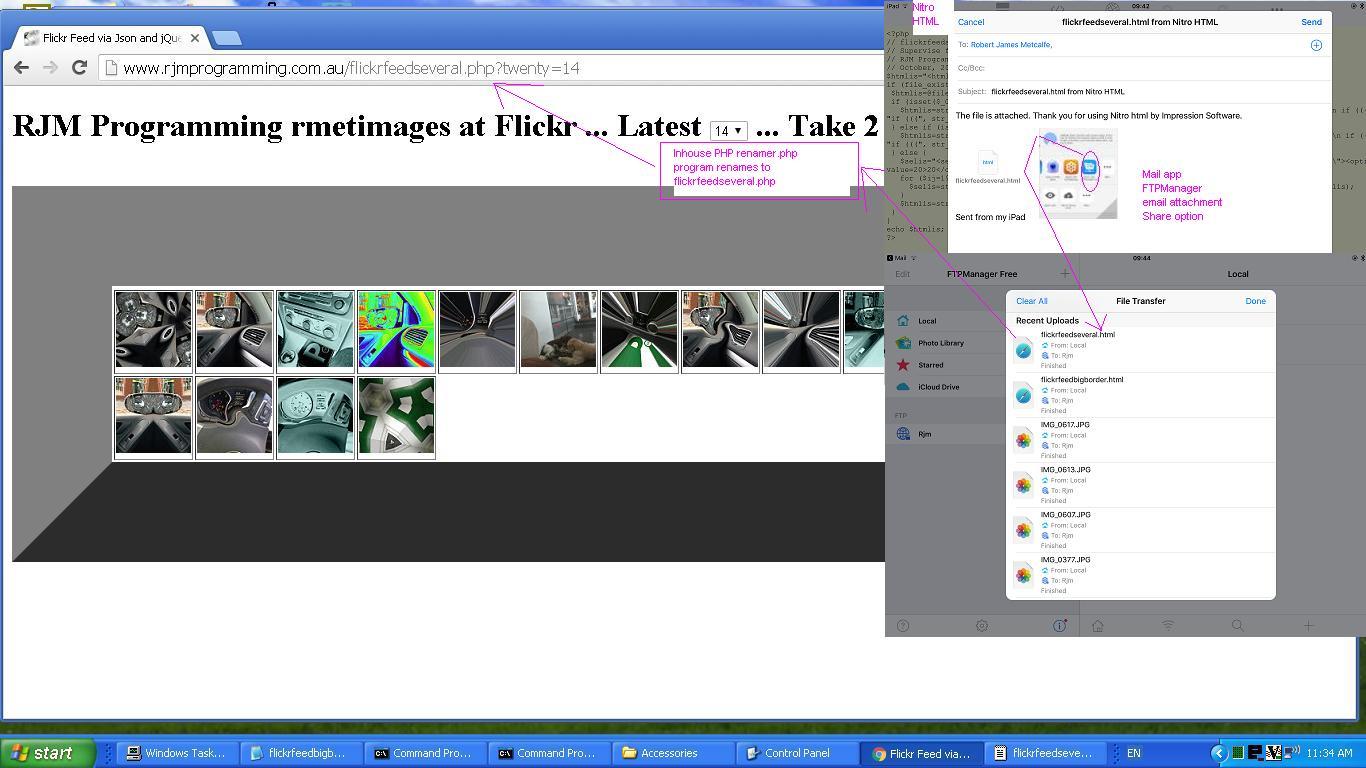

If this was interesting you may be interested in this too.
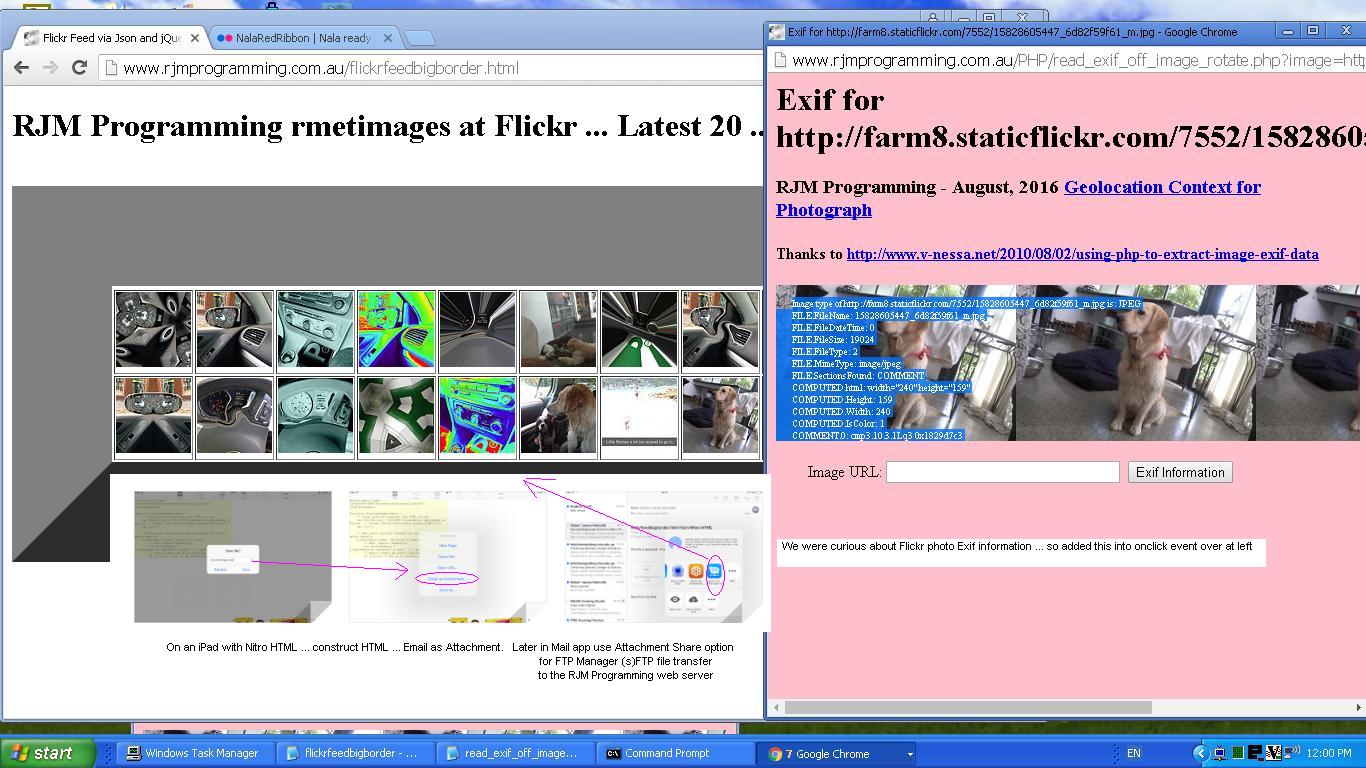

If this was interesting you may be interested in this too.

If this was interesting you may be interested in this too.
Posted in eLearning, Event-Driven Programming, Tutorials | Tagged , , , , , , , , , , , , , , , , , , , , , , , , , , , , , , , , , , , , , , , , , , , , , | Leave a comment

Client Browsing Mimetypes Not Image Copying Tutorial

Client Browsing Mimetypes Not Image Copying Tutorial

Client Browsing Mimetypes Not Image Copying Tutorial

Extending yesterday’s Called Upon Client Browsing Specifically Onpaste Image Copying Tutorial

  • exclusively image (media) functioning copy and paste functionality … today we shore up …
  • other mimetypes … starting with …
    1. text
    2. video
    3. audio

    … interfacing functionality

In amongst the text work we saw some categories of input data, as per …

  • select all/copy PDF from within a PDF application … paste (into span contenteditable=true element)
  • select all/copy pure HTML from within a text editor application … paste (into span contenteditable=true element)
  • select all/copy WordPress [] blog posting prefixed HTML from within a text editor application … paste (into span contenteditable=true element)
  • select all/copy just plain text from within a text editor application … paste (into span contenteditable=true element)

… via modes of input …

  • select all/copy of graphical data … where, with images, we noticed Safari needs more consideration as it output “blob” URLs within the copied buffer …
  • select all/copy of just the data URI (eg. Google Image Search of “clipart”->right click->Copy Image Address can output)

… regarding the standalone mode of use of the changed client_browsing.htm client side local file browsing HTML and Javascript inhouse helper.


Previous relevant Called Upon Client Browsing Specifically Onpaste Image Copying Tutorial is shown below.

Called Upon Client Browsing Specifically Onpaste Image Copying Tutorial

Called Upon Client Browsing Specifically Onpaste Image Copying Tutorial

Yesterday’s Called Upon Client Browsing Onpaste Image Copying Tutorial had us adjusting …

… optional, but potential, use of image copying and pasting via the dual purpose (unchanged from yesterday) local file browsing HTML and Javascript inhouse helper


var twaconto=null, twacontoiurl=null, twacontojurl=null;

function lookfor() {
var uis=document.getElementById('cbi').src.replace('=','=' + Math.floor(Math.random() * 9));
if (twacontojurl) {
if ((twacontojurl.innerHTML + twacontojurl.title).indexOf('data:') == 0) {
twocontocont='data:' + (twacontojurl.innerHTML + twacontojurl.title).split('data:')[1];
document.getElementById('imgurl').value=twocontocont;
twacontojurl.innerHTML='';
twacontojurl.title='';
document.getElementById('cbi').style.visibility='hidden';
document.getElementById('cbi').src=uis; //'/HTMLCSS/client_browsing.htm?d=' + Math.floor(Math.random() * 19897865) + '&wording=Allimages%20images%2E%20';
document.getElementById('cbi').style.visibility='visible';
}
}
}

function checkit(iois) {
twaconto = (iois.contentWindow || iois.contentDocument);
if (twaconto != null) {
if (twaconto.document) { twaconto = twaconto.document; }
if (twaconto.getElementById('divcopyspan')) {
twacontojurl=twaconto.getElementById('divcopyspan');
}
if (twacontoiurl || twacontojurl) { setInterval(lookfor, 3000); }
}
}

… where the browsing smarts of the inhouse client browser are catered for elsewhere, and so, Javascript global variable twacontoiurl is unused.


Previous relevant Called Upon Client Browsing Onpaste Image Copying Tutorial is shown below.

Called UponClient Browsing Onpaste Image Copying Tutorial

Called Upon Client Browsing Onpaste Image Copying Tutorial

As promised at yesterday’s Client Browsing Onpaste Image Copying Tutorial, today, we start looking further than …

  • yesterday’s “standalone” incarnation of our now potentially dual purpose “browsing and pasting” inhouse client browsing web application … to, today …
  • “called upon” incarnation of our inhouse client browsing web application

… and, as we suspected, today’s first look was pretty salutary in proving “no one paradigm size fits all” with the number of scenarios a “called upon” incarnation of our inhouse client browsing web application can throw up.

Where we think the inhouse client browsing web application for this new “paste” functionality can flourish can be via what we like to call “client pre-emptive iframe” Javascript logic back at the caller, where we extend the code for that HTML iframe’s onload event …


var twaconto=null, twacontoiurl=null, twacontojurl=null;

function lookfor() {
if (twacontojurl) {
if ((twacontojurl.innerHTML + twacontojurl.title).indexOf('data:') == 0) {
twocontocont='data:' + (twacontojurl.innerHTML + twacontojurl.title).split('data:')[1];
document.getElementById('background').value=twocontocont;
twacontojurl.innerHTML='';
twacontojurl.title='';
if (twocontocont.replace('/gif','.gif') == -1 || (twocontocont.indexOf('data:') == 0 || twocontocont.slice(-5).indexOf('.') != -1)) {
setTimeout(reduceimsize, 100);
} else {
console.log('why? ' + twocontocont.substring(0,200));
}
document.getElementById('cbi').style.visibility='hidden';
document.getElementById('cbi').src='/HTMLCSS/client_browsing.htm?d=' + Math.floor(Math.random() * 19897865) + '&wording=Allimages%20images%2E%20';
document.getElementById('cbi').style.visibility='visible';
setTimeout(refocus,1500);
}
}

if (twacontoiurl) {
if (twacontoiurl.innerHTML.indexOf('data:') == 0) {
twocontocont=twacontoiurl.innerHTML;
twacontoiurl.innerHTML='';
document.getElementById('background').value=twocontocont;
if (twocontocont.replace('/gif','.gif') == -1 || (twocontocont.indexOf('data:') == 0 || twocontocont.slice(-5).indexOf('.') != -1)) {
setTimeout(reduceimsize, 100);
} else {
console.log('why? ' + twocontocont.substring(0,200));
}
document.getElementById('cbi').style.visibility='hidden';
document.getElementById('cbi').src='/HTMLCSS/client_browsing.htm?d=' + Math.floor(Math.random() * 19897865) + '&wording=Allimages%20images%2E%20';
document.getElementById('cbi').style.visibility='visible';
setTimeout(refocus,1500);
}
}
}

function checkit(iois) {
twaconto = (iois.contentWindow || iois.contentDocument);
if (twaconto != null) {
if (twaconto.document) { twaconto = twaconto.document; }
twacontoiurl=document.getElementById('result');
if (twaconto.getElementById('divcopyspan')) {
twacontojurl=twaconto.getElementById('divcopyspan');
}

if (twacontoiurl) { setInterval(lookfor, 3000); }
}
}

… featuring in our changed audio_card.htm Audio Card example call of the changed client_browsing.htm client side local file browsing HTML and Javascript inhouse helper.


Previous relevant Client Browsing Onpaste Image Copying Tutorial is shown below.

Client Browsing Onpaste Image Copying Tutorial

Client Browsing Onpaste Image Copying Tutorial

Don’t mean to sound like a broken record, but the sentiments of …

The recent onpaste event work has other places of “interventional interest”, for us, on top of the day before yesterday’s One Image Website Onpaste Uploading Device Copying Tutorial.

… continue today (building on yesterday’s Universal Clipboard Onpaste Canvas Annotations Tutorial), adding onpaste Image copying and Pasting logic into …

  • today, our inhouse client browsing web application, in standalone mode … and then …
  • tomorrow and on, our inhouse client browsing web application, being called upon

… so that, as far as Image data goes, this inhouse client browsing web application is dual purpose, the user able to …

  1. click a button to go file browsing for that (Image) file … or, for example …
    • mobile device
    • take a photograph via mobile device Camera app … and it being iOS iPhone …
    • via Photos app hover over relevant image and tap Copy option … and it being iOS iPhone with a MacBook Air of the same network nearby …
    • be in a web browser starting up our inhouse client browsing (and, now, image copy pasting) web application … with one new HTML span contenteditable=true onpaste and onblur savvy …

      <span title=""Image copy paste here." onclick="csclick=0; setTimeout(csc,20000); event.stopPropagation();" onblur="youruplit(this,1);" onpaste="youruplit(this,0);" contenteditable="true" id="imgcopycheck" style="border:2px dotted red;width:50px;height:25px;display:inline-block;">&#x2B06;&#xFE0F; &#x1F5BC;&#xFE0F;</span>

      … element …
    • click on that new span element …
    • Edit->Paste (or command-V) … accesses the great Apple Universal Clipboard functionality …

      var yehbutisob=false, xcelem=null, xccontext=null, xcimg=null, within=false, mydivo=null, origh=-1, origw=-1, altdu='', dlm='"', copyspans='', gij=0;
      var zcontent=[], zfilename='', zoptions=null, csclick=-1;

      function iftoolarge(zimg,zw,zh) {
      var zcanvas = document.createElement('canvas');
      zcanvas.width = zw;
      zcanvas.height = zh;
      var zctx = zcanvas.getContext('2d');

      zctx.drawImage(zimg, 0, 0);

      // Get JPG as Data URL (quality 0.9)
      altdu=zcanvas.toDataURL("image/jpeg", 0.1);

      setTimeout(function(){
      if (document.getElementById('divcopyspan') && document.getElementById('gb')) {
      //document.getElementById('divcopyspan').style.background='url(' + document.getElementById('divcopyspan').title + ')';
      //document.getElementById('divcopyspan').style.backgroundRepeat='no-repeat';
      //document.getElementById('divcopyspan').innerHTML='  <br>  ';
      //document.getElementById('divcopyspan').style.display='block';
      document.getElementById('gb').src=document.getElementById('divcopyspan').title;
      document.body.style.cursor='pointer';
      }
      }, 12000);

      setTimeout(function(){ xcimg.src=altdu; }, 2000);
      return false;
      }

      function csc() {
      csclick=-2;
      }

      function youruplit(divo, isonblurnotonpaste) {
      var isimg=false;
      var divoinnerHTML=divo.innerHTML.replace('data:video/','data:image/').replace('data:audio/','data:image/');
      if (csclick == -2) {
      csclick=0;
      setTimeout(function(){ csclick=-1; }, 4000);
      } else {
      csclick=-1;
      }
      dlm='"';
      if (isonblurnotonpaste != 0) {
      yehbutisob=true;
      }
      if (divoinnerHTML.indexOf('data:image/') != -1 && divoinnerHTML.indexOf('"data:image/') == -1 && divoinnerHTML.indexOf("'data:image/") == -1) {
      mydivo=divo;
      if (divo.innerHTML.indexOf('data:image/') != -1 && divo.innerHTML.indexOf('"data:image/') == -1 && divo.innerHTML.indexOf("'data:image/") == -1) {
      xcimg=new Image;
      isimg=true;
      } else if (divo.innerHTML.indexOf('data:video/') != -1 && divo.innerHTML.indexOf('"data:video/') == -1 && divo.innerHTML.indexOf("'data:video/") == -1) {
      xcimg=new Video;
      } else if (divo.innerHTML.indexOf('data:audio/') != -1 && divo.innerHTML.indexOf('"data:audio/') == -1 && divo.innerHTML.indexOf("'data:audio/") == -1) {
      xcimg=new Audio;
      }
      //console.log('cancontw,canconth=' + cancontw + ',' + canconth + ' cancont=' + cancont);
      xcimg.onload = function(){
      if (altdu == ' ') {
      return iftoolarge(xcimg,xcimg.width,xcimg.height);
      } else if (altdu == '') {
      if (('' + mydivo.title).indexOf(' Paste') != -1) {
      parent.document.getElementById('divcopyspan').innerHTML=xcimg.src; //'data:image/' + mydivo.innerHTML.split('data:image/')[1].split(dlm)[0];
      } else {
      document.getElementById('divcopyspan').innerHTML=xcimg.src; //'data:image/' + mydivo.innerHTML.split('data:image/')[1].split(dlm)[0];
      }
      mydivo.innerHTML='&#x2B06;&#xFE0F; &#x1F5BC;&#xFE0F;';
      simulatenewfile(document.getElementById('divcopyspan').innerHTML);
      setTimeout(function(){ altdu=''; }, 4000);
      } else {
      if (('' + divo.title).indexOf(' Paste') != -1) {
      parent.document.getElementById('divcopyspan').innerHTML=altdu;
      } else {
      document.getElementById('divcopyspan').innerHTML=altdu;
      }
      mydivo.innerHTML='&#x2B06;&#xFE0F; &#x1F5BC;&#xFE0F;';
      simulatenewfile(document.getElementById('divcopyspan').innerHTML);
      setTimeout(function(){ altdu=''; }, 4000);
      }
      };
      if (!isimg) {
      altdu='';
      xcimg.src=divo.innerHTML.split('/')[0] + '/' + divo.innerHTML.split(divo.innerHTML.split('/')[0] + '/')[1].split(' ')[0].split("'")[0].split('"')[0].split('>')[0].split('&')[0].split('&#')[0].split(' ')[0].split('<')[0];
      } else if (eval('' + ('data:image/' + divo.innerHTML.split('data:image/')[1].split(' ')[0].split("'")[0].split('"')[0].split('>')[0].split('&')[0].split('&#')[0].split(' ')[0].split('<')[0]).length) > 9000000) {
      altdu=' ';
      xcimg.src='data:image/' + divo.innerHTML.split('data:image/')[1].split(' ')[0].split("'")[0].split('"')[0].split('>')[0].split('&')[0].split('&#')[0].split(' ')[0].split('<')[0];
      } else {
      altdu='';
      xcimg.src='data:image/' + divo.innerHTML.split('data:image/')[1].split(' ')[0].split("'")[0].split('"')[0].split('>')[0].split('&')[0].split('&#')[0].split(' ')[0].split('<')[0];
      }

      } else if (divoinnerHTML.indexOf('"data:image/') != -1 || divoinnerHTML.indexOf("'data:image/") != -1) {
      mydivo=divo;
      dlm=divo.innerHTML.split('data:' + divo.innerHTML.split('data:')[1].split('/')[0] + '/')[0].slice(-1);
      //alert('dlm=' + dlm + ' ' + divo.innerHTML.substring(0,100));
      if (divo.innerHTML.indexOf('data:image/') != -1) {
      xcimg=new Image;
      isimg=true;
      } else if (divo.innerHTML.indexOf('data:video/') != -1) {
      xcimg=new Video;
      } else if (divo.innerHTML.indexOf('data:audio/') != -1) {
      xcimg=new Audio;
      }
      //console.log('cancontw,canconth=' + cancontw + ',' + canconth + ' cancont=' + cancont);
      xcimg.onload = function(){
      if (altdu == ' ') {
      return iftoolarge(xcimg,xcimg.width,xcimg.height);
      } else if (altdu == '') {
      if (('' + mydivo.title).indexOf(' Paste') != -1) {
      parent.document.getElementById('divcopyspan').innerHTML=xcimg.src; //'data:image/' + mydivo.innerHTML.split('data:image/')[1].split(dlm)[0];
      } else {
      document.getElementById('divcopyspan').innerHTML=xcimg.src; //'data:image/' + mydivo.innerHTML.split('data:image/')[1].split(dlm)[0];
      }
      mydivo.innerHTML='&#x2B06;&#xFE0F; &#x1F5BC;&#xFE0F;';
      simulatenewfile(document.getElementById('divcopyspan').innerHTML);
      setTimeout(function(){ altdu=''; }, 4000);
      } else {
      if (('' + divo.title).indexOf(' Paste') != -1) {
      parent.document.getElementById('divcopyspan').innerHTML=altdu;
      } else {
      document.getElementById('divcopyspan').innerHTML=altdu;
      }
      mydivo.innerHTML='&#x2B06;&#xFE0F; &#x1F5BC;&#xFE0F;';
      simulatenewfile(document.getElementById('divcopyspan').innerHTML);
      setTimeout(function(){ altdu=''; }, 4000);
      }
      };
      if (!isimg) {
      altdu='';
      xcimg.src=divo.innerHTML.split('/')[0] + '/' + divo.innerHTML.split(divo.innerHTML.split('/')[0] + '/')[1].split(' ')[0].split("'")[0].split('"')[0].split('>')[0].split('&')[0].split('&#')[0].split(' ')[0].split('<')[0];
      } else if (eval('' + divo.innerHTML.length) > 9000000 && isimg) {
      altdu=' ';
      xcimg.src='data:image/' + divo.innerHTML.split('data:image/')[1].split(dlm)[0];
      } else {
      altdu='';
      xcimg.src='data:image/' + divo.innerHTML.split('data:image/')[1].split(dlm)[0];
      }

      } else if (eval('' + divo.innerHTML.length) < 30 && isonblurnotonpaste == 0) {

      yehbutisob=false;
      mydivo=divo;
      setTimeout(function(){
      if (!yehbutisob) {
      if (('' + mydivo.title).indexOf(' Paste') != -1) {
      //mydivo.innerHTML='&#x2B06;&#xFE0F; &#x1F5BC;&#xFE0F;';
      parent.document.getElementById('outthere').focus();
      //top.document.title+=('33');
      } else {
      //mydivo.innerHTML='&#x2B06;&#xFE0F; &#x1F5BC;&#xFE0F;';
      document.getElementById('outthere').focus();
      //top.document.title=('333');
      }
      yehbutisob=true;
      }
      }, 8000);
      } else {
      setTimeout(function(){ within=false; }, 56000);
      }

      }

      … and then we optionally tab out …
    • in standalone mode, see a representation of that image displayed …

… in the changed client_browsing.htm client side local file browsing HTML and Javascript inhouse helper.


Previous relevant Universal Clipboard Onpaste Canvas Annotations Tutorial is shown below.

Universal Clipboard Onpaste Canvas Annotations Tutorial

Universal Clipboard Onpaste Canvas Annotations Tutorial

The recent onpaste event work has other places of “interventional interest”, for us, on top of the day before yesterday’s One Image Website Onpaste Uploading Device Copying Tutorial.

How about using it to have …

  • mobile device
  • take a photograph via mobile device Camera app … and it being iOS iPhone …
  • via Photos app hover over relevant image and tap Copy option … and it being iOS iPhone with a MacBook Air of the same network nearby …
  • be in a web browser starting up our inhouse canvas annotation helper web application … with two new HTML span contenteditable=true onpaste and onblur savvy …

    <span title="Image copy Paste here to populate canvas fitting in." onclick="event.stopPropagation();" onblur="myuplit(this,1);" onpaste="myuplit(this,0);" contenteditable="true" id="imgcopycheck" style="border:2px dotted red;width:50px;height:25px;display:inline-block;">&#x2B06;&#xFE0F; &#x1F5BC;&#xFE0F;</span> <span title="Image copy Paste here to populate canvas resizing." onclick="event.stopPropagation();" onblur="myuplit(this,1);" onpaste="myuplit(this,0);" contenteditable="true" id="imgcopychecken" style="border:2px dotted red;width:50px;height:25px;display:inline-block;">&#x2B06;&#xFE0F; &#x1F4C8;</span>

    … elements …
  • click on the one of interest regarding image sizing …
  • Edit->Paste (or command-V) … accesses the great Apple Universal Clipboard functionality …

    var yehbutisob=false, xcelem=null, xccontext=null, xcimg=null, within=false, mydivo=null, origh=-1, origw=-1, altdu='';

    function iftoolarge(zimg,zw,zh) {
    var zcanvas = document.createElement('canvas');
    zcanvas.width = zw;
    zcanvas.height = zh;
    var zctx = zcanvas.getContext('2d');

    zctx.drawImage(zimg, 0, 0);

    // Get JPG as Data URL (quality 0.9)
    altdu=zcanvas.toDataURL("image/jpeg", 0.1);

    setTimeout(function(){ xcimg.src=altdu; altdu=''; }, 2000);
    return false;
    }

    function myuplit(divo, isonblurnotonpaste) {
    if (isonblurnotonpaste != 0) {
    yehbutisob=true;
    }
    if (divo.innerHTML.indexOf('data:image/') == 0) {
    mydivo=divo;
    if (('' + divo.title).indexOf(' Paste') != -1) {
    xcelem=parent.document.getElementById('topcanvas');
    } else {
    xcelem=document.getElementById('topcanvas');
    }
    xccontext = xcelem.getContext("2d");
    xcimg=new Image;
    //console.log('cancontw,canconth=' + cancontw + ',' + canconth + ' cancont=' + cancont);
    xcimg.onload = function(){
    if (altdu == ' ') {
    return iftoolarge(xcimg,xcimg.width,xcimg.height);
    } else {
    if (mydivo.id.indexOf('en') != -1) {
    if (origw < 0) {
    origw=eval('' + xcelem.width);
    origh=eval('' + xcelem.height);
    }
    xcelem.width=xcimg.width;
    xcelem.height=xcimg.height;
    xccontext.drawImage(xcimg,0,0);
    } else {
    if (origw > 0) {
    xcelem.width=origw;
    xcelem.height=origh;
    } else {
    xcelem.width=xcelem.width;
    xcelem.height=xcelem.height;
    }
    //setTimeout(function(){
    //top.document.title=('1;' + yehbutisob);
    xccontext.drawImage(xcimg,0,0,xcimg.width,xcimg.height,0,0,xcelem.width,xcelem.height);
    }
    if (mydivo.id.indexOf('en') != -1) {
    mydivo.innerHTML='&#x2B06;&#xFE0F; &#x1F4C8;';
    } else {
    mydivo.innerHTML='&#x2B06;&#xFE0F; &#x1F5BC;&#xFE0F;';
    }
    //}, 6000);
    //alert(1);
    }
    };
    if (eval('' + divo.innerHTML.length) > 9000000) {
    altdu=' ';
    } else {
    altdu='';
    }
    xcimg.src=divo.innerHTML;

    } else if (divo.innerHTML.indexOf('"data:image/') != -1) {
    mydivo=divo;
    if (('' + divo.title).indexOf(' Paste') != -1) {
    xcelem=parent.document.getElementById('topcanvas');
    } else {
    xcelem=document.getElementById('topcanvas');
    }
    xccontext = xcelem.getContext("2d");
    xcimg=new Image;
    //console.log('cancontw,canconth=' + cancontw + ',' + canconth + ' cancont=' + cancont);
    xcimg.onload = function(){
    if (altdu == ' ') {
    return iftoolarge(xcimg,xcimg.width,xcimg.height);
    } else {
    if (mydivo.id.indexOf('en') != -1) {
    if (origw < 0) {
    origw=eval('' + xcelem.width);
    origh=eval('' + xcelem.height);
    }
    xcelem.width=xcimg.width;
    xcelem.height=xcimg.height;
    xccontext.drawImage(xcimg,0,0);
    } else {
    if (origw > 0) {
    xcelem.width=origw;
    xcelem.height=origh;
    } else {
    xcelem.width=xcelem.width;
    xcelem.height=xcelem.height;
    }
    //setTimeout(function(){
    //top.document.title=('2;' + yehbutisob);
    xccontext.drawImage(xcimg,0,0,xcimg.width,xcimg.height,0,0,xcelem.width,xcelem.height);
    }
    if (mydivo.id.indexOf('en') != -1) {
    mydivo.innerHTML='&#x2B06;&#xFE0F; &#x1F4C8;';
    } else {
    mydivo.innerHTML='&#x2B06;&#xFE0F; &#x1F5BC;&#xFE0F;';
    }
    //}, 6000);
    //alert(2);
    }
    };
    if (eval('' + divo.innerHTML.length) > 9000000) {
    altdu=' ';
    } else {
    altdu='';
    }
    xcimg.src='data:image/' + divo.innerHTML.split('data:image/')[1].split('"')[0];

    } else if (eval('' + divo.innerHTML.length) < 30 && isonblurnotonpaste == 0) {

    yehbutisob=false;
    mydivo=divo;
    setTimeout(function(){
    if (!yehbutisob) {
    if (('' + mydivo.title).indexOf(' Paste') != -1) {
    if (mydivo.id.indexOf('en') != -1) {
    mydivo.innerHTML='&#x2B06;&#xFE0F; &#x1F4C8;';
    } else {
    mydivo.innerHTML='&#x2B06;&#xFE0F; &#x1F5BC;&#xFE0F;';
    }
    parent.document.getElementById('jsemail').focus();
    //top.document.title+=('33');
    } else {
    if (mydivo.id.indexOf('en') != -1) {
    mydivo.innerHTML='&#x2B06;&#xFE0F; &#x1F4C8;';
    } else {
    mydivo.innerHTML='&#x2B06;&#xFE0F; &#x1F5BC;&#xFE0F;';
    }
    document.getElementById('jsemail').focus();
    //top.document.title+=('333');
    }
    yehbutisob=true;
    }
    }, 8000);
    } else {
    setTimeout(function(){ within=false; }, 56000);
    }

    }

    function checkoncp() {
    if (parent.document.getElementById('mydbut') && parent.document.getElementById('target') && !parent.document.getElementById('imgcopycheck')) {
    parent.document.getElementById('target').innerHTML+="<span title=\"Image copy Paste here to populate canvas fitting in.\" onclick=\"event.stopPropagation();\" onblur=\"myuplit(this,1);\" onpaste=\"myuplit(this,0);\" contenteditable=true id=\"imgcopycheck\" style=\"border:2px dotted red;width:50px;height:25px;display:inline-block;\">&#x2B06;&#xFE0F; &#x1F5BC;&#xFE0F;</span> <span title=\"Image copy Paste here to populate canvas resizing.\" onclick=\"event.stopPropagation();\" onblur=\"myuplit(this,1);\" onpaste=\"myuplit(this,0);\" contenteditable=true id=\"imgcopychecken\" style=\"border:2px dotted red;width:50px;height:25px;display:inline-block;\">&#x2B06;&#xFE0F; &#x1F4C8;</span>";
    } else if (document.getElementById('mydbut') && document.getElementById('target') && !document.getElementById('imgcopycheck')) {
    document.getElementById('target').innerHTML+="<span title=\"Image Copy paste here to populate canvas fitting in.\" onclick=\"event.stopPropagation();\" onblur=\"myuplit(this,1);\" onpaste=\"myuplit(this,0);\" contenteditable=true id=\"imgcopycheck\" style=\"border:2px dotted red;width:50px;height:25px;display:inline-block;\">&#x2B06;&#xFE0F; &#x1F5BC;&#xFE0F;</span> <span title=\"Image Copy paste here to populate canvas resizing.\" onclick=\"event.stopPropagation();\" onblur=\"myuplit(this,1);\" onpaste=\"myuplit(this,0);\" contenteditable=true id=\"imgcopychecken\" style=\"border:2px dotted red;width:50px;height:25px;display:inline-block;\">&#x2B06;&#xFE0F; &#x1F4C8;</span>";
    } else {
    setTimeout(checkoncp, 5000);
    }
    }

    setTimeout(checkoncp, 5000);

    … and then we optionally tab out …
  • see canvas be given content that is that image (ie. digital photograph) … ready for …
  • optional annotation functionality there

… to flesh out what you might be trying to achieve, and facilitated by our changed web_share_api_test.js external Javascript?


Previous relevant One Image Website Onpaste Uploading Device Copying Tutorial is shown below.

One Image Website Onpaste Uploading Device Copying Tutorial

One Image Website Onpaste Uploading Device Copying Tutorial

Further to yesterday’s One Image Website Onpaste Uploading Hashtagging Tutorial you may be wondering about our original gambit statement wondering if regarding …

take a new relevant photograph (on an iPhone, for instance) … and then easily …

… upload? Aren’t we worried about the iPhone device end of …

  1. getting the image off the Camera app …
  2. and then referencing in the Photos app …
  3. via a long hover and choosing the Copy option

… will just fall upon deaf ears as far as our MacBook Air web browser use of the “One Image Website” webpage goes?

Well, read this “if an iPhone is connected to a MacBook Air can the copy buffer of the iPhone be transferred to the copy buffer of the MacBook Air?” ask …

Yes, if an iPhone is connected to a MacBook Air—or even just nearby—the copy buffer (clipboard) of the iPhone can be transferred to the copy buffer of the MacBook Air. Apple calls this feature Universal Clipboard.

It allows you to copy text, images, photos, and videos on your iPhone and instantly paste them onto your Mac (or vice versa).

Cute, huh?! If on the same network, and close, the iPhone and MacBook Air do not even need an Apple White Lead connection, necessarily, though we noticed it sped up the process!

Given the “smarts” at this end, today, we turned to …


var myxhr=null, formis=null, iclen=0, icsuffix='', extnew='.png', yehbutisob=true;
var ipuvalid=true, ipis='', lhend='', lhdata='', fourthousand=(document.URL.indexOf('diris=') != -1 ? 10000 : 4000), gencount=0, upcount=(document.URL.indexOf('data=%') != -1 ? eval('' + decodeURIComponent(document.URL.split('data=')[1].split('&')[0].split('#')[0]).split(',').length) : 0);
var fetchcmd="./index.php?diris=images&prefixis=DSC_0&startsuffix=279&endsuffix=364", within=false;

// Thanks to https://www.google.com/search?q=javascript+convert+png+to+jpg&rlz=1C5OZZY_en&oq=javascript+convert+png+to+jpg&gs_lcrp=EgZjaHJvbWUyCggAEEUYFhgeGDkyCAgBEAAYFhgeMggIAhAAGBYYHjINCAMQABiGAxiABBiKBTIHCAQQABjvBdIBCTEyNzIxajBqN6gCALACAA&sourceid=chrome&ie=UTF-8
const convertPngToJpg = (pngDataUrl) => {
const img = new Image();
img.onload = () => {
const canvas = document.createElement('canvas');
canvas.width = img.width;
canvas.height = img.height;
const ctx = canvas.getContext('2d');

// Optional: Fill white background (JPEGs don't support transparency)
ctx.fillStyle = "#FFFFFF";
ctx.fillRect(0, 0, canvas.width, canvas.height);

ctx.drawImage(img, 0, 0);

// Get JPG as Data URL (quality 0.9)
const jpgDataUrl = canvas.toDataURL("image/jpeg", 0.1);
extnew='.jpg';
icsuffix=(' 0' + jpgDataUrl.length);
formis.append('newdurl', jpgDataUrl);
myxhr.open('POST', './index.php'); //, true);
myxhr.onreadystatechange=mstateChanged;
myxhr.send(formis);
console.log(jpgDataUrl);
};
img.src = pngDataUrl;
};

… as a solution to massive image png copy buffers coming off the camera being fed into an HTML5 canvas and out as a reduced size jpeg image to allow PHP $_POST methodologies used for the uploading process not be overwhelmed, as per the adjusted Ajax code …


function mstateChanged() {
var ioff=1, thisoff=1;
var vsoff=0, getridof='YouLlneverFinDtHis';
//document.title=document.title.substring(0,1) + ' readyState=' + myxhr.readyState + ' and status=' + myxhr.status + ' ' + iclen;
if (myxhr.readyState == 4) {
if (myxhr.status == 200) {
//alert(iclen);
setTimeout(function(){
if (document.URL.indexOf('#') != -1 && lhdata == '' && document.URL.indexOf('data=%') != -1) {
lhdata=(('' + location.search + decodeURIComponent(('' + location.hash).replace(/^undefined/g,'').replace(/^null/g,'').replace(/^\#/g,''))).split('data=')[1] ? decodeURIComponent(('' + location.search + decodeURIComponent(('' + location.hash).replace(/^undefined/g,'').replace(/^null/g,'').replace(/^\#/g,'')))).split('data=')[eval(-1 + decodeURIComponent(('' + location.search + decodeURIComponent(('' + location.hash).replace(/^undefined/g,'').replace(/^null/g,'').replace(/^\#/g,'')))).split('data=').length)].split('&')[0].split('#')[0] : '');
var coms=lhdata.split(',');
vsoff=eval('' + fetchcmd.split('endsuffix=')[1].split('&')[0].split('#')[0]);
getridof=fetchcmd.split('diris=')[1].split('&')[0].split('#')[0] + '/' + fetchcmd.split('prefixis=')[1].split('&')[0].split('#')[0];
for (var iuyt=0; iuyt<coms.length; iuyt++) {
//alert(coms[iuyt] + ' ... ' + getridof + ' ... ' + coms[iuyt].replace('[','').replace(']','').replace('"','').replace('"','').replace(getridof,''));
thisoff=eval(eval(coms[iuyt].replace('[','').replace(']','').replace('"','').replace('"','').replace(getridof,'').split('.')[0]) - vsoff + 1);
if (thisoff > ioff) { ioff=thisoff; }
}
}
if (document.URL.indexOf('#') == -1) {
if (lhdata == '' && fetchcmd.indexOf('endsuffix=') != -1) {
lhdata='["' + fetchcmd.split('diris=')[1].split('&')[0].split('#')[0] + '/' + fetchcmd.split('prefixis=')[1].split('&')[0].split('#')[0] + eval(1 + eval('' + fetchcmd.split('endsuffix=')[1].split('&')[0].split('#')[0])) + extnew + '"]';
lhend='#' + encodeURIComponent(eval(1 + number_of_image) + '.' + fetchcmd.split('endsuffix=')[1].split('&')[0].split('#')[0]) + '&diris=' + fetchcmd.split('diris=')[1] + '&data=' + encodeURIComponent(lhdata);
if (document.URL.indexOf(lhend.substring(1)) == -1) {
if (6 == 6) {
location.href=(document.URL.indexOf('?') != -1 ? document.URL.split('#')[0] + '&endbit=' + reduced(lhend).substring(1) + lhend : document.URL.split('#')[0] + '?endbit=' + reduced(lhend).substring(1) + lhend);
} else {
location.hash=lhend;
}
}
}
} else if (lhdata.indexOf('[') != -1) {
lhdata=lhdata.replace('[', '["' + fetchcmd.split('diris=')[1].split('&')[0].split('#')[0] + '/' + fetchcmd.split('prefixis=')[1].split('&')[0].split('#')[0] + eval(ioff + eval('' + fetchcmd.split('endsuffix=')[1].split('&')[0].split('#')[0])) + extnew + '",');
lhend='#' + encodeURIComponent(eval(1 + number_of_image) + '.' + fetchcmd.split('endsuffix=')[1].split('&')[0].split('#')[0]) + '&diris=' + fetchcmd.split('diris=')[1] + '&data=' + encodeURIComponent(lhdata);
if (document.URL.indexOf(lhend.substring(1)) == -1) {
if (6 == 6) {
location.href=(document.URL.indexOf('?') != -1 ? document.URL.split('&')[0].replace('data=','daWASta=').replace('?diris=','?dirWASis=').replace('?endbit=','?endWASbit=') + '&endbit=' + reduced(lhend).substring(1) + lhend : document.URL.split('#')[0].replace('data=','daWASta=') + '?endbit=' + reduced(lhend).substring(1) + lhend);
} else {
location.hash=lhend;
}
}
}
within=false;
}, 26000);
}
}
}

function uplitc(icontis) {
if (icontis.indexOf('data:image/') == 0) {
//document.title='A';
myxhr = new XMLHttpRequest();
formis = new FormData();
formis.append('diris', fetchcmd.split('diris=')[1].split('&')[0].split('#')[0]);
formis.append('prefixis', fetchcmd.split('prefixis=')[1].split('&')[0].split('#')[0]);
formis.append('startsuffix', fetchcmd.split('startsuffix=')[1].split('&')[0].split('#')[0]);
formis.append('endsuffix', fetchcmd.split('endsuffix=')[1].split('&')[0].split('#')[0]);
iclen=eval('' + icontis.length);
extnew='.' + icontis.split('data:image/')[1].split(',')[0].split(';')[0].replace('jpeg','jpg');
if (iclen > 9000000) {
convertPngToJpg(icontis);
} else {
formis.append('newdurl', icontis);
myxhr.open('POST', './index.php'); //, true);
myxhr.send(formis);
}
}
}

function uplit(divo, isonblurnotonpaste) {
var icontis='';
if (isonblurnotonpaste != 0) {
yehbutisob=true;
}
if (divo.innerHTML.indexOf('data:image/') == 0) {
icontis=divo.innerHTML;
divo.innerHTML='';
divo.title=icontis;
//document.title='B';
myxhr = new XMLHttpRequest();
formis = new FormData();
formis.append('diris', fetchcmd.split('diris=')[1].split('&')[0].split('#')[0]);
formis.append('prefixis', fetchcmd.split('prefixis=')[1].split('&')[0].split('#')[0]);
formis.append('startsuffix', fetchcmd.split('startsuffix=')[1].split('&')[0].split('#')[0]);
formis.append('endsuffix', fetchcmd.split('endsuffix=')[1].split('&')[0].split('#')[0]);
iclen=eval('' + icontis.length);
extnew='.' + icontis.split('data:image/')[1].split(',')[0].split(';')[0].replace('jpeg','jpg');
if (iclen > 9000000) {
convertPngToJpg(icontis);
} else {
formis.append('newdurl', icontis);
myxhr.open('POST', './index.php'); //, true);
myxhr.onreadystatechange=mstateChanged;
myxhr.send(formis);
}
//alert(78);
//setTimeout(function(){ within=false; }, 6000);
} else if (divo.innerHTML.indexOf('"data:image/') != -1) {
icontis='data:image/' + divo.innerHTML.split('data:image/')[1].split('"')[0];
divo.innerHTML='';
divo.title=icontis;
//document.title='C';
myxhr = new XMLHttpRequest();
formis = new FormData();
formis.append('diris', fetchcmd.split('diris=')[1].split('&')[0].split('#')[0]);
formis.append('prefixis', fetchcmd.split('prefixis=')[1].split('&')[0].split('#')[0]);
formis.append('startsuffix', fetchcmd.split('startsuffix=')[1].split('&')[0].split('#')[0]);
formis.append('endsuffix', fetchcmd.split('endsuffix=')[1].split('&')[0].split('#')[0]);
iclen=eval('' + icontis.length);
extnew='.' + icontis.split('data:image/')[1].split(',')[0].split(';')[0].replace('jpeg','jpg');
if (iclen > 9000000) {
convertPngToJpg(icontis);
} else {
formis.append('newdurl', icontis);
myxhr.open('POST', './index.php'); //, true);
myxhr.onreadystatechange=mstateChanged;
myxhr.send(formis);
}
//alert(278);
//setTimeout(function(){ within=false; }, 6000);
} else if (eval('' + divo.innerHTML.length) < 30 && isonblurnotonpaste == 0) {
yehbutisob=false;
setTimeout(function(){
if (!yehbutisob) {
document.getElementById('offscreen').focus();
yehbutisob=true;
}
}, 8000);
} else {
setTimeout(function(){ within=false; }, 56000);
}
}

… helped out by changed onrightclick.js external Javascript.


Previous relevant One Image Website Onpaste Uploading Hashtagging Tutorial is shown below.

One Image Website Onpaste Uploading Tutorial

One Image Website Onpaste Uploading Hashtagging Tutorial

You guessed it! Yesterday’s One Image Website Onpaste Uploading Tutorial‘s work was working just within the realms of those “first webpages” occurring within the “One Image Website” project paradigm, but that we needed to pass onto subsequent webpages this “new image uploaded” list as ….

  • hashtagged data … but also …
  • argumented data (ie. ? and & arguments) for those “first webpages” occurring within the “One Image Website” project paradigm …

… the reason being that document.referrer cannot be used to glean hashtagged data. Luckily in this project that second requirement above, which asks for a true document reload, is not the end of the woooorrrrllllddd, as we know it, and means we can get help from the external Javascript we use in these projects, as per …

… featuring a new Javascript function the subsequent webpages can call just after any …


image_list = new Array();

… that being …


initthearr(image_list);

… as per …


var prefx='';


function reduced(documentreferrer) {
if (('' + documentreferrer).indexOf('data=') != -1) {
if (('' + documentreferrer).indexOf('diris=') != -1) {
if (prefx == '' && ('' + documentreferrer).indexOf('prefixis=') != -1) {
prefx=decodeURIComponent(('' + documentreferrer).split('diris=')[1].split('&')[0].split('#')[0]) + '/' + decodeURIComponent(('' + documentreferrer).split('prefixis=')[1].split('&')[0].split('#')[0]);
}
}
}
if (prefx != '') {
if (documentreferrer.indexOf(encodeURIComponent(prefx)) != -1) {
while (documentreferrer.indexOf(encodeURIComponent(prefx)) != -1) {
documentreferrer=documentreferrer.replace(encodeURIComponent(prefx),'');
}
}
}
return documentreferrer;
}

function initthearr(inarr) {
var fort=false, jsonstr='', datas=[], inm=0;
if (('' + location.hash).indexOf('data=') != -1) {
if (('' + location.hash).indexOf('diris=') != -1) {
if (prefx == '' && ('' + location.hash).indexOf('prefixis=') != -1) {
prefx=decodeURIComponent(('' + location.hash).split('diris=')[1].split('&')[0].split('#')[0]) + '/' + decodeURIComponent(('' + location.hash).split('prefixis=')[1].split('&')[0].split('#')[0]);
}
}
jsonstr=decodeURIComponent(('' + location.hash).split('data=')[1].split('&')[0].split('#')[0]);
datas=jsonstr.split(',');
for (inm=0; inm<datas.length; inm++) {
inarr[image_index++] = new imageItem(prefx + datas[inm].replace((prefx == '' ? 'yOuLlneverfindThIs' : prefx),'').replace('[','').replace(']','').replace('"','').replace('"',''));
console.log('ADDed ' + datas[inm].replace((prefx == '' ? 'yOuLlneverfindThIs' : prefx),'').replace('[','').replace(']','').replace('"','').replace('"',''));
fort=true;
}
} else if (('' + document.referrer).indexOf('data=') != -1) {
if (('' + document.referrer).indexOf('diris=') != -1) {
if (prefx == '' && ('' + document.referrer).indexOf('prefixis=') != -1) {
prefx=decodeURIComponent(('' + document.referrer).split('diris=')[1].split('&')[0].split('#')[0]) + '/' + decodeURIComponent(('' + document.referrer).split('prefixis=')[1].split('&')[0].split('#')[0]);
}
}
jsonstr=decodeURIComponent(('' + document.referrer).split('data=')[1].split('&')[0].split('#')[0]);
//alert(jsonstr);
datas=jsonstr.split(',');
for (inm=0; inm<datas.length; inm++) {
inarr[image_index++] = new imageItem(prefx + datas[inm].replace((prefx == '' ? 'yOuLlneverfindThIs' : prefx),'').replace('[','').replace(']','').replace('"','').replace('"',''));
console.log('AddEd ' + prefx + datas[inm].replace((prefx == '' ? 'yOuLlneverfindThIs' : prefx),'').replace('[','').replace(']','').replace('"','').replace('"',''));
fort=true;
}
}
return fort;
}

… in order to avoid any Asynchronous concerns in these subsequent webpages. The ordering of external Javascript loading …


<script type=text/javascript src='/onrightclick.js?rand=86475'></script>

… is sensitive here, and for the most part, is moved to above the “inline Javascript” loading within the head webpage element, to help make all this idea function, all the way back from changes to inline Javascript parts to the initialization code of (our Guinea Pig) “first webpage” occurring within the “One Image Website” project paradigm …


var image_index = 0;
var number_of_image = 0;
var myxhr=null, formis=null;
var ipuvalid=true, ipis='', lhend='', lhdata='';
var fetchcmd="./index.php?diris=images&prefixis=DSC_0&startsuffix=279&endsuffix=364";

// Thanks to https://stackoverflow.com/questions/74997800/how-to-code-a-synchronous-wrapper-for-jquery-ajax-functions
(async () => {

const resip = await fetch("./index.php?getmeip=" + Math.floor(Math.random() * 198978675), {/* options here */});
const dataip = await resip.json();

for (var inmip=0; inmip<dataip.length; inmip++) {
if (inmip == eval(-1 + dataip.length)) {
ipis='' + dataip[inmip];
if (inmip != 0) {
ipuvalid=false;
setTimeout(nag, 200);
}
}
}

})();


image_list = new Array();

//if (initthearr(image_list)) {
// lhend=lhend;
//
//} else
if (1 == 1) {
// Thanks to https://stackoverflow.com/questions/74997800/how-to-code-a-synchronous-wrapper-for-jquery-ajax-functions
(async () => {

const res = await fetch(fetchcmd, {/* options here */});
const data = await res.json();

for (var inm=0; inm<data.length; inm++) {
lhend='# ';
if (lhdata == '') {
lhdata='["' + data[inm] + '"]';
} else {
lhdata=lhdata.replace(']', ',"' + data[inm] + '"]');
}
image_list[image_index++] = new imageItem(data[inm]);
console.log('Added ' + data[inm]);
}

console.log(data);
console.log("Some code after that uses data");

setTimeout(function(){
if (lhend == '# ') {
//lhend='#' + encodeURIComponent(number_of_image + '.364') + '&fetch=' + encodeURIComponent(fetchcmd) + '&data=' + encodeURIComponent(lhdata);
lhend='#' + encodeURIComponent(number_of_image + '.364') + '&diris=' + fetchcmd.split('diris=')[1] + '&data=' + encodeURIComponent(lhdata);
if (document.URL.indexOf(lhend.substring(1)) == -1) {
if (6 == 6) {
location.href=(document.URL.indexOf('?') != -1 ? document.URL.split('#')[0] + '&endbit=' + reduced(lhend).substring(1) + lhend : document.URL.split('#')[0] + '?endbit=' + reduced(lhend).substring(1) + lhend);
} else {
location.hash=lhend;
}
}
console.warn(image_list[0]);
//lhend=' ';
}
}, 2000);

})();
}

setTimeout(function(){

image_list[image_index++] = new imageItem('images/DSC_0279.jpg');
image_list[image_index++] = new imageItem('images/DSC_0280.jpg');
image_list[image_index++] = new imageItem('images/DSC_0281.jpg');
image_list[image_index++] = new imageItem('images/DSC_0282.jpg');
image_list[image_index++] = new imageItem('images/DSC_0283.jpg');
image_list[image_index++] = new imageItem('images/DSC_0284.jpg');
image_list[image_index++] = new imageItem('images/DSC_0285.jpg');
image_list[image_index++] = new imageItem('images/DSC_0286.jpg');
image_list[image_index++] = new imageItem('images/DSC_0287.jpg');
image_list[image_index++] = new imageItem('images/DSC_0288.jpg');
image_list[image_index++] = new imageItem('images/DSC_0289.jpg');
image_list[image_index++] = new imageItem('images/DSC_0290.jpg');
image_list[image_index++] = new imageItem('images/DSC_0291.jpg');
image_list[image_index++] = new imageItem('images/DSC_0292.jpg');
image_list[image_index++] = new imageItem('images/DSC_0293.jpg');
image_list[image_index++] = new imageItem('images/DSC_0294.jpg');
image_list[image_index++] = new imageItem('images/DSC_0295.jpg');
image_list[image_index++] = new imageItem('images/DSC_0296.jpg');
image_list[image_index++] = new imageItem('images/DSC_0297.jpg');
image_list[image_index++] = new imageItem('images/DSC_0298.jpg');
image_list[image_index++] = new imageItem('images/DSC_0299.jpg');
image_list[image_index++] = new imageItem('images/DSC_0300.jpg');
image_list[image_index++] = new imageItem('images/DSC_0301.jpg');
image_list[image_index++] = new imageItem('images/DSC_0302.jpg');
image_list[image_index++] = new imageItem('images/DSC_0303.jpg');
image_list[image_index++] = new imageItem('images/DSC_0304.jpg');
image_list[image_index++] = new imageItem('images/DSC_0305.jpg');
image_list[image_index++] = new imageItem('images/DSC_0306.jpg');
image_list[image_index++] = new imageItem('images/DSC_0307.jpg');
image_list[image_index++] = new imageItem('images/DSC_0308.jpg');
image_list[image_index++] = new imageItem('images/DSC_0309.jpg');
image_list[image_index++] = new imageItem('images/DSC_0310.jpg');
image_list[image_index++] = new imageItem('images/DSC_0311.jpg');
image_list[image_index++] = new imageItem('images/DSC_0312.jpg');
image_list[image_index++] = new imageItem('images/DSC_0313.jpg');
image_list[image_index++] = new imageItem('images/DSC_0314.jpg');
image_list[image_index++] = new imageItem('images/DSC_0315.jpg');
image_list[image_index++] = new imageItem('images/DSC_0316.jpg');
image_list[image_index++] = new imageItem('images/DSC_0317.jpg');
image_list[image_index++] = new imageItem('images/DSC_0318.jpg');
image_list[image_index++] = new imageItem('images/DSC_0319.jpg');
image_list[image_index++] = new imageItem('images/DSC_0320.jpg');
image_list[image_index++] = new imageItem('images/DSC_0321.jpg');
image_list[image_index++] = new imageItem('images/DSC_0322.jpg');
image_list[image_index++] = new imageItem('images/DSC_0323.jpg');
image_list[image_index++] = new imageItem('images/DSC_0324.jpg');
image_list[image_index++] = new imageItem('images/DSC_0325.jpg');
image_list[image_index++] = new imageItem('images/DSC_0326.jpg');
image_list[image_index++] = new imageItem('images/DSC_0327.jpg');
image_list[image_index++] = new imageItem('images/DSC_0328.jpg');
image_list[image_index++] = new imageItem('images/DSC_0329.jpg');
image_list[image_index++] = new imageItem('images/DSC_0330.jpg');
image_list[image_index++] = new imageItem('images/DSC_0331.jpg');
image_list[image_index++] = new imageItem('images/DSC_0332.jpg');
image_list[image_index++] = new imageItem('images/DSC_0333.jpg');
image_list[image_index++] = new imageItem('images/DSC_0334.jpg');
image_list[image_index++] = new imageItem('images/DSC_0335.jpg');
image_list[image_index++] = new imageItem('images/DSC_0336.jpg');
image_list[image_index++] = new imageItem('images/DSC_0337.jpg');
image_list[image_index++] = new imageItem('images/DSC_0338.jpg');
image_list[image_index++] = new imageItem('images/DSC_0339.jpg');
image_list[image_index++] = new imageItem('images/DSC_0340.jpg');
image_list[image_index++] = new imageItem('images/DSC_0341.jpg');
image_list[image_index++] = new imageItem('images/DSC_0342.jpg');
image_list[image_index++] = new imageItem('images/DSC_0343.jpg');
image_list[image_index++] = new imageItem('images/DSC_0344.jpg');
image_list[image_index++] = new imageItem('images/DSC_0345.jpg');
image_list[image_index++] = new imageItem('images/DSC_0346.jpg');
image_list[image_index++] = new imageItem('images/DSC_0347.jpg');
image_list[image_index++] = new imageItem('images/DSC_0348.jpg');
image_list[image_index++] = new imageItem('images/DSC_0349.jpg');
image_list[image_index++] = new imageItem('images/DSC_0350.jpg');
image_list[image_index++] = new imageItem('images/DSC_0351.jpg');
image_list[image_index++] = new imageItem('images/DSC_0352.jpg');
image_list[image_index++] = new imageItem('images/DSC_0353.jpg');
image_list[image_index++] = new imageItem('images/DSC_0354.jpg');
image_list[image_index++] = new imageItem('images/DSC_0355.jpg');
image_list[image_index++] = new imageItem('images/DSC_0356.jpg');
image_list[image_index++] = new imageItem('images/DSC_0357.jpg');
image_list[image_index++] = new imageItem('images/DSC_0358.jpg');
image_list[image_index++] = new imageItem('images/DSC_0359.jpg');
image_list[image_index++] = new imageItem('images/DSC_0360.jpg');
image_list[image_index++] = new imageItem('images/DSC_0361.jpg');
image_list[image_index++] = new imageItem('images/DSC_0362.jpg');
image_list[image_index++] = new imageItem('images/DSC_0363.jpg');
image_list[image_index++] = new imageItem('images/DSC_0364.jpg');

//alert('yay ' + lhend);

number_of_image = image_list.length;
if ((lhend + ' ').substring(0,1) == '#') {
setTimeout(function(){
number_of_image = image_list.length;
}, 2000);
}
if (lhend == '#') { lhend='#' + encodeURIComponent(number_of_image + '.364') + '&fetch=' + encodeURIComponent(fetchcmd) + '&data=' + encodeURIComponent(lhdata); alert(lhend); location.hash=lhend; lhend=''; }
}, 1000);

To most, it is still “undercover” trying out our “still at the Guinea Pig upload functionality thinking stage” Street Art “One Image Website” project.


Previous relevant One Image Website Onpaste Uploading Tutorial is shown below.

One Image Website Onpaste Uploading Tutorial

One Image Website Onpaste Uploading Tutorial

The onpaste event referencing work of the recent Using Document Writeln Onpaste Tutorial set us to thinking about the unwieldy nature of our “One Image Website” series of photographic projects ability to, on the fly, these days …

  • take a new relevant photograph (on an iPhone, for instance) … and then easily …
  • get some functionality on the “One Image Websites” (our Guinea Pig, here, being our Street Art project) to accept either …
    1. graphical image Copy into buffer via some Edit->Select All, Edit->Copy (eg. within an Image Editor desktop application) (combination) option Edit->Pasted into a new HTML span contenteditable=true onpaste and onblur savvy events “uploading” helper … or …
    2. right click at first webpage (of one of these “One Image Website” projects) to get to a prompt window that can accept a data URI the likes of which Google Image Search (say, of “clipart”)->right click->Copy Image Address could glean for you as a representation of an image

Where’s the security and moderation here? Any upload operation needs to worry about that, huh?! Well, we limit it via IP address at this stage, in our Guinea Pig start to proceedings, and will monitor over time.

Let’s start, codewise with the pretty well self contained PHP block of code that is new for this work …


<?php

$oklist=['0::1', '1.156.90.221'];

function server_remote_addr() {
global $ris;
$rma = $_SERVER['REMOTE_ADDR'];
if ($rma != "") {
$qris = $rma;
} else if ($rma == "") {
$rma = $qris;
}
$ua = strtolower($_SERVER['HTTP_USER_AGENT']);
// you can add different browsers with the same way ..
if(preg_match('/(chromium)[ \/]([\w.]+)/', $ua))
$rma = '000000'.$rma;
elseif(preg_match('/(chrome)[ \/]([\w.]+)/', $ua))
$rma = '00000'.$rma;
elseif(preg_match('/(safari)[ \/]([\w.]+)/', $ua))
$rma = '0000'.$rma;
elseif(preg_match('/(opera)[ \/]([\w.]+)/', $ua))
$rma = '000'.$rma;
elseif(preg_match('/(msie)[ \/]([\w.]+)/', $ua))
$rma = '00'.$rma;
elseif(preg_match('/(mozilla)[ \/]([\w.]+)/', $ua))
$rma = '0'.$rma;
//echo "<p>".$ua.$rma."</p>";
return $rma;
}

if (isset($_GET['getmeip'])) {
$okipwise=false;
$visip=server_remote_addr();
for ($inb=0; $inb<sizeof($oklist); $inb++) {
if (strpos($visip . '!', $oklist[$inb] . '!') !== false) {
$okipwise=true;
}
}
if ($okipwise) {
echo '["' . server_remote_addr() . '"]';
} else {
echo '["","' . server_remote_addr() . '"]';
}
exit;
} else if (isset($_GET['diris']) && isset($_GET['prefixis']) && isset($_GET['startsuffix']) && isset($_GET['endsuffix'])) {
$arrbit='';
if ($_GET['prefixis'] != '' && $_GET['diris'] != '' && $_GET['startsuffix'] != '' && $_GET['endsuffix'] != '') {
foreach(glob(str_replace('+',' ',urldecode($_GET['diris'])) . DIRECTORY_SEPARATOR . str_replace('+',' ',urldecode($_GET['prefixis'])) . '*.*g*') as $filename) {
if (strpos($filename, str_replace('+',' ',urldecode($_GET['diris'])) . DIRECTORY_SEPARATOR . str_replace('+',' ',urldecode($_GET['prefixis']))) !== false) {
$restfnamebit=explode('.', explode(str_replace('+',' ',urldecode($_GET['diris'])) . DIRECTORY_SEPARATOR . str_replace('+',' ',urldecode($_GET['prefixis'])), $filename)[1])[0];
if ($restfnamebit < str_replace('+',' ',urldecode($_GET['startsuffix'])) || $restfnamebit > str_replace('+',' ',urldecode($_GET['endsuffix']))) {
if ($arrbit == '') {
$arrbit='["' . $filename . '"]';
} else {
$arrbit=str_replace(']', ',"' . $filename . '"]', $arrbit);
}
}
}
}
if ($arrbit == '') {
echo "[]";
} else {
echo $arrbit;
}
exit;
}
echo "[]";
exit;
} else if (isset($_POST['newdurl']) && isset($_POST['diris']) && isset($_POST['prefixis']) && isset($_POST['startsuffix']) && isset($_POST['endsuffix'])) {
if (strpos(str_replace(' ','+',urldecode($_POST['newdurl'])), 'data:image/') !== false && $_POST['prefixis'] != '' && $_POST['diris'] != '' && $_POST['startsuffix'] != '' && $_POST['endsuffix'] != '') {
$okipwise=false;
$visip=server_remote_addr();
for ($inb=0; $inb<sizeof($oklist); $inb++) {
if (strpos($visip . '!', $oklist[$inb] . '!') !== false) {
$okipwise=true;
}
}
if ($okipwise) {

$proposedext='.' . str_replace('jpeg','jpg',explode(';',explode(',',explode('data:image/', str_replace(' ','+',urldecode($_POST['newdurl'])))[1])[0])[0]);
if (strpos($proposedext, 'g') !== false) {
$fidea=str_replace('+',' ',urldecode($_POST['endsuffix']));
$isthere=true;
$fnameproposed='';
while ($isthere) {
$isthere=false;
foreach(glob(str_replace('+',' ',urldecode($_POST['diris'])) . DIRECTORY_SEPARATOR . str_replace('+',' ',urldecode($_POST['prefixis'])) . $fidea . '.*g*') as $filename) {
$isthere=true;
}
if (!$isthere) {
$fnameproposed=str_replace('+',' ',urldecode($_POST['diris'])) . DIRECTORY_SEPARATOR . str_replace('+',' ',urldecode($_POST['prefixis'])) . $fidea . $proposedext;
} else {
$fidea++;
}
}
if ($fnameproposed != '') {
file_put_contents($fnameproposed, base64_decode(explode(";base64,", str_replace(' ','+',urldecode($_POST['newdurl'])))[1]));
}
}
}
}
exit;
}
?>

… and then there is some new “fetch” and Ajax rich HTML and Javascript as per …

New Global Variables and Asynchronous section Javascript …

var myxhr=null, formis=null;
var ipuvalid=true, ipis='';


image_list = new Array();

// Thanks to https://stackoverflow.com/questions/74997800/how-to-code-a-synchronous-wrapper-for-jquery-ajax-functions
(async () => {

const resip = await fetch("./index.php?getmeip=" + Math.floor(Math.random() * 198978675), {/* options here */});
const dataip = await resip.json();

for (var inmip=0; inmip<dataip.length; inmip++) {
if (inmip == eval(-1 + dataip.length)) {
ipis='' + dataip[inmip];
if (inmip != 0) {
ipuvalid=false;
setTimeout(nag, 200);
}
}
}

})();

// Thanks to https://stackoverflow.com/questions/74997800/how-to-code-a-synchronous-wrapper-for-jquery-ajax-functions
(async () => {

const res = await fetch("./index.php?diris=images&prefixis=DSC_0&startsuffix=279&endsuffix=364", {/* options here */});
const data = await res.json();

for (var inm=0; inm<data.length; inm++) {
image_list[image_index++] = new imageItem(data[inm]);
console.log('Added ' + data[inm]);
}

console.log(data);
console.log("Some code after that uses data");

})();


image_list[image_index++] = new imageItem('images/DSC_0279.jpg');

image_list[image_index++] = new imageItem('images/DSC_0280.jpg');

// more usual code follows
New Javascript functions …

function nag() {
if (document.getElementById('imgcopycheck')) {
document.getElementById('imgcopycheck').title+=' Sorry, we cannot authorize uploads here.';
document.getElementById('imgcopycheck').disabled=true;
document.getElementById('imgcopycheck').style.visibility='hidden';
} else {
setTimeout(nag, 200);
}
}

function getipvalid() {
return ipuvalid;
}

function uplitc(icontis) {
if (icontis.indexOf('data:image/') == 0) {
myxhr = new XMLHttpRequest();
formis = new FormData();
formis.append('diris', 'images');
formis.append('prefixis', 'DSC_0');
formis.append('startsuffix', '279');
formis.append('endsuffix', '364');
formis.append('newdurl', icontis);
myxhr.open('POST', './index.php'); //, true);
myxhr.send(formis);
}
}

function uplit(divo) {
var icontis='';
if (divo.innerHTML.indexOf('data:image/') == 0) {
icontis=divo.innerHTML;
divo.innerHTML='';
divo.title=icontis;
myxhr = new XMLHttpRequest();
formis = new FormData();
formis.append('diris', 'images');
formis.append('prefixis', 'DSC_0');
formis.append('startsuffix', '279');
formis.append('endsuffix', '364');
formis.append('newdurl', icontis);
myxhr.open('POST', './index.php'); //, true);
myxhr.send(formis);
} else if (divo.innerHTML.indexOf('"data:image/') != -1) {
icontis='data:image/' + divo.innerHTML.split('data:image/')[1].split('"')[0];
divo.innerHTML='';
divo.title=icontis;
myxhr = new XMLHttpRequest();
formis = new FormData();
formis.append('diris', 'images');
formis.append('prefixis', 'DSC_0');
formis.append('startsuffix', '279');
formis.append('endsuffix', '364');
formis.append('newdurl', icontis);
myxhr.open('POST', './index.php'); //, true);
myxhr.send(formis);
}
}
New HTML span element …

<a id="thedivlink" style="display:block;" title="Click for Temple of Groovy provided by http://www.freesoundtrackmusic.com" alt="Street Art - RJM Programming ... you might see this while loading ... click here now to just play music (Temple of Groovy provided by http://www.freesoundtrackmusic.com) with less variety of imagery ... else please wait for full functionality ..." onclick="javascript: window.open('index-ssmhalf.html','Street Art - Soul Tracker Mechanism (via http://www.freesoundtrackmusic.com) - RJM Programming - http://www.rjmprogramming.com.au (Copyright © 2011 rjmprogramming.com.au all rights reserved.)');" alt="Street Art - RJM Programming ... you might see this while loading ... click here now to just play music (Temple of Groovy provided by http://www.freesoundtrackmusic.com) with less variety of imagery ... else please wait for full functionality ..." title="Click for Temple of Groovy provided by http://www.freesoundtrackmusic.com" href="sound/Temple_of_Groovy-freesoundtrackmusic.mp3" >Street Art - RJM Programming ... you might see this while loading ... click here now to just play music (Temple of Groovy provided by http://www.freesoundtrackmusic.com) with less variety of imagery ... else please wait for full functionality ...</a>&nbsp;<span title="Image copy paste here to upload that way." onclick="event.stopPropagation();" onblur="uplit(this);" onpaste="uplit(this);" contenteditable=true id="imgcopycheck" style="border:2px dotted red;width:50px;height:25px;display:inline-block;">&#x2B06;&#xFE0F; &#x1F5BC;&#xFE0F;</span>

… that is “undercover” to most trying out our Street Art “One Image Website” project.


Previous relevant Using Document Writeln Onpaste Tutorial is shown below.

Using Document Writeln Onpaste Tutorial

Using Document Writeln Onpaste Tutorial

Regarding yesterday’s Using Document Writeln Primer Tutorial you might wonder …

Why involve either/both textarea and div (contenteditable=true) elements as “containers” of content?

Well, with yesterday’s starting onblur (just) event gambit, it’s a very pertinent question, but, today, we introduce onpaste event work, and involving this event with the div element can have it distinguishing itself, able to accept graphical (eg. image) content. For example, the user can have their cursor placed into the div element and have been in an image editor having Edit->Select Alled and Edit->Copyed graphical content, then that can be Edit->Pasted into the div as graphical content.

As you might imagine, this opens a Pandora’s Box of possibilities regarding image sizing, but we apply inline CSS styling …


style='object-fit:contain;width:100%;height:100%;'

… to the img data URIed element within the div element that happens when graphical content is pasted into it, so that the graphical data is unlikely to spill too far outside the div bounds, assuming only one image is pasted, that is.

So feel free to try a changed using_writeln.html first draft Using (Document) Writeln web application for you to try yourself.


Previous relevant Using Document Writeln Primer Tutorial is shown below.

Using Document Writeln Primer Tutorial

Using Document Writeln Primer Tutorial

The other day we stumbled on some advice leading us to use …


document.writeln([html-content]);

… rather than our usual “go to” …


document.write([html-content]);

And so we wrote a “proof of concept” using_writeln.html first draft Using (Document) Writeln web application for you to try yourself.

If this was interesting you may be interested in this too.


If this was interesting you may be interested in this too.


If this was interesting you may be interested in this too.


If this was interesting you may be interested in this too.


If this was interesting you may be interested in this too.


If this was interesting you may be interested in this too.


If this was interesting you may be interested in this too.


If this was interesting you may be interested in this too.


If this was interesting you may be interested in this too.


If this was interesting you may be interested in this too.

Posted in eLearning, Event-Driven Programming, Photography, Tutorials | Tagged , , , , , , , , , , , , , , , , , , , , , , , , , , , , , , , , , , , , , , , , , , , , | Leave a comment

Called Upon Client Browsing Specifically Onpaste Image Copying Tutorial

Called Upon Client Browsing Specifically Onpaste Image Copying Tutorial

Called Upon Client Browsing Specifically Onpaste Image Copying Tutorial

Yesterday’s Called Upon Client Browsing Onpaste Image Copying Tutorial had us adjusting …

… optional, but potential, use of image copying and pasting via the dual purpose (unchanged from yesterday) local file browsing HTML and Javascript inhouse helper


var twaconto=null, twacontoiurl=null, twacontojurl=null;

function lookfor() {
var uis=document.getElementById('cbi').src.replace('=','=' + Math.floor(Math.random() * 9));
if (twacontojurl) {
if ((twacontojurl.innerHTML + twacontojurl.title).indexOf('data:') == 0) {
twocontocont='data:' + (twacontojurl.innerHTML + twacontojurl.title).split('data:')[1];
document.getElementById('imgurl').value=twocontocont;
twacontojurl.innerHTML='';
twacontojurl.title='';
document.getElementById('cbi').style.visibility='hidden';
document.getElementById('cbi').src=uis; //'/HTMLCSS/client_browsing.htm?d=' + Math.floor(Math.random() * 19897865) + '&wording=Allimages%20images%2E%20';
document.getElementById('cbi').style.visibility='visible';
}
}
}

function checkit(iois) {
twaconto = (iois.contentWindow || iois.contentDocument);
if (twaconto != null) {
if (twaconto.document) { twaconto = twaconto.document; }
if (twaconto.getElementById('divcopyspan')) {
twacontojurl=twaconto.getElementById('divcopyspan');
}
if (twacontoiurl || twacontojurl) { setInterval(lookfor, 3000); }
}
}

… where the browsing smarts of the inhouse client browser are catered for elsewhere, and so, Javascript global variable twacontoiurl is unused.


Previous relevant Called Upon Client Browsing Onpaste Image Copying Tutorial is shown below.

Called UponClient Browsing Onpaste Image Copying Tutorial

Called Upon Client Browsing Onpaste Image Copying Tutorial

As promised at yesterday’s Client Browsing Onpaste Image Copying Tutorial, today, we start looking further than …

  • yesterday’s “standalone” incarnation of our now potentially dual purpose “browsing and pasting” inhouse client browsing web application … to, today …
  • “called upon” incarnation of our inhouse client browsing web application

… and, as we suspected, today’s first look was pretty salutary in proving “no one paradigm size fits all” with the number of scenarios a “called upon” incarnation of our inhouse client browsing web application can throw up.

Where we think the inhouse client browsing web application for this new “paste” functionality can flourish can be via what we like to call “client pre-emptive iframe” Javascript logic back at the caller, where we extend the code for that HTML iframe’s onload event …


var twaconto=null, twacontoiurl=null, twacontojurl=null;

function lookfor() {
if (twacontojurl) {
if ((twacontojurl.innerHTML + twacontojurl.title).indexOf('data:') == 0) {
twocontocont='data:' + (twacontojurl.innerHTML + twacontojurl.title).split('data:')[1];
document.getElementById('background').value=twocontocont;
twacontojurl.innerHTML='';
twacontojurl.title='';
if (twocontocont.replace('/gif','.gif') == -1 || (twocontocont.indexOf('data:') == 0 || twocontocont.slice(-5).indexOf('.') != -1)) {
setTimeout(reduceimsize, 100);
} else {
console.log('why? ' + twocontocont.substring(0,200));
}
document.getElementById('cbi').style.visibility='hidden';
document.getElementById('cbi').src='/HTMLCSS/client_browsing.htm?d=' + Math.floor(Math.random() * 19897865) + '&wording=Allimages%20images%2E%20';
document.getElementById('cbi').style.visibility='visible';
setTimeout(refocus,1500);
}
}

if (twacontoiurl) {
if (twacontoiurl.innerHTML.indexOf('data:') == 0) {
twocontocont=twacontoiurl.innerHTML;
twacontoiurl.innerHTML='';
document.getElementById('background').value=twocontocont;
if (twocontocont.replace('/gif','.gif') == -1 || (twocontocont.indexOf('data:') == 0 || twocontocont.slice(-5).indexOf('.') != -1)) {
setTimeout(reduceimsize, 100);
} else {
console.log('why? ' + twocontocont.substring(0,200));
}
document.getElementById('cbi').style.visibility='hidden';
document.getElementById('cbi').src='/HTMLCSS/client_browsing.htm?d=' + Math.floor(Math.random() * 19897865) + '&wording=Allimages%20images%2E%20';
document.getElementById('cbi').style.visibility='visible';
setTimeout(refocus,1500);
}
}
}

function checkit(iois) {
twaconto = (iois.contentWindow || iois.contentDocument);
if (twaconto != null) {
if (twaconto.document) { twaconto = twaconto.document; }
twacontoiurl=document.getElementById('result');
if (twaconto.getElementById('divcopyspan')) {
twacontojurl=twaconto.getElementById('divcopyspan');
}

if (twacontoiurl) { setInterval(lookfor, 3000); }
}
}

… featuring in our changed audio_card.htm Audio Card example call of the changed client_browsing.htm client side local file browsing HTML and Javascript inhouse helper.


Previous relevant Client Browsing Onpaste Image Copying Tutorial is shown below.

Client Browsing Onpaste Image Copying Tutorial

Client Browsing Onpaste Image Copying Tutorial

Don’t mean to sound like a broken record, but the sentiments of …

The recent onpaste event work has other places of “interventional interest”, for us, on top of the day before yesterday’s One Image Website Onpaste Uploading Device Copying Tutorial.

… continue today (building on yesterday’s Universal Clipboard Onpaste Canvas Annotations Tutorial), adding onpaste Image copying and Pasting logic into …

  • today, our inhouse client browsing web application, in standalone mode … and then …
  • tomorrow and on, our inhouse client browsing web application, being called upon

… so that, as far as Image data goes, this inhouse client browsing web application is dual purpose, the user able to …

  1. click a button to go file browsing for that (Image) file … or, for example …
    • mobile device
    • take a photograph via mobile device Camera app … and it being iOS iPhone …
    • via Photos app hover over relevant image and tap Copy option … and it being iOS iPhone with a MacBook Air of the same network nearby …
    • be in a web browser starting up our inhouse client browsing (and, now, image copy pasting) web application … with one new HTML span contenteditable=true onpaste and onblur savvy …

      <span title=""Image copy paste here." onclick="csclick=0; setTimeout(csc,20000); event.stopPropagation();" onblur="youruplit(this,1);" onpaste="youruplit(this,0);" contenteditable="true" id="imgcopycheck" style="border:2px dotted red;width:50px;height:25px;display:inline-block;">&#x2B06;&#xFE0F; &#x1F5BC;&#xFE0F;</span>

      … element …
    • click on that new span element …
    • Edit->Paste (or command-V) … accesses the great Apple Universal Clipboard functionality …

      var yehbutisob=false, xcelem=null, xccontext=null, xcimg=null, within=false, mydivo=null, origh=-1, origw=-1, altdu='', dlm='"', copyspans='', gij=0;
      var zcontent=[], zfilename='', zoptions=null, csclick=-1;

      function iftoolarge(zimg,zw,zh) {
      var zcanvas = document.createElement('canvas');
      zcanvas.width = zw;
      zcanvas.height = zh;
      var zctx = zcanvas.getContext('2d');

      zctx.drawImage(zimg, 0, 0);

      // Get JPG as Data URL (quality 0.9)
      altdu=zcanvas.toDataURL("image/jpeg", 0.1);

      setTimeout(function(){
      if (document.getElementById('divcopyspan') && document.getElementById('gb')) {
      //document.getElementById('divcopyspan').style.background='url(' + document.getElementById('divcopyspan').title + ')';
      //document.getElementById('divcopyspan').style.backgroundRepeat='no-repeat';
      //document.getElementById('divcopyspan').innerHTML='  <br>  ';
      //document.getElementById('divcopyspan').style.display='block';
      document.getElementById('gb').src=document.getElementById('divcopyspan').title;
      document.body.style.cursor='pointer';
      }
      }, 12000);

      setTimeout(function(){ xcimg.src=altdu; }, 2000);
      return false;
      }

      function csc() {
      csclick=-2;
      }

      function youruplit(divo, isonblurnotonpaste) {
      var isimg=false;
      var divoinnerHTML=divo.innerHTML.replace('data:video/','data:image/').replace('data:audio/','data:image/');
      if (csclick == -2) {
      csclick=0;
      setTimeout(function(){ csclick=-1; }, 4000);
      } else {
      csclick=-1;
      }
      dlm='"';
      if (isonblurnotonpaste != 0) {
      yehbutisob=true;
      }
      if (divoinnerHTML.indexOf('data:image/') != -1 && divoinnerHTML.indexOf('"data:image/') == -1 && divoinnerHTML.indexOf("'data:image/") == -1) {
      mydivo=divo;
      if (divo.innerHTML.indexOf('data:image/') != -1 && divo.innerHTML.indexOf('"data:image/') == -1 && divo.innerHTML.indexOf("'data:image/") == -1) {
      xcimg=new Image;
      isimg=true;
      } else if (divo.innerHTML.indexOf('data:video/') != -1 && divo.innerHTML.indexOf('"data:video/') == -1 && divo.innerHTML.indexOf("'data:video/") == -1) {
      xcimg=new Video;
      } else if (divo.innerHTML.indexOf('data:audio/') != -1 && divo.innerHTML.indexOf('"data:audio/') == -1 && divo.innerHTML.indexOf("'data:audio/") == -1) {
      xcimg=new Audio;
      }
      //console.log('cancontw,canconth=' + cancontw + ',' + canconth + ' cancont=' + cancont);
      xcimg.onload = function(){
      if (altdu == ' ') {
      return iftoolarge(xcimg,xcimg.width,xcimg.height);
      } else if (altdu == '') {
      if (('' + mydivo.title).indexOf(' Paste') != -1) {
      parent.document.getElementById('divcopyspan').innerHTML=xcimg.src; //'data:image/' + mydivo.innerHTML.split('data:image/')[1].split(dlm)[0];
      } else {
      document.getElementById('divcopyspan').innerHTML=xcimg.src; //'data:image/' + mydivo.innerHTML.split('data:image/')[1].split(dlm)[0];
      }
      mydivo.innerHTML='&#x2B06;&#xFE0F; &#x1F5BC;&#xFE0F;';
      simulatenewfile(document.getElementById('divcopyspan').innerHTML);
      setTimeout(function(){ altdu=''; }, 4000);
      } else {
      if (('' + divo.title).indexOf(' Paste') != -1) {
      parent.document.getElementById('divcopyspan').innerHTML=altdu;
      } else {
      document.getElementById('divcopyspan').innerHTML=altdu;
      }
      mydivo.innerHTML='&#x2B06;&#xFE0F; &#x1F5BC;&#xFE0F;';
      simulatenewfile(document.getElementById('divcopyspan').innerHTML);
      setTimeout(function(){ altdu=''; }, 4000);
      }
      };
      if (!isimg) {
      altdu='';
      xcimg.src=divo.innerHTML.split('/')[0] + '/' + divo.innerHTML.split(divo.innerHTML.split('/')[0] + '/')[1].split(' ')[0].split("'")[0].split('"')[0].split('>')[0].split('&')[0].split('&#')[0].split(' ')[0].split('<')[0];
      } else if (eval('' + ('data:image/' + divo.innerHTML.split('data:image/')[1].split(' ')[0].split("'")[0].split('"')[0].split('>')[0].split('&')[0].split('&#')[0].split(' ')[0].split('<')[0]).length) > 9000000) {
      altdu=' ';
      xcimg.src='data:image/' + divo.innerHTML.split('data:image/')[1].split(' ')[0].split("'")[0].split('"')[0].split('>')[0].split('&')[0].split('&#')[0].split(' ')[0].split('<')[0];
      } else {
      altdu='';
      xcimg.src='data:image/' + divo.innerHTML.split('data:image/')[1].split(' ')[0].split("'")[0].split('"')[0].split('>')[0].split('&')[0].split('&#')[0].split(' ')[0].split('<')[0];
      }

      } else if (divoinnerHTML.indexOf('"data:image/') != -1 || divoinnerHTML.indexOf("'data:image/") != -1) {
      mydivo=divo;
      dlm=divo.innerHTML.split('data:' + divo.innerHTML.split('data:')[1].split('/')[0] + '/')[0].slice(-1);
      //alert('dlm=' + dlm + ' ' + divo.innerHTML.substring(0,100));
      if (divo.innerHTML.indexOf('data:image/') != -1) {
      xcimg=new Image;
      isimg=true;
      } else if (divo.innerHTML.indexOf('data:video/') != -1) {
      xcimg=new Video;
      } else if (divo.innerHTML.indexOf('data:audio/') != -1) {
      xcimg=new Audio;
      }
      //console.log('cancontw,canconth=' + cancontw + ',' + canconth + ' cancont=' + cancont);
      xcimg.onload = function(){
      if (altdu == ' ') {
      return iftoolarge(xcimg,xcimg.width,xcimg.height);
      } else if (altdu == '') {
      if (('' + mydivo.title).indexOf(' Paste') != -1) {
      parent.document.getElementById('divcopyspan').innerHTML=xcimg.src; //'data:image/' + mydivo.innerHTML.split('data:image/')[1].split(dlm)[0];
      } else {
      document.getElementById('divcopyspan').innerHTML=xcimg.src; //'data:image/' + mydivo.innerHTML.split('data:image/')[1].split(dlm)[0];
      }
      mydivo.innerHTML='&#x2B06;&#xFE0F; &#x1F5BC;&#xFE0F;';
      simulatenewfile(document.getElementById('divcopyspan').innerHTML);
      setTimeout(function(){ altdu=''; }, 4000);
      } else {
      if (('' + divo.title).indexOf(' Paste') != -1) {
      parent.document.getElementById('divcopyspan').innerHTML=altdu;
      } else {
      document.getElementById('divcopyspan').innerHTML=altdu;
      }
      mydivo.innerHTML='&#x2B06;&#xFE0F; &#x1F5BC;&#xFE0F;';
      simulatenewfile(document.getElementById('divcopyspan').innerHTML);
      setTimeout(function(){ altdu=''; }, 4000);
      }
      };
      if (!isimg) {
      altdu='';
      xcimg.src=divo.innerHTML.split('/')[0] + '/' + divo.innerHTML.split(divo.innerHTML.split('/')[0] + '/')[1].split(' ')[0].split("'")[0].split('"')[0].split('>')[0].split('&')[0].split('&#')[0].split(' ')[0].split('<')[0];
      } else if (eval('' + divo.innerHTML.length) > 9000000 && isimg) {
      altdu=' ';
      xcimg.src='data:image/' + divo.innerHTML.split('data:image/')[1].split(dlm)[0];
      } else {
      altdu='';
      xcimg.src='data:image/' + divo.innerHTML.split('data:image/')[1].split(dlm)[0];
      }

      } else if (eval('' + divo.innerHTML.length) < 30 && isonblurnotonpaste == 0) {

      yehbutisob=false;
      mydivo=divo;
      setTimeout(function(){
      if (!yehbutisob) {
      if (('' + mydivo.title).indexOf(' Paste') != -1) {
      //mydivo.innerHTML='&#x2B06;&#xFE0F; &#x1F5BC;&#xFE0F;';
      parent.document.getElementById('outthere').focus();
      //top.document.title+=('33');
      } else {
      //mydivo.innerHTML='&#x2B06;&#xFE0F; &#x1F5BC;&#xFE0F;';
      document.getElementById('outthere').focus();
      //top.document.title=('333');
      }
      yehbutisob=true;
      }
      }, 8000);
      } else {
      setTimeout(function(){ within=false; }, 56000);
      }

      }

      … and then we optionally tab out …
    • in standalone mode, see a representation of that image displayed …

… in the changed client_browsing.htm client side local file browsing HTML and Javascript inhouse helper.


Previous relevant Universal Clipboard Onpaste Canvas Annotations Tutorial is shown below.

Universal Clipboard Onpaste Canvas Annotations Tutorial

Universal Clipboard Onpaste Canvas Annotations Tutorial

The recent onpaste event work has other places of “interventional interest”, for us, on top of the day before yesterday’s One Image Website Onpaste Uploading Device Copying Tutorial.

How about using it to have …

  • mobile device
  • take a photograph via mobile device Camera app … and it being iOS iPhone …
  • via Photos app hover over relevant image and tap Copy option … and it being iOS iPhone with a MacBook Air of the same network nearby …
  • be in a web browser starting up our inhouse canvas annotation helper web application … with two new HTML span contenteditable=true onpaste and onblur savvy …

    <span title="Image copy Paste here to populate canvas fitting in." onclick="event.stopPropagation();" onblur="myuplit(this,1);" onpaste="myuplit(this,0);" contenteditable="true" id="imgcopycheck" style="border:2px dotted red;width:50px;height:25px;display:inline-block;">&#x2B06;&#xFE0F; &#x1F5BC;&#xFE0F;</span> <span title="Image copy Paste here to populate canvas resizing." onclick="event.stopPropagation();" onblur="myuplit(this,1);" onpaste="myuplit(this,0);" contenteditable="true" id="imgcopychecken" style="border:2px dotted red;width:50px;height:25px;display:inline-block;">&#x2B06;&#xFE0F; &#x1F4C8;</span>

    … elements …
  • click on the one of interest regarding image sizing …
  • Edit->Paste (or command-V) … accesses the great Apple Universal Clipboard functionality …

    var yehbutisob=false, xcelem=null, xccontext=null, xcimg=null, within=false, mydivo=null, origh=-1, origw=-1, altdu='';

    function iftoolarge(zimg,zw,zh) {
    var zcanvas = document.createElement('canvas');
    zcanvas.width = zw;
    zcanvas.height = zh;
    var zctx = zcanvas.getContext('2d');

    zctx.drawImage(zimg, 0, 0);

    // Get JPG as Data URL (quality 0.9)
    altdu=zcanvas.toDataURL("image/jpeg", 0.1);

    setTimeout(function(){ xcimg.src=altdu; altdu=''; }, 2000);
    return false;
    }

    function myuplit(divo, isonblurnotonpaste) {
    if (isonblurnotonpaste != 0) {
    yehbutisob=true;
    }
    if (divo.innerHTML.indexOf('data:image/') == 0) {
    mydivo=divo;
    if (('' + divo.title).indexOf(' Paste') != -1) {
    xcelem=parent.document.getElementById('topcanvas');
    } else {
    xcelem=document.getElementById('topcanvas');
    }
    xccontext = xcelem.getContext("2d");
    xcimg=new Image;
    //console.log('cancontw,canconth=' + cancontw + ',' + canconth + ' cancont=' + cancont);
    xcimg.onload = function(){
    if (altdu == ' ') {
    return iftoolarge(xcimg,xcimg.width,xcimg.height);
    } else {
    if (mydivo.id.indexOf('en') != -1) {
    if (origw < 0) {
    origw=eval('' + xcelem.width);
    origh=eval('' + xcelem.height);
    }
    xcelem.width=xcimg.width;
    xcelem.height=xcimg.height;
    xccontext.drawImage(xcimg,0,0);
    } else {
    if (origw > 0) {
    xcelem.width=origw;
    xcelem.height=origh;
    } else {
    xcelem.width=xcelem.width;
    xcelem.height=xcelem.height;
    }
    //setTimeout(function(){
    //top.document.title=('1;' + yehbutisob);
    xccontext.drawImage(xcimg,0,0,xcimg.width,xcimg.height,0,0,xcelem.width,xcelem.height);
    }
    if (mydivo.id.indexOf('en') != -1) {
    mydivo.innerHTML='&#x2B06;&#xFE0F; &#x1F4C8;';
    } else {
    mydivo.innerHTML='&#x2B06;&#xFE0F; &#x1F5BC;&#xFE0F;';
    }
    //}, 6000);
    //alert(1);
    }
    };
    if (eval('' + divo.innerHTML.length) > 9000000) {
    altdu=' ';
    } else {
    altdu='';
    }
    xcimg.src=divo.innerHTML;

    } else if (divo.innerHTML.indexOf('"data:image/') != -1) {
    mydivo=divo;
    if (('' + divo.title).indexOf(' Paste') != -1) {
    xcelem=parent.document.getElementById('topcanvas');
    } else {
    xcelem=document.getElementById('topcanvas');
    }
    xccontext = xcelem.getContext("2d");
    xcimg=new Image;
    //console.log('cancontw,canconth=' + cancontw + ',' + canconth + ' cancont=' + cancont);
    xcimg.onload = function(){
    if (altdu == ' ') {
    return iftoolarge(xcimg,xcimg.width,xcimg.height);
    } else {
    if (mydivo.id.indexOf('en') != -1) {
    if (origw < 0) {
    origw=eval('' + xcelem.width);
    origh=eval('' + xcelem.height);
    }
    xcelem.width=xcimg.width;
    xcelem.height=xcimg.height;
    xccontext.drawImage(xcimg,0,0);
    } else {
    if (origw > 0) {
    xcelem.width=origw;
    xcelem.height=origh;
    } else {
    xcelem.width=xcelem.width;
    xcelem.height=xcelem.height;
    }
    //setTimeout(function(){
    //top.document.title=('2;' + yehbutisob);
    xccontext.drawImage(xcimg,0,0,xcimg.width,xcimg.height,0,0,xcelem.width,xcelem.height);
    }
    if (mydivo.id.indexOf('en') != -1) {
    mydivo.innerHTML='&#x2B06;&#xFE0F; &#x1F4C8;';
    } else {
    mydivo.innerHTML='&#x2B06;&#xFE0F; &#x1F5BC;&#xFE0F;';
    }
    //}, 6000);
    //alert(2);
    }
    };
    if (eval('' + divo.innerHTML.length) > 9000000) {
    altdu=' ';
    } else {
    altdu='';
    }
    xcimg.src='data:image/' + divo.innerHTML.split('data:image/')[1].split('"')[0];

    } else if (eval('' + divo.innerHTML.length) < 30 && isonblurnotonpaste == 0) {

    yehbutisob=false;
    mydivo=divo;
    setTimeout(function(){
    if (!yehbutisob) {
    if (('' + mydivo.title).indexOf(' Paste') != -1) {
    if (mydivo.id.indexOf('en') != -1) {
    mydivo.innerHTML='&#x2B06;&#xFE0F; &#x1F4C8;';
    } else {
    mydivo.innerHTML='&#x2B06;&#xFE0F; &#x1F5BC;&#xFE0F;';
    }
    parent.document.getElementById('jsemail').focus();
    //top.document.title+=('33');
    } else {
    if (mydivo.id.indexOf('en') != -1) {
    mydivo.innerHTML='&#x2B06;&#xFE0F; &#x1F4C8;';
    } else {
    mydivo.innerHTML='&#x2B06;&#xFE0F; &#x1F5BC;&#xFE0F;';
    }
    document.getElementById('jsemail').focus();
    //top.document.title+=('333');
    }
    yehbutisob=true;
    }
    }, 8000);
    } else {
    setTimeout(function(){ within=false; }, 56000);
    }

    }

    function checkoncp() {
    if (parent.document.getElementById('mydbut') && parent.document.getElementById('target') && !parent.document.getElementById('imgcopycheck')) {
    parent.document.getElementById('target').innerHTML+="<span title=\"Image copy Paste here to populate canvas fitting in.\" onclick=\"event.stopPropagation();\" onblur=\"myuplit(this,1);\" onpaste=\"myuplit(this,0);\" contenteditable=true id=\"imgcopycheck\" style=\"border:2px dotted red;width:50px;height:25px;display:inline-block;\">&#x2B06;&#xFE0F; &#x1F5BC;&#xFE0F;</span> <span title=\"Image copy Paste here to populate canvas resizing.\" onclick=\"event.stopPropagation();\" onblur=\"myuplit(this,1);\" onpaste=\"myuplit(this,0);\" contenteditable=true id=\"imgcopychecken\" style=\"border:2px dotted red;width:50px;height:25px;display:inline-block;\">&#x2B06;&#xFE0F; &#x1F4C8;</span>";
    } else if (document.getElementById('mydbut') && document.getElementById('target') && !document.getElementById('imgcopycheck')) {
    document.getElementById('target').innerHTML+="<span title=\"Image Copy paste here to populate canvas fitting in.\" onclick=\"event.stopPropagation();\" onblur=\"myuplit(this,1);\" onpaste=\"myuplit(this,0);\" contenteditable=true id=\"imgcopycheck\" style=\"border:2px dotted red;width:50px;height:25px;display:inline-block;\">&#x2B06;&#xFE0F; &#x1F5BC;&#xFE0F;</span> <span title=\"Image Copy paste here to populate canvas resizing.\" onclick=\"event.stopPropagation();\" onblur=\"myuplit(this,1);\" onpaste=\"myuplit(this,0);\" contenteditable=true id=\"imgcopychecken\" style=\"border:2px dotted red;width:50px;height:25px;display:inline-block;\">&#x2B06;&#xFE0F; &#x1F4C8;</span>";
    } else {
    setTimeout(checkoncp, 5000);
    }
    }

    setTimeout(checkoncp, 5000);

    … and then we optionally tab out …
  • see canvas be given content that is that image (ie. digital photograph) … ready for …
  • optional annotation functionality there

… to flesh out what you might be trying to achieve, and facilitated by our changed web_share_api_test.js external Javascript?


Previous relevant One Image Website Onpaste Uploading Device Copying Tutorial is shown below.

One Image Website Onpaste Uploading Device Copying Tutorial

One Image Website Onpaste Uploading Device Copying Tutorial

Further to yesterday’s One Image Website Onpaste Uploading Hashtagging Tutorial you may be wondering about our original gambit statement wondering if regarding …

take a new relevant photograph (on an iPhone, for instance) … and then easily …

… upload? Aren’t we worried about the iPhone device end of …

  1. getting the image off the Camera app …
  2. and then referencing in the Photos app …
  3. via a long hover and choosing the Copy option

… will just fall upon deaf ears as far as our MacBook Air web browser use of the “One Image Website” webpage goes?

Well, read this “if an iPhone is connected to a MacBook Air can the copy buffer of the iPhone be transferred to the copy buffer of the MacBook Air?” ask …

Yes, if an iPhone is connected to a MacBook Air—or even just nearby—the copy buffer (clipboard) of the iPhone can be transferred to the copy buffer of the MacBook Air. Apple calls this feature Universal Clipboard.

It allows you to copy text, images, photos, and videos on your iPhone and instantly paste them onto your Mac (or vice versa).

Cute, huh?! If on the same network, and close, the iPhone and MacBook Air do not even need an Apple White Lead connection, necessarily, though we noticed it sped up the process!

Given the “smarts” at this end, today, we turned to …


var myxhr=null, formis=null, iclen=0, icsuffix='', extnew='.png', yehbutisob=true;
var ipuvalid=true, ipis='', lhend='', lhdata='', fourthousand=(document.URL.indexOf('diris=') != -1 ? 10000 : 4000), gencount=0, upcount=(document.URL.indexOf('data=%') != -1 ? eval('' + decodeURIComponent(document.URL.split('data=')[1].split('&')[0].split('#')[0]).split(',').length) : 0);
var fetchcmd="./index.php?diris=images&prefixis=DSC_0&startsuffix=279&endsuffix=364", within=false;

// Thanks to https://www.google.com/search?q=javascript+convert+png+to+jpg&rlz=1C5OZZY_en&oq=javascript+convert+png+to+jpg&gs_lcrp=EgZjaHJvbWUyCggAEEUYFhgeGDkyCAgBEAAYFhgeMggIAhAAGBYYHjINCAMQABiGAxiABBiKBTIHCAQQABjvBdIBCTEyNzIxajBqN6gCALACAA&sourceid=chrome&ie=UTF-8
const convertPngToJpg = (pngDataUrl) => {
const img = new Image();
img.onload = () => {
const canvas = document.createElement('canvas');
canvas.width = img.width;
canvas.height = img.height;
const ctx = canvas.getContext('2d');

// Optional: Fill white background (JPEGs don't support transparency)
ctx.fillStyle = "#FFFFFF";
ctx.fillRect(0, 0, canvas.width, canvas.height);

ctx.drawImage(img, 0, 0);

// Get JPG as Data URL (quality 0.9)
const jpgDataUrl = canvas.toDataURL("image/jpeg", 0.1);
extnew='.jpg';
icsuffix=(' 0' + jpgDataUrl.length);
formis.append('newdurl', jpgDataUrl);
myxhr.open('POST', './index.php'); //, true);
myxhr.onreadystatechange=mstateChanged;
myxhr.send(formis);
console.log(jpgDataUrl);
};
img.src = pngDataUrl;
};

… as a solution to massive image png copy buffers coming off the camera being fed into an HTML5 canvas and out as a reduced size jpeg image to allow PHP $_POST methodologies used for the uploading process not be overwhelmed, as per the adjusted Ajax code …


function mstateChanged() {
var ioff=1, thisoff=1;
var vsoff=0, getridof='YouLlneverFinDtHis';
//document.title=document.title.substring(0,1) + ' readyState=' + myxhr.readyState + ' and status=' + myxhr.status + ' ' + iclen;
if (myxhr.readyState == 4) {
if (myxhr.status == 200) {
//alert(iclen);
setTimeout(function(){
if (document.URL.indexOf('#') != -1 && lhdata == '' && document.URL.indexOf('data=%') != -1) {
lhdata=(('' + location.search + decodeURIComponent(('' + location.hash).replace(/^undefined/g,'').replace(/^null/g,'').replace(/^\#/g,''))).split('data=')[1] ? decodeURIComponent(('' + location.search + decodeURIComponent(('' + location.hash).replace(/^undefined/g,'').replace(/^null/g,'').replace(/^\#/g,'')))).split('data=')[eval(-1 + decodeURIComponent(('' + location.search + decodeURIComponent(('' + location.hash).replace(/^undefined/g,'').replace(/^null/g,'').replace(/^\#/g,'')))).split('data=').length)].split('&')[0].split('#')[0] : '');
var coms=lhdata.split(',');
vsoff=eval('' + fetchcmd.split('endsuffix=')[1].split('&')[0].split('#')[0]);
getridof=fetchcmd.split('diris=')[1].split('&')[0].split('#')[0] + '/' + fetchcmd.split('prefixis=')[1].split('&')[0].split('#')[0];
for (var iuyt=0; iuyt<coms.length; iuyt++) {
//alert(coms[iuyt] + ' ... ' + getridof + ' ... ' + coms[iuyt].replace('[','').replace(']','').replace('"','').replace('"','').replace(getridof,''));
thisoff=eval(eval(coms[iuyt].replace('[','').replace(']','').replace('"','').replace('"','').replace(getridof,'').split('.')[0]) - vsoff + 1);
if (thisoff > ioff) { ioff=thisoff; }
}
}
if (document.URL.indexOf('#') == -1) {
if (lhdata == '' && fetchcmd.indexOf('endsuffix=') != -1) {
lhdata='["' + fetchcmd.split('diris=')[1].split('&')[0].split('#')[0] + '/' + fetchcmd.split('prefixis=')[1].split('&')[0].split('#')[0] + eval(1 + eval('' + fetchcmd.split('endsuffix=')[1].split('&')[0].split('#')[0])) + extnew + '"]';
lhend='#' + encodeURIComponent(eval(1 + number_of_image) + '.' + fetchcmd.split('endsuffix=')[1].split('&')[0].split('#')[0]) + '&diris=' + fetchcmd.split('diris=')[1] + '&data=' + encodeURIComponent(lhdata);
if (document.URL.indexOf(lhend.substring(1)) == -1) {
if (6 == 6) {
location.href=(document.URL.indexOf('?') != -1 ? document.URL.split('#')[0] + '&endbit=' + reduced(lhend).substring(1) + lhend : document.URL.split('#')[0] + '?endbit=' + reduced(lhend).substring(1) + lhend);
} else {
location.hash=lhend;
}
}
}
} else if (lhdata.indexOf('[') != -1) {
lhdata=lhdata.replace('[', '["' + fetchcmd.split('diris=')[1].split('&')[0].split('#')[0] + '/' + fetchcmd.split('prefixis=')[1].split('&')[0].split('#')[0] + eval(ioff + eval('' + fetchcmd.split('endsuffix=')[1].split('&')[0].split('#')[0])) + extnew + '",');
lhend='#' + encodeURIComponent(eval(1 + number_of_image) + '.' + fetchcmd.split('endsuffix=')[1].split('&')[0].split('#')[0]) + '&diris=' + fetchcmd.split('diris=')[1] + '&data=' + encodeURIComponent(lhdata);
if (document.URL.indexOf(lhend.substring(1)) == -1) {
if (6 == 6) {
location.href=(document.URL.indexOf('?') != -1 ? document.URL.split('&')[0].replace('data=','daWASta=').replace('?diris=','?dirWASis=').replace('?endbit=','?endWASbit=') + '&endbit=' + reduced(lhend).substring(1) + lhend : document.URL.split('#')[0].replace('data=','daWASta=') + '?endbit=' + reduced(lhend).substring(1) + lhend);
} else {
location.hash=lhend;
}
}
}
within=false;
}, 26000);
}
}
}

function uplitc(icontis) {
if (icontis.indexOf('data:image/') == 0) {
//document.title='A';
myxhr = new XMLHttpRequest();
formis = new FormData();
formis.append('diris', fetchcmd.split('diris=')[1].split('&')[0].split('#')[0]);
formis.append('prefixis', fetchcmd.split('prefixis=')[1].split('&')[0].split('#')[0]);
formis.append('startsuffix', fetchcmd.split('startsuffix=')[1].split('&')[0].split('#')[0]);
formis.append('endsuffix', fetchcmd.split('endsuffix=')[1].split('&')[0].split('#')[0]);
iclen=eval('' + icontis.length);
extnew='.' + icontis.split('data:image/')[1].split(',')[0].split(';')[0].replace('jpeg','jpg');
if (iclen > 9000000) {
convertPngToJpg(icontis);
} else {
formis.append('newdurl', icontis);
myxhr.open('POST', './index.php'); //, true);
myxhr.send(formis);
}
}
}

function uplit(divo, isonblurnotonpaste) {
var icontis='';
if (isonblurnotonpaste != 0) {
yehbutisob=true;
}
if (divo.innerHTML.indexOf('data:image/') == 0) {
icontis=divo.innerHTML;
divo.innerHTML='';
divo.title=icontis;
//document.title='B';
myxhr = new XMLHttpRequest();
formis = new FormData();
formis.append('diris', fetchcmd.split('diris=')[1].split('&')[0].split('#')[0]);
formis.append('prefixis', fetchcmd.split('prefixis=')[1].split('&')[0].split('#')[0]);
formis.append('startsuffix', fetchcmd.split('startsuffix=')[1].split('&')[0].split('#')[0]);
formis.append('endsuffix', fetchcmd.split('endsuffix=')[1].split('&')[0].split('#')[0]);
iclen=eval('' + icontis.length);
extnew='.' + icontis.split('data:image/')[1].split(',')[0].split(';')[0].replace('jpeg','jpg');
if (iclen > 9000000) {
convertPngToJpg(icontis);
} else {
formis.append('newdurl', icontis);
myxhr.open('POST', './index.php'); //, true);
myxhr.onreadystatechange=mstateChanged;
myxhr.send(formis);
}
//alert(78);
//setTimeout(function(){ within=false; }, 6000);
} else if (divo.innerHTML.indexOf('"data:image/') != -1) {
icontis='data:image/' + divo.innerHTML.split('data:image/')[1].split('"')[0];
divo.innerHTML='';
divo.title=icontis;
//document.title='C';
myxhr = new XMLHttpRequest();
formis = new FormData();
formis.append('diris', fetchcmd.split('diris=')[1].split('&')[0].split('#')[0]);
formis.append('prefixis', fetchcmd.split('prefixis=')[1].split('&')[0].split('#')[0]);
formis.append('startsuffix', fetchcmd.split('startsuffix=')[1].split('&')[0].split('#')[0]);
formis.append('endsuffix', fetchcmd.split('endsuffix=')[1].split('&')[0].split('#')[0]);
iclen=eval('' + icontis.length);
extnew='.' + icontis.split('data:image/')[1].split(',')[0].split(';')[0].replace('jpeg','jpg');
if (iclen > 9000000) {
convertPngToJpg(icontis);
} else {
formis.append('newdurl', icontis);
myxhr.open('POST', './index.php'); //, true);
myxhr.onreadystatechange=mstateChanged;
myxhr.send(formis);
}
//alert(278);
//setTimeout(function(){ within=false; }, 6000);
} else if (eval('' + divo.innerHTML.length) < 30 && isonblurnotonpaste == 0) {
yehbutisob=false;
setTimeout(function(){
if (!yehbutisob) {
document.getElementById('offscreen').focus();
yehbutisob=true;
}
}, 8000);
} else {
setTimeout(function(){ within=false; }, 56000);
}
}

… helped out by changed onrightclick.js external Javascript.


Previous relevant One Image Website Onpaste Uploading Hashtagging Tutorial is shown below.

One Image Website Onpaste Uploading Tutorial

One Image Website Onpaste Uploading Hashtagging Tutorial

You guessed it! Yesterday’s One Image Website Onpaste Uploading Tutorial‘s work was working just within the realms of those “first webpages” occurring within the “One Image Website” project paradigm, but that we needed to pass onto subsequent webpages this “new image uploaded” list as ….

  • hashtagged data … but also …
  • argumented data (ie. ? and & arguments) for those “first webpages” occurring within the “One Image Website” project paradigm …

… the reason being that document.referrer cannot be used to glean hashtagged data. Luckily in this project that second requirement above, which asks for a true document reload, is not the end of the woooorrrrllllddd, as we know it, and means we can get help from the external Javascript we use in these projects, as per …

… featuring a new Javascript function the subsequent webpages can call just after any …


image_list = new Array();

… that being …


initthearr(image_list);

… as per …


var prefx='';


function reduced(documentreferrer) {
if (('' + documentreferrer).indexOf('data=') != -1) {
if (('' + documentreferrer).indexOf('diris=') != -1) {
if (prefx == '' && ('' + documentreferrer).indexOf('prefixis=') != -1) {
prefx=decodeURIComponent(('' + documentreferrer).split('diris=')[1].split('&')[0].split('#')[0]) + '/' + decodeURIComponent(('' + documentreferrer).split('prefixis=')[1].split('&')[0].split('#')[0]);
}
}
}
if (prefx != '') {
if (documentreferrer.indexOf(encodeURIComponent(prefx)) != -1) {
while (documentreferrer.indexOf(encodeURIComponent(prefx)) != -1) {
documentreferrer=documentreferrer.replace(encodeURIComponent(prefx),'');
}
}
}
return documentreferrer;
}

function initthearr(inarr) {
var fort=false, jsonstr='', datas=[], inm=0;
if (('' + location.hash).indexOf('data=') != -1) {
if (('' + location.hash).indexOf('diris=') != -1) {
if (prefx == '' && ('' + location.hash).indexOf('prefixis=') != -1) {
prefx=decodeURIComponent(('' + location.hash).split('diris=')[1].split('&')[0].split('#')[0]) + '/' + decodeURIComponent(('' + location.hash).split('prefixis=')[1].split('&')[0].split('#')[0]);
}
}
jsonstr=decodeURIComponent(('' + location.hash).split('data=')[1].split('&')[0].split('#')[0]);
datas=jsonstr.split(',');
for (inm=0; inm<datas.length; inm++) {
inarr[image_index++] = new imageItem(prefx + datas[inm].replace((prefx == '' ? 'yOuLlneverfindThIs' : prefx),'').replace('[','').replace(']','').replace('"','').replace('"',''));
console.log('ADDed ' + datas[inm].replace((prefx == '' ? 'yOuLlneverfindThIs' : prefx),'').replace('[','').replace(']','').replace('"','').replace('"',''));
fort=true;
}
} else if (('' + document.referrer).indexOf('data=') != -1) {
if (('' + document.referrer).indexOf('diris=') != -1) {
if (prefx == '' && ('' + document.referrer).indexOf('prefixis=') != -1) {
prefx=decodeURIComponent(('' + document.referrer).split('diris=')[1].split('&')[0].split('#')[0]) + '/' + decodeURIComponent(('' + document.referrer).split('prefixis=')[1].split('&')[0].split('#')[0]);
}
}
jsonstr=decodeURIComponent(('' + document.referrer).split('data=')[1].split('&')[0].split('#')[0]);
//alert(jsonstr);
datas=jsonstr.split(',');
for (inm=0; inm<datas.length; inm++) {
inarr[image_index++] = new imageItem(prefx + datas[inm].replace((prefx == '' ? 'yOuLlneverfindThIs' : prefx),'').replace('[','').replace(']','').replace('"','').replace('"',''));
console.log('AddEd ' + prefx + datas[inm].replace((prefx == '' ? 'yOuLlneverfindThIs' : prefx),'').replace('[','').replace(']','').replace('"','').replace('"',''));
fort=true;
}
}
return fort;
}

… in order to avoid any Asynchronous concerns in these subsequent webpages. The ordering of external Javascript loading …


<script type=text/javascript src='/onrightclick.js?rand=86475'></script>

… is sensitive here, and for the most part, is moved to above the “inline Javascript” loading within the head webpage element, to help make all this idea function, all the way back from changes to inline Javascript parts to the initialization code of (our Guinea Pig) “first webpage” occurring within the “One Image Website” project paradigm …


var image_index = 0;
var number_of_image = 0;
var myxhr=null, formis=null;
var ipuvalid=true, ipis='', lhend='', lhdata='';
var fetchcmd="./index.php?diris=images&prefixis=DSC_0&startsuffix=279&endsuffix=364";

// Thanks to https://stackoverflow.com/questions/74997800/how-to-code-a-synchronous-wrapper-for-jquery-ajax-functions
(async () => {

const resip = await fetch("./index.php?getmeip=" + Math.floor(Math.random() * 198978675), {/* options here */});
const dataip = await resip.json();

for (var inmip=0; inmip<dataip.length; inmip++) {
if (inmip == eval(-1 + dataip.length)) {
ipis='' + dataip[inmip];
if (inmip != 0) {
ipuvalid=false;
setTimeout(nag, 200);
}
}
}

})();


image_list = new Array();

//if (initthearr(image_list)) {
// lhend=lhend;
//
//} else
if (1 == 1) {
// Thanks to https://stackoverflow.com/questions/74997800/how-to-code-a-synchronous-wrapper-for-jquery-ajax-functions
(async () => {

const res = await fetch(fetchcmd, {/* options here */});
const data = await res.json();

for (var inm=0; inm<data.length; inm++) {
lhend='# ';
if (lhdata == '') {
lhdata='["' + data[inm] + '"]';
} else {
lhdata=lhdata.replace(']', ',"' + data[inm] + '"]');
}
image_list[image_index++] = new imageItem(data[inm]);
console.log('Added ' + data[inm]);
}

console.log(data);
console.log("Some code after that uses data");

setTimeout(function(){
if (lhend == '# ') {
//lhend='#' + encodeURIComponent(number_of_image + '.364') + '&fetch=' + encodeURIComponent(fetchcmd) + '&data=' + encodeURIComponent(lhdata);
lhend='#' + encodeURIComponent(number_of_image + '.364') + '&diris=' + fetchcmd.split('diris=')[1] + '&data=' + encodeURIComponent(lhdata);
if (document.URL.indexOf(lhend.substring(1)) == -1) {
if (6 == 6) {
location.href=(document.URL.indexOf('?') != -1 ? document.URL.split('#')[0] + '&endbit=' + reduced(lhend).substring(1) + lhend : document.URL.split('#')[0] + '?endbit=' + reduced(lhend).substring(1) + lhend);
} else {
location.hash=lhend;
}
}
console.warn(image_list[0]);
//lhend=' ';
}
}, 2000);

})();
}

setTimeout(function(){

image_list[image_index++] = new imageItem('images/DSC_0279.jpg');
image_list[image_index++] = new imageItem('images/DSC_0280.jpg');
image_list[image_index++] = new imageItem('images/DSC_0281.jpg');
image_list[image_index++] = new imageItem('images/DSC_0282.jpg');
image_list[image_index++] = new imageItem('images/DSC_0283.jpg');
image_list[image_index++] = new imageItem('images/DSC_0284.jpg');
image_list[image_index++] = new imageItem('images/DSC_0285.jpg');
image_list[image_index++] = new imageItem('images/DSC_0286.jpg');
image_list[image_index++] = new imageItem('images/DSC_0287.jpg');
image_list[image_index++] = new imageItem('images/DSC_0288.jpg');
image_list[image_index++] = new imageItem('images/DSC_0289.jpg');
image_list[image_index++] = new imageItem('images/DSC_0290.jpg');
image_list[image_index++] = new imageItem('images/DSC_0291.jpg');
image_list[image_index++] = new imageItem('images/DSC_0292.jpg');
image_list[image_index++] = new imageItem('images/DSC_0293.jpg');
image_list[image_index++] = new imageItem('images/DSC_0294.jpg');
image_list[image_index++] = new imageItem('images/DSC_0295.jpg');
image_list[image_index++] = new imageItem('images/DSC_0296.jpg');
image_list[image_index++] = new imageItem('images/DSC_0297.jpg');
image_list[image_index++] = new imageItem('images/DSC_0298.jpg');
image_list[image_index++] = new imageItem('images/DSC_0299.jpg');
image_list[image_index++] = new imageItem('images/DSC_0300.jpg');
image_list[image_index++] = new imageItem('images/DSC_0301.jpg');
image_list[image_index++] = new imageItem('images/DSC_0302.jpg');
image_list[image_index++] = new imageItem('images/DSC_0303.jpg');
image_list[image_index++] = new imageItem('images/DSC_0304.jpg');
image_list[image_index++] = new imageItem('images/DSC_0305.jpg');
image_list[image_index++] = new imageItem('images/DSC_0306.jpg');
image_list[image_index++] = new imageItem('images/DSC_0307.jpg');
image_list[image_index++] = new imageItem('images/DSC_0308.jpg');
image_list[image_index++] = new imageItem('images/DSC_0309.jpg');
image_list[image_index++] = new imageItem('images/DSC_0310.jpg');
image_list[image_index++] = new imageItem('images/DSC_0311.jpg');
image_list[image_index++] = new imageItem('images/DSC_0312.jpg');
image_list[image_index++] = new imageItem('images/DSC_0313.jpg');
image_list[image_index++] = new imageItem('images/DSC_0314.jpg');
image_list[image_index++] = new imageItem('images/DSC_0315.jpg');
image_list[image_index++] = new imageItem('images/DSC_0316.jpg');
image_list[image_index++] = new imageItem('images/DSC_0317.jpg');
image_list[image_index++] = new imageItem('images/DSC_0318.jpg');
image_list[image_index++] = new imageItem('images/DSC_0319.jpg');
image_list[image_index++] = new imageItem('images/DSC_0320.jpg');
image_list[image_index++] = new imageItem('images/DSC_0321.jpg');
image_list[image_index++] = new imageItem('images/DSC_0322.jpg');
image_list[image_index++] = new imageItem('images/DSC_0323.jpg');
image_list[image_index++] = new imageItem('images/DSC_0324.jpg');
image_list[image_index++] = new imageItem('images/DSC_0325.jpg');
image_list[image_index++] = new imageItem('images/DSC_0326.jpg');
image_list[image_index++] = new imageItem('images/DSC_0327.jpg');
image_list[image_index++] = new imageItem('images/DSC_0328.jpg');
image_list[image_index++] = new imageItem('images/DSC_0329.jpg');
image_list[image_index++] = new imageItem('images/DSC_0330.jpg');
image_list[image_index++] = new imageItem('images/DSC_0331.jpg');
image_list[image_index++] = new imageItem('images/DSC_0332.jpg');
image_list[image_index++] = new imageItem('images/DSC_0333.jpg');
image_list[image_index++] = new imageItem('images/DSC_0334.jpg');
image_list[image_index++] = new imageItem('images/DSC_0335.jpg');
image_list[image_index++] = new imageItem('images/DSC_0336.jpg');
image_list[image_index++] = new imageItem('images/DSC_0337.jpg');
image_list[image_index++] = new imageItem('images/DSC_0338.jpg');
image_list[image_index++] = new imageItem('images/DSC_0339.jpg');
image_list[image_index++] = new imageItem('images/DSC_0340.jpg');
image_list[image_index++] = new imageItem('images/DSC_0341.jpg');
image_list[image_index++] = new imageItem('images/DSC_0342.jpg');
image_list[image_index++] = new imageItem('images/DSC_0343.jpg');
image_list[image_index++] = new imageItem('images/DSC_0344.jpg');
image_list[image_index++] = new imageItem('images/DSC_0345.jpg');
image_list[image_index++] = new imageItem('images/DSC_0346.jpg');
image_list[image_index++] = new imageItem('images/DSC_0347.jpg');
image_list[image_index++] = new imageItem('images/DSC_0348.jpg');
image_list[image_index++] = new imageItem('images/DSC_0349.jpg');
image_list[image_index++] = new imageItem('images/DSC_0350.jpg');
image_list[image_index++] = new imageItem('images/DSC_0351.jpg');
image_list[image_index++] = new imageItem('images/DSC_0352.jpg');
image_list[image_index++] = new imageItem('images/DSC_0353.jpg');
image_list[image_index++] = new imageItem('images/DSC_0354.jpg');
image_list[image_index++] = new imageItem('images/DSC_0355.jpg');
image_list[image_index++] = new imageItem('images/DSC_0356.jpg');
image_list[image_index++] = new imageItem('images/DSC_0357.jpg');
image_list[image_index++] = new imageItem('images/DSC_0358.jpg');
image_list[image_index++] = new imageItem('images/DSC_0359.jpg');
image_list[image_index++] = new imageItem('images/DSC_0360.jpg');
image_list[image_index++] = new imageItem('images/DSC_0361.jpg');
image_list[image_index++] = new imageItem('images/DSC_0362.jpg');
image_list[image_index++] = new imageItem('images/DSC_0363.jpg');
image_list[image_index++] = new imageItem('images/DSC_0364.jpg');

//alert('yay ' + lhend);

number_of_image = image_list.length;
if ((lhend + ' ').substring(0,1) == '#') {
setTimeout(function(){
number_of_image = image_list.length;
}, 2000);
}
if (lhend == '#') { lhend='#' + encodeURIComponent(number_of_image + '.364') + '&fetch=' + encodeURIComponent(fetchcmd) + '&data=' + encodeURIComponent(lhdata); alert(lhend); location.hash=lhend; lhend=''; }
}, 1000);

To most, it is still “undercover” trying out our “still at the Guinea Pig upload functionality thinking stage” Street Art “One Image Website” project.


Previous relevant One Image Website Onpaste Uploading Tutorial is shown below.

One Image Website Onpaste Uploading Tutorial

One Image Website Onpaste Uploading Tutorial

The onpaste event referencing work of the recent Using Document Writeln Onpaste Tutorial set us to thinking about the unwieldy nature of our “One Image Website” series of photographic projects ability to, on the fly, these days …

  • take a new relevant photograph (on an iPhone, for instance) … and then easily …
  • get some functionality on the “One Image Websites” (our Guinea Pig, here, being our Street Art project) to accept either …
    1. graphical image Copy into buffer via some Edit->Select All, Edit->Copy (eg. within an Image Editor desktop application) (combination) option Edit->Pasted into a new HTML span contenteditable=true onpaste and onblur savvy events “uploading” helper … or …
    2. right click at first webpage (of one of these “One Image Website” projects) to get to a prompt window that can accept a data URI the likes of which Google Image Search (say, of “clipart”)->right click->Copy Image Address could glean for you as a representation of an image

Where’s the security and moderation here? Any upload operation needs to worry about that, huh?! Well, we limit it via IP address at this stage, in our Guinea Pig start to proceedings, and will monitor over time.

Let’s start, codewise with the pretty well self contained PHP block of code that is new for this work …


<?php

$oklist=['0::1', '1.156.90.221'];

function server_remote_addr() {
global $ris;
$rma = $_SERVER['REMOTE_ADDR'];
if ($rma != "") {
$qris = $rma;
} else if ($rma == "") {
$rma = $qris;
}
$ua = strtolower($_SERVER['HTTP_USER_AGENT']);
// you can add different browsers with the same way ..
if(preg_match('/(chromium)[ \/]([\w.]+)/', $ua))
$rma = '000000'.$rma;
elseif(preg_match('/(chrome)[ \/]([\w.]+)/', $ua))
$rma = '00000'.$rma;
elseif(preg_match('/(safari)[ \/]([\w.]+)/', $ua))
$rma = '0000'.$rma;
elseif(preg_match('/(opera)[ \/]([\w.]+)/', $ua))
$rma = '000'.$rma;
elseif(preg_match('/(msie)[ \/]([\w.]+)/', $ua))
$rma = '00'.$rma;
elseif(preg_match('/(mozilla)[ \/]([\w.]+)/', $ua))
$rma = '0'.$rma;
//echo "<p>".$ua.$rma."</p>";
return $rma;
}

if (isset($_GET['getmeip'])) {
$okipwise=false;
$visip=server_remote_addr();
for ($inb=0; $inb<sizeof($oklist); $inb++) {
if (strpos($visip . '!', $oklist[$inb] . '!') !== false) {
$okipwise=true;
}
}
if ($okipwise) {
echo '["' . server_remote_addr() . '"]';
} else {
echo '["","' . server_remote_addr() . '"]';
}
exit;
} else if (isset($_GET['diris']) && isset($_GET['prefixis']) && isset($_GET['startsuffix']) && isset($_GET['endsuffix'])) {
$arrbit='';
if ($_GET['prefixis'] != '' && $_GET['diris'] != '' && $_GET['startsuffix'] != '' && $_GET['endsuffix'] != '') {
foreach(glob(str_replace('+',' ',urldecode($_GET['diris'])) . DIRECTORY_SEPARATOR . str_replace('+',' ',urldecode($_GET['prefixis'])) . '*.*g*') as $filename) {
if (strpos($filename, str_replace('+',' ',urldecode($_GET['diris'])) . DIRECTORY_SEPARATOR . str_replace('+',' ',urldecode($_GET['prefixis']))) !== false) {
$restfnamebit=explode('.', explode(str_replace('+',' ',urldecode($_GET['diris'])) . DIRECTORY_SEPARATOR . str_replace('+',' ',urldecode($_GET['prefixis'])), $filename)[1])[0];
if ($restfnamebit < str_replace('+',' ',urldecode($_GET['startsuffix'])) || $restfnamebit > str_replace('+',' ',urldecode($_GET['endsuffix']))) {
if ($arrbit == '') {
$arrbit='["' . $filename . '"]';
} else {
$arrbit=str_replace(']', ',"' . $filename . '"]', $arrbit);
}
}
}
}
if ($arrbit == '') {
echo "[]";
} else {
echo $arrbit;
}
exit;
}
echo "[]";
exit;
} else if (isset($_POST['newdurl']) && isset($_POST['diris']) && isset($_POST['prefixis']) && isset($_POST['startsuffix']) && isset($_POST['endsuffix'])) {
if (strpos(str_replace(' ','+',urldecode($_POST['newdurl'])), 'data:image/') !== false && $_POST['prefixis'] != '' && $_POST['diris'] != '' && $_POST['startsuffix'] != '' && $_POST['endsuffix'] != '') {
$okipwise=false;
$visip=server_remote_addr();
for ($inb=0; $inb<sizeof($oklist); $inb++) {
if (strpos($visip . '!', $oklist[$inb] . '!') !== false) {
$okipwise=true;
}
}
if ($okipwise) {

$proposedext='.' . str_replace('jpeg','jpg',explode(';',explode(',',explode('data:image/', str_replace(' ','+',urldecode($_POST['newdurl'])))[1])[0])[0]);
if (strpos($proposedext, 'g') !== false) {
$fidea=str_replace('+',' ',urldecode($_POST['endsuffix']));
$isthere=true;
$fnameproposed='';
while ($isthere) {
$isthere=false;
foreach(glob(str_replace('+',' ',urldecode($_POST['diris'])) . DIRECTORY_SEPARATOR . str_replace('+',' ',urldecode($_POST['prefixis'])) . $fidea . '.*g*') as $filename) {
$isthere=true;
}
if (!$isthere) {
$fnameproposed=str_replace('+',' ',urldecode($_POST['diris'])) . DIRECTORY_SEPARATOR . str_replace('+',' ',urldecode($_POST['prefixis'])) . $fidea . $proposedext;
} else {
$fidea++;
}
}
if ($fnameproposed != '') {
file_put_contents($fnameproposed, base64_decode(explode(";base64,", str_replace(' ','+',urldecode($_POST['newdurl'])))[1]));
}
}
}
}
exit;
}
?>

… and then there is some new “fetch” and Ajax rich HTML and Javascript as per …

New Global Variables and Asynchronous section Javascript …

var myxhr=null, formis=null;
var ipuvalid=true, ipis='';


image_list = new Array();

// Thanks to https://stackoverflow.com/questions/74997800/how-to-code-a-synchronous-wrapper-for-jquery-ajax-functions
(async () => {

const resip = await fetch("./index.php?getmeip=" + Math.floor(Math.random() * 198978675), {/* options here */});
const dataip = await resip.json();

for (var inmip=0; inmip<dataip.length; inmip++) {
if (inmip == eval(-1 + dataip.length)) {
ipis='' + dataip[inmip];
if (inmip != 0) {
ipuvalid=false;
setTimeout(nag, 200);
}
}
}

})();

// Thanks to https://stackoverflow.com/questions/74997800/how-to-code-a-synchronous-wrapper-for-jquery-ajax-functions
(async () => {

const res = await fetch("./index.php?diris=images&prefixis=DSC_0&startsuffix=279&endsuffix=364", {/* options here */});
const data = await res.json();

for (var inm=0; inm<data.length; inm++) {
image_list[image_index++] = new imageItem(data[inm]);
console.log('Added ' + data[inm]);
}

console.log(data);
console.log("Some code after that uses data");

})();


image_list[image_index++] = new imageItem('images/DSC_0279.jpg');

image_list[image_index++] = new imageItem('images/DSC_0280.jpg');

// more usual code follows
New Javascript functions …

function nag() {
if (document.getElementById('imgcopycheck')) {
document.getElementById('imgcopycheck').title+=' Sorry, we cannot authorize uploads here.';
document.getElementById('imgcopycheck').disabled=true;
document.getElementById('imgcopycheck').style.visibility='hidden';
} else {
setTimeout(nag, 200);
}
}

function getipvalid() {
return ipuvalid;
}

function uplitc(icontis) {
if (icontis.indexOf('data:image/') == 0) {
myxhr = new XMLHttpRequest();
formis = new FormData();
formis.append('diris', 'images');
formis.append('prefixis', 'DSC_0');
formis.append('startsuffix', '279');
formis.append('endsuffix', '364');
formis.append('newdurl', icontis);
myxhr.open('POST', './index.php'); //, true);
myxhr.send(formis);
}
}

function uplit(divo) {
var icontis='';
if (divo.innerHTML.indexOf('data:image/') == 0) {
icontis=divo.innerHTML;
divo.innerHTML='';
divo.title=icontis;
myxhr = new XMLHttpRequest();
formis = new FormData();
formis.append('diris', 'images');
formis.append('prefixis', 'DSC_0');
formis.append('startsuffix', '279');
formis.append('endsuffix', '364');
formis.append('newdurl', icontis);
myxhr.open('POST', './index.php'); //, true);
myxhr.send(formis);
} else if (divo.innerHTML.indexOf('"data:image/') != -1) {
icontis='data:image/' + divo.innerHTML.split('data:image/')[1].split('"')[0];
divo.innerHTML='';
divo.title=icontis;
myxhr = new XMLHttpRequest();
formis = new FormData();
formis.append('diris', 'images');
formis.append('prefixis', 'DSC_0');
formis.append('startsuffix', '279');
formis.append('endsuffix', '364');
formis.append('newdurl', icontis);
myxhr.open('POST', './index.php'); //, true);
myxhr.send(formis);
}
}
New HTML span element …

<a id="thedivlink" style="display:block;" title="Click for Temple of Groovy provided by http://www.freesoundtrackmusic.com" alt="Street Art - RJM Programming ... you might see this while loading ... click here now to just play music (Temple of Groovy provided by http://www.freesoundtrackmusic.com) with less variety of imagery ... else please wait for full functionality ..." onclick="javascript: window.open('index-ssmhalf.html','Street Art - Soul Tracker Mechanism (via http://www.freesoundtrackmusic.com) - RJM Programming - http://www.rjmprogramming.com.au (Copyright © 2011 rjmprogramming.com.au all rights reserved.)');" alt="Street Art - RJM Programming ... you might see this while loading ... click here now to just play music (Temple of Groovy provided by http://www.freesoundtrackmusic.com) with less variety of imagery ... else please wait for full functionality ..." title="Click for Temple of Groovy provided by http://www.freesoundtrackmusic.com" href="sound/Temple_of_Groovy-freesoundtrackmusic.mp3" >Street Art - RJM Programming ... you might see this while loading ... click here now to just play music (Temple of Groovy provided by http://www.freesoundtrackmusic.com) with less variety of imagery ... else please wait for full functionality ...</a>&nbsp;<span title="Image copy paste here to upload that way." onclick="event.stopPropagation();" onblur="uplit(this);" onpaste="uplit(this);" contenteditable=true id="imgcopycheck" style="border:2px dotted red;width:50px;height:25px;display:inline-block;">&#x2B06;&#xFE0F; &#x1F5BC;&#xFE0F;</span>

… that is “undercover” to most trying out our Street Art “One Image Website” project.


Previous relevant Using Document Writeln Onpaste Tutorial is shown below.

Using Document Writeln Onpaste Tutorial

Using Document Writeln Onpaste Tutorial

Regarding yesterday’s Using Document Writeln Primer Tutorial you might wonder …

Why involve either/both textarea and div (contenteditable=true) elements as “containers” of content?

Well, with yesterday’s starting onblur (just) event gambit, it’s a very pertinent question, but, today, we introduce onpaste event work, and involving this event with the div element can have it distinguishing itself, able to accept graphical (eg. image) content. For example, the user can have their cursor placed into the div element and have been in an image editor having Edit->Select Alled and Edit->Copyed graphical content, then that can be Edit->Pasted into the div as graphical content.

As you might imagine, this opens a Pandora’s Box of possibilities regarding image sizing, but we apply inline CSS styling …


style='object-fit:contain;width:100%;height:100%;'

… to the img data URIed element within the div element that happens when graphical content is pasted into it, so that the graphical data is unlikely to spill too far outside the div bounds, assuming only one image is pasted, that is.

So feel free to try a changed using_writeln.html first draft Using (Document) Writeln web application for you to try yourself.


Previous relevant Using Document Writeln Primer Tutorial is shown below.

Using Document Writeln Primer Tutorial

Using Document Writeln Primer Tutorial

The other day we stumbled on some advice leading us to use …


document.writeln([html-content]);

… rather than our usual “go to” …


document.write([html-content]);

And so we wrote a “proof of concept” using_writeln.html first draft Using (Document) Writeln web application for you to try yourself.

If this was interesting you may be interested in this too.


If this was interesting you may be interested in this too.


If this was interesting you may be interested in this too.


If this was interesting you may be interested in this too.


If this was interesting you may be interested in this too.


If this was interesting you may be interested in this too.


If this was interesting you may be interested in this too.


If this was interesting you may be interested in this too.


If this was interesting you may be interested in this too.

Posted in eLearning, Event-Driven Programming, Tutorials | Tagged , , , , , , , , , , , , , , , , , , , , , , , , , , , , , , , , , , | Leave a comment

Called Upon Client Browsing Onpaste Image Copying Tutorial

Called UponClient Browsing Onpaste Image Copying Tutorial

Called Upon Client Browsing Onpaste Image Copying Tutorial

As promised at yesterday’s Client Browsing Onpaste Image Copying Tutorial, today, we start looking further than …

  • yesterday’s “standalone” incarnation of our now potentially dual purpose “browsing and pasting” inhouse client browsing web application … to, today …
  • “called upon” incarnation of our inhouse client browsing web application

… and, as we suspected, today’s first look was pretty salutary in proving “no one paradigm size fits all” with the number of scenarios a “called upon” incarnation of our inhouse client browsing web application can throw up.

Where we think the inhouse client browsing web application for this new “paste” functionality can flourish can be via what we like to call “client pre-emptive iframe” Javascript logic back at the caller, where we extend the code for that HTML iframe’s onload event …


var twacontoiurl=null, twacontojurl=null;

function lookfor() {
if (twacontojurl) {
if ((twacontojurl.innerHTML + twacontojurl.title).indexOf('data:') == 0) {
twocontocont='data:' + (twacontojurl.innerHTML + twacontojurl.title).split('data:')[1];
document.getElementById('background').value=twocontocont;
twacontojurl.innerHTML='';
twacontojurl.title='';
if (twocontocont.replace('/gif','.gif') == -1 || (twocontocont.indexOf('data:') == 0 || twocontocont.slice(-5).indexOf('.') != -1)) {
setTimeout(reduceimsize, 100);
} else {
console.log('why? ' + twocontocont.substring(0,200));
}
document.getElementById('cbi').style.visibility='hidden';
document.getElementById('cbi').src='/HTMLCSS/client_browsing.htm?d=' + Math.floor(Math.random() * 19897865) + '&wording=Allimages%20images%2E%20';
document.getElementById('cbi').style.visibility='visible';
setTimeout(refocus,1500);
}
}

if (twacontoiurl) {
if (twacontoiurl.innerHTML.indexOf('data:') == 0) {
twocontocont=twacontoiurl.innerHTML;
twacontoiurl.innerHTML='';
document.getElementById('background').value=twocontocont;
if (twocontocont.replace('/gif','.gif') == -1 || (twocontocont.indexOf('data:') == 0 || twocontocont.slice(-5).indexOf('.') != -1)) {
setTimeout(reduceimsize, 100);
} else {
console.log('why? ' + twocontocont.substring(0,200));
}
document.getElementById('cbi').style.visibility='hidden';
document.getElementById('cbi').src='/HTMLCSS/client_browsing.htm?d=' + Math.floor(Math.random() * 19897865) + '&wording=Allimages%20images%2E%20';
document.getElementById('cbi').style.visibility='visible';
setTimeout(refocus,1500);
}
}
}

function checkit(iois) {
twaconto = (iois.contentWindow || iois.contentDocument);
if (twaconto != null) {
if (twaconto.document) { twaconto = twaconto.document; }
twacontoiurl=document.getElementById('result');
if (twaconto.getElementById('divcopyspan')) {
twacontojurl=twaconto.getElementById('divcopyspan');
}

if (twacontoiurl) { setInterval(lookfor, 3000); }
}
}

… featuring in our changed audio_card.htm Audio Card example call of the changed client_browsing.htm client side local file browsing HTML and Javascript inhouse helper.


Previous relevant Client Browsing Onpaste Image Copying Tutorial is shown below.

Client Browsing Onpaste Image Copying Tutorial

Client Browsing Onpaste Image Copying Tutorial

Don’t mean to sound like a broken record, but the sentiments of …

The recent onpaste event work has other places of “interventional interest”, for us, on top of the day before yesterday’s One Image Website Onpaste Uploading Device Copying Tutorial.

… continue today (building on yesterday’s Universal Clipboard Onpaste Canvas Annotations Tutorial), adding onpaste Image copying and Pasting logic into …

  • today, our inhouse client browsing web application, in standalone mode … and then …
  • tomorrow and on, our inhouse client browsing web application, being called upon

… so that, as far as Image data goes, this inhouse client browsing web application is dual purpose, the user able to …

  1. click a button to go file browsing for that (Image) file … or, for example …
    • mobile device
    • take a photograph via mobile device Camera app … and it being iOS iPhone …
    • via Photos app hover over relevant image and tap Copy option … and it being iOS iPhone with a MacBook Air of the same network nearby …
    • be in a web browser starting up our inhouse client browsing (and, now, image copy pasting) web application … with one new HTML span contenteditable=true onpaste and onblur savvy …

      <span title=""Image copy paste here." onclick="csclick=0; setTimeout(csc,20000); event.stopPropagation();" onblur="youruplit(this,1);" onpaste="youruplit(this,0);" contenteditable="true" id="imgcopycheck" style="border:2px dotted red;width:50px;height:25px;display:inline-block;">&#x2B06;&#xFE0F; &#x1F5BC;&#xFE0F;</span>

      … element …
    • click on that new span element …
    • Edit->Paste (or command-V) … accesses the great Apple Universal Clipboard functionality …

      var yehbutisob=false, xcelem=null, xccontext=null, xcimg=null, within=false, mydivo=null, origh=-1, origw=-1, altdu='', dlm='"', copyspans='', gij=0;
      var zcontent=[], zfilename='', zoptions=null, csclick=-1;

      function iftoolarge(zimg,zw,zh) {
      var zcanvas = document.createElement('canvas');
      zcanvas.width = zw;
      zcanvas.height = zh;
      var zctx = zcanvas.getContext('2d');

      zctx.drawImage(zimg, 0, 0);

      // Get JPG as Data URL (quality 0.9)
      altdu=zcanvas.toDataURL("image/jpeg", 0.1);

      setTimeout(function(){
      if (document.getElementById('divcopyspan') && document.getElementById('gb')) {
      //document.getElementById('divcopyspan').style.background='url(' + document.getElementById('divcopyspan').title + ')';
      //document.getElementById('divcopyspan').style.backgroundRepeat='no-repeat';
      //document.getElementById('divcopyspan').innerHTML='  <br>  ';
      //document.getElementById('divcopyspan').style.display='block';
      document.getElementById('gb').src=document.getElementById('divcopyspan').title;
      document.body.style.cursor='pointer';
      }
      }, 12000);

      setTimeout(function(){ xcimg.src=altdu; }, 2000);
      return false;
      }

      function csc() {
      csclick=-2;
      }

      function youruplit(divo, isonblurnotonpaste) {
      var isimg=false;
      var divoinnerHTML=divo.innerHTML.replace('data:video/','data:image/').replace('data:audio/','data:image/');
      if (csclick == -2) {
      csclick=0;
      setTimeout(function(){ csclick=-1; }, 4000);
      } else {
      csclick=-1;
      }
      dlm='"';
      if (isonblurnotonpaste != 0) {
      yehbutisob=true;
      }
      if (divoinnerHTML.indexOf('data:image/') != -1 && divoinnerHTML.indexOf('"data:image/') == -1 && divoinnerHTML.indexOf("'data:image/") == -1) {
      mydivo=divo;
      if (divo.innerHTML.indexOf('data:image/') != -1 && divo.innerHTML.indexOf('"data:image/') == -1 && divo.innerHTML.indexOf("'data:image/") == -1) {
      xcimg=new Image;
      isimg=true;
      } else if (divo.innerHTML.indexOf('data:video/') != -1 && divo.innerHTML.indexOf('"data:video/') == -1 && divo.innerHTML.indexOf("'data:video/") == -1) {
      xcimg=new Video;
      } else if (divo.innerHTML.indexOf('data:audio/') != -1 && divo.innerHTML.indexOf('"data:audio/') == -1 && divo.innerHTML.indexOf("'data:audio/") == -1) {
      xcimg=new Audio;
      }
      //console.log('cancontw,canconth=' + cancontw + ',' + canconth + ' cancont=' + cancont);
      xcimg.onload = function(){
      if (altdu == ' ') {
      return iftoolarge(xcimg,xcimg.width,xcimg.height);
      } else if (altdu == '') {
      if (('' + mydivo.title).indexOf(' Paste') != -1) {
      parent.document.getElementById('divcopyspan').innerHTML=xcimg.src; //'data:image/' + mydivo.innerHTML.split('data:image/')[1].split(dlm)[0];
      } else {
      document.getElementById('divcopyspan').innerHTML=xcimg.src; //'data:image/' + mydivo.innerHTML.split('data:image/')[1].split(dlm)[0];
      }
      mydivo.innerHTML='&#x2B06;&#xFE0F; &#x1F5BC;&#xFE0F;';
      simulatenewfile(document.getElementById('divcopyspan').innerHTML);
      setTimeout(function(){ altdu=''; }, 4000);
      } else {
      if (('' + divo.title).indexOf(' Paste') != -1) {
      parent.document.getElementById('divcopyspan').innerHTML=altdu;
      } else {
      document.getElementById('divcopyspan').innerHTML=altdu;
      }
      mydivo.innerHTML='&#x2B06;&#xFE0F; &#x1F5BC;&#xFE0F;';
      simulatenewfile(document.getElementById('divcopyspan').innerHTML);
      setTimeout(function(){ altdu=''; }, 4000);
      }
      };
      if (!isimg) {
      altdu='';
      xcimg.src=divo.innerHTML.split('/')[0] + '/' + divo.innerHTML.split(divo.innerHTML.split('/')[0] + '/')[1].split(' ')[0].split("'")[0].split('"')[0].split('>')[0].split('&')[0].split('&#')[0].split(' ')[0].split('<')[0];
      } else if (eval('' + ('data:image/' + divo.innerHTML.split('data:image/')[1].split(' ')[0].split("'")[0].split('"')[0].split('>')[0].split('&')[0].split('&#')[0].split(' ')[0].split('<')[0]).length) > 9000000) {
      altdu=' ';
      xcimg.src='data:image/' + divo.innerHTML.split('data:image/')[1].split(' ')[0].split("'")[0].split('"')[0].split('>')[0].split('&')[0].split('&#')[0].split(' ')[0].split('<')[0];
      } else {
      altdu='';
      xcimg.src='data:image/' + divo.innerHTML.split('data:image/')[1].split(' ')[0].split("'")[0].split('"')[0].split('>')[0].split('&')[0].split('&#')[0].split(' ')[0].split('<')[0];
      }

      } else if (divoinnerHTML.indexOf('"data:image/') != -1 || divoinnerHTML.indexOf("'data:image/") != -1) {
      mydivo=divo;
      dlm=divo.innerHTML.split('data:' + divo.innerHTML.split('data:')[1].split('/')[0] + '/')[0].slice(-1);
      //alert('dlm=' + dlm + ' ' + divo.innerHTML.substring(0,100));
      if (divo.innerHTML.indexOf('data:image/') != -1) {
      xcimg=new Image;
      isimg=true;
      } else if (divo.innerHTML.indexOf('data:video/') != -1) {
      xcimg=new Video;
      } else if (divo.innerHTML.indexOf('data:audio/') != -1) {
      xcimg=new Audio;
      }
      //console.log('cancontw,canconth=' + cancontw + ',' + canconth + ' cancont=' + cancont);
      xcimg.onload = function(){
      if (altdu == ' ') {
      return iftoolarge(xcimg,xcimg.width,xcimg.height);
      } else if (altdu == '') {
      if (('' + mydivo.title).indexOf(' Paste') != -1) {
      parent.document.getElementById('divcopyspan').innerHTML=xcimg.src; //'data:image/' + mydivo.innerHTML.split('data:image/')[1].split(dlm)[0];
      } else {
      document.getElementById('divcopyspan').innerHTML=xcimg.src; //'data:image/' + mydivo.innerHTML.split('data:image/')[1].split(dlm)[0];
      }
      mydivo.innerHTML='&#x2B06;&#xFE0F; &#x1F5BC;&#xFE0F;';
      simulatenewfile(document.getElementById('divcopyspan').innerHTML);
      setTimeout(function(){ altdu=''; }, 4000);
      } else {
      if (('' + divo.title).indexOf(' Paste') != -1) {
      parent.document.getElementById('divcopyspan').innerHTML=altdu;
      } else {
      document.getElementById('divcopyspan').innerHTML=altdu;
      }
      mydivo.innerHTML='&#x2B06;&#xFE0F; &#x1F5BC;&#xFE0F;';
      simulatenewfile(document.getElementById('divcopyspan').innerHTML);
      setTimeout(function(){ altdu=''; }, 4000);
      }
      };
      if (!isimg) {
      altdu='';
      xcimg.src=divo.innerHTML.split('/')[0] + '/' + divo.innerHTML.split(divo.innerHTML.split('/')[0] + '/')[1].split(' ')[0].split("'")[0].split('"')[0].split('>')[0].split('&')[0].split('&#')[0].split(' ')[0].split('<')[0];
      } else if (eval('' + divo.innerHTML.length) > 9000000 && isimg) {
      altdu=' ';
      xcimg.src='data:image/' + divo.innerHTML.split('data:image/')[1].split(dlm)[0];
      } else {
      altdu='';
      xcimg.src='data:image/' + divo.innerHTML.split('data:image/')[1].split(dlm)[0];
      }

      } else if (eval('' + divo.innerHTML.length) < 30 && isonblurnotonpaste == 0) {

      yehbutisob=false;
      mydivo=divo;
      setTimeout(function(){
      if (!yehbutisob) {
      if (('' + mydivo.title).indexOf(' Paste') != -1) {
      //mydivo.innerHTML='&#x2B06;&#xFE0F; &#x1F5BC;&#xFE0F;';
      parent.document.getElementById('outthere').focus();
      //top.document.title+=('33');
      } else {
      //mydivo.innerHTML='&#x2B06;&#xFE0F; &#x1F5BC;&#xFE0F;';
      document.getElementById('outthere').focus();
      //top.document.title=('333');
      }
      yehbutisob=true;
      }
      }, 8000);
      } else {
      setTimeout(function(){ within=false; }, 56000);
      }

      }

      … and then we optionally tab out …
    • in standalone mode, see a representation of that image displayed …

… in the changed client_browsing.htm client side local file browsing HTML and Javascript inhouse helper.


Previous relevant Universal Clipboard Onpaste Canvas Annotations Tutorial is shown below.

Universal Clipboard Onpaste Canvas Annotations Tutorial

Universal Clipboard Onpaste Canvas Annotations Tutorial

The recent onpaste event work has other places of “interventional interest”, for us, on top of the day before yesterday’s One Image Website Onpaste Uploading Device Copying Tutorial.

How about using it to have …

  • mobile device
  • take a photograph via mobile device Camera app … and it being iOS iPhone …
  • via Photos app hover over relevant image and tap Copy option … and it being iOS iPhone with a MacBook Air of the same network nearby …
  • be in a web browser starting up our inhouse canvas annotation helper web application … with two new HTML span contenteditable=true onpaste and onblur savvy …

    <span title="Image copy Paste here to populate canvas fitting in." onclick="event.stopPropagation();" onblur="myuplit(this,1);" onpaste="myuplit(this,0);" contenteditable="true" id="imgcopycheck" style="border:2px dotted red;width:50px;height:25px;display:inline-block;">&#x2B06;&#xFE0F; &#x1F5BC;&#xFE0F;</span> <span title="Image copy Paste here to populate canvas resizing." onclick="event.stopPropagation();" onblur="myuplit(this,1);" onpaste="myuplit(this,0);" contenteditable="true" id="imgcopychecken" style="border:2px dotted red;width:50px;height:25px;display:inline-block;">&#x2B06;&#xFE0F; &#x1F4C8;</span>

    … elements …
  • click on the one of interest regarding image sizing …
  • Edit->Paste (or command-V) … accesses the great Apple Universal Clipboard functionality …

    var yehbutisob=false, xcelem=null, xccontext=null, xcimg=null, within=false, mydivo=null, origh=-1, origw=-1, altdu='';

    function iftoolarge(zimg,zw,zh) {
    var zcanvas = document.createElement('canvas');
    zcanvas.width = zw;
    zcanvas.height = zh;
    var zctx = zcanvas.getContext('2d');

    zctx.drawImage(zimg, 0, 0);

    // Get JPG as Data URL (quality 0.9)
    altdu=zcanvas.toDataURL("image/jpeg", 0.1);

    setTimeout(function(){ xcimg.src=altdu; altdu=''; }, 2000);
    return false;
    }

    function myuplit(divo, isonblurnotonpaste) {
    if (isonblurnotonpaste != 0) {
    yehbutisob=true;
    }
    if (divo.innerHTML.indexOf('data:image/') == 0) {
    mydivo=divo;
    if (('' + divo.title).indexOf(' Paste') != -1) {
    xcelem=parent.document.getElementById('topcanvas');
    } else {
    xcelem=document.getElementById('topcanvas');
    }
    xccontext = xcelem.getContext("2d");
    xcimg=new Image;
    //console.log('cancontw,canconth=' + cancontw + ',' + canconth + ' cancont=' + cancont);
    xcimg.onload = function(){
    if (altdu == ' ') {
    return iftoolarge(xcimg,xcimg.width,xcimg.height);
    } else {
    if (mydivo.id.indexOf('en') != -1) {
    if (origw < 0) {
    origw=eval('' + xcelem.width);
    origh=eval('' + xcelem.height);
    }
    xcelem.width=xcimg.width;
    xcelem.height=xcimg.height;
    xccontext.drawImage(xcimg,0,0);
    } else {
    if (origw > 0) {
    xcelem.width=origw;
    xcelem.height=origh;
    } else {
    xcelem.width=xcelem.width;
    xcelem.height=xcelem.height;
    }
    //setTimeout(function(){
    //top.document.title=('1;' + yehbutisob);
    xccontext.drawImage(xcimg,0,0,xcimg.width,xcimg.height,0,0,xcelem.width,xcelem.height);
    }
    if (mydivo.id.indexOf('en') != -1) {
    mydivo.innerHTML='&#x2B06;&#xFE0F; &#x1F4C8;';
    } else {
    mydivo.innerHTML='&#x2B06;&#xFE0F; &#x1F5BC;&#xFE0F;';
    }
    //}, 6000);
    //alert(1);
    }
    };
    if (eval('' + divo.innerHTML.length) > 9000000) {
    altdu=' ';
    } else {
    altdu='';
    }
    xcimg.src=divo.innerHTML;

    } else if (divo.innerHTML.indexOf('"data:image/') != -1) {
    mydivo=divo;
    if (('' + divo.title).indexOf(' Paste') != -1) {
    xcelem=parent.document.getElementById('topcanvas');
    } else {
    xcelem=document.getElementById('topcanvas');
    }
    xccontext = xcelem.getContext("2d");
    xcimg=new Image;
    //console.log('cancontw,canconth=' + cancontw + ',' + canconth + ' cancont=' + cancont);
    xcimg.onload = function(){
    if (altdu == ' ') {
    return iftoolarge(xcimg,xcimg.width,xcimg.height);
    } else {
    if (mydivo.id.indexOf('en') != -1) {
    if (origw < 0) {
    origw=eval('' + xcelem.width);
    origh=eval('' + xcelem.height);
    }
    xcelem.width=xcimg.width;
    xcelem.height=xcimg.height;
    xccontext.drawImage(xcimg,0,0);
    } else {
    if (origw > 0) {
    xcelem.width=origw;
    xcelem.height=origh;
    } else {
    xcelem.width=xcelem.width;
    xcelem.height=xcelem.height;
    }
    //setTimeout(function(){
    //top.document.title=('2;' + yehbutisob);
    xccontext.drawImage(xcimg,0,0,xcimg.width,xcimg.height,0,0,xcelem.width,xcelem.height);
    }
    if (mydivo.id.indexOf('en') != -1) {
    mydivo.innerHTML='&#x2B06;&#xFE0F; &#x1F4C8;';
    } else {
    mydivo.innerHTML='&#x2B06;&#xFE0F; &#x1F5BC;&#xFE0F;';
    }
    //}, 6000);
    //alert(2);
    }
    };
    if (eval('' + divo.innerHTML.length) > 9000000) {
    altdu=' ';
    } else {
    altdu='';
    }
    xcimg.src='data:image/' + divo.innerHTML.split('data:image/')[1].split('"')[0];

    } else if (eval('' + divo.innerHTML.length) < 30 && isonblurnotonpaste == 0) {

    yehbutisob=false;
    mydivo=divo;
    setTimeout(function(){
    if (!yehbutisob) {
    if (('' + mydivo.title).indexOf(' Paste') != -1) {
    if (mydivo.id.indexOf('en') != -1) {
    mydivo.innerHTML='&#x2B06;&#xFE0F; &#x1F4C8;';
    } else {
    mydivo.innerHTML='&#x2B06;&#xFE0F; &#x1F5BC;&#xFE0F;';
    }
    parent.document.getElementById('jsemail').focus();
    //top.document.title+=('33');
    } else {
    if (mydivo.id.indexOf('en') != -1) {
    mydivo.innerHTML='&#x2B06;&#xFE0F; &#x1F4C8;';
    } else {
    mydivo.innerHTML='&#x2B06;&#xFE0F; &#x1F5BC;&#xFE0F;';
    }
    document.getElementById('jsemail').focus();
    //top.document.title+=('333');
    }
    yehbutisob=true;
    }
    }, 8000);
    } else {
    setTimeout(function(){ within=false; }, 56000);
    }

    }

    function checkoncp() {
    if (parent.document.getElementById('mydbut') && parent.document.getElementById('target') && !parent.document.getElementById('imgcopycheck')) {
    parent.document.getElementById('target').innerHTML+="<span title=\"Image copy Paste here to populate canvas fitting in.\" onclick=\"event.stopPropagation();\" onblur=\"myuplit(this,1);\" onpaste=\"myuplit(this,0);\" contenteditable=true id=\"imgcopycheck\" style=\"border:2px dotted red;width:50px;height:25px;display:inline-block;\">&#x2B06;&#xFE0F; &#x1F5BC;&#xFE0F;</span> <span title=\"Image copy Paste here to populate canvas resizing.\" onclick=\"event.stopPropagation();\" onblur=\"myuplit(this,1);\" onpaste=\"myuplit(this,0);\" contenteditable=true id=\"imgcopychecken\" style=\"border:2px dotted red;width:50px;height:25px;display:inline-block;\">&#x2B06;&#xFE0F; &#x1F4C8;</span>";
    } else if (document.getElementById('mydbut') && document.getElementById('target') && !document.getElementById('imgcopycheck')) {
    document.getElementById('target').innerHTML+="<span title=\"Image Copy paste here to populate canvas fitting in.\" onclick=\"event.stopPropagation();\" onblur=\"myuplit(this,1);\" onpaste=\"myuplit(this,0);\" contenteditable=true id=\"imgcopycheck\" style=\"border:2px dotted red;width:50px;height:25px;display:inline-block;\">&#x2B06;&#xFE0F; &#x1F5BC;&#xFE0F;</span> <span title=\"Image Copy paste here to populate canvas resizing.\" onclick=\"event.stopPropagation();\" onblur=\"myuplit(this,1);\" onpaste=\"myuplit(this,0);\" contenteditable=true id=\"imgcopychecken\" style=\"border:2px dotted red;width:50px;height:25px;display:inline-block;\">&#x2B06;&#xFE0F; &#x1F4C8;</span>";
    } else {
    setTimeout(checkoncp, 5000);
    }
    }

    setTimeout(checkoncp, 5000);

    … and then we optionally tab out …
  • see canvas be given content that is that image (ie. digital photograph) … ready for …
  • optional annotation functionality there

… to flesh out what you might be trying to achieve, and facilitated by our changed web_share_api_test.js external Javascript?


Previous relevant One Image Website Onpaste Uploading Device Copying Tutorial is shown below.

One Image Website Onpaste Uploading Device Copying Tutorial

One Image Website Onpaste Uploading Device Copying Tutorial

Further to yesterday’s One Image Website Onpaste Uploading Hashtagging Tutorial you may be wondering about our original gambit statement wondering if regarding …

take a new relevant photograph (on an iPhone, for instance) … and then easily …

… upload? Aren’t we worried about the iPhone device end of …

  1. getting the image off the Camera app …
  2. and then referencing in the Photos app …
  3. via a long hover and choosing the Copy option

… will just fall upon deaf ears as far as our MacBook Air web browser use of the “One Image Website” webpage goes?

Well, read this “if an iPhone is connected to a MacBook Air can the copy buffer of the iPhone be transferred to the copy buffer of the MacBook Air?” ask …

Yes, if an iPhone is connected to a MacBook Air—or even just nearby—the copy buffer (clipboard) of the iPhone can be transferred to the copy buffer of the MacBook Air. Apple calls this feature Universal Clipboard.

It allows you to copy text, images, photos, and videos on your iPhone and instantly paste them onto your Mac (or vice versa).

Cute, huh?! If on the same network, and close, the iPhone and MacBook Air do not even need an Apple White Lead connection, necessarily, though we noticed it sped up the process!

Given the “smarts” at this end, today, we turned to …


var myxhr=null, formis=null, iclen=0, icsuffix='', extnew='.png', yehbutisob=true;
var ipuvalid=true, ipis='', lhend='', lhdata='', fourthousand=(document.URL.indexOf('diris=') != -1 ? 10000 : 4000), gencount=0, upcount=(document.URL.indexOf('data=%') != -1 ? eval('' + decodeURIComponent(document.URL.split('data=')[1].split('&')[0].split('#')[0]).split(',').length) : 0);
var fetchcmd="./index.php?diris=images&prefixis=DSC_0&startsuffix=279&endsuffix=364", within=false;

// Thanks to https://www.google.com/search?q=javascript+convert+png+to+jpg&rlz=1C5OZZY_en&oq=javascript+convert+png+to+jpg&gs_lcrp=EgZjaHJvbWUyCggAEEUYFhgeGDkyCAgBEAAYFhgeMggIAhAAGBYYHjINCAMQABiGAxiABBiKBTIHCAQQABjvBdIBCTEyNzIxajBqN6gCALACAA&sourceid=chrome&ie=UTF-8
const convertPngToJpg = (pngDataUrl) => {
const img = new Image();
img.onload = () => {
const canvas = document.createElement('canvas');
canvas.width = img.width;
canvas.height = img.height;
const ctx = canvas.getContext('2d');

// Optional: Fill white background (JPEGs don't support transparency)
ctx.fillStyle = "#FFFFFF";
ctx.fillRect(0, 0, canvas.width, canvas.height);

ctx.drawImage(img, 0, 0);

// Get JPG as Data URL (quality 0.9)
const jpgDataUrl = canvas.toDataURL("image/jpeg", 0.1);
extnew='.jpg';
icsuffix=(' 0' + jpgDataUrl.length);
formis.append('newdurl', jpgDataUrl);
myxhr.open('POST', './index.php'); //, true);
myxhr.onreadystatechange=mstateChanged;
myxhr.send(formis);
console.log(jpgDataUrl);
};
img.src = pngDataUrl;
};

… as a solution to massive image png copy buffers coming off the camera being fed into an HTML5 canvas and out as a reduced size jpeg image to allow PHP $_POST methodologies used for the uploading process not be overwhelmed, as per the adjusted Ajax code …


function mstateChanged() {
var ioff=1, thisoff=1;
var vsoff=0, getridof='YouLlneverFinDtHis';
//document.title=document.title.substring(0,1) + ' readyState=' + myxhr.readyState + ' and status=' + myxhr.status + ' ' + iclen;
if (myxhr.readyState == 4) {
if (myxhr.status == 200) {
//alert(iclen);
setTimeout(function(){
if (document.URL.indexOf('#') != -1 && lhdata == '' && document.URL.indexOf('data=%') != -1) {
lhdata=(('' + location.search + decodeURIComponent(('' + location.hash).replace(/^undefined/g,'').replace(/^null/g,'').replace(/^\#/g,''))).split('data=')[1] ? decodeURIComponent(('' + location.search + decodeURIComponent(('' + location.hash).replace(/^undefined/g,'').replace(/^null/g,'').replace(/^\#/g,'')))).split('data=')[eval(-1 + decodeURIComponent(('' + location.search + decodeURIComponent(('' + location.hash).replace(/^undefined/g,'').replace(/^null/g,'').replace(/^\#/g,'')))).split('data=').length)].split('&')[0].split('#')[0] : '');
var coms=lhdata.split(',');
vsoff=eval('' + fetchcmd.split('endsuffix=')[1].split('&')[0].split('#')[0]);
getridof=fetchcmd.split('diris=')[1].split('&')[0].split('#')[0] + '/' + fetchcmd.split('prefixis=')[1].split('&')[0].split('#')[0];
for (var iuyt=0; iuyt<coms.length; iuyt++) {
//alert(coms[iuyt] + ' ... ' + getridof + ' ... ' + coms[iuyt].replace('[','').replace(']','').replace('"','').replace('"','').replace(getridof,''));
thisoff=eval(eval(coms[iuyt].replace('[','').replace(']','').replace('"','').replace('"','').replace(getridof,'').split('.')[0]) - vsoff + 1);
if (thisoff > ioff) { ioff=thisoff; }
}
}
if (document.URL.indexOf('#') == -1) {
if (lhdata == '' && fetchcmd.indexOf('endsuffix=') != -1) {
lhdata='["' + fetchcmd.split('diris=')[1].split('&')[0].split('#')[0] + '/' + fetchcmd.split('prefixis=')[1].split('&')[0].split('#')[0] + eval(1 + eval('' + fetchcmd.split('endsuffix=')[1].split('&')[0].split('#')[0])) + extnew + '"]';
lhend='#' + encodeURIComponent(eval(1 + number_of_image) + '.' + fetchcmd.split('endsuffix=')[1].split('&')[0].split('#')[0]) + '&diris=' + fetchcmd.split('diris=')[1] + '&data=' + encodeURIComponent(lhdata);
if (document.URL.indexOf(lhend.substring(1)) == -1) {
if (6 == 6) {
location.href=(document.URL.indexOf('?') != -1 ? document.URL.split('#')[0] + '&endbit=' + reduced(lhend).substring(1) + lhend : document.URL.split('#')[0] + '?endbit=' + reduced(lhend).substring(1) + lhend);
} else {
location.hash=lhend;
}
}
}
} else if (lhdata.indexOf('[') != -1) {
lhdata=lhdata.replace('[', '["' + fetchcmd.split('diris=')[1].split('&')[0].split('#')[0] + '/' + fetchcmd.split('prefixis=')[1].split('&')[0].split('#')[0] + eval(ioff + eval('' + fetchcmd.split('endsuffix=')[1].split('&')[0].split('#')[0])) + extnew + '",');
lhend='#' + encodeURIComponent(eval(1 + number_of_image) + '.' + fetchcmd.split('endsuffix=')[1].split('&')[0].split('#')[0]) + '&diris=' + fetchcmd.split('diris=')[1] + '&data=' + encodeURIComponent(lhdata);
if (document.URL.indexOf(lhend.substring(1)) == -1) {
if (6 == 6) {
location.href=(document.URL.indexOf('?') != -1 ? document.URL.split('&')[0].replace('data=','daWASta=').replace('?diris=','?dirWASis=').replace('?endbit=','?endWASbit=') + '&endbit=' + reduced(lhend).substring(1) + lhend : document.URL.split('#')[0].replace('data=','daWASta=') + '?endbit=' + reduced(lhend).substring(1) + lhend);
} else {
location.hash=lhend;
}
}
}
within=false;
}, 26000);
}
}
}

function uplitc(icontis) {
if (icontis.indexOf('data:image/') == 0) {
//document.title='A';
myxhr = new XMLHttpRequest();
formis = new FormData();
formis.append('diris', fetchcmd.split('diris=')[1].split('&')[0].split('#')[0]);
formis.append('prefixis', fetchcmd.split('prefixis=')[1].split('&')[0].split('#')[0]);
formis.append('startsuffix', fetchcmd.split('startsuffix=')[1].split('&')[0].split('#')[0]);
formis.append('endsuffix', fetchcmd.split('endsuffix=')[1].split('&')[0].split('#')[0]);
iclen=eval('' + icontis.length);
extnew='.' + icontis.split('data:image/')[1].split(',')[0].split(';')[0].replace('jpeg','jpg');
if (iclen > 9000000) {
convertPngToJpg(icontis);
} else {
formis.append('newdurl', icontis);
myxhr.open('POST', './index.php'); //, true);
myxhr.send(formis);
}
}
}

function uplit(divo, isonblurnotonpaste) {
var icontis='';
if (isonblurnotonpaste != 0) {
yehbutisob=true;
}
if (divo.innerHTML.indexOf('data:image/') == 0) {
icontis=divo.innerHTML;
divo.innerHTML='';
divo.title=icontis;
//document.title='B';
myxhr = new XMLHttpRequest();
formis = new FormData();
formis.append('diris', fetchcmd.split('diris=')[1].split('&')[0].split('#')[0]);
formis.append('prefixis', fetchcmd.split('prefixis=')[1].split('&')[0].split('#')[0]);
formis.append('startsuffix', fetchcmd.split('startsuffix=')[1].split('&')[0].split('#')[0]);
formis.append('endsuffix', fetchcmd.split('endsuffix=')[1].split('&')[0].split('#')[0]);
iclen=eval('' + icontis.length);
extnew='.' + icontis.split('data:image/')[1].split(',')[0].split(';')[0].replace('jpeg','jpg');
if (iclen > 9000000) {
convertPngToJpg(icontis);
} else {
formis.append('newdurl', icontis);
myxhr.open('POST', './index.php'); //, true);
myxhr.onreadystatechange=mstateChanged;
myxhr.send(formis);
}
//alert(78);
//setTimeout(function(){ within=false; }, 6000);
} else if (divo.innerHTML.indexOf('"data:image/') != -1) {
icontis='data:image/' + divo.innerHTML.split('data:image/')[1].split('"')[0];
divo.innerHTML='';
divo.title=icontis;
//document.title='C';
myxhr = new XMLHttpRequest();
formis = new FormData();
formis.append('diris', fetchcmd.split('diris=')[1].split('&')[0].split('#')[0]);
formis.append('prefixis', fetchcmd.split('prefixis=')[1].split('&')[0].split('#')[0]);
formis.append('startsuffix', fetchcmd.split('startsuffix=')[1].split('&')[0].split('#')[0]);
formis.append('endsuffix', fetchcmd.split('endsuffix=')[1].split('&')[0].split('#')[0]);
iclen=eval('' + icontis.length);
extnew='.' + icontis.split('data:image/')[1].split(',')[0].split(';')[0].replace('jpeg','jpg');
if (iclen > 9000000) {
convertPngToJpg(icontis);
} else {
formis.append('newdurl', icontis);
myxhr.open('POST', './index.php'); //, true);
myxhr.onreadystatechange=mstateChanged;
myxhr.send(formis);
}
//alert(278);
//setTimeout(function(){ within=false; }, 6000);
} else if (eval('' + divo.innerHTML.length) < 30 && isonblurnotonpaste == 0) {
yehbutisob=false;
setTimeout(function(){
if (!yehbutisob) {
document.getElementById('offscreen').focus();
yehbutisob=true;
}
}, 8000);
} else {
setTimeout(function(){ within=false; }, 56000);
}
}

… helped out by changed onrightclick.js external Javascript.


Previous relevant One Image Website Onpaste Uploading Hashtagging Tutorial is shown below.

One Image Website Onpaste Uploading Tutorial

One Image Website Onpaste Uploading Hashtagging Tutorial

You guessed it! Yesterday’s One Image Website Onpaste Uploading Tutorial‘s work was working just within the realms of those “first webpages” occurring within the “One Image Website” project paradigm, but that we needed to pass onto subsequent webpages this “new image uploaded” list as ….

  • hashtagged data … but also …
  • argumented data (ie. ? and & arguments) for those “first webpages” occurring within the “One Image Website” project paradigm …

… the reason being that document.referrer cannot be used to glean hashtagged data. Luckily in this project that second requirement above, which asks for a true document reload, is not the end of the woooorrrrllllddd, as we know it, and means we can get help from the external Javascript we use in these projects, as per …

… featuring a new Javascript function the subsequent webpages can call just after any …


image_list = new Array();

… that being …


initthearr(image_list);

… as per …


var prefx='';


function reduced(documentreferrer) {
if (('' + documentreferrer).indexOf('data=') != -1) {
if (('' + documentreferrer).indexOf('diris=') != -1) {
if (prefx == '' && ('' + documentreferrer).indexOf('prefixis=') != -1) {
prefx=decodeURIComponent(('' + documentreferrer).split('diris=')[1].split('&')[0].split('#')[0]) + '/' + decodeURIComponent(('' + documentreferrer).split('prefixis=')[1].split('&')[0].split('#')[0]);
}
}
}
if (prefx != '') {
if (documentreferrer.indexOf(encodeURIComponent(prefx)) != -1) {
while (documentreferrer.indexOf(encodeURIComponent(prefx)) != -1) {
documentreferrer=documentreferrer.replace(encodeURIComponent(prefx),'');
}
}
}
return documentreferrer;
}

function initthearr(inarr) {
var fort=false, jsonstr='', datas=[], inm=0;
if (('' + location.hash).indexOf('data=') != -1) {
if (('' + location.hash).indexOf('diris=') != -1) {
if (prefx == '' && ('' + location.hash).indexOf('prefixis=') != -1) {
prefx=decodeURIComponent(('' + location.hash).split('diris=')[1].split('&')[0].split('#')[0]) + '/' + decodeURIComponent(('' + location.hash).split('prefixis=')[1].split('&')[0].split('#')[0]);
}
}
jsonstr=decodeURIComponent(('' + location.hash).split('data=')[1].split('&')[0].split('#')[0]);
datas=jsonstr.split(',');
for (inm=0; inm<datas.length; inm++) {
inarr[image_index++] = new imageItem(prefx + datas[inm].replace((prefx == '' ? 'yOuLlneverfindThIs' : prefx),'').replace('[','').replace(']','').replace('"','').replace('"',''));
console.log('ADDed ' + datas[inm].replace((prefx == '' ? 'yOuLlneverfindThIs' : prefx),'').replace('[','').replace(']','').replace('"','').replace('"',''));
fort=true;
}
} else if (('' + document.referrer).indexOf('data=') != -1) {
if (('' + document.referrer).indexOf('diris=') != -1) {
if (prefx == '' && ('' + document.referrer).indexOf('prefixis=') != -1) {
prefx=decodeURIComponent(('' + document.referrer).split('diris=')[1].split('&')[0].split('#')[0]) + '/' + decodeURIComponent(('' + document.referrer).split('prefixis=')[1].split('&')[0].split('#')[0]);
}
}
jsonstr=decodeURIComponent(('' + document.referrer).split('data=')[1].split('&')[0].split('#')[0]);
//alert(jsonstr);
datas=jsonstr.split(',');
for (inm=0; inm<datas.length; inm++) {
inarr[image_index++] = new imageItem(prefx + datas[inm].replace((prefx == '' ? 'yOuLlneverfindThIs' : prefx),'').replace('[','').replace(']','').replace('"','').replace('"',''));
console.log('AddEd ' + prefx + datas[inm].replace((prefx == '' ? 'yOuLlneverfindThIs' : prefx),'').replace('[','').replace(']','').replace('"','').replace('"',''));
fort=true;
}
}
return fort;
}

… in order to avoid any Asynchronous concerns in these subsequent webpages. The ordering of external Javascript loading …


<script type=text/javascript src='/onrightclick.js?rand=86475'></script>

… is sensitive here, and for the most part, is moved to above the “inline Javascript” loading within the head webpage element, to help make all this idea function, all the way back from changes to inline Javascript parts to the initialization code of (our Guinea Pig) “first webpage” occurring within the “One Image Website” project paradigm …


var image_index = 0;
var number_of_image = 0;
var myxhr=null, formis=null;
var ipuvalid=true, ipis='', lhend='', lhdata='';
var fetchcmd="./index.php?diris=images&prefixis=DSC_0&startsuffix=279&endsuffix=364";

// Thanks to https://stackoverflow.com/questions/74997800/how-to-code-a-synchronous-wrapper-for-jquery-ajax-functions
(async () => {

const resip = await fetch("./index.php?getmeip=" + Math.floor(Math.random() * 198978675), {/* options here */});
const dataip = await resip.json();

for (var inmip=0; inmip<dataip.length; inmip++) {
if (inmip == eval(-1 + dataip.length)) {
ipis='' + dataip[inmip];
if (inmip != 0) {
ipuvalid=false;
setTimeout(nag, 200);
}
}
}

})();


image_list = new Array();

//if (initthearr(image_list)) {
// lhend=lhend;
//
//} else
if (1 == 1) {
// Thanks to https://stackoverflow.com/questions/74997800/how-to-code-a-synchronous-wrapper-for-jquery-ajax-functions
(async () => {

const res = await fetch(fetchcmd, {/* options here */});
const data = await res.json();

for (var inm=0; inm<data.length; inm++) {
lhend='# ';
if (lhdata == '') {
lhdata='["' + data[inm] + '"]';
} else {
lhdata=lhdata.replace(']', ',"' + data[inm] + '"]');
}
image_list[image_index++] = new imageItem(data[inm]);
console.log('Added ' + data[inm]);
}

console.log(data);
console.log("Some code after that uses data");

setTimeout(function(){
if (lhend == '# ') {
//lhend='#' + encodeURIComponent(number_of_image + '.364') + '&fetch=' + encodeURIComponent(fetchcmd) + '&data=' + encodeURIComponent(lhdata);
lhend='#' + encodeURIComponent(number_of_image + '.364') + '&diris=' + fetchcmd.split('diris=')[1] + '&data=' + encodeURIComponent(lhdata);
if (document.URL.indexOf(lhend.substring(1)) == -1) {
if (6 == 6) {
location.href=(document.URL.indexOf('?') != -1 ? document.URL.split('#')[0] + '&endbit=' + reduced(lhend).substring(1) + lhend : document.URL.split('#')[0] + '?endbit=' + reduced(lhend).substring(1) + lhend);
} else {
location.hash=lhend;
}
}
console.warn(image_list[0]);
//lhend=' ';
}
}, 2000);

})();
}

setTimeout(function(){

image_list[image_index++] = new imageItem('images/DSC_0279.jpg');
image_list[image_index++] = new imageItem('images/DSC_0280.jpg');
image_list[image_index++] = new imageItem('images/DSC_0281.jpg');
image_list[image_index++] = new imageItem('images/DSC_0282.jpg');
image_list[image_index++] = new imageItem('images/DSC_0283.jpg');
image_list[image_index++] = new imageItem('images/DSC_0284.jpg');
image_list[image_index++] = new imageItem('images/DSC_0285.jpg');
image_list[image_index++] = new imageItem('images/DSC_0286.jpg');
image_list[image_index++] = new imageItem('images/DSC_0287.jpg');
image_list[image_index++] = new imageItem('images/DSC_0288.jpg');
image_list[image_index++] = new imageItem('images/DSC_0289.jpg');
image_list[image_index++] = new imageItem('images/DSC_0290.jpg');
image_list[image_index++] = new imageItem('images/DSC_0291.jpg');
image_list[image_index++] = new imageItem('images/DSC_0292.jpg');
image_list[image_index++] = new imageItem('images/DSC_0293.jpg');
image_list[image_index++] = new imageItem('images/DSC_0294.jpg');
image_list[image_index++] = new imageItem('images/DSC_0295.jpg');
image_list[image_index++] = new imageItem('images/DSC_0296.jpg');
image_list[image_index++] = new imageItem('images/DSC_0297.jpg');
image_list[image_index++] = new imageItem('images/DSC_0298.jpg');
image_list[image_index++] = new imageItem('images/DSC_0299.jpg');
image_list[image_index++] = new imageItem('images/DSC_0300.jpg');
image_list[image_index++] = new imageItem('images/DSC_0301.jpg');
image_list[image_index++] = new imageItem('images/DSC_0302.jpg');
image_list[image_index++] = new imageItem('images/DSC_0303.jpg');
image_list[image_index++] = new imageItem('images/DSC_0304.jpg');
image_list[image_index++] = new imageItem('images/DSC_0305.jpg');
image_list[image_index++] = new imageItem('images/DSC_0306.jpg');
image_list[image_index++] = new imageItem('images/DSC_0307.jpg');
image_list[image_index++] = new imageItem('images/DSC_0308.jpg');
image_list[image_index++] = new imageItem('images/DSC_0309.jpg');
image_list[image_index++] = new imageItem('images/DSC_0310.jpg');
image_list[image_index++] = new imageItem('images/DSC_0311.jpg');
image_list[image_index++] = new imageItem('images/DSC_0312.jpg');
image_list[image_index++] = new imageItem('images/DSC_0313.jpg');
image_list[image_index++] = new imageItem('images/DSC_0314.jpg');
image_list[image_index++] = new imageItem('images/DSC_0315.jpg');
image_list[image_index++] = new imageItem('images/DSC_0316.jpg');
image_list[image_index++] = new imageItem('images/DSC_0317.jpg');
image_list[image_index++] = new imageItem('images/DSC_0318.jpg');
image_list[image_index++] = new imageItem('images/DSC_0319.jpg');
image_list[image_index++] = new imageItem('images/DSC_0320.jpg');
image_list[image_index++] = new imageItem('images/DSC_0321.jpg');
image_list[image_index++] = new imageItem('images/DSC_0322.jpg');
image_list[image_index++] = new imageItem('images/DSC_0323.jpg');
image_list[image_index++] = new imageItem('images/DSC_0324.jpg');
image_list[image_index++] = new imageItem('images/DSC_0325.jpg');
image_list[image_index++] = new imageItem('images/DSC_0326.jpg');
image_list[image_index++] = new imageItem('images/DSC_0327.jpg');
image_list[image_index++] = new imageItem('images/DSC_0328.jpg');
image_list[image_index++] = new imageItem('images/DSC_0329.jpg');
image_list[image_index++] = new imageItem('images/DSC_0330.jpg');
image_list[image_index++] = new imageItem('images/DSC_0331.jpg');
image_list[image_index++] = new imageItem('images/DSC_0332.jpg');
image_list[image_index++] = new imageItem('images/DSC_0333.jpg');
image_list[image_index++] = new imageItem('images/DSC_0334.jpg');
image_list[image_index++] = new imageItem('images/DSC_0335.jpg');
image_list[image_index++] = new imageItem('images/DSC_0336.jpg');
image_list[image_index++] = new imageItem('images/DSC_0337.jpg');
image_list[image_index++] = new imageItem('images/DSC_0338.jpg');
image_list[image_index++] = new imageItem('images/DSC_0339.jpg');
image_list[image_index++] = new imageItem('images/DSC_0340.jpg');
image_list[image_index++] = new imageItem('images/DSC_0341.jpg');
image_list[image_index++] = new imageItem('images/DSC_0342.jpg');
image_list[image_index++] = new imageItem('images/DSC_0343.jpg');
image_list[image_index++] = new imageItem('images/DSC_0344.jpg');
image_list[image_index++] = new imageItem('images/DSC_0345.jpg');
image_list[image_index++] = new imageItem('images/DSC_0346.jpg');
image_list[image_index++] = new imageItem('images/DSC_0347.jpg');
image_list[image_index++] = new imageItem('images/DSC_0348.jpg');
image_list[image_index++] = new imageItem('images/DSC_0349.jpg');
image_list[image_index++] = new imageItem('images/DSC_0350.jpg');
image_list[image_index++] = new imageItem('images/DSC_0351.jpg');
image_list[image_index++] = new imageItem('images/DSC_0352.jpg');
image_list[image_index++] = new imageItem('images/DSC_0353.jpg');
image_list[image_index++] = new imageItem('images/DSC_0354.jpg');
image_list[image_index++] = new imageItem('images/DSC_0355.jpg');
image_list[image_index++] = new imageItem('images/DSC_0356.jpg');
image_list[image_index++] = new imageItem('images/DSC_0357.jpg');
image_list[image_index++] = new imageItem('images/DSC_0358.jpg');
image_list[image_index++] = new imageItem('images/DSC_0359.jpg');
image_list[image_index++] = new imageItem('images/DSC_0360.jpg');
image_list[image_index++] = new imageItem('images/DSC_0361.jpg');
image_list[image_index++] = new imageItem('images/DSC_0362.jpg');
image_list[image_index++] = new imageItem('images/DSC_0363.jpg');
image_list[image_index++] = new imageItem('images/DSC_0364.jpg');

//alert('yay ' + lhend);

number_of_image = image_list.length;
if ((lhend + ' ').substring(0,1) == '#') {
setTimeout(function(){
number_of_image = image_list.length;
}, 2000);
}
if (lhend == '#') { lhend='#' + encodeURIComponent(number_of_image + '.364') + '&fetch=' + encodeURIComponent(fetchcmd) + '&data=' + encodeURIComponent(lhdata); alert(lhend); location.hash=lhend; lhend=''; }
}, 1000);

To most, it is still “undercover” trying out our “still at the Guinea Pig upload functionality thinking stage” Street Art “One Image Website” project.


Previous relevant One Image Website Onpaste Uploading Tutorial is shown below.

One Image Website Onpaste Uploading Tutorial

One Image Website Onpaste Uploading Tutorial

The onpaste event referencing work of the recent Using Document Writeln Onpaste Tutorial set us to thinking about the unwieldy nature of our “One Image Website” series of photographic projects ability to, on the fly, these days …

  • take a new relevant photograph (on an iPhone, for instance) … and then easily …
  • get some functionality on the “One Image Websites” (our Guinea Pig, here, being our Street Art project) to accept either …
    1. graphical image Copy into buffer via some Edit->Select All, Edit->Copy (eg. within an Image Editor desktop application) (combination) option Edit->Pasted into a new HTML span contenteditable=true onpaste and onblur savvy events “uploading” helper … or …
    2. right click at first webpage (of one of these “One Image Website” projects) to get to a prompt window that can accept a data URI the likes of which Google Image Search (say, of “clipart”)->right click->Copy Image Address could glean for you as a representation of an image

Where’s the security and moderation here? Any upload operation needs to worry about that, huh?! Well, we limit it via IP address at this stage, in our Guinea Pig start to proceedings, and will monitor over time.

Let’s start, codewise with the pretty well self contained PHP block of code that is new for this work …


<?php

$oklist=['0::1', '1.156.90.221'];

function server_remote_addr() {
global $ris;
$rma = $_SERVER['REMOTE_ADDR'];
if ($rma != "") {
$qris = $rma;
} else if ($rma == "") {
$rma = $qris;
}
$ua = strtolower($_SERVER['HTTP_USER_AGENT']);
// you can add different browsers with the same way ..
if(preg_match('/(chromium)[ \/]([\w.]+)/', $ua))
$rma = '000000'.$rma;
elseif(preg_match('/(chrome)[ \/]([\w.]+)/', $ua))
$rma = '00000'.$rma;
elseif(preg_match('/(safari)[ \/]([\w.]+)/', $ua))
$rma = '0000'.$rma;
elseif(preg_match('/(opera)[ \/]([\w.]+)/', $ua))
$rma = '000'.$rma;
elseif(preg_match('/(msie)[ \/]([\w.]+)/', $ua))
$rma = '00'.$rma;
elseif(preg_match('/(mozilla)[ \/]([\w.]+)/', $ua))
$rma = '0'.$rma;
//echo "<p>".$ua.$rma."</p>";
return $rma;
}

if (isset($_GET['getmeip'])) {
$okipwise=false;
$visip=server_remote_addr();
for ($inb=0; $inb<sizeof($oklist); $inb++) {
if (strpos($visip . '!', $oklist[$inb] . '!') !== false) {
$okipwise=true;
}
}
if ($okipwise) {
echo '["' . server_remote_addr() . '"]';
} else {
echo '["","' . server_remote_addr() . '"]';
}
exit;
} else if (isset($_GET['diris']) && isset($_GET['prefixis']) && isset($_GET['startsuffix']) && isset($_GET['endsuffix'])) {
$arrbit='';
if ($_GET['prefixis'] != '' && $_GET['diris'] != '' && $_GET['startsuffix'] != '' && $_GET['endsuffix'] != '') {
foreach(glob(str_replace('+',' ',urldecode($_GET['diris'])) . DIRECTORY_SEPARATOR . str_replace('+',' ',urldecode($_GET['prefixis'])) . '*.*g*') as $filename) {
if (strpos($filename, str_replace('+',' ',urldecode($_GET['diris'])) . DIRECTORY_SEPARATOR . str_replace('+',' ',urldecode($_GET['prefixis']))) !== false) {
$restfnamebit=explode('.', explode(str_replace('+',' ',urldecode($_GET['diris'])) . DIRECTORY_SEPARATOR . str_replace('+',' ',urldecode($_GET['prefixis'])), $filename)[1])[0];
if ($restfnamebit < str_replace('+',' ',urldecode($_GET['startsuffix'])) || $restfnamebit > str_replace('+',' ',urldecode($_GET['endsuffix']))) {
if ($arrbit == '') {
$arrbit='["' . $filename . '"]';
} else {
$arrbit=str_replace(']', ',"' . $filename . '"]', $arrbit);
}
}
}
}
if ($arrbit == '') {
echo "[]";
} else {
echo $arrbit;
}
exit;
}
echo "[]";
exit;
} else if (isset($_POST['newdurl']) && isset($_POST['diris']) && isset($_POST['prefixis']) && isset($_POST['startsuffix']) && isset($_POST['endsuffix'])) {
if (strpos(str_replace(' ','+',urldecode($_POST['newdurl'])), 'data:image/') !== false && $_POST['prefixis'] != '' && $_POST['diris'] != '' && $_POST['startsuffix'] != '' && $_POST['endsuffix'] != '') {
$okipwise=false;
$visip=server_remote_addr();
for ($inb=0; $inb<sizeof($oklist); $inb++) {
if (strpos($visip . '!', $oklist[$inb] . '!') !== false) {
$okipwise=true;
}
}
if ($okipwise) {

$proposedext='.' . str_replace('jpeg','jpg',explode(';',explode(',',explode('data:image/', str_replace(' ','+',urldecode($_POST['newdurl'])))[1])[0])[0]);
if (strpos($proposedext, 'g') !== false) {
$fidea=str_replace('+',' ',urldecode($_POST['endsuffix']));
$isthere=true;
$fnameproposed='';
while ($isthere) {
$isthere=false;
foreach(glob(str_replace('+',' ',urldecode($_POST['diris'])) . DIRECTORY_SEPARATOR . str_replace('+',' ',urldecode($_POST['prefixis'])) . $fidea . '.*g*') as $filename) {
$isthere=true;
}
if (!$isthere) {
$fnameproposed=str_replace('+',' ',urldecode($_POST['diris'])) . DIRECTORY_SEPARATOR . str_replace('+',' ',urldecode($_POST['prefixis'])) . $fidea . $proposedext;
} else {
$fidea++;
}
}
if ($fnameproposed != '') {
file_put_contents($fnameproposed, base64_decode(explode(";base64,", str_replace(' ','+',urldecode($_POST['newdurl'])))[1]));
}
}
}
}
exit;
}
?>

… and then there is some new “fetch” and Ajax rich HTML and Javascript as per …

New Global Variables and Asynchronous section Javascript …

var myxhr=null, formis=null;
var ipuvalid=true, ipis='';


image_list = new Array();

// Thanks to https://stackoverflow.com/questions/74997800/how-to-code-a-synchronous-wrapper-for-jquery-ajax-functions
(async () => {

const resip = await fetch("./index.php?getmeip=" + Math.floor(Math.random() * 198978675), {/* options here */});
const dataip = await resip.json();

for (var inmip=0; inmip<dataip.length; inmip++) {
if (inmip == eval(-1 + dataip.length)) {
ipis='' + dataip[inmip];
if (inmip != 0) {
ipuvalid=false;
setTimeout(nag, 200);
}
}
}

})();

// Thanks to https://stackoverflow.com/questions/74997800/how-to-code-a-synchronous-wrapper-for-jquery-ajax-functions
(async () => {

const res = await fetch("./index.php?diris=images&prefixis=DSC_0&startsuffix=279&endsuffix=364", {/* options here */});
const data = await res.json();

for (var inm=0; inm<data.length; inm++) {
image_list[image_index++] = new imageItem(data[inm]);
console.log('Added ' + data[inm]);
}

console.log(data);
console.log("Some code after that uses data");

})();


image_list[image_index++] = new imageItem('images/DSC_0279.jpg');

image_list[image_index++] = new imageItem('images/DSC_0280.jpg');

// more usual code follows
New Javascript functions …

function nag() {
if (document.getElementById('imgcopycheck')) {
document.getElementById('imgcopycheck').title+=' Sorry, we cannot authorize uploads here.';
document.getElementById('imgcopycheck').disabled=true;
document.getElementById('imgcopycheck').style.visibility='hidden';
} else {
setTimeout(nag, 200);
}
}

function getipvalid() {
return ipuvalid;
}

function uplitc(icontis) {
if (icontis.indexOf('data:image/') == 0) {
myxhr = new XMLHttpRequest();
formis = new FormData();
formis.append('diris', 'images');
formis.append('prefixis', 'DSC_0');
formis.append('startsuffix', '279');
formis.append('endsuffix', '364');
formis.append('newdurl', icontis);
myxhr.open('POST', './index.php'); //, true);
myxhr.send(formis);
}
}

function uplit(divo) {
var icontis='';
if (divo.innerHTML.indexOf('data:image/') == 0) {
icontis=divo.innerHTML;
divo.innerHTML='';
divo.title=icontis;
myxhr = new XMLHttpRequest();
formis = new FormData();
formis.append('diris', 'images');
formis.append('prefixis', 'DSC_0');
formis.append('startsuffix', '279');
formis.append('endsuffix', '364');
formis.append('newdurl', icontis);
myxhr.open('POST', './index.php'); //, true);
myxhr.send(formis);
} else if (divo.innerHTML.indexOf('"data:image/') != -1) {
icontis='data:image/' + divo.innerHTML.split('data:image/')[1].split('"')[0];
divo.innerHTML='';
divo.title=icontis;
myxhr = new XMLHttpRequest();
formis = new FormData();
formis.append('diris', 'images');
formis.append('prefixis', 'DSC_0');
formis.append('startsuffix', '279');
formis.append('endsuffix', '364');
formis.append('newdurl', icontis);
myxhr.open('POST', './index.php'); //, true);
myxhr.send(formis);
}
}
New HTML span element …

<a id="thedivlink" style="display:block;" title="Click for Temple of Groovy provided by http://www.freesoundtrackmusic.com" alt="Street Art - RJM Programming ... you might see this while loading ... click here now to just play music (Temple of Groovy provided by http://www.freesoundtrackmusic.com) with less variety of imagery ... else please wait for full functionality ..." onclick="javascript: window.open('index-ssmhalf.html','Street Art - Soul Tracker Mechanism (via http://www.freesoundtrackmusic.com) - RJM Programming - http://www.rjmprogramming.com.au (Copyright © 2011 rjmprogramming.com.au all rights reserved.)');" alt="Street Art - RJM Programming ... you might see this while loading ... click here now to just play music (Temple of Groovy provided by http://www.freesoundtrackmusic.com) with less variety of imagery ... else please wait for full functionality ..." title="Click for Temple of Groovy provided by http://www.freesoundtrackmusic.com" href="sound/Temple_of_Groovy-freesoundtrackmusic.mp3" >Street Art - RJM Programming ... you might see this while loading ... click here now to just play music (Temple of Groovy provided by http://www.freesoundtrackmusic.com) with less variety of imagery ... else please wait for full functionality ...</a>&nbsp;<span title="Image copy paste here to upload that way." onclick="event.stopPropagation();" onblur="uplit(this);" onpaste="uplit(this);" contenteditable=true id="imgcopycheck" style="border:2px dotted red;width:50px;height:25px;display:inline-block;">&#x2B06;&#xFE0F; &#x1F5BC;&#xFE0F;</span>

… that is “undercover” to most trying out our Street Art “One Image Website” project.


Previous relevant Using Document Writeln Onpaste Tutorial is shown below.

Using Document Writeln Onpaste Tutorial

Using Document Writeln Onpaste Tutorial

Regarding yesterday’s Using Document Writeln Primer Tutorial you might wonder …

Why involve either/both textarea and div (contenteditable=true) elements as “containers” of content?

Well, with yesterday’s starting onblur (just) event gambit, it’s a very pertinent question, but, today, we introduce onpaste event work, and involving this event with the div element can have it distinguishing itself, able to accept graphical (eg. image) content. For example, the user can have their cursor placed into the div element and have been in an image editor having Edit->Select Alled and Edit->Copyed graphical content, then that can be Edit->Pasted into the div as graphical content.

As you might imagine, this opens a Pandora’s Box of possibilities regarding image sizing, but we apply inline CSS styling …


style='object-fit:contain;width:100%;height:100%;'

… to the img data URIed element within the div element that happens when graphical content is pasted into it, so that the graphical data is unlikely to spill too far outside the div bounds, assuming only one image is pasted, that is.

So feel free to try a changed using_writeln.html first draft Using (Document) Writeln web application for you to try yourself.


Previous relevant Using Document Writeln Primer Tutorial is shown below.

Using Document Writeln Primer Tutorial

Using Document Writeln Primer Tutorial

The other day we stumbled on some advice leading us to use …


document.writeln([html-content]);

… rather than our usual “go to” …


document.write([html-content]);

And so we wrote a “proof of concept” using_writeln.html first draft Using (Document) Writeln web application for you to try yourself.

If this was interesting you may be interested in this too.


If this was interesting you may be interested in this too.


If this was interesting you may be interested in this too.


If this was interesting you may be interested in this too.


If this was interesting you may be interested in this too.


If this was interesting you may be interested in this too.


If this was interesting you may be interested in this too.


If this was interesting you may be interested in this too.

Posted in eLearning, Event-Driven Programming, Tutorials | Tagged , , , , , , , , , , , , , , , , , , , , , , , , , , , , , , , , , , | Leave a comment

Client Browsing Onpaste Image Copying Tutorial

Client Browsing Onpaste Image Copying Tutorial

Client Browsing Onpaste Image Copying Tutorial

Don’t mean to sound like a broken record, but the sentiments of …

The recent onpaste event work has other places of “interventional interest”, for us, on top of the day before yesterday’s One Image Website Onpaste Uploading Device Copying Tutorial.

… continue today (building on yesterday’s Universal Clipboard Onpaste Canvas Annotations Tutorial), adding onpaste Image copying and Pasting logic into …

  • today, our inhouse client browsing web application, in standalone mode … and then …
  • tomorrow and on, our inhouse client browsing web application, being called upon

… so that, as far as Image data goes, this inhouse client browsing web application is dual purpose, the user able to …

  1. click a button to go file browsing for that (Image) file … or, for example …
    • mobile device
    • take a photograph via mobile device Camera app … and it being iOS iPhone …
    • via Photos app hover over relevant image and tap Copy option … and it being iOS iPhone with a MacBook Air of the same network nearby …
    • be in a web browser starting up our inhouse client browsing (and, now, image copy pasting) web application … with one new HTML span contenteditable=true onpaste and onblur savvy …

      <span title=""Image copy paste here." onclick="csclick=0; setTimeout(csc,20000); event.stopPropagation();" onblur="youruplit(this,1);" onpaste="youruplit(this,0);" contenteditable="true" id="imgcopycheck" style="border:2px dotted red;width:50px;height:25px;display:inline-block;">&#x2B06;&#xFE0F; &#x1F5BC;&#xFE0F;</span>

      … element …
    • click on that new span element …
    • Edit->Paste (or command-V) … accesses the great Apple Universal Clipboard functionality …

      var yehbutisob=false, xcelem=null, xccontext=null, xcimg=null, within=false, mydivo=null, origh=-1, origw=-1, altdu='', dlm='"', copyspans='', gij=0;
      var zcontent=[], zfilename='', zoptions=null, csclick=-1;

      function iftoolarge(zimg,zw,zh) {
      var zcanvas = document.createElement('canvas');
      zcanvas.width = zw;
      zcanvas.height = zh;
      var zctx = zcanvas.getContext('2d');

      zctx.drawImage(zimg, 0, 0);

      // Get JPG as Data URL (quality 0.9)
      altdu=zcanvas.toDataURL("image/jpeg", 0.1);

      setTimeout(function(){
      if (document.getElementById('divcopyspan') && document.getElementById('gb')) {
      //document.getElementById('divcopyspan').style.background='url(' + document.getElementById('divcopyspan').title + ')';
      //document.getElementById('divcopyspan').style.backgroundRepeat='no-repeat';
      //document.getElementById('divcopyspan').innerHTML='  <br>  ';
      //document.getElementById('divcopyspan').style.display='block';
      document.getElementById('gb').src=document.getElementById('divcopyspan').title;
      document.body.style.cursor='pointer';
      }
      }, 12000);

      setTimeout(function(){ xcimg.src=altdu; }, 2000);
      return false;
      }

      function csc() {
      csclick=-2;
      }

      function youruplit(divo, isonblurnotonpaste) {
      var isimg=false;
      var divoinnerHTML=divo.innerHTML.replace('data:video/','data:image/').replace('data:audio/','data:image/');
      if (csclick == -2) {
      csclick=0;
      setTimeout(function(){ csclick=-1; }, 4000);
      } else {
      csclick=-1;
      }
      dlm='"';
      if (isonblurnotonpaste != 0) {
      yehbutisob=true;
      }
      if (divoinnerHTML.indexOf('data:image/') != -1 && divoinnerHTML.indexOf('"data:image/') == -1 && divoinnerHTML.indexOf("'data:image/") == -1) {
      mydivo=divo;
      if (divo.innerHTML.indexOf('data:image/') != -1 && divo.innerHTML.indexOf('"data:image/') == -1 && divo.innerHTML.indexOf("'data:image/") == -1) {
      xcimg=new Image;
      isimg=true;
      } else if (divo.innerHTML.indexOf('data:video/') != -1 && divo.innerHTML.indexOf('"data:video/') == -1 && divo.innerHTML.indexOf("'data:video/") == -1) {
      xcimg=new Video;
      } else if (divo.innerHTML.indexOf('data:audio/') != -1 && divo.innerHTML.indexOf('"data:audio/') == -1 && divo.innerHTML.indexOf("'data:audio/") == -1) {
      xcimg=new Audio;
      }
      //console.log('cancontw,canconth=' + cancontw + ',' + canconth + ' cancont=' + cancont);
      xcimg.onload = function(){
      if (altdu == ' ') {
      return iftoolarge(xcimg,xcimg.width,xcimg.height);
      } else if (altdu == '') {
      if (('' + mydivo.title).indexOf(' Paste') != -1) {
      parent.document.getElementById('divcopyspan').innerHTML=xcimg.src; //'data:image/' + mydivo.innerHTML.split('data:image/')[1].split(dlm)[0];
      } else {
      document.getElementById('divcopyspan').innerHTML=xcimg.src; //'data:image/' + mydivo.innerHTML.split('data:image/')[1].split(dlm)[0];
      }
      mydivo.innerHTML='&#x2B06;&#xFE0F; &#x1F5BC;&#xFE0F;';
      simulatenewfile(document.getElementById('divcopyspan').innerHTML);
      setTimeout(function(){ altdu=''; }, 4000);
      } else {
      if (('' + divo.title).indexOf(' Paste') != -1) {
      parent.document.getElementById('divcopyspan').innerHTML=altdu;
      } else {
      document.getElementById('divcopyspan').innerHTML=altdu;
      }
      mydivo.innerHTML='&#x2B06;&#xFE0F; &#x1F5BC;&#xFE0F;';
      simulatenewfile(document.getElementById('divcopyspan').innerHTML);
      setTimeout(function(){ altdu=''; }, 4000);
      }
      };
      if (!isimg) {
      altdu='';
      xcimg.src=divo.innerHTML.split('/')[0] + '/' + divo.innerHTML.split(divo.innerHTML.split('/')[0] + '/')[1].split(' ')[0].split("'")[0].split('"')[0].split('>')[0].split('&')[0].split('&#')[0].split(' ')[0].split('<')[0];
      } else if (eval('' + ('data:image/' + divo.innerHTML.split('data:image/')[1].split(' ')[0].split("'")[0].split('"')[0].split('>')[0].split('&')[0].split('&#')[0].split(' ')[0].split('<')[0]).length) > 9000000) {
      altdu=' ';
      xcimg.src='data:image/' + divo.innerHTML.split('data:image/')[1].split(' ')[0].split("'")[0].split('"')[0].split('>')[0].split('&')[0].split('&#')[0].split(' ')[0].split('<')[0];
      } else {
      altdu='';
      xcimg.src='data:image/' + divo.innerHTML.split('data:image/')[1].split(' ')[0].split("'")[0].split('"')[0].split('>')[0].split('&')[0].split('&#')[0].split(' ')[0].split('<')[0];
      }

      } else if (divoinnerHTML.indexOf('"data:image/') != -1 || divoinnerHTML.indexOf("'data:image/") != -1) {
      mydivo=divo;
      dlm=divo.innerHTML.split('data:' + divo.innerHTML.split('data:')[1].split('/')[0] + '/')[0].slice(-1);
      //alert('dlm=' + dlm + ' ' + divo.innerHTML.substring(0,100));
      if (divo.innerHTML.indexOf('data:image/') != -1) {
      xcimg=new Image;
      isimg=true;
      } else if (divo.innerHTML.indexOf('data:video/') != -1) {
      xcimg=new Video;
      } else if (divo.innerHTML.indexOf('data:audio/') != -1) {
      xcimg=new Audio;
      }
      //console.log('cancontw,canconth=' + cancontw + ',' + canconth + ' cancont=' + cancont);
      xcimg.onload = function(){
      if (altdu == ' ') {
      return iftoolarge(xcimg,xcimg.width,xcimg.height);
      } else if (altdu == '') {
      if (('' + mydivo.title).indexOf(' Paste') != -1) {
      parent.document.getElementById('divcopyspan').innerHTML=xcimg.src; //'data:image/' + mydivo.innerHTML.split('data:image/')[1].split(dlm)[0];
      } else {
      document.getElementById('divcopyspan').innerHTML=xcimg.src; //'data:image/' + mydivo.innerHTML.split('data:image/')[1].split(dlm)[0];
      }
      mydivo.innerHTML='&#x2B06;&#xFE0F; &#x1F5BC;&#xFE0F;';
      simulatenewfile(document.getElementById('divcopyspan').innerHTML);
      setTimeout(function(){ altdu=''; }, 4000);
      } else {
      if (('' + divo.title).indexOf(' Paste') != -1) {
      parent.document.getElementById('divcopyspan').innerHTML=altdu;
      } else {
      document.getElementById('divcopyspan').innerHTML=altdu;
      }
      mydivo.innerHTML='&#x2B06;&#xFE0F; &#x1F5BC;&#xFE0F;';
      simulatenewfile(document.getElementById('divcopyspan').innerHTML);
      setTimeout(function(){ altdu=''; }, 4000);
      }
      };
      if (!isimg) {
      altdu='';
      xcimg.src=divo.innerHTML.split('/')[0] + '/' + divo.innerHTML.split(divo.innerHTML.split('/')[0] + '/')[1].split(' ')[0].split("'")[0].split('"')[0].split('>')[0].split('&')[0].split('&#')[0].split(' ')[0].split('<')[0];
      } else if (eval('' + divo.innerHTML.length) > 9000000 && isimg) {
      altdu=' ';
      xcimg.src='data:image/' + divo.innerHTML.split('data:image/')[1].split(dlm)[0];
      } else {
      altdu='';
      xcimg.src='data:image/' + divo.innerHTML.split('data:image/')[1].split(dlm)[0];
      }

      } else if (eval('' + divo.innerHTML.length) < 30 && isonblurnotonpaste == 0) {

      yehbutisob=false;
      mydivo=divo;
      setTimeout(function(){
      if (!yehbutisob) {
      if (('' + mydivo.title).indexOf(' Paste') != -1) {
      //mydivo.innerHTML='&#x2B06;&#xFE0F; &#x1F5BC;&#xFE0F;';
      parent.document.getElementById('outthere').focus();
      //top.document.title+=('33');
      } else {
      //mydivo.innerHTML='&#x2B06;&#xFE0F; &#x1F5BC;&#xFE0F;';
      document.getElementById('outthere').focus();
      //top.document.title=('333');
      }
      yehbutisob=true;
      }
      }, 8000);
      } else {
      setTimeout(function(){ within=false; }, 56000);
      }

      }

      … and then we optionally tab out …
    • in standalone mode, see a representation of that image displayed …

… in the changed client_browsing.htm client side local file browsing HTML and Javascript inhouse helper.


Previous relevant Universal Clipboard Onpaste Canvas Annotations Tutorial is shown below.

Universal Clipboard Onpaste Canvas Annotations Tutorial

Universal Clipboard Onpaste Canvas Annotations Tutorial

The recent onpaste event work has other places of “interventional interest”, for us, on top of the day before yesterday’s One Image Website Onpaste Uploading Device Copying Tutorial.

How about using it to have …

  • mobile device
  • take a photograph via mobile device Camera app … and it being iOS iPhone …
  • via Photos app hover over relevant image and tap Copy option … and it being iOS iPhone with a MacBook Air of the same network nearby …
  • be in a web browser starting up our inhouse canvas annotation helper web application … with two new HTML span contenteditable=true onpaste and onblur savvy …

    <span title="Image copy Paste here to populate canvas fitting in." onclick="event.stopPropagation();" onblur="myuplit(this,1);" onpaste="myuplit(this,0);" contenteditable="true" id="imgcopycheck" style="border:2px dotted red;width:50px;height:25px;display:inline-block;">&#x2B06;&#xFE0F; &#x1F5BC;&#xFE0F;</span> <span title="Image copy Paste here to populate canvas resizing." onclick="event.stopPropagation();" onblur="myuplit(this,1);" onpaste="myuplit(this,0);" contenteditable="true" id="imgcopychecken" style="border:2px dotted red;width:50px;height:25px;display:inline-block;">&#x2B06;&#xFE0F; &#x1F4C8;</span>

    … elements …
  • click on the one of interest regarding image sizing …
  • Edit->Paste (or command-V) … accesses the great Apple Universal Clipboard functionality …

    var yehbutisob=false, xcelem=null, xccontext=null, xcimg=null, within=false, mydivo=null, origh=-1, origw=-1, altdu='';

    function iftoolarge(zimg,zw,zh) {
    var zcanvas = document.createElement('canvas');
    zcanvas.width = zw;
    zcanvas.height = zh;
    var zctx = zcanvas.getContext('2d');

    zctx.drawImage(zimg, 0, 0);

    // Get JPG as Data URL (quality 0.9)
    altdu=zcanvas.toDataURL("image/jpeg", 0.1);

    setTimeout(function(){ xcimg.src=altdu; altdu=''; }, 2000);
    return false;
    }

    function myuplit(divo, isonblurnotonpaste) {
    if (isonblurnotonpaste != 0) {
    yehbutisob=true;
    }
    if (divo.innerHTML.indexOf('data:image/') == 0) {
    mydivo=divo;
    if (('' + divo.title).indexOf(' Paste') != -1) {
    xcelem=parent.document.getElementById('topcanvas');
    } else {
    xcelem=document.getElementById('topcanvas');
    }
    xccontext = xcelem.getContext("2d");
    xcimg=new Image;
    //console.log('cancontw,canconth=' + cancontw + ',' + canconth + ' cancont=' + cancont);
    xcimg.onload = function(){
    if (altdu == ' ') {
    return iftoolarge(xcimg,xcimg.width,xcimg.height);
    } else {
    if (mydivo.id.indexOf('en') != -1) {
    if (origw < 0) {
    origw=eval('' + xcelem.width);
    origh=eval('' + xcelem.height);
    }
    xcelem.width=xcimg.width;
    xcelem.height=xcimg.height;
    xccontext.drawImage(xcimg,0,0);
    } else {
    if (origw > 0) {
    xcelem.width=origw;
    xcelem.height=origh;
    } else {
    xcelem.width=xcelem.width;
    xcelem.height=xcelem.height;
    }
    //setTimeout(function(){
    //top.document.title=('1;' + yehbutisob);
    xccontext.drawImage(xcimg,0,0,xcimg.width,xcimg.height,0,0,xcelem.width,xcelem.height);
    }
    if (mydivo.id.indexOf('en') != -1) {
    mydivo.innerHTML='&#x2B06;&#xFE0F; &#x1F4C8;';
    } else {
    mydivo.innerHTML='&#x2B06;&#xFE0F; &#x1F5BC;&#xFE0F;';
    }
    //}, 6000);
    //alert(1);
    }
    };
    if (eval('' + divo.innerHTML.length) > 9000000) {
    altdu=' ';
    } else {
    altdu='';
    }
    xcimg.src=divo.innerHTML;

    } else if (divo.innerHTML.indexOf('"data:image/') != -1) {
    mydivo=divo;
    if (('' + divo.title).indexOf(' Paste') != -1) {
    xcelem=parent.document.getElementById('topcanvas');
    } else {
    xcelem=document.getElementById('topcanvas');
    }
    xccontext = xcelem.getContext("2d");
    xcimg=new Image;
    //console.log('cancontw,canconth=' + cancontw + ',' + canconth + ' cancont=' + cancont);
    xcimg.onload = function(){
    if (altdu == ' ') {
    return iftoolarge(xcimg,xcimg.width,xcimg.height);
    } else {
    if (mydivo.id.indexOf('en') != -1) {
    if (origw < 0) {
    origw=eval('' + xcelem.width);
    origh=eval('' + xcelem.height);
    }
    xcelem.width=xcimg.width;
    xcelem.height=xcimg.height;
    xccontext.drawImage(xcimg,0,0);
    } else {
    if (origw > 0) {
    xcelem.width=origw;
    xcelem.height=origh;
    } else {
    xcelem.width=xcelem.width;
    xcelem.height=xcelem.height;
    }
    //setTimeout(function(){
    //top.document.title=('2;' + yehbutisob);
    xccontext.drawImage(xcimg,0,0,xcimg.width,xcimg.height,0,0,xcelem.width,xcelem.height);
    }
    if (mydivo.id.indexOf('en') != -1) {
    mydivo.innerHTML='&#x2B06;&#xFE0F; &#x1F4C8;';
    } else {
    mydivo.innerHTML='&#x2B06;&#xFE0F; &#x1F5BC;&#xFE0F;';
    }
    //}, 6000);
    //alert(2);
    }
    };
    if (eval('' + divo.innerHTML.length) > 9000000) {
    altdu=' ';
    } else {
    altdu='';
    }
    xcimg.src='data:image/' + divo.innerHTML.split('data:image/')[1].split('"')[0];

    } else if (eval('' + divo.innerHTML.length) < 30 && isonblurnotonpaste == 0) {

    yehbutisob=false;
    mydivo=divo;
    setTimeout(function(){
    if (!yehbutisob) {
    if (('' + mydivo.title).indexOf(' Paste') != -1) {
    if (mydivo.id.indexOf('en') != -1) {
    mydivo.innerHTML='&#x2B06;&#xFE0F; &#x1F4C8;';
    } else {
    mydivo.innerHTML='&#x2B06;&#xFE0F; &#x1F5BC;&#xFE0F;';
    }
    parent.document.getElementById('jsemail').focus();
    //top.document.title+=('33');
    } else {
    if (mydivo.id.indexOf('en') != -1) {
    mydivo.innerHTML='&#x2B06;&#xFE0F; &#x1F4C8;';
    } else {
    mydivo.innerHTML='&#x2B06;&#xFE0F; &#x1F5BC;&#xFE0F;';
    }
    document.getElementById('jsemail').focus();
    //top.document.title+=('333');
    }
    yehbutisob=true;
    }
    }, 8000);
    } else {
    setTimeout(function(){ within=false; }, 56000);
    }

    }

    function checkoncp() {
    if (parent.document.getElementById('mydbut') && parent.document.getElementById('target') && !parent.document.getElementById('imgcopycheck')) {
    parent.document.getElementById('target').innerHTML+="<span title=\"Image copy Paste here to populate canvas fitting in.\" onclick=\"event.stopPropagation();\" onblur=\"myuplit(this,1);\" onpaste=\"myuplit(this,0);\" contenteditable=true id=\"imgcopycheck\" style=\"border:2px dotted red;width:50px;height:25px;display:inline-block;\">&#x2B06;&#xFE0F; &#x1F5BC;&#xFE0F;</span> <span title=\"Image copy Paste here to populate canvas resizing.\" onclick=\"event.stopPropagation();\" onblur=\"myuplit(this,1);\" onpaste=\"myuplit(this,0);\" contenteditable=true id=\"imgcopychecken\" style=\"border:2px dotted red;width:50px;height:25px;display:inline-block;\">&#x2B06;&#xFE0F; &#x1F4C8;</span>";
    } else if (document.getElementById('mydbut') && document.getElementById('target') && !document.getElementById('imgcopycheck')) {
    document.getElementById('target').innerHTML+="<span title=\"Image Copy paste here to populate canvas fitting in.\" onclick=\"event.stopPropagation();\" onblur=\"myuplit(this,1);\" onpaste=\"myuplit(this,0);\" contenteditable=true id=\"imgcopycheck\" style=\"border:2px dotted red;width:50px;height:25px;display:inline-block;\">&#x2B06;&#xFE0F; &#x1F5BC;&#xFE0F;</span> <span title=\"Image Copy paste here to populate canvas resizing.\" onclick=\"event.stopPropagation();\" onblur=\"myuplit(this,1);\" onpaste=\"myuplit(this,0);\" contenteditable=true id=\"imgcopychecken\" style=\"border:2px dotted red;width:50px;height:25px;display:inline-block;\">&#x2B06;&#xFE0F; &#x1F4C8;</span>";
    } else {
    setTimeout(checkoncp, 5000);
    }
    }

    setTimeout(checkoncp, 5000);

    … and then we optionally tab out …
  • see canvas be given content that is that image (ie. digital photograph) … ready for …
  • optional annotation functionality there

… to flesh out what you might be trying to achieve, and facilitated by our changed web_share_api_test.js external Javascript?


Previous relevant One Image Website Onpaste Uploading Device Copying Tutorial is shown below.

One Image Website Onpaste Uploading Device Copying Tutorial

One Image Website Onpaste Uploading Device Copying Tutorial

Further to yesterday’s One Image Website Onpaste Uploading Hashtagging Tutorial you may be wondering about our original gambit statement wondering if regarding …

take a new relevant photograph (on an iPhone, for instance) … and then easily …

… upload? Aren’t we worried about the iPhone device end of …

  1. getting the image off the Camera app …
  2. and then referencing in the Photos app …
  3. via a long hover and choosing the Copy option

… will just fall upon deaf ears as far as our MacBook Air web browser use of the “One Image Website” webpage goes?

Well, read this “if an iPhone is connected to a MacBook Air can the copy buffer of the iPhone be transferred to the copy buffer of the MacBook Air?” ask …

Yes, if an iPhone is connected to a MacBook Air—or even just nearby—the copy buffer (clipboard) of the iPhone can be transferred to the copy buffer of the MacBook Air. Apple calls this feature Universal Clipboard.

It allows you to copy text, images, photos, and videos on your iPhone and instantly paste them onto your Mac (or vice versa).

Cute, huh?! If on the same network, and close, the iPhone and MacBook Air do not even need an Apple White Lead connection, necessarily, though we noticed it sped up the process!

Given the “smarts” at this end, today, we turned to …


var myxhr=null, formis=null, iclen=0, icsuffix='', extnew='.png', yehbutisob=true;
var ipuvalid=true, ipis='', lhend='', lhdata='', fourthousand=(document.URL.indexOf('diris=') != -1 ? 10000 : 4000), gencount=0, upcount=(document.URL.indexOf('data=%') != -1 ? eval('' + decodeURIComponent(document.URL.split('data=')[1].split('&')[0].split('#')[0]).split(',').length) : 0);
var fetchcmd="./index.php?diris=images&prefixis=DSC_0&startsuffix=279&endsuffix=364", within=false;

// Thanks to https://www.google.com/search?q=javascript+convert+png+to+jpg&rlz=1C5OZZY_en&oq=javascript+convert+png+to+jpg&gs_lcrp=EgZjaHJvbWUyCggAEEUYFhgeGDkyCAgBEAAYFhgeMggIAhAAGBYYHjINCAMQABiGAxiABBiKBTIHCAQQABjvBdIBCTEyNzIxajBqN6gCALACAA&sourceid=chrome&ie=UTF-8
const convertPngToJpg = (pngDataUrl) => {
const img = new Image();
img.onload = () => {
const canvas = document.createElement('canvas');
canvas.width = img.width;
canvas.height = img.height;
const ctx = canvas.getContext('2d');

// Optional: Fill white background (JPEGs don't support transparency)
ctx.fillStyle = "#FFFFFF";
ctx.fillRect(0, 0, canvas.width, canvas.height);

ctx.drawImage(img, 0, 0);

// Get JPG as Data URL (quality 0.9)
const jpgDataUrl = canvas.toDataURL("image/jpeg", 0.1);
extnew='.jpg';
icsuffix=(' 0' + jpgDataUrl.length);
formis.append('newdurl', jpgDataUrl);
myxhr.open('POST', './index.php'); //, true);
myxhr.onreadystatechange=mstateChanged;
myxhr.send(formis);
console.log(jpgDataUrl);
};
img.src = pngDataUrl;
};

… as a solution to massive image png copy buffers coming off the camera being fed into an HTML5 canvas and out as a reduced size jpeg image to allow PHP $_POST methodologies used for the uploading process not be overwhelmed, as per the adjusted Ajax code …


function mstateChanged() {
var ioff=1, thisoff=1;
var vsoff=0, getridof='YouLlneverFinDtHis';
//document.title=document.title.substring(0,1) + ' readyState=' + myxhr.readyState + ' and status=' + myxhr.status + ' ' + iclen;
if (myxhr.readyState == 4) {
if (myxhr.status == 200) {
//alert(iclen);
setTimeout(function(){
if (document.URL.indexOf('#') != -1 && lhdata == '' && document.URL.indexOf('data=%') != -1) {
lhdata=(('' + location.search + decodeURIComponent(('' + location.hash).replace(/^undefined/g,'').replace(/^null/g,'').replace(/^\#/g,''))).split('data=')[1] ? decodeURIComponent(('' + location.search + decodeURIComponent(('' + location.hash).replace(/^undefined/g,'').replace(/^null/g,'').replace(/^\#/g,'')))).split('data=')[eval(-1 + decodeURIComponent(('' + location.search + decodeURIComponent(('' + location.hash).replace(/^undefined/g,'').replace(/^null/g,'').replace(/^\#/g,'')))).split('data=').length)].split('&')[0].split('#')[0] : '');
var coms=lhdata.split(',');
vsoff=eval('' + fetchcmd.split('endsuffix=')[1].split('&')[0].split('#')[0]);
getridof=fetchcmd.split('diris=')[1].split('&')[0].split('#')[0] + '/' + fetchcmd.split('prefixis=')[1].split('&')[0].split('#')[0];
for (var iuyt=0; iuyt<coms.length; iuyt++) {
//alert(coms[iuyt] + ' ... ' + getridof + ' ... ' + coms[iuyt].replace('[','').replace(']','').replace('"','').replace('"','').replace(getridof,''));
thisoff=eval(eval(coms[iuyt].replace('[','').replace(']','').replace('"','').replace('"','').replace(getridof,'').split('.')[0]) - vsoff + 1);
if (thisoff > ioff) { ioff=thisoff; }
}
}
if (document.URL.indexOf('#') == -1) {
if (lhdata == '' && fetchcmd.indexOf('endsuffix=') != -1) {
lhdata='["' + fetchcmd.split('diris=')[1].split('&')[0].split('#')[0] + '/' + fetchcmd.split('prefixis=')[1].split('&')[0].split('#')[0] + eval(1 + eval('' + fetchcmd.split('endsuffix=')[1].split('&')[0].split('#')[0])) + extnew + '"]';
lhend='#' + encodeURIComponent(eval(1 + number_of_image) + '.' + fetchcmd.split('endsuffix=')[1].split('&')[0].split('#')[0]) + '&diris=' + fetchcmd.split('diris=')[1] + '&data=' + encodeURIComponent(lhdata);
if (document.URL.indexOf(lhend.substring(1)) == -1) {
if (6 == 6) {
location.href=(document.URL.indexOf('?') != -1 ? document.URL.split('#')[0] + '&endbit=' + reduced(lhend).substring(1) + lhend : document.URL.split('#')[0] + '?endbit=' + reduced(lhend).substring(1) + lhend);
} else {
location.hash=lhend;
}
}
}
} else if (lhdata.indexOf('[') != -1) {
lhdata=lhdata.replace('[', '["' + fetchcmd.split('diris=')[1].split('&')[0].split('#')[0] + '/' + fetchcmd.split('prefixis=')[1].split('&')[0].split('#')[0] + eval(ioff + eval('' + fetchcmd.split('endsuffix=')[1].split('&')[0].split('#')[0])) + extnew + '",');
lhend='#' + encodeURIComponent(eval(1 + number_of_image) + '.' + fetchcmd.split('endsuffix=')[1].split('&')[0].split('#')[0]) + '&diris=' + fetchcmd.split('diris=')[1] + '&data=' + encodeURIComponent(lhdata);
if (document.URL.indexOf(lhend.substring(1)) == -1) {
if (6 == 6) {
location.href=(document.URL.indexOf('?') != -1 ? document.URL.split('&')[0].replace('data=','daWASta=').replace('?diris=','?dirWASis=').replace('?endbit=','?endWASbit=') + '&endbit=' + reduced(lhend).substring(1) + lhend : document.URL.split('#')[0].replace('data=','daWASta=') + '?endbit=' + reduced(lhend).substring(1) + lhend);
} else {
location.hash=lhend;
}
}
}
within=false;
}, 26000);
}
}
}

function uplitc(icontis) {
if (icontis.indexOf('data:image/') == 0) {
//document.title='A';
myxhr = new XMLHttpRequest();
formis = new FormData();
formis.append('diris', fetchcmd.split('diris=')[1].split('&')[0].split('#')[0]);
formis.append('prefixis', fetchcmd.split('prefixis=')[1].split('&')[0].split('#')[0]);
formis.append('startsuffix', fetchcmd.split('startsuffix=')[1].split('&')[0].split('#')[0]);
formis.append('endsuffix', fetchcmd.split('endsuffix=')[1].split('&')[0].split('#')[0]);
iclen=eval('' + icontis.length);
extnew='.' + icontis.split('data:image/')[1].split(',')[0].split(';')[0].replace('jpeg','jpg');
if (iclen > 9000000) {
convertPngToJpg(icontis);
} else {
formis.append('newdurl', icontis);
myxhr.open('POST', './index.php'); //, true);
myxhr.send(formis);
}
}
}

function uplit(divo, isonblurnotonpaste) {
var icontis='';
if (isonblurnotonpaste != 0) {
yehbutisob=true;
}
if (divo.innerHTML.indexOf('data:image/') == 0) {
icontis=divo.innerHTML;
divo.innerHTML='';
divo.title=icontis;
//document.title='B';
myxhr = new XMLHttpRequest();
formis = new FormData();
formis.append('diris', fetchcmd.split('diris=')[1].split('&')[0].split('#')[0]);
formis.append('prefixis', fetchcmd.split('prefixis=')[1].split('&')[0].split('#')[0]);
formis.append('startsuffix', fetchcmd.split('startsuffix=')[1].split('&')[0].split('#')[0]);
formis.append('endsuffix', fetchcmd.split('endsuffix=')[1].split('&')[0].split('#')[0]);
iclen=eval('' + icontis.length);
extnew='.' + icontis.split('data:image/')[1].split(',')[0].split(';')[0].replace('jpeg','jpg');
if (iclen > 9000000) {
convertPngToJpg(icontis);
} else {
formis.append('newdurl', icontis);
myxhr.open('POST', './index.php'); //, true);
myxhr.onreadystatechange=mstateChanged;
myxhr.send(formis);
}
//alert(78);
//setTimeout(function(){ within=false; }, 6000);
} else if (divo.innerHTML.indexOf('"data:image/') != -1) {
icontis='data:image/' + divo.innerHTML.split('data:image/')[1].split('"')[0];
divo.innerHTML='';
divo.title=icontis;
//document.title='C';
myxhr = new XMLHttpRequest();
formis = new FormData();
formis.append('diris', fetchcmd.split('diris=')[1].split('&')[0].split('#')[0]);
formis.append('prefixis', fetchcmd.split('prefixis=')[1].split('&')[0].split('#')[0]);
formis.append('startsuffix', fetchcmd.split('startsuffix=')[1].split('&')[0].split('#')[0]);
formis.append('endsuffix', fetchcmd.split('endsuffix=')[1].split('&')[0].split('#')[0]);
iclen=eval('' + icontis.length);
extnew='.' + icontis.split('data:image/')[1].split(',')[0].split(';')[0].replace('jpeg','jpg');
if (iclen > 9000000) {
convertPngToJpg(icontis);
} else {
formis.append('newdurl', icontis);
myxhr.open('POST', './index.php'); //, true);
myxhr.onreadystatechange=mstateChanged;
myxhr.send(formis);
}
//alert(278);
//setTimeout(function(){ within=false; }, 6000);
} else if (eval('' + divo.innerHTML.length) < 30 && isonblurnotonpaste == 0) {
yehbutisob=false;
setTimeout(function(){
if (!yehbutisob) {
document.getElementById('offscreen').focus();
yehbutisob=true;
}
}, 8000);
} else {
setTimeout(function(){ within=false; }, 56000);
}
}

… helped out by changed onrightclick.js external Javascript.


Previous relevant One Image Website Onpaste Uploading Hashtagging Tutorial is shown below.

One Image Website Onpaste Uploading Tutorial

One Image Website Onpaste Uploading Hashtagging Tutorial

You guessed it! Yesterday’s One Image Website Onpaste Uploading Tutorial‘s work was working just within the realms of those “first webpages” occurring within the “One Image Website” project paradigm, but that we needed to pass onto subsequent webpages this “new image uploaded” list as ….

  • hashtagged data … but also …
  • argumented data (ie. ? and & arguments) for those “first webpages” occurring within the “One Image Website” project paradigm …

… the reason being that document.referrer cannot be used to glean hashtagged data. Luckily in this project that second requirement above, which asks for a true document reload, is not the end of the woooorrrrllllddd, as we know it, and means we can get help from the external Javascript we use in these projects, as per …

… featuring a new Javascript function the subsequent webpages can call just after any …


image_list = new Array();

… that being …


initthearr(image_list);

… as per …


var prefx='';


function reduced(documentreferrer) {
if (('' + documentreferrer).indexOf('data=') != -1) {
if (('' + documentreferrer).indexOf('diris=') != -1) {
if (prefx == '' && ('' + documentreferrer).indexOf('prefixis=') != -1) {
prefx=decodeURIComponent(('' + documentreferrer).split('diris=')[1].split('&')[0].split('#')[0]) + '/' + decodeURIComponent(('' + documentreferrer).split('prefixis=')[1].split('&')[0].split('#')[0]);
}
}
}
if (prefx != '') {
if (documentreferrer.indexOf(encodeURIComponent(prefx)) != -1) {
while (documentreferrer.indexOf(encodeURIComponent(prefx)) != -1) {
documentreferrer=documentreferrer.replace(encodeURIComponent(prefx),'');
}
}
}
return documentreferrer;
}

function initthearr(inarr) {
var fort=false, jsonstr='', datas=[], inm=0;
if (('' + location.hash).indexOf('data=') != -1) {
if (('' + location.hash).indexOf('diris=') != -1) {
if (prefx == '' && ('' + location.hash).indexOf('prefixis=') != -1) {
prefx=decodeURIComponent(('' + location.hash).split('diris=')[1].split('&')[0].split('#')[0]) + '/' + decodeURIComponent(('' + location.hash).split('prefixis=')[1].split('&')[0].split('#')[0]);
}
}
jsonstr=decodeURIComponent(('' + location.hash).split('data=')[1].split('&')[0].split('#')[0]);
datas=jsonstr.split(',');
for (inm=0; inm<datas.length; inm++) {
inarr[image_index++] = new imageItem(prefx + datas[inm].replace((prefx == '' ? 'yOuLlneverfindThIs' : prefx),'').replace('[','').replace(']','').replace('"','').replace('"',''));
console.log('ADDed ' + datas[inm].replace((prefx == '' ? 'yOuLlneverfindThIs' : prefx),'').replace('[','').replace(']','').replace('"','').replace('"',''));
fort=true;
}
} else if (('' + document.referrer).indexOf('data=') != -1) {
if (('' + document.referrer).indexOf('diris=') != -1) {
if (prefx == '' && ('' + document.referrer).indexOf('prefixis=') != -1) {
prefx=decodeURIComponent(('' + document.referrer).split('diris=')[1].split('&')[0].split('#')[0]) + '/' + decodeURIComponent(('' + document.referrer).split('prefixis=')[1].split('&')[0].split('#')[0]);
}
}
jsonstr=decodeURIComponent(('' + document.referrer).split('data=')[1].split('&')[0].split('#')[0]);
//alert(jsonstr);
datas=jsonstr.split(',');
for (inm=0; inm<datas.length; inm++) {
inarr[image_index++] = new imageItem(prefx + datas[inm].replace((prefx == '' ? 'yOuLlneverfindThIs' : prefx),'').replace('[','').replace(']','').replace('"','').replace('"',''));
console.log('AddEd ' + prefx + datas[inm].replace((prefx == '' ? 'yOuLlneverfindThIs' : prefx),'').replace('[','').replace(']','').replace('"','').replace('"',''));
fort=true;
}
}
return fort;
}

… in order to avoid any Asynchronous concerns in these subsequent webpages. The ordering of external Javascript loading …


<script type=text/javascript src='/onrightclick.js?rand=86475'></script>

… is sensitive here, and for the most part, is moved to above the “inline Javascript” loading within the head webpage element, to help make all this idea function, all the way back from changes to inline Javascript parts to the initialization code of (our Guinea Pig) “first webpage” occurring within the “One Image Website” project paradigm …


var image_index = 0;
var number_of_image = 0;
var myxhr=null, formis=null;
var ipuvalid=true, ipis='', lhend='', lhdata='';
var fetchcmd="./index.php?diris=images&prefixis=DSC_0&startsuffix=279&endsuffix=364";

// Thanks to https://stackoverflow.com/questions/74997800/how-to-code-a-synchronous-wrapper-for-jquery-ajax-functions
(async () => {

const resip = await fetch("./index.php?getmeip=" + Math.floor(Math.random() * 198978675), {/* options here */});
const dataip = await resip.json();

for (var inmip=0; inmip<dataip.length; inmip++) {
if (inmip == eval(-1 + dataip.length)) {
ipis='' + dataip[inmip];
if (inmip != 0) {
ipuvalid=false;
setTimeout(nag, 200);
}
}
}

})();


image_list = new Array();

//if (initthearr(image_list)) {
// lhend=lhend;
//
//} else
if (1 == 1) {
// Thanks to https://stackoverflow.com/questions/74997800/how-to-code-a-synchronous-wrapper-for-jquery-ajax-functions
(async () => {

const res = await fetch(fetchcmd, {/* options here */});
const data = await res.json();

for (var inm=0; inm<data.length; inm++) {
lhend='# ';
if (lhdata == '') {
lhdata='["' + data[inm] + '"]';
} else {
lhdata=lhdata.replace(']', ',"' + data[inm] + '"]');
}
image_list[image_index++] = new imageItem(data[inm]);
console.log('Added ' + data[inm]);
}

console.log(data);
console.log("Some code after that uses data");

setTimeout(function(){
if (lhend == '# ') {
//lhend='#' + encodeURIComponent(number_of_image + '.364') + '&fetch=' + encodeURIComponent(fetchcmd) + '&data=' + encodeURIComponent(lhdata);
lhend='#' + encodeURIComponent(number_of_image + '.364') + '&diris=' + fetchcmd.split('diris=')[1] + '&data=' + encodeURIComponent(lhdata);
if (document.URL.indexOf(lhend.substring(1)) == -1) {
if (6 == 6) {
location.href=(document.URL.indexOf('?') != -1 ? document.URL.split('#')[0] + '&endbit=' + reduced(lhend).substring(1) + lhend : document.URL.split('#')[0] + '?endbit=' + reduced(lhend).substring(1) + lhend);
} else {
location.hash=lhend;
}
}
console.warn(image_list[0]);
//lhend=' ';
}
}, 2000);

})();
}

setTimeout(function(){

image_list[image_index++] = new imageItem('images/DSC_0279.jpg');
image_list[image_index++] = new imageItem('images/DSC_0280.jpg');
image_list[image_index++] = new imageItem('images/DSC_0281.jpg');
image_list[image_index++] = new imageItem('images/DSC_0282.jpg');
image_list[image_index++] = new imageItem('images/DSC_0283.jpg');
image_list[image_index++] = new imageItem('images/DSC_0284.jpg');
image_list[image_index++] = new imageItem('images/DSC_0285.jpg');
image_list[image_index++] = new imageItem('images/DSC_0286.jpg');
image_list[image_index++] = new imageItem('images/DSC_0287.jpg');
image_list[image_index++] = new imageItem('images/DSC_0288.jpg');
image_list[image_index++] = new imageItem('images/DSC_0289.jpg');
image_list[image_index++] = new imageItem('images/DSC_0290.jpg');
image_list[image_index++] = new imageItem('images/DSC_0291.jpg');
image_list[image_index++] = new imageItem('images/DSC_0292.jpg');
image_list[image_index++] = new imageItem('images/DSC_0293.jpg');
image_list[image_index++] = new imageItem('images/DSC_0294.jpg');
image_list[image_index++] = new imageItem('images/DSC_0295.jpg');
image_list[image_index++] = new imageItem('images/DSC_0296.jpg');
image_list[image_index++] = new imageItem('images/DSC_0297.jpg');
image_list[image_index++] = new imageItem('images/DSC_0298.jpg');
image_list[image_index++] = new imageItem('images/DSC_0299.jpg');
image_list[image_index++] = new imageItem('images/DSC_0300.jpg');
image_list[image_index++] = new imageItem('images/DSC_0301.jpg');
image_list[image_index++] = new imageItem('images/DSC_0302.jpg');
image_list[image_index++] = new imageItem('images/DSC_0303.jpg');
image_list[image_index++] = new imageItem('images/DSC_0304.jpg');
image_list[image_index++] = new imageItem('images/DSC_0305.jpg');
image_list[image_index++] = new imageItem('images/DSC_0306.jpg');
image_list[image_index++] = new imageItem('images/DSC_0307.jpg');
image_list[image_index++] = new imageItem('images/DSC_0308.jpg');
image_list[image_index++] = new imageItem('images/DSC_0309.jpg');
image_list[image_index++] = new imageItem('images/DSC_0310.jpg');
image_list[image_index++] = new imageItem('images/DSC_0311.jpg');
image_list[image_index++] = new imageItem('images/DSC_0312.jpg');
image_list[image_index++] = new imageItem('images/DSC_0313.jpg');
image_list[image_index++] = new imageItem('images/DSC_0314.jpg');
image_list[image_index++] = new imageItem('images/DSC_0315.jpg');
image_list[image_index++] = new imageItem('images/DSC_0316.jpg');
image_list[image_index++] = new imageItem('images/DSC_0317.jpg');
image_list[image_index++] = new imageItem('images/DSC_0318.jpg');
image_list[image_index++] = new imageItem('images/DSC_0319.jpg');
image_list[image_index++] = new imageItem('images/DSC_0320.jpg');
image_list[image_index++] = new imageItem('images/DSC_0321.jpg');
image_list[image_index++] = new imageItem('images/DSC_0322.jpg');
image_list[image_index++] = new imageItem('images/DSC_0323.jpg');
image_list[image_index++] = new imageItem('images/DSC_0324.jpg');
image_list[image_index++] = new imageItem('images/DSC_0325.jpg');
image_list[image_index++] = new imageItem('images/DSC_0326.jpg');
image_list[image_index++] = new imageItem('images/DSC_0327.jpg');
image_list[image_index++] = new imageItem('images/DSC_0328.jpg');
image_list[image_index++] = new imageItem('images/DSC_0329.jpg');
image_list[image_index++] = new imageItem('images/DSC_0330.jpg');
image_list[image_index++] = new imageItem('images/DSC_0331.jpg');
image_list[image_index++] = new imageItem('images/DSC_0332.jpg');
image_list[image_index++] = new imageItem('images/DSC_0333.jpg');
image_list[image_index++] = new imageItem('images/DSC_0334.jpg');
image_list[image_index++] = new imageItem('images/DSC_0335.jpg');
image_list[image_index++] = new imageItem('images/DSC_0336.jpg');
image_list[image_index++] = new imageItem('images/DSC_0337.jpg');
image_list[image_index++] = new imageItem('images/DSC_0338.jpg');
image_list[image_index++] = new imageItem('images/DSC_0339.jpg');
image_list[image_index++] = new imageItem('images/DSC_0340.jpg');
image_list[image_index++] = new imageItem('images/DSC_0341.jpg');
image_list[image_index++] = new imageItem('images/DSC_0342.jpg');
image_list[image_index++] = new imageItem('images/DSC_0343.jpg');
image_list[image_index++] = new imageItem('images/DSC_0344.jpg');
image_list[image_index++] = new imageItem('images/DSC_0345.jpg');
image_list[image_index++] = new imageItem('images/DSC_0346.jpg');
image_list[image_index++] = new imageItem('images/DSC_0347.jpg');
image_list[image_index++] = new imageItem('images/DSC_0348.jpg');
image_list[image_index++] = new imageItem('images/DSC_0349.jpg');
image_list[image_index++] = new imageItem('images/DSC_0350.jpg');
image_list[image_index++] = new imageItem('images/DSC_0351.jpg');
image_list[image_index++] = new imageItem('images/DSC_0352.jpg');
image_list[image_index++] = new imageItem('images/DSC_0353.jpg');
image_list[image_index++] = new imageItem('images/DSC_0354.jpg');
image_list[image_index++] = new imageItem('images/DSC_0355.jpg');
image_list[image_index++] = new imageItem('images/DSC_0356.jpg');
image_list[image_index++] = new imageItem('images/DSC_0357.jpg');
image_list[image_index++] = new imageItem('images/DSC_0358.jpg');
image_list[image_index++] = new imageItem('images/DSC_0359.jpg');
image_list[image_index++] = new imageItem('images/DSC_0360.jpg');
image_list[image_index++] = new imageItem('images/DSC_0361.jpg');
image_list[image_index++] = new imageItem('images/DSC_0362.jpg');
image_list[image_index++] = new imageItem('images/DSC_0363.jpg');
image_list[image_index++] = new imageItem('images/DSC_0364.jpg');

//alert('yay ' + lhend);

number_of_image = image_list.length;
if ((lhend + ' ').substring(0,1) == '#') {
setTimeout(function(){
number_of_image = image_list.length;
}, 2000);
}
if (lhend == '#') { lhend='#' + encodeURIComponent(number_of_image + '.364') + '&fetch=' + encodeURIComponent(fetchcmd) + '&data=' + encodeURIComponent(lhdata); alert(lhend); location.hash=lhend; lhend=''; }
}, 1000);

To most, it is still “undercover” trying out our “still at the Guinea Pig upload functionality thinking stage” Street Art “One Image Website” project.


Previous relevant One Image Website Onpaste Uploading Tutorial is shown below.

One Image Website Onpaste Uploading Tutorial

One Image Website Onpaste Uploading Tutorial

The onpaste event referencing work of the recent Using Document Writeln Onpaste Tutorial set us to thinking about the unwieldy nature of our “One Image Website” series of photographic projects ability to, on the fly, these days …

  • take a new relevant photograph (on an iPhone, for instance) … and then easily …
  • get some functionality on the “One Image Websites” (our Guinea Pig, here, being our Street Art project) to accept either …
    1. graphical image Copy into buffer via some Edit->Select All, Edit->Copy (eg. within an Image Editor desktop application) (combination) option Edit->Pasted into a new HTML span contenteditable=true onpaste and onblur savvy events “uploading” helper … or …
    2. right click at first webpage (of one of these “One Image Website” projects) to get to a prompt window that can accept a data URI the likes of which Google Image Search (say, of “clipart”)->right click->Copy Image Address could glean for you as a representation of an image

Where’s the security and moderation here? Any upload operation needs to worry about that, huh?! Well, we limit it via IP address at this stage, in our Guinea Pig start to proceedings, and will monitor over time.

Let’s start, codewise with the pretty well self contained PHP block of code that is new for this work …


<?php

$oklist=['0::1', '1.156.90.221'];

function server_remote_addr() {
global $ris;
$rma = $_SERVER['REMOTE_ADDR'];
if ($rma != "") {
$qris = $rma;
} else if ($rma == "") {
$rma = $qris;
}
$ua = strtolower($_SERVER['HTTP_USER_AGENT']);
// you can add different browsers with the same way ..
if(preg_match('/(chromium)[ \/]([\w.]+)/', $ua))
$rma = '000000'.$rma;
elseif(preg_match('/(chrome)[ \/]([\w.]+)/', $ua))
$rma = '00000'.$rma;
elseif(preg_match('/(safari)[ \/]([\w.]+)/', $ua))
$rma = '0000'.$rma;
elseif(preg_match('/(opera)[ \/]([\w.]+)/', $ua))
$rma = '000'.$rma;
elseif(preg_match('/(msie)[ \/]([\w.]+)/', $ua))
$rma = '00'.$rma;
elseif(preg_match('/(mozilla)[ \/]([\w.]+)/', $ua))
$rma = '0'.$rma;
//echo "<p>".$ua.$rma."</p>";
return $rma;
}

if (isset($_GET['getmeip'])) {
$okipwise=false;
$visip=server_remote_addr();
for ($inb=0; $inb<sizeof($oklist); $inb++) {
if (strpos($visip . '!', $oklist[$inb] . '!') !== false) {
$okipwise=true;
}
}
if ($okipwise) {
echo '["' . server_remote_addr() . '"]';
} else {
echo '["","' . server_remote_addr() . '"]';
}
exit;
} else if (isset($_GET['diris']) && isset($_GET['prefixis']) && isset($_GET['startsuffix']) && isset($_GET['endsuffix'])) {
$arrbit='';
if ($_GET['prefixis'] != '' && $_GET['diris'] != '' && $_GET['startsuffix'] != '' && $_GET['endsuffix'] != '') {
foreach(glob(str_replace('+',' ',urldecode($_GET['diris'])) . DIRECTORY_SEPARATOR . str_replace('+',' ',urldecode($_GET['prefixis'])) . '*.*g*') as $filename) {
if (strpos($filename, str_replace('+',' ',urldecode($_GET['diris'])) . DIRECTORY_SEPARATOR . str_replace('+',' ',urldecode($_GET['prefixis']))) !== false) {
$restfnamebit=explode('.', explode(str_replace('+',' ',urldecode($_GET['diris'])) . DIRECTORY_SEPARATOR . str_replace('+',' ',urldecode($_GET['prefixis'])), $filename)[1])[0];
if ($restfnamebit < str_replace('+',' ',urldecode($_GET['startsuffix'])) || $restfnamebit > str_replace('+',' ',urldecode($_GET['endsuffix']))) {
if ($arrbit == '') {
$arrbit='["' . $filename . '"]';
} else {
$arrbit=str_replace(']', ',"' . $filename . '"]', $arrbit);
}
}
}
}
if ($arrbit == '') {
echo "[]";
} else {
echo $arrbit;
}
exit;
}
echo "[]";
exit;
} else if (isset($_POST['newdurl']) && isset($_POST['diris']) && isset($_POST['prefixis']) && isset($_POST['startsuffix']) && isset($_POST['endsuffix'])) {
if (strpos(str_replace(' ','+',urldecode($_POST['newdurl'])), 'data:image/') !== false && $_POST['prefixis'] != '' && $_POST['diris'] != '' && $_POST['startsuffix'] != '' && $_POST['endsuffix'] != '') {
$okipwise=false;
$visip=server_remote_addr();
for ($inb=0; $inb<sizeof($oklist); $inb++) {
if (strpos($visip . '!', $oklist[$inb] . '!') !== false) {
$okipwise=true;
}
}
if ($okipwise) {

$proposedext='.' . str_replace('jpeg','jpg',explode(';',explode(',',explode('data:image/', str_replace(' ','+',urldecode($_POST['newdurl'])))[1])[0])[0]);
if (strpos($proposedext, 'g') !== false) {
$fidea=str_replace('+',' ',urldecode($_POST['endsuffix']));
$isthere=true;
$fnameproposed='';
while ($isthere) {
$isthere=false;
foreach(glob(str_replace('+',' ',urldecode($_POST['diris'])) . DIRECTORY_SEPARATOR . str_replace('+',' ',urldecode($_POST['prefixis'])) . $fidea . '.*g*') as $filename) {
$isthere=true;
}
if (!$isthere) {
$fnameproposed=str_replace('+',' ',urldecode($_POST['diris'])) . DIRECTORY_SEPARATOR . str_replace('+',' ',urldecode($_POST['prefixis'])) . $fidea . $proposedext;
} else {
$fidea++;
}
}
if ($fnameproposed != '') {
file_put_contents($fnameproposed, base64_decode(explode(";base64,", str_replace(' ','+',urldecode($_POST['newdurl'])))[1]));
}
}
}
}
exit;
}
?>

… and then there is some new “fetch” and Ajax rich HTML and Javascript as per …

New Global Variables and Asynchronous section Javascript …

var myxhr=null, formis=null;
var ipuvalid=true, ipis='';


image_list = new Array();

// Thanks to https://stackoverflow.com/questions/74997800/how-to-code-a-synchronous-wrapper-for-jquery-ajax-functions
(async () => {

const resip = await fetch("./index.php?getmeip=" + Math.floor(Math.random() * 198978675), {/* options here */});
const dataip = await resip.json();

for (var inmip=0; inmip<dataip.length; inmip++) {
if (inmip == eval(-1 + dataip.length)) {
ipis='' + dataip[inmip];
if (inmip != 0) {
ipuvalid=false;
setTimeout(nag, 200);
}
}
}

})();

// Thanks to https://stackoverflow.com/questions/74997800/how-to-code-a-synchronous-wrapper-for-jquery-ajax-functions
(async () => {

const res = await fetch("./index.php?diris=images&prefixis=DSC_0&startsuffix=279&endsuffix=364", {/* options here */});
const data = await res.json();

for (var inm=0; inm<data.length; inm++) {
image_list[image_index++] = new imageItem(data[inm]);
console.log('Added ' + data[inm]);
}

console.log(data);
console.log("Some code after that uses data");

})();


image_list[image_index++] = new imageItem('images/DSC_0279.jpg');

image_list[image_index++] = new imageItem('images/DSC_0280.jpg');

// more usual code follows
New Javascript functions …

function nag() {
if (document.getElementById('imgcopycheck')) {
document.getElementById('imgcopycheck').title+=' Sorry, we cannot authorize uploads here.';
document.getElementById('imgcopycheck').disabled=true;
document.getElementById('imgcopycheck').style.visibility='hidden';
} else {
setTimeout(nag, 200);
}
}

function getipvalid() {
return ipuvalid;
}

function uplitc(icontis) {
if (icontis.indexOf('data:image/') == 0) {
myxhr = new XMLHttpRequest();
formis = new FormData();
formis.append('diris', 'images');
formis.append('prefixis', 'DSC_0');
formis.append('startsuffix', '279');
formis.append('endsuffix', '364');
formis.append('newdurl', icontis);
myxhr.open('POST', './index.php'); //, true);
myxhr.send(formis);
}
}

function uplit(divo) {
var icontis='';
if (divo.innerHTML.indexOf('data:image/') == 0) {
icontis=divo.innerHTML;
divo.innerHTML='';
divo.title=icontis;
myxhr = new XMLHttpRequest();
formis = new FormData();
formis.append('diris', 'images');
formis.append('prefixis', 'DSC_0');
formis.append('startsuffix', '279');
formis.append('endsuffix', '364');
formis.append('newdurl', icontis);
myxhr.open('POST', './index.php'); //, true);
myxhr.send(formis);
} else if (divo.innerHTML.indexOf('"data:image/') != -1) {
icontis='data:image/' + divo.innerHTML.split('data:image/')[1].split('"')[0];
divo.innerHTML='';
divo.title=icontis;
myxhr = new XMLHttpRequest();
formis = new FormData();
formis.append('diris', 'images');
formis.append('prefixis', 'DSC_0');
formis.append('startsuffix', '279');
formis.append('endsuffix', '364');
formis.append('newdurl', icontis);
myxhr.open('POST', './index.php'); //, true);
myxhr.send(formis);
}
}
New HTML span element …

<a id="thedivlink" style="display:block;" title="Click for Temple of Groovy provided by http://www.freesoundtrackmusic.com" alt="Street Art - RJM Programming ... you might see this while loading ... click here now to just play music (Temple of Groovy provided by http://www.freesoundtrackmusic.com) with less variety of imagery ... else please wait for full functionality ..." onclick="javascript: window.open('index-ssmhalf.html','Street Art - Soul Tracker Mechanism (via http://www.freesoundtrackmusic.com) - RJM Programming - http://www.rjmprogramming.com.au (Copyright © 2011 rjmprogramming.com.au all rights reserved.)');" alt="Street Art - RJM Programming ... you might see this while loading ... click here now to just play music (Temple of Groovy provided by http://www.freesoundtrackmusic.com) with less variety of imagery ... else please wait for full functionality ..." title="Click for Temple of Groovy provided by http://www.freesoundtrackmusic.com" href="sound/Temple_of_Groovy-freesoundtrackmusic.mp3" >Street Art - RJM Programming ... you might see this while loading ... click here now to just play music (Temple of Groovy provided by http://www.freesoundtrackmusic.com) with less variety of imagery ... else please wait for full functionality ...</a>&nbsp;<span title="Image copy paste here to upload that way." onclick="event.stopPropagation();" onblur="uplit(this);" onpaste="uplit(this);" contenteditable=true id="imgcopycheck" style="border:2px dotted red;width:50px;height:25px;display:inline-block;">&#x2B06;&#xFE0F; &#x1F5BC;&#xFE0F;</span>

… that is “undercover” to most trying out our Street Art “One Image Website” project.


Previous relevant Using Document Writeln Onpaste Tutorial is shown below.

Using Document Writeln Onpaste Tutorial

Using Document Writeln Onpaste Tutorial

Regarding yesterday’s Using Document Writeln Primer Tutorial you might wonder …

Why involve either/both textarea and div (contenteditable=true) elements as “containers” of content?

Well, with yesterday’s starting onblur (just) event gambit, it’s a very pertinent question, but, today, we introduce onpaste event work, and involving this event with the div element can have it distinguishing itself, able to accept graphical (eg. image) content. For example, the user can have their cursor placed into the div element and have been in an image editor having Edit->Select Alled and Edit->Copyed graphical content, then that can be Edit->Pasted into the div as graphical content.

As you might imagine, this opens a Pandora’s Box of possibilities regarding image sizing, but we apply inline CSS styling …


style='object-fit:contain;width:100%;height:100%;'

… to the img data URIed element within the div element that happens when graphical content is pasted into it, so that the graphical data is unlikely to spill too far outside the div bounds, assuming only one image is pasted, that is.

So feel free to try a changed using_writeln.html first draft Using (Document) Writeln web application for you to try yourself.


Previous relevant Using Document Writeln Primer Tutorial is shown below.

Using Document Writeln Primer Tutorial

Using Document Writeln Primer Tutorial

The other day we stumbled on some advice leading us to use …


document.writeln([html-content]);

… rather than our usual “go to” …


document.write([html-content]);

And so we wrote a “proof of concept” using_writeln.html first draft Using (Document) Writeln web application for you to try yourself.

If this was interesting you may be interested in this too.


If this was interesting you may be interested in this too.


If this was interesting you may be interested in this too.


If this was interesting you may be interested in this too.


If this was interesting you may be interested in this too.


If this was interesting you may be interested in this too.


If this was interesting you may be interested in this too.

Posted in eLearning, Event-Driven Programming, Tutorials | Tagged , , , , , , , , , , , , , , , , , , , , , , , , , , , | Leave a comment

Universal Clipboard Onpaste Canvas Annotations Tutorial

Universal Clipboard Onpaste Canvas Annotations Tutorial

Universal Clipboard Onpaste Canvas Annotations Tutorial

The recent onpaste event work has other places of “interventional interest”, for us, on top of the day before yesterday’s One Image Website Onpaste Uploading Device Copying Tutorial.

How about using it to have …

  • mobile device
  • take a photograph via mobile device Camera app … and it being iOS iPhone …
  • via Photos app hover over relevant image and tap Copy option … and it being iOS iPhone with a MacBook Air of the same network nearby …
  • be in a web browser starting up our inhouse canvas annotation helper web application … with two new HTML span contenteditable=true onpaste and onblur savvy …

    <span title="Image copy Paste here to populate canvas fitting in." onclick="event.stopPropagation();" onblur="myuplit(this,1);" onpaste="myuplit(this,0);" contenteditable="true" id="imgcopycheck" style="border:2px dotted red;width:50px;height:25px;display:inline-block;">&#x2B06;&#xFE0F; &#x1F5BC;&#xFE0F;</span> <span title="Image copy Paste here to populate canvas resizing." onclick="event.stopPropagation();" onblur="myuplit(this,1);" onpaste="myuplit(this,0);" contenteditable="true" id="imgcopychecken" style="border:2px dotted red;width:50px;height:25px;display:inline-block;">&#x2B06;&#xFE0F; &#x1F4C8;</span>

    … elements …
  • click on the one of interest regarding image sizing …
  • Edit->Paste (or control-V) … accesses the great Apple Universal Clipboard functionality …

    var yehbutisob=false, xcelem=null, xccontext=null, xcimg=null, within=false, mydivo=null, origh=-1, origw=-1, altdu='';

    function iftoolarge(zimg,zw,zh) {
    var zcanvas = document.createElement('canvas');
    zcanvas.width = zw;
    zcanvas.height = zh;
    var zctx = zcanvas.getContext('2d');

    zctx.drawImage(zimg, 0, 0);

    // Get JPG as Data URL (quality 0.9)
    altdu=zcanvas.toDataURL("image/jpeg", 0.1);

    setTimeout(function(){ xcimg.src=altdu; altdu=''; }, 2000);
    return false;
    }

    function myuplit(divo, isonblurnotonpaste) {
    if (isonblurnotonpaste != 0) {
    yehbutisob=true;
    }
    if (divo.innerHTML.indexOf('data:image/') == 0) {
    mydivo=divo;
    if (('' + divo.title).indexOf(' Paste') != -1) {
    xcelem=parent.document.getElementById('topcanvas');
    } else {
    xcelem=document.getElementById('topcanvas');
    }
    xccontext = xcelem.getContext("2d");
    xcimg=new Image;
    //console.log('cancontw,canconth=' + cancontw + ',' + canconth + ' cancont=' + cancont);
    xcimg.onload = function(){
    if (altdu == ' ') {
    return iftoolarge(xcimg,xcimg.width,xcimg.height);
    } else {
    if (mydivo.id.indexOf('en') != -1) {
    if (origw < 0) {
    origw=eval('' + xcelem.width);
    origh=eval('' + xcelem.height);
    }
    xcelem.width=xcimg.width;
    xcelem.height=xcimg.height;
    xccontext.drawImage(xcimg,0,0);
    } else {
    if (origw > 0) {
    xcelem.width=origw;
    xcelem.height=origh;
    } else {
    xcelem.width=xcelem.width;
    xcelem.height=xcelem.height;
    }
    //setTimeout(function(){
    //top.document.title=('1;' + yehbutisob);
    xccontext.drawImage(xcimg,0,0,xcimg.width,xcimg.height,0,0,xcelem.width,xcelem.height);
    }
    if (mydivo.id.indexOf('en') != -1) {
    mydivo.innerHTML='&#x2B06;&#xFE0F; &#x1F4C8;';
    } else {
    mydivo.innerHTML='&#x2B06;&#xFE0F; &#x1F5BC;&#xFE0F;';
    }
    //}, 6000);
    //alert(1);
    }
    };
    if (eval('' + divo.innerHTML.length) > 9000000) {
    altdu=' ';
    } else {
    altdu='';
    }
    xcimg.src=divo.innerHTML;

    } else if (divo.innerHTML.indexOf('"data:image/') != -1) {
    mydivo=divo;
    if (('' + divo.title).indexOf(' Paste') != -1) {
    xcelem=parent.document.getElementById('topcanvas');
    } else {
    xcelem=document.getElementById('topcanvas');
    }
    xccontext = xcelem.getContext("2d");
    xcimg=new Image;
    //console.log('cancontw,canconth=' + cancontw + ',' + canconth + ' cancont=' + cancont);
    xcimg.onload = function(){
    if (altdu == ' ') {
    return iftoolarge(xcimg,xcimg.width,xcimg.height);
    } else {
    if (mydivo.id.indexOf('en') != -1) {
    if (origw < 0) {
    origw=eval('' + xcelem.width);
    origh=eval('' + xcelem.height);
    }
    xcelem.width=xcimg.width;
    xcelem.height=xcimg.height;
    xccontext.drawImage(xcimg,0,0);
    } else {
    if (origw > 0) {
    xcelem.width=origw;
    xcelem.height=origh;
    } else {
    xcelem.width=xcelem.width;
    xcelem.height=xcelem.height;
    }
    //setTimeout(function(){
    //top.document.title=('2;' + yehbutisob);
    xccontext.drawImage(xcimg,0,0,xcimg.width,xcimg.height,0,0,xcelem.width,xcelem.height);
    }
    if (mydivo.id.indexOf('en') != -1) {
    mydivo.innerHTML='&#x2B06;&#xFE0F; &#x1F4C8;';
    } else {
    mydivo.innerHTML='&#x2B06;&#xFE0F; &#x1F5BC;&#xFE0F;';
    }
    //}, 6000);
    //alert(2);
    }
    };
    if (eval('' + divo.innerHTML.length) > 9000000) {
    altdu=' ';
    } else {
    altdu='';
    }
    xcimg.src='data:image/' + divo.innerHTML.split('data:image/')[1].split('"')[0];

    } else if (eval('' + divo.innerHTML.length) < 30 && isonblurnotonpaste == 0) {

    yehbutisob=false;
    mydivo=divo;
    setTimeout(function(){
    if (!yehbutisob) {
    if (('' + mydivo.title).indexOf(' Paste') != -1) {
    if (mydivo.id.indexOf('en') != -1) {
    mydivo.innerHTML='&#x2B06;&#xFE0F; &#x1F4C8;';
    } else {
    mydivo.innerHTML='&#x2B06;&#xFE0F; &#x1F5BC;&#xFE0F;';
    }
    parent.document.getElementById('jsemail').focus();
    //top.document.title+=('33');
    } else {
    if (mydivo.id.indexOf('en') != -1) {
    mydivo.innerHTML='&#x2B06;&#xFE0F; &#x1F4C8;';
    } else {
    mydivo.innerHTML='&#x2B06;&#xFE0F; &#x1F5BC;&#xFE0F;';
    }
    document.getElementById('jsemail').focus();
    //top.document.title+=('333');
    }
    yehbutisob=true;
    }
    }, 8000);
    } else {
    setTimeout(function(){ within=false; }, 56000);
    }

    }

    function checkoncp() {
    if (parent.document.getElementById('mydbut') && parent.document.getElementById('target') && !parent.document.getElementById('imgcopycheck')) {
    parent.document.getElementById('target').innerHTML+="<span title=\"Image copy Paste here to populate canvas fitting in.\" onclick=\"event.stopPropagation();\" onblur=\"myuplit(this,1);\" onpaste=\"myuplit(this,0);\" contenteditable=true id=\"imgcopycheck\" style=\"border:2px dotted red;width:50px;height:25px;display:inline-block;\">&#x2B06;&#xFE0F; &#x1F5BC;&#xFE0F;</span> <span title=\"Image copy Paste here to populate canvas resizing.\" onclick=\"event.stopPropagation();\" onblur=\"myuplit(this,1);\" onpaste=\"myuplit(this,0);\" contenteditable=true id=\"imgcopychecken\" style=\"border:2px dotted red;width:50px;height:25px;display:inline-block;\">&#x2B06;&#xFE0F; &#x1F4C8;</span>";
    } else if (document.getElementById('mydbut') && document.getElementById('target') && !document.getElementById('imgcopycheck')) {
    document.getElementById('target').innerHTML+="<span title=\"Image Copy paste here to populate canvas fitting in.\" onclick=\"event.stopPropagation();\" onblur=\"myuplit(this,1);\" onpaste=\"myuplit(this,0);\" contenteditable=true id=\"imgcopycheck\" style=\"border:2px dotted red;width:50px;height:25px;display:inline-block;\">&#x2B06;&#xFE0F; &#x1F5BC;&#xFE0F;</span> <span title=\"Image Copy paste here to populate canvas resizing.\" onclick=\"event.stopPropagation();\" onblur=\"myuplit(this,1);\" onpaste=\"myuplit(this,0);\" contenteditable=true id=\"imgcopychecken\" style=\"border:2px dotted red;width:50px;height:25px;display:inline-block;\">&#x2B06;&#xFE0F; &#x1F4C8;</span>";
    } else {
    setTimeout(checkoncp, 5000);
    }
    }

    setTimeout(checkoncp, 5000);

    … and then we optionally tab out …
  • see canvas be given content that is that image (ie. digital photograph) … ready for …
  • optional annotation functionality there

… to flesh out what you might be trying to achieve, and facilitated by our changed web_share_api_test.js external Javascript?


Previous relevant One Image Website Onpaste Uploading Device Copying Tutorial is shown below.

One Image Website Onpaste Uploading Device Copying Tutorial

One Image Website Onpaste Uploading Device Copying Tutorial

Further to yesterday’s One Image Website Onpaste Uploading Hashtagging Tutorial you may be wondering about our original gambit statement wondering if regarding …

take a new relevant photograph (on an iPhone, for instance) … and then easily …

… upload? Aren’t we worried about the iPhone device end of …

  1. getting the image off the Camera app …
  2. and then referencing in the Photos app …
  3. via a long hover and choosing the Copy option

… will just fall upon deaf ears as far as our MacBook Air web browser use of the “One Image Website” webpage goes?

Well, read this “if an iPhone is connected to a MacBook Air can the copy buffer of the iPhone be transferred to the copy buffer of the MacBook Air?” ask …

Yes, if an iPhone is connected to a MacBook Air—or even just nearby—the copy buffer (clipboard) of the iPhone can be transferred to the copy buffer of the MacBook Air. Apple calls this feature Universal Clipboard.

It allows you to copy text, images, photos, and videos on your iPhone and instantly paste them onto your Mac (or vice versa).

Cute, huh?! If on the same network, and close, the iPhone and MacBook Air do not even need an Apple White Lead connection, necessarily, though we noticed it sped up the process!

Given the “smarts” at this end, today, we turned to …


var myxhr=null, formis=null, iclen=0, icsuffix='', extnew='.png', yehbutisob=true;
var ipuvalid=true, ipis='', lhend='', lhdata='', fourthousand=(document.URL.indexOf('diris=') != -1 ? 10000 : 4000), gencount=0, upcount=(document.URL.indexOf('data=%') != -1 ? eval('' + decodeURIComponent(document.URL.split('data=')[1].split('&')[0].split('#')[0]).split(',').length) : 0);
var fetchcmd="./index.php?diris=images&prefixis=DSC_0&startsuffix=279&endsuffix=364", within=false;

// Thanks to https://www.google.com/search?q=javascript+convert+png+to+jpg&rlz=1C5OZZY_en&oq=javascript+convert+png+to+jpg&gs_lcrp=EgZjaHJvbWUyCggAEEUYFhgeGDkyCAgBEAAYFhgeMggIAhAAGBYYHjINCAMQABiGAxiABBiKBTIHCAQQABjvBdIBCTEyNzIxajBqN6gCALACAA&sourceid=chrome&ie=UTF-8
const convertPngToJpg = (pngDataUrl) => {
const img = new Image();
img.onload = () => {
const canvas = document.createElement('canvas');
canvas.width = img.width;
canvas.height = img.height;
const ctx = canvas.getContext('2d');

// Optional: Fill white background (JPEGs don't support transparency)
ctx.fillStyle = "#FFFFFF";
ctx.fillRect(0, 0, canvas.width, canvas.height);

ctx.drawImage(img, 0, 0);

// Get JPG as Data URL (quality 0.9)
const jpgDataUrl = canvas.toDataURL("image/jpeg", 0.1);
extnew='.jpg';
icsuffix=(' 0' + jpgDataUrl.length);
formis.append('newdurl', jpgDataUrl);
myxhr.open('POST', './index.php'); //, true);
myxhr.onreadystatechange=mstateChanged;
myxhr.send(formis);
console.log(jpgDataUrl);
};
img.src = pngDataUrl;
};

… as a solution to massive image png copy buffers coming off the camera being fed into an HTML5 canvas and out as a reduced size jpeg image to allow PHP $_POST methodologies used for the uploading process not be overwhelmed, as per the adjusted Ajax code …


function mstateChanged() {
var ioff=1, thisoff=1;
var vsoff=0, getridof='YouLlneverFinDtHis';
//document.title=document.title.substring(0,1) + ' readyState=' + myxhr.readyState + ' and status=' + myxhr.status + ' ' + iclen;
if (myxhr.readyState == 4) {
if (myxhr.status == 200) {
//alert(iclen);
setTimeout(function(){
if (document.URL.indexOf('#') != -1 && lhdata == '' && document.URL.indexOf('data=%') != -1) {
lhdata=(('' + location.search + decodeURIComponent(('' + location.hash).replace(/^undefined/g,'').replace(/^null/g,'').replace(/^\#/g,''))).split('data=')[1] ? decodeURIComponent(('' + location.search + decodeURIComponent(('' + location.hash).replace(/^undefined/g,'').replace(/^null/g,'').replace(/^\#/g,'')))).split('data=')[eval(-1 + decodeURIComponent(('' + location.search + decodeURIComponent(('' + location.hash).replace(/^undefined/g,'').replace(/^null/g,'').replace(/^\#/g,'')))).split('data=').length)].split('&')[0].split('#')[0] : '');
var coms=lhdata.split(',');
vsoff=eval('' + fetchcmd.split('endsuffix=')[1].split('&')[0].split('#')[0]);
getridof=fetchcmd.split('diris=')[1].split('&')[0].split('#')[0] + '/' + fetchcmd.split('prefixis=')[1].split('&')[0].split('#')[0];
for (var iuyt=0; iuyt<coms.length; iuyt++) {
//alert(coms[iuyt] + ' ... ' + getridof + ' ... ' + coms[iuyt].replace('[','').replace(']','').replace('"','').replace('"','').replace(getridof,''));
thisoff=eval(eval(coms[iuyt].replace('[','').replace(']','').replace('"','').replace('"','').replace(getridof,'').split('.')[0]) - vsoff + 1);
if (thisoff > ioff) { ioff=thisoff; }
}
}
if (document.URL.indexOf('#') == -1) {
if (lhdata == '' && fetchcmd.indexOf('endsuffix=') != -1) {
lhdata='["' + fetchcmd.split('diris=')[1].split('&')[0].split('#')[0] + '/' + fetchcmd.split('prefixis=')[1].split('&')[0].split('#')[0] + eval(1 + eval('' + fetchcmd.split('endsuffix=')[1].split('&')[0].split('#')[0])) + extnew + '"]';
lhend='#' + encodeURIComponent(eval(1 + number_of_image) + '.' + fetchcmd.split('endsuffix=')[1].split('&')[0].split('#')[0]) + '&diris=' + fetchcmd.split('diris=')[1] + '&data=' + encodeURIComponent(lhdata);
if (document.URL.indexOf(lhend.substring(1)) == -1) {
if (6 == 6) {
location.href=(document.URL.indexOf('?') != -1 ? document.URL.split('#')[0] + '&endbit=' + reduced(lhend).substring(1) + lhend : document.URL.split('#')[0] + '?endbit=' + reduced(lhend).substring(1) + lhend);
} else {
location.hash=lhend;
}
}
}
} else if (lhdata.indexOf('[') != -1) {
lhdata=lhdata.replace('[', '["' + fetchcmd.split('diris=')[1].split('&')[0].split('#')[0] + '/' + fetchcmd.split('prefixis=')[1].split('&')[0].split('#')[0] + eval(ioff + eval('' + fetchcmd.split('endsuffix=')[1].split('&')[0].split('#')[0])) + extnew + '",');
lhend='#' + encodeURIComponent(eval(1 + number_of_image) + '.' + fetchcmd.split('endsuffix=')[1].split('&')[0].split('#')[0]) + '&diris=' + fetchcmd.split('diris=')[1] + '&data=' + encodeURIComponent(lhdata);
if (document.URL.indexOf(lhend.substring(1)) == -1) {
if (6 == 6) {
location.href=(document.URL.indexOf('?') != -1 ? document.URL.split('&')[0].replace('data=','daWASta=').replace('?diris=','?dirWASis=').replace('?endbit=','?endWASbit=') + '&endbit=' + reduced(lhend).substring(1) + lhend : document.URL.split('#')[0].replace('data=','daWASta=') + '?endbit=' + reduced(lhend).substring(1) + lhend);
} else {
location.hash=lhend;
}
}
}
within=false;
}, 26000);
}
}
}

function uplitc(icontis) {
if (icontis.indexOf('data:image/') == 0) {
//document.title='A';
myxhr = new XMLHttpRequest();
formis = new FormData();
formis.append('diris', fetchcmd.split('diris=')[1].split('&')[0].split('#')[0]);
formis.append('prefixis', fetchcmd.split('prefixis=')[1].split('&')[0].split('#')[0]);
formis.append('startsuffix', fetchcmd.split('startsuffix=')[1].split('&')[0].split('#')[0]);
formis.append('endsuffix', fetchcmd.split('endsuffix=')[1].split('&')[0].split('#')[0]);
iclen=eval('' + icontis.length);
extnew='.' + icontis.split('data:image/')[1].split(',')[0].split(';')[0].replace('jpeg','jpg');
if (iclen > 9000000) {
convertPngToJpg(icontis);
} else {
formis.append('newdurl', icontis);
myxhr.open('POST', './index.php'); //, true);
myxhr.send(formis);
}
}
}

function uplit(divo, isonblurnotonpaste) {
var icontis='';
if (isonblurnotonpaste != 0) {
yehbutisob=true;
}
if (divo.innerHTML.indexOf('data:image/') == 0) {
icontis=divo.innerHTML;
divo.innerHTML='';
divo.title=icontis;
//document.title='B';
myxhr = new XMLHttpRequest();
formis = new FormData();
formis.append('diris', fetchcmd.split('diris=')[1].split('&')[0].split('#')[0]);
formis.append('prefixis', fetchcmd.split('prefixis=')[1].split('&')[0].split('#')[0]);
formis.append('startsuffix', fetchcmd.split('startsuffix=')[1].split('&')[0].split('#')[0]);
formis.append('endsuffix', fetchcmd.split('endsuffix=')[1].split('&')[0].split('#')[0]);
iclen=eval('' + icontis.length);
extnew='.' + icontis.split('data:image/')[1].split(',')[0].split(';')[0].replace('jpeg','jpg');
if (iclen > 9000000) {
convertPngToJpg(icontis);
} else {
formis.append('newdurl', icontis);
myxhr.open('POST', './index.php'); //, true);
myxhr.onreadystatechange=mstateChanged;
myxhr.send(formis);
}
//alert(78);
//setTimeout(function(){ within=false; }, 6000);
} else if (divo.innerHTML.indexOf('"data:image/') != -1) {
icontis='data:image/' + divo.innerHTML.split('data:image/')[1].split('"')[0];
divo.innerHTML='';
divo.title=icontis;
//document.title='C';
myxhr = new XMLHttpRequest();
formis = new FormData();
formis.append('diris', fetchcmd.split('diris=')[1].split('&')[0].split('#')[0]);
formis.append('prefixis', fetchcmd.split('prefixis=')[1].split('&')[0].split('#')[0]);
formis.append('startsuffix', fetchcmd.split('startsuffix=')[1].split('&')[0].split('#')[0]);
formis.append('endsuffix', fetchcmd.split('endsuffix=')[1].split('&')[0].split('#')[0]);
iclen=eval('' + icontis.length);
extnew='.' + icontis.split('data:image/')[1].split(',')[0].split(';')[0].replace('jpeg','jpg');
if (iclen > 9000000) {
convertPngToJpg(icontis);
} else {
formis.append('newdurl', icontis);
myxhr.open('POST', './index.php'); //, true);
myxhr.onreadystatechange=mstateChanged;
myxhr.send(formis);
}
//alert(278);
//setTimeout(function(){ within=false; }, 6000);
} else if (eval('' + divo.innerHTML.length) < 30 && isonblurnotonpaste == 0) {
yehbutisob=false;
setTimeout(function(){
if (!yehbutisob) {
document.getElementById('offscreen').focus();
yehbutisob=true;
}
}, 8000);
} else {
setTimeout(function(){ within=false; }, 56000);
}
}

… helped out by changed onrightclick.js external Javascript.


Previous relevant One Image Website Onpaste Uploading Hashtagging Tutorial is shown below.

One Image Website Onpaste Uploading Tutorial

One Image Website Onpaste Uploading Hashtagging Tutorial

You guessed it! Yesterday’s One Image Website Onpaste Uploading Tutorial‘s work was working just within the realms of those “first webpages” occurring within the “One Image Website” project paradigm, but that we needed to pass onto subsequent webpages this “new image uploaded” list as ….

  • hashtagged data … but also …
  • argumented data (ie. ? and & arguments) for those “first webpages” occurring within the “One Image Website” project paradigm …

… the reason being that document.referrer cannot be used to glean hashtagged data. Luckily in this project that second requirement above, which asks for a true document reload, is not the end of the woooorrrrllllddd, as we know it, and means we can get help from the external Javascript we use in these projects, as per …

… featuring a new Javascript function the subsequent webpages can call just after any …


image_list = new Array();

… that being …


initthearr(image_list);

… as per …


var prefx='';


function reduced(documentreferrer) {
if (('' + documentreferrer).indexOf('data=') != -1) {
if (('' + documentreferrer).indexOf('diris=') != -1) {
if (prefx == '' && ('' + documentreferrer).indexOf('prefixis=') != -1) {
prefx=decodeURIComponent(('' + documentreferrer).split('diris=')[1].split('&')[0].split('#')[0]) + '/' + decodeURIComponent(('' + documentreferrer).split('prefixis=')[1].split('&')[0].split('#')[0]);
}
}
}
if (prefx != '') {
if (documentreferrer.indexOf(encodeURIComponent(prefx)) != -1) {
while (documentreferrer.indexOf(encodeURIComponent(prefx)) != -1) {
documentreferrer=documentreferrer.replace(encodeURIComponent(prefx),'');
}
}
}
return documentreferrer;
}

function initthearr(inarr) {
var fort=false, jsonstr='', datas=[], inm=0;
if (('' + location.hash).indexOf('data=') != -1) {
if (('' + location.hash).indexOf('diris=') != -1) {
if (prefx == '' && ('' + location.hash).indexOf('prefixis=') != -1) {
prefx=decodeURIComponent(('' + location.hash).split('diris=')[1].split('&')[0].split('#')[0]) + '/' + decodeURIComponent(('' + location.hash).split('prefixis=')[1].split('&')[0].split('#')[0]);
}
}
jsonstr=decodeURIComponent(('' + location.hash).split('data=')[1].split('&')[0].split('#')[0]);
datas=jsonstr.split(',');
for (inm=0; inm<datas.length; inm++) {
inarr[image_index++] = new imageItem(prefx + datas[inm].replace((prefx == '' ? 'yOuLlneverfindThIs' : prefx),'').replace('[','').replace(']','').replace('"','').replace('"',''));
console.log('ADDed ' + datas[inm].replace((prefx == '' ? 'yOuLlneverfindThIs' : prefx),'').replace('[','').replace(']','').replace('"','').replace('"',''));
fort=true;
}
} else if (('' + document.referrer).indexOf('data=') != -1) {
if (('' + document.referrer).indexOf('diris=') != -1) {
if (prefx == '' && ('' + document.referrer).indexOf('prefixis=') != -1) {
prefx=decodeURIComponent(('' + document.referrer).split('diris=')[1].split('&')[0].split('#')[0]) + '/' + decodeURIComponent(('' + document.referrer).split('prefixis=')[1].split('&')[0].split('#')[0]);
}
}
jsonstr=decodeURIComponent(('' + document.referrer).split('data=')[1].split('&')[0].split('#')[0]);
//alert(jsonstr);
datas=jsonstr.split(',');
for (inm=0; inm<datas.length; inm++) {
inarr[image_index++] = new imageItem(prefx + datas[inm].replace((prefx == '' ? 'yOuLlneverfindThIs' : prefx),'').replace('[','').replace(']','').replace('"','').replace('"',''));
console.log('AddEd ' + prefx + datas[inm].replace((prefx == '' ? 'yOuLlneverfindThIs' : prefx),'').replace('[','').replace(']','').replace('"','').replace('"',''));
fort=true;
}
}
return fort;
}

… in order to avoid any Asynchronous concerns in these subsequent webpages. The ordering of external Javascript loading …


<script type=text/javascript src='/onrightclick.js?rand=86475'></script>

… is sensitive here, and for the most part, is moved to above the “inline Javascript” loading within the head webpage element, to help make all this idea function, all the way back from changes to inline Javascript parts to the initialization code of (our Guinea Pig) “first webpage” occurring within the “One Image Website” project paradigm …


var image_index = 0;
var number_of_image = 0;
var myxhr=null, formis=null;
var ipuvalid=true, ipis='', lhend='', lhdata='';
var fetchcmd="./index.php?diris=images&prefixis=DSC_0&startsuffix=279&endsuffix=364";

// Thanks to https://stackoverflow.com/questions/74997800/how-to-code-a-synchronous-wrapper-for-jquery-ajax-functions
(async () => {

const resip = await fetch("./index.php?getmeip=" + Math.floor(Math.random() * 198978675), {/* options here */});
const dataip = await resip.json();

for (var inmip=0; inmip<dataip.length; inmip++) {
if (inmip == eval(-1 + dataip.length)) {
ipis='' + dataip[inmip];
if (inmip != 0) {
ipuvalid=false;
setTimeout(nag, 200);
}
}
}

})();


image_list = new Array();

//if (initthearr(image_list)) {
// lhend=lhend;
//
//} else
if (1 == 1) {
// Thanks to https://stackoverflow.com/questions/74997800/how-to-code-a-synchronous-wrapper-for-jquery-ajax-functions
(async () => {

const res = await fetch(fetchcmd, {/* options here */});
const data = await res.json();

for (var inm=0; inm<data.length; inm++) {
lhend='# ';
if (lhdata == '') {
lhdata='["' + data[inm] + '"]';
} else {
lhdata=lhdata.replace(']', ',"' + data[inm] + '"]');
}
image_list[image_index++] = new imageItem(data[inm]);
console.log('Added ' + data[inm]);
}

console.log(data);
console.log("Some code after that uses data");

setTimeout(function(){
if (lhend == '# ') {
//lhend='#' + encodeURIComponent(number_of_image + '.364') + '&fetch=' + encodeURIComponent(fetchcmd) + '&data=' + encodeURIComponent(lhdata);
lhend='#' + encodeURIComponent(number_of_image + '.364') + '&diris=' + fetchcmd.split('diris=')[1] + '&data=' + encodeURIComponent(lhdata);
if (document.URL.indexOf(lhend.substring(1)) == -1) {
if (6 == 6) {
location.href=(document.URL.indexOf('?') != -1 ? document.URL.split('#')[0] + '&endbit=' + reduced(lhend).substring(1) + lhend : document.URL.split('#')[0] + '?endbit=' + reduced(lhend).substring(1) + lhend);
} else {
location.hash=lhend;
}
}
console.warn(image_list[0]);
//lhend=' ';
}
}, 2000);

})();
}

setTimeout(function(){

image_list[image_index++] = new imageItem('images/DSC_0279.jpg');
image_list[image_index++] = new imageItem('images/DSC_0280.jpg');
image_list[image_index++] = new imageItem('images/DSC_0281.jpg');
image_list[image_index++] = new imageItem('images/DSC_0282.jpg');
image_list[image_index++] = new imageItem('images/DSC_0283.jpg');
image_list[image_index++] = new imageItem('images/DSC_0284.jpg');
image_list[image_index++] = new imageItem('images/DSC_0285.jpg');
image_list[image_index++] = new imageItem('images/DSC_0286.jpg');
image_list[image_index++] = new imageItem('images/DSC_0287.jpg');
image_list[image_index++] = new imageItem('images/DSC_0288.jpg');
image_list[image_index++] = new imageItem('images/DSC_0289.jpg');
image_list[image_index++] = new imageItem('images/DSC_0290.jpg');
image_list[image_index++] = new imageItem('images/DSC_0291.jpg');
image_list[image_index++] = new imageItem('images/DSC_0292.jpg');
image_list[image_index++] = new imageItem('images/DSC_0293.jpg');
image_list[image_index++] = new imageItem('images/DSC_0294.jpg');
image_list[image_index++] = new imageItem('images/DSC_0295.jpg');
image_list[image_index++] = new imageItem('images/DSC_0296.jpg');
image_list[image_index++] = new imageItem('images/DSC_0297.jpg');
image_list[image_index++] = new imageItem('images/DSC_0298.jpg');
image_list[image_index++] = new imageItem('images/DSC_0299.jpg');
image_list[image_index++] = new imageItem('images/DSC_0300.jpg');
image_list[image_index++] = new imageItem('images/DSC_0301.jpg');
image_list[image_index++] = new imageItem('images/DSC_0302.jpg');
image_list[image_index++] = new imageItem('images/DSC_0303.jpg');
image_list[image_index++] = new imageItem('images/DSC_0304.jpg');
image_list[image_index++] = new imageItem('images/DSC_0305.jpg');
image_list[image_index++] = new imageItem('images/DSC_0306.jpg');
image_list[image_index++] = new imageItem('images/DSC_0307.jpg');
image_list[image_index++] = new imageItem('images/DSC_0308.jpg');
image_list[image_index++] = new imageItem('images/DSC_0309.jpg');
image_list[image_index++] = new imageItem('images/DSC_0310.jpg');
image_list[image_index++] = new imageItem('images/DSC_0311.jpg');
image_list[image_index++] = new imageItem('images/DSC_0312.jpg');
image_list[image_index++] = new imageItem('images/DSC_0313.jpg');
image_list[image_index++] = new imageItem('images/DSC_0314.jpg');
image_list[image_index++] = new imageItem('images/DSC_0315.jpg');
image_list[image_index++] = new imageItem('images/DSC_0316.jpg');
image_list[image_index++] = new imageItem('images/DSC_0317.jpg');
image_list[image_index++] = new imageItem('images/DSC_0318.jpg');
image_list[image_index++] = new imageItem('images/DSC_0319.jpg');
image_list[image_index++] = new imageItem('images/DSC_0320.jpg');
image_list[image_index++] = new imageItem('images/DSC_0321.jpg');
image_list[image_index++] = new imageItem('images/DSC_0322.jpg');
image_list[image_index++] = new imageItem('images/DSC_0323.jpg');
image_list[image_index++] = new imageItem('images/DSC_0324.jpg');
image_list[image_index++] = new imageItem('images/DSC_0325.jpg');
image_list[image_index++] = new imageItem('images/DSC_0326.jpg');
image_list[image_index++] = new imageItem('images/DSC_0327.jpg');
image_list[image_index++] = new imageItem('images/DSC_0328.jpg');
image_list[image_index++] = new imageItem('images/DSC_0329.jpg');
image_list[image_index++] = new imageItem('images/DSC_0330.jpg');
image_list[image_index++] = new imageItem('images/DSC_0331.jpg');
image_list[image_index++] = new imageItem('images/DSC_0332.jpg');
image_list[image_index++] = new imageItem('images/DSC_0333.jpg');
image_list[image_index++] = new imageItem('images/DSC_0334.jpg');
image_list[image_index++] = new imageItem('images/DSC_0335.jpg');
image_list[image_index++] = new imageItem('images/DSC_0336.jpg');
image_list[image_index++] = new imageItem('images/DSC_0337.jpg');
image_list[image_index++] = new imageItem('images/DSC_0338.jpg');
image_list[image_index++] = new imageItem('images/DSC_0339.jpg');
image_list[image_index++] = new imageItem('images/DSC_0340.jpg');
image_list[image_index++] = new imageItem('images/DSC_0341.jpg');
image_list[image_index++] = new imageItem('images/DSC_0342.jpg');
image_list[image_index++] = new imageItem('images/DSC_0343.jpg');
image_list[image_index++] = new imageItem('images/DSC_0344.jpg');
image_list[image_index++] = new imageItem('images/DSC_0345.jpg');
image_list[image_index++] = new imageItem('images/DSC_0346.jpg');
image_list[image_index++] = new imageItem('images/DSC_0347.jpg');
image_list[image_index++] = new imageItem('images/DSC_0348.jpg');
image_list[image_index++] = new imageItem('images/DSC_0349.jpg');
image_list[image_index++] = new imageItem('images/DSC_0350.jpg');
image_list[image_index++] = new imageItem('images/DSC_0351.jpg');
image_list[image_index++] = new imageItem('images/DSC_0352.jpg');
image_list[image_index++] = new imageItem('images/DSC_0353.jpg');
image_list[image_index++] = new imageItem('images/DSC_0354.jpg');
image_list[image_index++] = new imageItem('images/DSC_0355.jpg');
image_list[image_index++] = new imageItem('images/DSC_0356.jpg');
image_list[image_index++] = new imageItem('images/DSC_0357.jpg');
image_list[image_index++] = new imageItem('images/DSC_0358.jpg');
image_list[image_index++] = new imageItem('images/DSC_0359.jpg');
image_list[image_index++] = new imageItem('images/DSC_0360.jpg');
image_list[image_index++] = new imageItem('images/DSC_0361.jpg');
image_list[image_index++] = new imageItem('images/DSC_0362.jpg');
image_list[image_index++] = new imageItem('images/DSC_0363.jpg');
image_list[image_index++] = new imageItem('images/DSC_0364.jpg');

//alert('yay ' + lhend);

number_of_image = image_list.length;
if ((lhend + ' ').substring(0,1) == '#') {
setTimeout(function(){
number_of_image = image_list.length;
}, 2000);
}
if (lhend == '#') { lhend='#' + encodeURIComponent(number_of_image + '.364') + '&fetch=' + encodeURIComponent(fetchcmd) + '&data=' + encodeURIComponent(lhdata); alert(lhend); location.hash=lhend; lhend=''; }
}, 1000);

To most, it is still “undercover” trying out our “still at the Guinea Pig upload functionality thinking stage” Street Art “One Image Website” project.


Previous relevant One Image Website Onpaste Uploading Tutorial is shown below.

One Image Website Onpaste Uploading Tutorial

One Image Website Onpaste Uploading Tutorial

The onpaste event referencing work of the recent Using Document Writeln Onpaste Tutorial set us to thinking about the unwieldy nature of our “One Image Website” series of photographic projects ability to, on the fly, these days …

  • take a new relevant photograph (on an iPhone, for instance) … and then easily …
  • get some functionality on the “One Image Websites” (our Guinea Pig, here, being our Street Art project) to accept either …
    1. graphical image Copy into buffer via some Edit->Select All, Edit->Copy (eg. within an Image Editor desktop application) (combination) option Edit->Pasted into a new HTML span contenteditable=true onpaste and onblur savvy events “uploading” helper … or …
    2. right click at first webpage (of one of these “One Image Website” projects) to get to a prompt window that can accept a data URI the likes of which Google Image Search (say, of “clipart”)->right click->Copy Image Address could glean for you as a representation of an image

Where’s the security and moderation here? Any upload operation needs to worry about that, huh?! Well, we limit it via IP address at this stage, in our Guinea Pig start to proceedings, and will monitor over time.

Let’s start, codewise with the pretty well self contained PHP block of code that is new for this work …


<?php

$oklist=['0::1', '1.156.90.221'];

function server_remote_addr() {
global $ris;
$rma = $_SERVER['REMOTE_ADDR'];
if ($rma != "") {
$qris = $rma;
} else if ($rma == "") {
$rma = $qris;
}
$ua = strtolower($_SERVER['HTTP_USER_AGENT']);
// you can add different browsers with the same way ..
if(preg_match('/(chromium)[ \/]([\w.]+)/', $ua))
$rma = '000000'.$rma;
elseif(preg_match('/(chrome)[ \/]([\w.]+)/', $ua))
$rma = '00000'.$rma;
elseif(preg_match('/(safari)[ \/]([\w.]+)/', $ua))
$rma = '0000'.$rma;
elseif(preg_match('/(opera)[ \/]([\w.]+)/', $ua))
$rma = '000'.$rma;
elseif(preg_match('/(msie)[ \/]([\w.]+)/', $ua))
$rma = '00'.$rma;
elseif(preg_match('/(mozilla)[ \/]([\w.]+)/', $ua))
$rma = '0'.$rma;
//echo "<p>".$ua.$rma."</p>";
return $rma;
}

if (isset($_GET['getmeip'])) {
$okipwise=false;
$visip=server_remote_addr();
for ($inb=0; $inb<sizeof($oklist); $inb++) {
if (strpos($visip . '!', $oklist[$inb] . '!') !== false) {
$okipwise=true;
}
}
if ($okipwise) {
echo '["' . server_remote_addr() . '"]';
} else {
echo '["","' . server_remote_addr() . '"]';
}
exit;
} else if (isset($_GET['diris']) && isset($_GET['prefixis']) && isset($_GET['startsuffix']) && isset($_GET['endsuffix'])) {
$arrbit='';
if ($_GET['prefixis'] != '' && $_GET['diris'] != '' && $_GET['startsuffix'] != '' && $_GET['endsuffix'] != '') {
foreach(glob(str_replace('+',' ',urldecode($_GET['diris'])) . DIRECTORY_SEPARATOR . str_replace('+',' ',urldecode($_GET['prefixis'])) . '*.*g*') as $filename) {
if (strpos($filename, str_replace('+',' ',urldecode($_GET['diris'])) . DIRECTORY_SEPARATOR . str_replace('+',' ',urldecode($_GET['prefixis']))) !== false) {
$restfnamebit=explode('.', explode(str_replace('+',' ',urldecode($_GET['diris'])) . DIRECTORY_SEPARATOR . str_replace('+',' ',urldecode($_GET['prefixis'])), $filename)[1])[0];
if ($restfnamebit < str_replace('+',' ',urldecode($_GET['startsuffix'])) || $restfnamebit > str_replace('+',' ',urldecode($_GET['endsuffix']))) {
if ($arrbit == '') {
$arrbit='["' . $filename . '"]';
} else {
$arrbit=str_replace(']', ',"' . $filename . '"]', $arrbit);
}
}
}
}
if ($arrbit == '') {
echo "[]";
} else {
echo $arrbit;
}
exit;
}
echo "[]";
exit;
} else if (isset($_POST['newdurl']) && isset($_POST['diris']) && isset($_POST['prefixis']) && isset($_POST['startsuffix']) && isset($_POST['endsuffix'])) {
if (strpos(str_replace(' ','+',urldecode($_POST['newdurl'])), 'data:image/') !== false && $_POST['prefixis'] != '' && $_POST['diris'] != '' && $_POST['startsuffix'] != '' && $_POST['endsuffix'] != '') {
$okipwise=false;
$visip=server_remote_addr();
for ($inb=0; $inb<sizeof($oklist); $inb++) {
if (strpos($visip . '!', $oklist[$inb] . '!') !== false) {
$okipwise=true;
}
}
if ($okipwise) {

$proposedext='.' . str_replace('jpeg','jpg',explode(';',explode(',',explode('data:image/', str_replace(' ','+',urldecode($_POST['newdurl'])))[1])[0])[0]);
if (strpos($proposedext, 'g') !== false) {
$fidea=str_replace('+',' ',urldecode($_POST['endsuffix']));
$isthere=true;
$fnameproposed='';
while ($isthere) {
$isthere=false;
foreach(glob(str_replace('+',' ',urldecode($_POST['diris'])) . DIRECTORY_SEPARATOR . str_replace('+',' ',urldecode($_POST['prefixis'])) . $fidea . '.*g*') as $filename) {
$isthere=true;
}
if (!$isthere) {
$fnameproposed=str_replace('+',' ',urldecode($_POST['diris'])) . DIRECTORY_SEPARATOR . str_replace('+',' ',urldecode($_POST['prefixis'])) . $fidea . $proposedext;
} else {
$fidea++;
}
}
if ($fnameproposed != '') {
file_put_contents($fnameproposed, base64_decode(explode(";base64,", str_replace(' ','+',urldecode($_POST['newdurl'])))[1]));
}
}
}
}
exit;
}
?>

… and then there is some new “fetch” and Ajax rich HTML and Javascript as per …

New Global Variables and Asynchronous section Javascript …

var myxhr=null, formis=null;
var ipuvalid=true, ipis='';


image_list = new Array();

// Thanks to https://stackoverflow.com/questions/74997800/how-to-code-a-synchronous-wrapper-for-jquery-ajax-functions
(async () => {

const resip = await fetch("./index.php?getmeip=" + Math.floor(Math.random() * 198978675), {/* options here */});
const dataip = await resip.json();

for (var inmip=0; inmip<dataip.length; inmip++) {
if (inmip == eval(-1 + dataip.length)) {
ipis='' + dataip[inmip];
if (inmip != 0) {
ipuvalid=false;
setTimeout(nag, 200);
}
}
}

})();

// Thanks to https://stackoverflow.com/questions/74997800/how-to-code-a-synchronous-wrapper-for-jquery-ajax-functions
(async () => {

const res = await fetch("./index.php?diris=images&prefixis=DSC_0&startsuffix=279&endsuffix=364", {/* options here */});
const data = await res.json();

for (var inm=0; inm<data.length; inm++) {
image_list[image_index++] = new imageItem(data[inm]);
console.log('Added ' + data[inm]);
}

console.log(data);
console.log("Some code after that uses data");

})();


image_list[image_index++] = new imageItem('images/DSC_0279.jpg');

image_list[image_index++] = new imageItem('images/DSC_0280.jpg');

// more usual code follows
New Javascript functions …

function nag() {
if (document.getElementById('imgcopycheck')) {
document.getElementById('imgcopycheck').title+=' Sorry, we cannot authorize uploads here.';
document.getElementById('imgcopycheck').disabled=true;
document.getElementById('imgcopycheck').style.visibility='hidden';
} else {
setTimeout(nag, 200);
}
}

function getipvalid() {
return ipuvalid;
}

function uplitc(icontis) {
if (icontis.indexOf('data:image/') == 0) {
myxhr = new XMLHttpRequest();
formis = new FormData();
formis.append('diris', 'images');
formis.append('prefixis', 'DSC_0');
formis.append('startsuffix', '279');
formis.append('endsuffix', '364');
formis.append('newdurl', icontis);
myxhr.open('POST', './index.php'); //, true);
myxhr.send(formis);
}
}

function uplit(divo) {
var icontis='';
if (divo.innerHTML.indexOf('data:image/') == 0) {
icontis=divo.innerHTML;
divo.innerHTML='';
divo.title=icontis;
myxhr = new XMLHttpRequest();
formis = new FormData();
formis.append('diris', 'images');
formis.append('prefixis', 'DSC_0');
formis.append('startsuffix', '279');
formis.append('endsuffix', '364');
formis.append('newdurl', icontis);
myxhr.open('POST', './index.php'); //, true);
myxhr.send(formis);
} else if (divo.innerHTML.indexOf('"data:image/') != -1) {
icontis='data:image/' + divo.innerHTML.split('data:image/')[1].split('"')[0];
divo.innerHTML='';
divo.title=icontis;
myxhr = new XMLHttpRequest();
formis = new FormData();
formis.append('diris', 'images');
formis.append('prefixis', 'DSC_0');
formis.append('startsuffix', '279');
formis.append('endsuffix', '364');
formis.append('newdurl', icontis);
myxhr.open('POST', './index.php'); //, true);
myxhr.send(formis);
}
}
New HTML span element …

<a id="thedivlink" style="display:block;" title="Click for Temple of Groovy provided by http://www.freesoundtrackmusic.com" alt="Street Art - RJM Programming ... you might see this while loading ... click here now to just play music (Temple of Groovy provided by http://www.freesoundtrackmusic.com) with less variety of imagery ... else please wait for full functionality ..." onclick="javascript: window.open('index-ssmhalf.html','Street Art - Soul Tracker Mechanism (via http://www.freesoundtrackmusic.com) - RJM Programming - http://www.rjmprogramming.com.au (Copyright © 2011 rjmprogramming.com.au all rights reserved.)');" alt="Street Art - RJM Programming ... you might see this while loading ... click here now to just play music (Temple of Groovy provided by http://www.freesoundtrackmusic.com) with less variety of imagery ... else please wait for full functionality ..." title="Click for Temple of Groovy provided by http://www.freesoundtrackmusic.com" href="sound/Temple_of_Groovy-freesoundtrackmusic.mp3" >Street Art - RJM Programming ... you might see this while loading ... click here now to just play music (Temple of Groovy provided by http://www.freesoundtrackmusic.com) with less variety of imagery ... else please wait for full functionality ...</a>&nbsp;<span title="Image copy paste here to upload that way." onclick="event.stopPropagation();" onblur="uplit(this);" onpaste="uplit(this);" contenteditable=true id="imgcopycheck" style="border:2px dotted red;width:50px;height:25px;display:inline-block;">&#x2B06;&#xFE0F; &#x1F5BC;&#xFE0F;</span>

… that is “undercover” to most trying out our Street Art “One Image Website” project.


Previous relevant Using Document Writeln Onpaste Tutorial is shown below.

Using Document Writeln Onpaste Tutorial

Using Document Writeln Onpaste Tutorial

Regarding yesterday’s Using Document Writeln Primer Tutorial you might wonder …

Why involve either/both textarea and div (contenteditable=true) elements as “containers” of content?

Well, with yesterday’s starting onblur (just) event gambit, it’s a very pertinent question, but, today, we introduce onpaste event work, and involving this event with the div element can have it distinguishing itself, able to accept graphical (eg. image) content. For example, the user can have their cursor placed into the div element and have been in an image editor having Edit->Select Alled and Edit->Copyed graphical content, then that can be Edit->Pasted into the div as graphical content.

As you might imagine, this opens a Pandora’s Box of possibilities regarding image sizing, but we apply inline CSS styling …


style='object-fit:contain;width:100%;height:100%;'

… to the img data URIed element within the div element that happens when graphical content is pasted into it, so that the graphical data is unlikely to spill too far outside the div bounds, assuming only one image is pasted, that is.

So feel free to try a changed using_writeln.html first draft Using (Document) Writeln web application for you to try yourself.


Previous relevant Using Document Writeln Primer Tutorial is shown below.

Using Document Writeln Primer Tutorial

Using Document Writeln Primer Tutorial

The other day we stumbled on some advice leading us to use …


document.writeln([html-content]);

… rather than our usual “go to” …


document.write([html-content]);

And so we wrote a “proof of concept” using_writeln.html first draft Using (Document) Writeln web application for you to try yourself.

If this was interesting you may be interested in this too.


If this was interesting you may be interested in this too.


If this was interesting you may be interested in this too.


If this was interesting you may be interested in this too.


If this was interesting you may be interested in this too.


If this was interesting you may be interested in this too.

Posted in eLearning, Event-Driven Programming, iOS, Networking, Operating System, Photography, Tutorials | Tagged , , , , , , , , , , , , , , , , , , , , , , , | Leave a comment

One Image Website Guinea Pig Follow Through Tutorial

One Image Website Guinea Pig Follow Through Tutorial

One Image Website Guinea Pig Follow Through Tutorial

Do you believe in …

The power of the Guinea Pig

? Or is it the case that …

… is not proof enough that Guinea Pigs can form part of the solution, to the point where we found it the case that though, personally, we know of manys a “scratch Guinea Pig on the golf course” where they are all too shy to film themselves on YouTube … or perhaps too modest … and so we cannot present the achingly beautiful follow through of some of these creatures for you today, alas?! Still …

follow throughalong ain’t bad

Which brings us to today’s work, following up on yesterday’s One Image Website Onpaste Uploading Device Copying Tutorial, feeling daunted by the difficulty of the idea of individualized editing sessions to try to encapsulate what we’ve learnt over the last three days regarding “One Image Website” more dynamic (via Copy buffer) photograph uploading functionality, and applying the thinking to the three categories of affected source codes here …

  1. index.php … we learnt in doing this, may not exist, in which case we create one … as the software means of uploading to create a new used image member of the “One Image Website” project involved
  2. index.html or index.htm … first responders … which need that new Asynchronous and Ajax code and the means by which either …
    • graphical image Copy into buffer via some Edit->Select All, Edit->Copy (eg. within an Image Editor desktop application) (combination) option Edit->Pasted into a new HTML span contenteditable=true onpaste and onblur savvy events “uploading” helper … or …
    • right click at first webpage (of one of these “One Image Website” projects) to get to a prompt window that can accept a data URI the likes of which Google Image Search (say, of “clipart”)->right click->Copy Image Address could glean for you as a representation of an image

    … can be catered for as uploading conduits

  3. subsequent webpages interested in the image list … as well as not changing …
  4. the rest of any HTML and/or PHP are unaffected by any uploading thinking

… of the “wish we could be the Guinea Pig” gang among our other “One Image Website” project crew …

… we decided, instead, to write some “internal use only” PHP to avoid too many hiccups bringing the non Guinea Pigs along.

We started …

… following today’s animated GIF presentation build up where we get the bygone “One Image Website” project up and running.


Previous relevant One Image Website Onpaste Uploading Device Copying Tutorial is shown below.

One Image Website Onpaste Uploading Device Copying Tutorial

One Image Website Onpaste Uploading Device Copying Tutorial

Further to yesterday’s One Image Website Onpaste Uploading Hashtagging Tutorial you may be wondering about our original gambit statement wondering if regarding …

take a new relevant photograph (on an iPhone, for instance) … and then easily …

… upload? Aren’t we worried about the iPhone device end of …

  1. getting the image off the Camera app …
  2. and then referencing in the Photos app …
  3. via a long hover and choosing the Copy option

… will just fall upon deaf ears as far as our MacBook Air web browser use of the “One Image Website” webpage goes?

Well, read this “if an iPhone is connected to a MacBook Air can the copy buffer of the iPhone be transferred to the copy buffer of the MacBook Air?” ask …

Yes, if an iPhone is connected to a MacBook Air—or even just nearby—the copy buffer (clipboard) of the iPhone can be transferred to the copy buffer of the MacBook Air. Apple calls this feature Universal Clipboard.

It allows you to copy text, images, photos, and videos on your iPhone and instantly paste them onto your Mac (or vice versa).

Cute, huh?! If on the same network, and close, the iPhone and MacBook Air do not even need an Apple White Lead connection, necessarily, though we noticed it sped up the process!

Given the “smarts” at this end, today, we turned to …


var myxhr=null, formis=null, iclen=0, icsuffix='', extnew='.png', yehbutisob=true;
var ipuvalid=true, ipis='', lhend='', lhdata='', fourthousand=(document.URL.indexOf('diris=') != -1 ? 10000 : 4000), gencount=0, upcount=(document.URL.indexOf('data=%') != -1 ? eval('' + decodeURIComponent(document.URL.split('data=')[1].split('&')[0].split('#')[0]).split(',').length) : 0);
var fetchcmd="./index.php?diris=images&prefixis=DSC_0&startsuffix=279&endsuffix=364", within=false;

// Thanks to https://www.google.com/search?q=javascript+convert+png+to+jpg&rlz=1C5OZZY_en&oq=javascript+convert+png+to+jpg&gs_lcrp=EgZjaHJvbWUyCggAEEUYFhgeGDkyCAgBEAAYFhgeMggIAhAAGBYYHjINCAMQABiGAxiABBiKBTIHCAQQABjvBdIBCTEyNzIxajBqN6gCALACAA&sourceid=chrome&ie=UTF-8
const convertPngToJpg = (pngDataUrl) => {
const img = new Image();
img.onload = () => {
const canvas = document.createElement('canvas');
canvas.width = img.width;
canvas.height = img.height;
const ctx = canvas.getContext('2d');

// Optional: Fill white background (JPEGs don't support transparency)
ctx.fillStyle = "#FFFFFF";
ctx.fillRect(0, 0, canvas.width, canvas.height);

ctx.drawImage(img, 0, 0);

// Get JPG as Data URL (quality 0.9)
const jpgDataUrl = canvas.toDataURL("image/jpeg", 0.1);
extnew='.jpg';
icsuffix=(' 0' + jpgDataUrl.length);
formis.append('newdurl', jpgDataUrl);
myxhr.open('POST', './index.php'); //, true);
myxhr.onreadystatechange=mstateChanged;
myxhr.send(formis);
console.log(jpgDataUrl);
};
img.src = pngDataUrl;
};

… as a solution to massive image png copy buffers coming off the camera being fed into an HTML5 canvas and out as a reduced size jpeg image to allow PHP $_POST methodologies used for the uploading process not be overwhelmed, as per the adjusted Ajax code …


function mstateChanged() {
var ioff=1, thisoff=1;
var vsoff=0, getridof='YouLlneverFinDtHis';
//document.title=document.title.substring(0,1) + ' readyState=' + myxhr.readyState + ' and status=' + myxhr.status + ' ' + iclen;
if (myxhr.readyState == 4) {
if (myxhr.status == 200) {
//alert(iclen);
setTimeout(function(){
if (document.URL.indexOf('#') != -1 && lhdata == '' && document.URL.indexOf('data=%') != -1) {
lhdata=(('' + location.search + decodeURIComponent(('' + location.hash).replace(/^undefined/g,'').replace(/^null/g,'').replace(/^\#/g,''))).split('data=')[1] ? decodeURIComponent(('' + location.search + decodeURIComponent(('' + location.hash).replace(/^undefined/g,'').replace(/^null/g,'').replace(/^\#/g,'')))).split('data=')[eval(-1 + decodeURIComponent(('' + location.search + decodeURIComponent(('' + location.hash).replace(/^undefined/g,'').replace(/^null/g,'').replace(/^\#/g,'')))).split('data=').length)].split('&')[0].split('#')[0] : '');
var coms=lhdata.split(',');
vsoff=eval('' + fetchcmd.split('endsuffix=')[1].split('&')[0].split('#')[0]);
getridof=fetchcmd.split('diris=')[1].split('&')[0].split('#')[0] + '/' + fetchcmd.split('prefixis=')[1].split('&')[0].split('#')[0];
for (var iuyt=0; iuyt<coms.length; iuyt++) {
//alert(coms[iuyt] + ' ... ' + getridof + ' ... ' + coms[iuyt].replace('[','').replace(']','').replace('"','').replace('"','').replace(getridof,''));
thisoff=eval(eval(coms[iuyt].replace('[','').replace(']','').replace('"','').replace('"','').replace(getridof,'').split('.')[0]) - vsoff + 1);
if (thisoff > ioff) { ioff=thisoff; }
}
}
if (document.URL.indexOf('#') == -1) {
if (lhdata == '' && fetchcmd.indexOf('endsuffix=') != -1) {
lhdata='["' + fetchcmd.split('diris=')[1].split('&')[0].split('#')[0] + '/' + fetchcmd.split('prefixis=')[1].split('&')[0].split('#')[0] + eval(1 + eval('' + fetchcmd.split('endsuffix=')[1].split('&')[0].split('#')[0])) + extnew + '"]';
lhend='#' + encodeURIComponent(eval(1 + number_of_image) + '.' + fetchcmd.split('endsuffix=')[1].split('&')[0].split('#')[0]) + '&diris=' + fetchcmd.split('diris=')[1] + '&data=' + encodeURIComponent(lhdata);
if (document.URL.indexOf(lhend.substring(1)) == -1) {
if (6 == 6) {
location.href=(document.URL.indexOf('?') != -1 ? document.URL.split('#')[0] + '&endbit=' + reduced(lhend).substring(1) + lhend : document.URL.split('#')[0] + '?endbit=' + reduced(lhend).substring(1) + lhend);
} else {
location.hash=lhend;
}
}
}
} else if (lhdata.indexOf('[') != -1) {
lhdata=lhdata.replace('[', '["' + fetchcmd.split('diris=')[1].split('&')[0].split('#')[0] + '/' + fetchcmd.split('prefixis=')[1].split('&')[0].split('#')[0] + eval(ioff + eval('' + fetchcmd.split('endsuffix=')[1].split('&')[0].split('#')[0])) + extnew + '",');
lhend='#' + encodeURIComponent(eval(1 + number_of_image) + '.' + fetchcmd.split('endsuffix=')[1].split('&')[0].split('#')[0]) + '&diris=' + fetchcmd.split('diris=')[1] + '&data=' + encodeURIComponent(lhdata);
if (document.URL.indexOf(lhend.substring(1)) == -1) {
if (6 == 6) {
location.href=(document.URL.indexOf('?') != -1 ? document.URL.split('&')[0].replace('data=','daWASta=').replace('?diris=','?dirWASis=').replace('?endbit=','?endWASbit=') + '&endbit=' + reduced(lhend).substring(1) + lhend : document.URL.split('#')[0].replace('data=','daWASta=') + '?endbit=' + reduced(lhend).substring(1) + lhend);
} else {
location.hash=lhend;
}
}
}
within=false;
}, 26000);
}
}
}

function uplitc(icontis) {
if (icontis.indexOf('data:image/') == 0) {
//document.title='A';
myxhr = new XMLHttpRequest();
formis = new FormData();
formis.append('diris', fetchcmd.split('diris=')[1].split('&')[0].split('#')[0]);
formis.append('prefixis', fetchcmd.split('prefixis=')[1].split('&')[0].split('#')[0]);
formis.append('startsuffix', fetchcmd.split('startsuffix=')[1].split('&')[0].split('#')[0]);
formis.append('endsuffix', fetchcmd.split('endsuffix=')[1].split('&')[0].split('#')[0]);
iclen=eval('' + icontis.length);
extnew='.' + icontis.split('data:image/')[1].split(',')[0].split(';')[0].replace('jpeg','jpg');
if (iclen > 9000000) {
convertPngToJpg(icontis);
} else {
formis.append('newdurl', icontis);
myxhr.open('POST', './index.php'); //, true);
myxhr.send(formis);
}
}
}

function uplit(divo, isonblurnotonpaste) {
var icontis='';
if (isonblurnotonpaste != 0) {
yehbutisob=true;
}
if (divo.innerHTML.indexOf('data:image/') == 0) {
icontis=divo.innerHTML;
divo.innerHTML='';
divo.title=icontis;
//document.title='B';
myxhr = new XMLHttpRequest();
formis = new FormData();
formis.append('diris', fetchcmd.split('diris=')[1].split('&')[0].split('#')[0]);
formis.append('prefixis', fetchcmd.split('prefixis=')[1].split('&')[0].split('#')[0]);
formis.append('startsuffix', fetchcmd.split('startsuffix=')[1].split('&')[0].split('#')[0]);
formis.append('endsuffix', fetchcmd.split('endsuffix=')[1].split('&')[0].split('#')[0]);
iclen=eval('' + icontis.length);
extnew='.' + icontis.split('data:image/')[1].split(',')[0].split(';')[0].replace('jpeg','jpg');
if (iclen > 9000000) {
convertPngToJpg(icontis);
} else {
formis.append('newdurl', icontis);
myxhr.open('POST', './index.php'); //, true);
myxhr.onreadystatechange=mstateChanged;
myxhr.send(formis);
}
//alert(78);
//setTimeout(function(){ within=false; }, 6000);
} else if (divo.innerHTML.indexOf('"data:image/') != -1) {
icontis='data:image/' + divo.innerHTML.split('data:image/')[1].split('"')[0];
divo.innerHTML='';
divo.title=icontis;
//document.title='C';
myxhr = new XMLHttpRequest();
formis = new FormData();
formis.append('diris', fetchcmd.split('diris=')[1].split('&')[0].split('#')[0]);
formis.append('prefixis', fetchcmd.split('prefixis=')[1].split('&')[0].split('#')[0]);
formis.append('startsuffix', fetchcmd.split('startsuffix=')[1].split('&')[0].split('#')[0]);
formis.append('endsuffix', fetchcmd.split('endsuffix=')[1].split('&')[0].split('#')[0]);
iclen=eval('' + icontis.length);
extnew='.' + icontis.split('data:image/')[1].split(',')[0].split(';')[0].replace('jpeg','jpg');
if (iclen > 9000000) {
convertPngToJpg(icontis);
} else {
formis.append('newdurl', icontis);
myxhr.open('POST', './index.php'); //, true);
myxhr.onreadystatechange=mstateChanged;
myxhr.send(formis);
}
//alert(278);
//setTimeout(function(){ within=false; }, 6000);
} else if (eval('' + divo.innerHTML.length) < 30 && isonblurnotonpaste == 0) {
yehbutisob=false;
setTimeout(function(){
if (!yehbutisob) {
document.getElementById('offscreen').focus();
yehbutisob=true;
}
}, 8000);
} else {
setTimeout(function(){ within=false; }, 56000);
}
}

… helped out by changed onrightclick.js external Javascript.


Previous relevant One Image Website Onpaste Uploading Hashtagging Tutorial is shown below.

One Image Website Onpaste Uploading Tutorial

One Image Website Onpaste Uploading Hashtagging Tutorial

You guessed it! Yesterday’s One Image Website Onpaste Uploading Tutorial‘s work was working just within the realms of those “first webpages” occurring within the “One Image Website” project paradigm, but that we needed to pass onto subsequent webpages this “new image uploaded” list as ….

  • hashtagged data … but also …
  • argumented data (ie. ? and & arguments) for those “first webpages” occurring within the “One Image Website” project paradigm …

… the reason being that document.referrer cannot be used to glean hashtagged data. Luckily in this project that second requirement above, which asks for a true document reload, is not the end of the woooorrrrllllddd, as we know it, and means we can get help from the external Javascript we use in these projects, as per …

… featuring a new Javascript function the subsequent webpages can call just after any …


image_list = new Array();

… that being …


initthearr(image_list);

… as per …


var prefx='';


function reduced(documentreferrer) {
if (('' + documentreferrer).indexOf('data=') != -1) {
if (('' + documentreferrer).indexOf('diris=') != -1) {
if (prefx == '' && ('' + documentreferrer).indexOf('prefixis=') != -1) {
prefx=decodeURIComponent(('' + documentreferrer).split('diris=')[1].split('&')[0].split('#')[0]) + '/' + decodeURIComponent(('' + documentreferrer).split('prefixis=')[1].split('&')[0].split('#')[0]);
}
}
}
if (prefx != '') {
if (documentreferrer.indexOf(encodeURIComponent(prefx)) != -1) {
while (documentreferrer.indexOf(encodeURIComponent(prefx)) != -1) {
documentreferrer=documentreferrer.replace(encodeURIComponent(prefx),'');
}
}
}
return documentreferrer;
}

function initthearr(inarr) {
var fort=false, jsonstr='', datas=[], inm=0;
if (('' + location.hash).indexOf('data=') != -1) {
if (('' + location.hash).indexOf('diris=') != -1) {
if (prefx == '' && ('' + location.hash).indexOf('prefixis=') != -1) {
prefx=decodeURIComponent(('' + location.hash).split('diris=')[1].split('&')[0].split('#')[0]) + '/' + decodeURIComponent(('' + location.hash).split('prefixis=')[1].split('&')[0].split('#')[0]);
}
}
jsonstr=decodeURIComponent(('' + location.hash).split('data=')[1].split('&')[0].split('#')[0]);
datas=jsonstr.split(',');
for (inm=0; inm<datas.length; inm++) {
inarr[image_index++] = new imageItem(prefx + datas[inm].replace((prefx == '' ? 'yOuLlneverfindThIs' : prefx),'').replace('[','').replace(']','').replace('"','').replace('"',''));
console.log('ADDed ' + datas[inm].replace((prefx == '' ? 'yOuLlneverfindThIs' : prefx),'').replace('[','').replace(']','').replace('"','').replace('"',''));
fort=true;
}
} else if (('' + document.referrer).indexOf('data=') != -1) {
if (('' + document.referrer).indexOf('diris=') != -1) {
if (prefx == '' && ('' + document.referrer).indexOf('prefixis=') != -1) {
prefx=decodeURIComponent(('' + document.referrer).split('diris=')[1].split('&')[0].split('#')[0]) + '/' + decodeURIComponent(('' + document.referrer).split('prefixis=')[1].split('&')[0].split('#')[0]);
}
}
jsonstr=decodeURIComponent(('' + document.referrer).split('data=')[1].split('&')[0].split('#')[0]);
//alert(jsonstr);
datas=jsonstr.split(',');
for (inm=0; inm<datas.length; inm++) {
inarr[image_index++] = new imageItem(prefx + datas[inm].replace((prefx == '' ? 'yOuLlneverfindThIs' : prefx),'').replace('[','').replace(']','').replace('"','').replace('"',''));
console.log('AddEd ' + prefx + datas[inm].replace((prefx == '' ? 'yOuLlneverfindThIs' : prefx),'').replace('[','').replace(']','').replace('"','').replace('"',''));
fort=true;
}
}
return fort;
}

… in order to avoid any Asynchronous concerns in these subsequent webpages. The ordering of external Javascript loading …


<script type=text/javascript src='/onrightclick.js?rand=86475'></script>

… is sensitive here, and for the most part, is moved to above the “inline Javascript” loading within the head webpage element, to help make all this idea function, all the way back from changes to inline Javascript parts to the initialization code of (our Guinea Pig) “first webpage” occurring within the “One Image Website” project paradigm …


var image_index = 0;
var number_of_image = 0;
var myxhr=null, formis=null;
var ipuvalid=true, ipis='', lhend='', lhdata='';
var fetchcmd="./index.php?diris=images&prefixis=DSC_0&startsuffix=279&endsuffix=364";

// Thanks to https://stackoverflow.com/questions/74997800/how-to-code-a-synchronous-wrapper-for-jquery-ajax-functions
(async () => {

const resip = await fetch("./index.php?getmeip=" + Math.floor(Math.random() * 198978675), {/* options here */});
const dataip = await resip.json();

for (var inmip=0; inmip<dataip.length; inmip++) {
if (inmip == eval(-1 + dataip.length)) {
ipis='' + dataip[inmip];
if (inmip != 0) {
ipuvalid=false;
setTimeout(nag, 200);
}
}
}

})();


image_list = new Array();

//if (initthearr(image_list)) {
// lhend=lhend;
//
//} else
if (1 == 1) {
// Thanks to https://stackoverflow.com/questions/74997800/how-to-code-a-synchronous-wrapper-for-jquery-ajax-functions
(async () => {

const res = await fetch(fetchcmd, {/* options here */});
const data = await res.json();

for (var inm=0; inm<data.length; inm++) {
lhend='# ';
if (lhdata == '') {
lhdata='["' + data[inm] + '"]';
} else {
lhdata=lhdata.replace(']', ',"' + data[inm] + '"]');
}
image_list[image_index++] = new imageItem(data[inm]);
console.log('Added ' + data[inm]);
}

console.log(data);
console.log("Some code after that uses data");

setTimeout(function(){
if (lhend == '# ') {
//lhend='#' + encodeURIComponent(number_of_image + '.364') + '&fetch=' + encodeURIComponent(fetchcmd) + '&data=' + encodeURIComponent(lhdata);
lhend='#' + encodeURIComponent(number_of_image + '.364') + '&diris=' + fetchcmd.split('diris=')[1] + '&data=' + encodeURIComponent(lhdata);
if (document.URL.indexOf(lhend.substring(1)) == -1) {
if (6 == 6) {
location.href=(document.URL.indexOf('?') != -1 ? document.URL.split('#')[0] + '&endbit=' + reduced(lhend).substring(1) + lhend : document.URL.split('#')[0] + '?endbit=' + reduced(lhend).substring(1) + lhend);
} else {
location.hash=lhend;
}
}
console.warn(image_list[0]);
//lhend=' ';
}
}, 2000);

})();
}

setTimeout(function(){

image_list[image_index++] = new imageItem('images/DSC_0279.jpg');
image_list[image_index++] = new imageItem('images/DSC_0280.jpg');
image_list[image_index++] = new imageItem('images/DSC_0281.jpg');
image_list[image_index++] = new imageItem('images/DSC_0282.jpg');
image_list[image_index++] = new imageItem('images/DSC_0283.jpg');
image_list[image_index++] = new imageItem('images/DSC_0284.jpg');
image_list[image_index++] = new imageItem('images/DSC_0285.jpg');
image_list[image_index++] = new imageItem('images/DSC_0286.jpg');
image_list[image_index++] = new imageItem('images/DSC_0287.jpg');
image_list[image_index++] = new imageItem('images/DSC_0288.jpg');
image_list[image_index++] = new imageItem('images/DSC_0289.jpg');
image_list[image_index++] = new imageItem('images/DSC_0290.jpg');
image_list[image_index++] = new imageItem('images/DSC_0291.jpg');
image_list[image_index++] = new imageItem('images/DSC_0292.jpg');
image_list[image_index++] = new imageItem('images/DSC_0293.jpg');
image_list[image_index++] = new imageItem('images/DSC_0294.jpg');
image_list[image_index++] = new imageItem('images/DSC_0295.jpg');
image_list[image_index++] = new imageItem('images/DSC_0296.jpg');
image_list[image_index++] = new imageItem('images/DSC_0297.jpg');
image_list[image_index++] = new imageItem('images/DSC_0298.jpg');
image_list[image_index++] = new imageItem('images/DSC_0299.jpg');
image_list[image_index++] = new imageItem('images/DSC_0300.jpg');
image_list[image_index++] = new imageItem('images/DSC_0301.jpg');
image_list[image_index++] = new imageItem('images/DSC_0302.jpg');
image_list[image_index++] = new imageItem('images/DSC_0303.jpg');
image_list[image_index++] = new imageItem('images/DSC_0304.jpg');
image_list[image_index++] = new imageItem('images/DSC_0305.jpg');
image_list[image_index++] = new imageItem('images/DSC_0306.jpg');
image_list[image_index++] = new imageItem('images/DSC_0307.jpg');
image_list[image_index++] = new imageItem('images/DSC_0308.jpg');
image_list[image_index++] = new imageItem('images/DSC_0309.jpg');
image_list[image_index++] = new imageItem('images/DSC_0310.jpg');
image_list[image_index++] = new imageItem('images/DSC_0311.jpg');
image_list[image_index++] = new imageItem('images/DSC_0312.jpg');
image_list[image_index++] = new imageItem('images/DSC_0313.jpg');
image_list[image_index++] = new imageItem('images/DSC_0314.jpg');
image_list[image_index++] = new imageItem('images/DSC_0315.jpg');
image_list[image_index++] = new imageItem('images/DSC_0316.jpg');
image_list[image_index++] = new imageItem('images/DSC_0317.jpg');
image_list[image_index++] = new imageItem('images/DSC_0318.jpg');
image_list[image_index++] = new imageItem('images/DSC_0319.jpg');
image_list[image_index++] = new imageItem('images/DSC_0320.jpg');
image_list[image_index++] = new imageItem('images/DSC_0321.jpg');
image_list[image_index++] = new imageItem('images/DSC_0322.jpg');
image_list[image_index++] = new imageItem('images/DSC_0323.jpg');
image_list[image_index++] = new imageItem('images/DSC_0324.jpg');
image_list[image_index++] = new imageItem('images/DSC_0325.jpg');
image_list[image_index++] = new imageItem('images/DSC_0326.jpg');
image_list[image_index++] = new imageItem('images/DSC_0327.jpg');
image_list[image_index++] = new imageItem('images/DSC_0328.jpg');
image_list[image_index++] = new imageItem('images/DSC_0329.jpg');
image_list[image_index++] = new imageItem('images/DSC_0330.jpg');
image_list[image_index++] = new imageItem('images/DSC_0331.jpg');
image_list[image_index++] = new imageItem('images/DSC_0332.jpg');
image_list[image_index++] = new imageItem('images/DSC_0333.jpg');
image_list[image_index++] = new imageItem('images/DSC_0334.jpg');
image_list[image_index++] = new imageItem('images/DSC_0335.jpg');
image_list[image_index++] = new imageItem('images/DSC_0336.jpg');
image_list[image_index++] = new imageItem('images/DSC_0337.jpg');
image_list[image_index++] = new imageItem('images/DSC_0338.jpg');
image_list[image_index++] = new imageItem('images/DSC_0339.jpg');
image_list[image_index++] = new imageItem('images/DSC_0340.jpg');
image_list[image_index++] = new imageItem('images/DSC_0341.jpg');
image_list[image_index++] = new imageItem('images/DSC_0342.jpg');
image_list[image_index++] = new imageItem('images/DSC_0343.jpg');
image_list[image_index++] = new imageItem('images/DSC_0344.jpg');
image_list[image_index++] = new imageItem('images/DSC_0345.jpg');
image_list[image_index++] = new imageItem('images/DSC_0346.jpg');
image_list[image_index++] = new imageItem('images/DSC_0347.jpg');
image_list[image_index++] = new imageItem('images/DSC_0348.jpg');
image_list[image_index++] = new imageItem('images/DSC_0349.jpg');
image_list[image_index++] = new imageItem('images/DSC_0350.jpg');
image_list[image_index++] = new imageItem('images/DSC_0351.jpg');
image_list[image_index++] = new imageItem('images/DSC_0352.jpg');
image_list[image_index++] = new imageItem('images/DSC_0353.jpg');
image_list[image_index++] = new imageItem('images/DSC_0354.jpg');
image_list[image_index++] = new imageItem('images/DSC_0355.jpg');
image_list[image_index++] = new imageItem('images/DSC_0356.jpg');
image_list[image_index++] = new imageItem('images/DSC_0357.jpg');
image_list[image_index++] = new imageItem('images/DSC_0358.jpg');
image_list[image_index++] = new imageItem('images/DSC_0359.jpg');
image_list[image_index++] = new imageItem('images/DSC_0360.jpg');
image_list[image_index++] = new imageItem('images/DSC_0361.jpg');
image_list[image_index++] = new imageItem('images/DSC_0362.jpg');
image_list[image_index++] = new imageItem('images/DSC_0363.jpg');
image_list[image_index++] = new imageItem('images/DSC_0364.jpg');

//alert('yay ' + lhend);

number_of_image = image_list.length;
if ((lhend + ' ').substring(0,1) == '#') {
setTimeout(function(){
number_of_image = image_list.length;
}, 2000);
}
if (lhend == '#') { lhend='#' + encodeURIComponent(number_of_image + '.364') + '&fetch=' + encodeURIComponent(fetchcmd) + '&data=' + encodeURIComponent(lhdata); alert(lhend); location.hash=lhend; lhend=''; }
}, 1000);

To most, it is still “undercover” trying out our “still at the Guinea Pig upload functionality thinking stage” Street Art “One Image Website” project.


Previous relevant One Image Website Onpaste Uploading Tutorial is shown below.

One Image Website Onpaste Uploading Tutorial

One Image Website Onpaste Uploading Tutorial

The onpaste event referencing work of the recent Using Document Writeln Onpaste Tutorial set us to thinking about the unwieldy nature of our “One Image Website” series of photographic projects ability to, on the fly, these days …

  • take a new relevant photograph (on an iPhone, for instance) … and then easily …
  • get some functionality on the “One Image Websites” (our Guinea Pig, here, being our Street Art project) to accept either …
    1. graphical image Copy into buffer via some Edit->Select All, Edit->Copy (eg. within an Image Editor desktop application) (combination) option Edit->Pasted into a new HTML span contenteditable=true onpaste and onblur savvy events “uploading” helper … or …
    2. right click at first webpage (of one of these “One Image Website” projects) to get to a prompt window that can accept a data URI the likes of which Google Image Search (say, of “clipart”)->right click->Copy Image Address could glean for you as a representation of an image

Where’s the security and moderation here? Any upload operation needs to worry about that, huh?! Well, we limit it via IP address at this stage, in our Guinea Pig start to proceedings, and will monitor over time.

Let’s start, codewise with the pretty well self contained PHP block of code that is new for this work …


<?php

$oklist=['0::1', '1.156.90.221'];

function server_remote_addr() {
global $ris;
$rma = $_SERVER['REMOTE_ADDR'];
if ($rma != "") {
$qris = $rma;
} else if ($rma == "") {
$rma = $qris;
}
$ua = strtolower($_SERVER['HTTP_USER_AGENT']);
// you can add different browsers with the same way ..
if(preg_match('/(chromium)[ \/]([\w.]+)/', $ua))
$rma = '000000'.$rma;
elseif(preg_match('/(chrome)[ \/]([\w.]+)/', $ua))
$rma = '00000'.$rma;
elseif(preg_match('/(safari)[ \/]([\w.]+)/', $ua))
$rma = '0000'.$rma;
elseif(preg_match('/(opera)[ \/]([\w.]+)/', $ua))
$rma = '000'.$rma;
elseif(preg_match('/(msie)[ \/]([\w.]+)/', $ua))
$rma = '00'.$rma;
elseif(preg_match('/(mozilla)[ \/]([\w.]+)/', $ua))
$rma = '0'.$rma;
//echo "<p>".$ua.$rma."</p>";
return $rma;
}

if (isset($_GET['getmeip'])) {
$okipwise=false;
$visip=server_remote_addr();
for ($inb=0; $inb<sizeof($oklist); $inb++) {
if (strpos($visip . '!', $oklist[$inb] . '!') !== false) {
$okipwise=true;
}
}
if ($okipwise) {
echo '["' . server_remote_addr() . '"]';
} else {
echo '["","' . server_remote_addr() . '"]';
}
exit;
} else if (isset($_GET['diris']) && isset($_GET['prefixis']) && isset($_GET['startsuffix']) && isset($_GET['endsuffix'])) {
$arrbit='';
if ($_GET['prefixis'] != '' && $_GET['diris'] != '' && $_GET['startsuffix'] != '' && $_GET['endsuffix'] != '') {
foreach(glob(str_replace('+',' ',urldecode($_GET['diris'])) . DIRECTORY_SEPARATOR . str_replace('+',' ',urldecode($_GET['prefixis'])) . '*.*g*') as $filename) {
if (strpos($filename, str_replace('+',' ',urldecode($_GET['diris'])) . DIRECTORY_SEPARATOR . str_replace('+',' ',urldecode($_GET['prefixis']))) !== false) {
$restfnamebit=explode('.', explode(str_replace('+',' ',urldecode($_GET['diris'])) . DIRECTORY_SEPARATOR . str_replace('+',' ',urldecode($_GET['prefixis'])), $filename)[1])[0];
if ($restfnamebit < str_replace('+',' ',urldecode($_GET['startsuffix'])) || $restfnamebit > str_replace('+',' ',urldecode($_GET['endsuffix']))) {
if ($arrbit == '') {
$arrbit='["' . $filename . '"]';
} else {
$arrbit=str_replace(']', ',"' . $filename . '"]', $arrbit);
}
}
}
}
if ($arrbit == '') {
echo "[]";
} else {
echo $arrbit;
}
exit;
}
echo "[]";
exit;
} else if (isset($_POST['newdurl']) && isset($_POST['diris']) && isset($_POST['prefixis']) && isset($_POST['startsuffix']) && isset($_POST['endsuffix'])) {
if (strpos(str_replace(' ','+',urldecode($_POST['newdurl'])), 'data:image/') !== false && $_POST['prefixis'] != '' && $_POST['diris'] != '' && $_POST['startsuffix'] != '' && $_POST['endsuffix'] != '') {
$okipwise=false;
$visip=server_remote_addr();
for ($inb=0; $inb<sizeof($oklist); $inb++) {
if (strpos($visip . '!', $oklist[$inb] . '!') !== false) {
$okipwise=true;
}
}
if ($okipwise) {

$proposedext='.' . str_replace('jpeg','jpg',explode(';',explode(',',explode('data:image/', str_replace(' ','+',urldecode($_POST['newdurl'])))[1])[0])[0]);
if (strpos($proposedext, 'g') !== false) {
$fidea=str_replace('+',' ',urldecode($_POST['endsuffix']));
$isthere=true;
$fnameproposed='';
while ($isthere) {
$isthere=false;
foreach(glob(str_replace('+',' ',urldecode($_POST['diris'])) . DIRECTORY_SEPARATOR . str_replace('+',' ',urldecode($_POST['prefixis'])) . $fidea . '.*g*') as $filename) {
$isthere=true;
}
if (!$isthere) {
$fnameproposed=str_replace('+',' ',urldecode($_POST['diris'])) . DIRECTORY_SEPARATOR . str_replace('+',' ',urldecode($_POST['prefixis'])) . $fidea . $proposedext;
} else {
$fidea++;
}
}
if ($fnameproposed != '') {
file_put_contents($fnameproposed, base64_decode(explode(";base64,", str_replace(' ','+',urldecode($_POST['newdurl'])))[1]));
}
}
}
}
exit;
}
?>

… and then there is some new “fetch” and Ajax rich HTML and Javascript as per …

New Global Variables and Asynchronous section Javascript …

var myxhr=null, formis=null;
var ipuvalid=true, ipis='';


image_list = new Array();

// Thanks to https://stackoverflow.com/questions/74997800/how-to-code-a-synchronous-wrapper-for-jquery-ajax-functions
(async () => {

const resip = await fetch("./index.php?getmeip=" + Math.floor(Math.random() * 198978675), {/* options here */});
const dataip = await resip.json();

for (var inmip=0; inmip<dataip.length; inmip++) {
if (inmip == eval(-1 + dataip.length)) {
ipis='' + dataip[inmip];
if (inmip != 0) {
ipuvalid=false;
setTimeout(nag, 200);
}
}
}

})();

// Thanks to https://stackoverflow.com/questions/74997800/how-to-code-a-synchronous-wrapper-for-jquery-ajax-functions
(async () => {

const res = await fetch("./index.php?diris=images&prefixis=DSC_0&startsuffix=279&endsuffix=364", {/* options here */});
const data = await res.json();

for (var inm=0; inm<data.length; inm++) {
image_list[image_index++] = new imageItem(data[inm]);
console.log('Added ' + data[inm]);
}

console.log(data);
console.log("Some code after that uses data");

})();


image_list[image_index++] = new imageItem('images/DSC_0279.jpg');

image_list[image_index++] = new imageItem('images/DSC_0280.jpg');

// more usual code follows
New Javascript functions …

function nag() {
if (document.getElementById('imgcopycheck')) {
document.getElementById('imgcopycheck').title+=' Sorry, we cannot authorize uploads here.';
document.getElementById('imgcopycheck').disabled=true;
document.getElementById('imgcopycheck').style.visibility='hidden';
} else {
setTimeout(nag, 200);
}
}

function getipvalid() {
return ipuvalid;
}

function uplitc(icontis) {
if (icontis.indexOf('data:image/') == 0) {
myxhr = new XMLHttpRequest();
formis = new FormData();
formis.append('diris', 'images');
formis.append('prefixis', 'DSC_0');
formis.append('startsuffix', '279');
formis.append('endsuffix', '364');
formis.append('newdurl', icontis);
myxhr.open('POST', './index.php'); //, true);
myxhr.send(formis);
}
}

function uplit(divo) {
var icontis='';
if (divo.innerHTML.indexOf('data:image/') == 0) {
icontis=divo.innerHTML;
divo.innerHTML='';
divo.title=icontis;
myxhr = new XMLHttpRequest();
formis = new FormData();
formis.append('diris', 'images');
formis.append('prefixis', 'DSC_0');
formis.append('startsuffix', '279');
formis.append('endsuffix', '364');
formis.append('newdurl', icontis);
myxhr.open('POST', './index.php'); //, true);
myxhr.send(formis);
} else if (divo.innerHTML.indexOf('"data:image/') != -1) {
icontis='data:image/' + divo.innerHTML.split('data:image/')[1].split('"')[0];
divo.innerHTML='';
divo.title=icontis;
myxhr = new XMLHttpRequest();
formis = new FormData();
formis.append('diris', 'images');
formis.append('prefixis', 'DSC_0');
formis.append('startsuffix', '279');
formis.append('endsuffix', '364');
formis.append('newdurl', icontis);
myxhr.open('POST', './index.php'); //, true);
myxhr.send(formis);
}
}
New HTML span element …

<a id="thedivlink" style="display:block;" title="Click for Temple of Groovy provided by http://www.freesoundtrackmusic.com" alt="Street Art - RJM Programming ... you might see this while loading ... click here now to just play music (Temple of Groovy provided by http://www.freesoundtrackmusic.com) with less variety of imagery ... else please wait for full functionality ..." onclick="javascript: window.open('index-ssmhalf.html','Street Art - Soul Tracker Mechanism (via http://www.freesoundtrackmusic.com) - RJM Programming - http://www.rjmprogramming.com.au (Copyright © 2011 rjmprogramming.com.au all rights reserved.)');" alt="Street Art - RJM Programming ... you might see this while loading ... click here now to just play music (Temple of Groovy provided by http://www.freesoundtrackmusic.com) with less variety of imagery ... else please wait for full functionality ..." title="Click for Temple of Groovy provided by http://www.freesoundtrackmusic.com" href="sound/Temple_of_Groovy-freesoundtrackmusic.mp3" >Street Art - RJM Programming ... you might see this while loading ... click here now to just play music (Temple of Groovy provided by http://www.freesoundtrackmusic.com) with less variety of imagery ... else please wait for full functionality ...</a>&nbsp;<span title="Image copy paste here to upload that way." onclick="event.stopPropagation();" onblur="uplit(this);" onpaste="uplit(this);" contenteditable=true id="imgcopycheck" style="border:2px dotted red;width:50px;height:25px;display:inline-block;">&#x2B06;&#xFE0F; &#x1F5BC;&#xFE0F;</span>

… that is “undercover” to most trying out our Street Art “One Image Website” project.


Previous relevant Using Document Writeln Onpaste Tutorial is shown below.

Using Document Writeln Onpaste Tutorial

Using Document Writeln Onpaste Tutorial

Regarding yesterday’s Using Document Writeln Primer Tutorial you might wonder …

Why involve either/both textarea and div (contenteditable=true) elements as “containers” of content?

Well, with yesterday’s starting onblur (just) event gambit, it’s a very pertinent question, but, today, we introduce onpaste event work, and involving this event with the div element can have it distinguishing itself, able to accept graphical (eg. image) content. For example, the user can have their cursor placed into the div element and have been in an image editor having Edit->Select Alled and Edit->Copyed graphical content, then that can be Edit->Pasted into the div as graphical content.

As you might imagine, this opens a Pandora’s Box of possibilities regarding image sizing, but we apply inline CSS styling …


style='object-fit:contain;width:100%;height:100%;'

… to the img data URIed element within the div element that happens when graphical content is pasted into it, so that the graphical data is unlikely to spill too far outside the div bounds, assuming only one image is pasted, that is.

So feel free to try a changed using_writeln.html first draft Using (Document) Writeln web application for you to try yourself.


Previous relevant Using Document Writeln Primer Tutorial is shown below.

Using Document Writeln Primer Tutorial

Using Document Writeln Primer Tutorial

The other day we stumbled on some advice leading us to use …


document.writeln([html-content]);

… rather than our usual “go to” …


document.write([html-content]);

And so we wrote a “proof of concept” using_writeln.html first draft Using (Document) Writeln web application for you to try yourself.

If this was interesting you may be interested in this too.


If this was interesting you may be interested in this too.


If this was interesting you may be interested in this too.


If this was interesting you may be interested in this too.


If this was interesting you may be interested in this too.


If this was interesting you may be interested in this too.

Posted in Ajax, eLearning, Event-Driven Programming, Networking, Operating System, Photography, Tutorials | Tagged , , , , , , , , , , , , , , , , , , , , , , , , , , , , , , , , , , , , , , , , , , , , , , , , , | Leave a comment