How Come Sharing and Remembering Tutorial

How Come Primer Tutorial

How Come Sharing and Remembering Tutorial

You may think you’ve run straight into a Hallmark Greeting Card symposium with today’s blog posting title’s “Sharing and Remembering”, but …

  1. no, you are at a hard nosed I.T. blog … and please …
  2. never underestimate the competition …

    … in the greeting card business

And so, onto the day before yesterday’s How Come Primer Tutorial we add both …

  • remembering …
    1. web browser tab remembering via window.sessionStorage … and/or …
    2. web browser remembering via window.localStorage

    … new logic added in, teamed with …

  • sharing and collaboration (via both to and from email address configuration) new logic that can encompass any of that remembering logic for How Come questions that have been added by the user

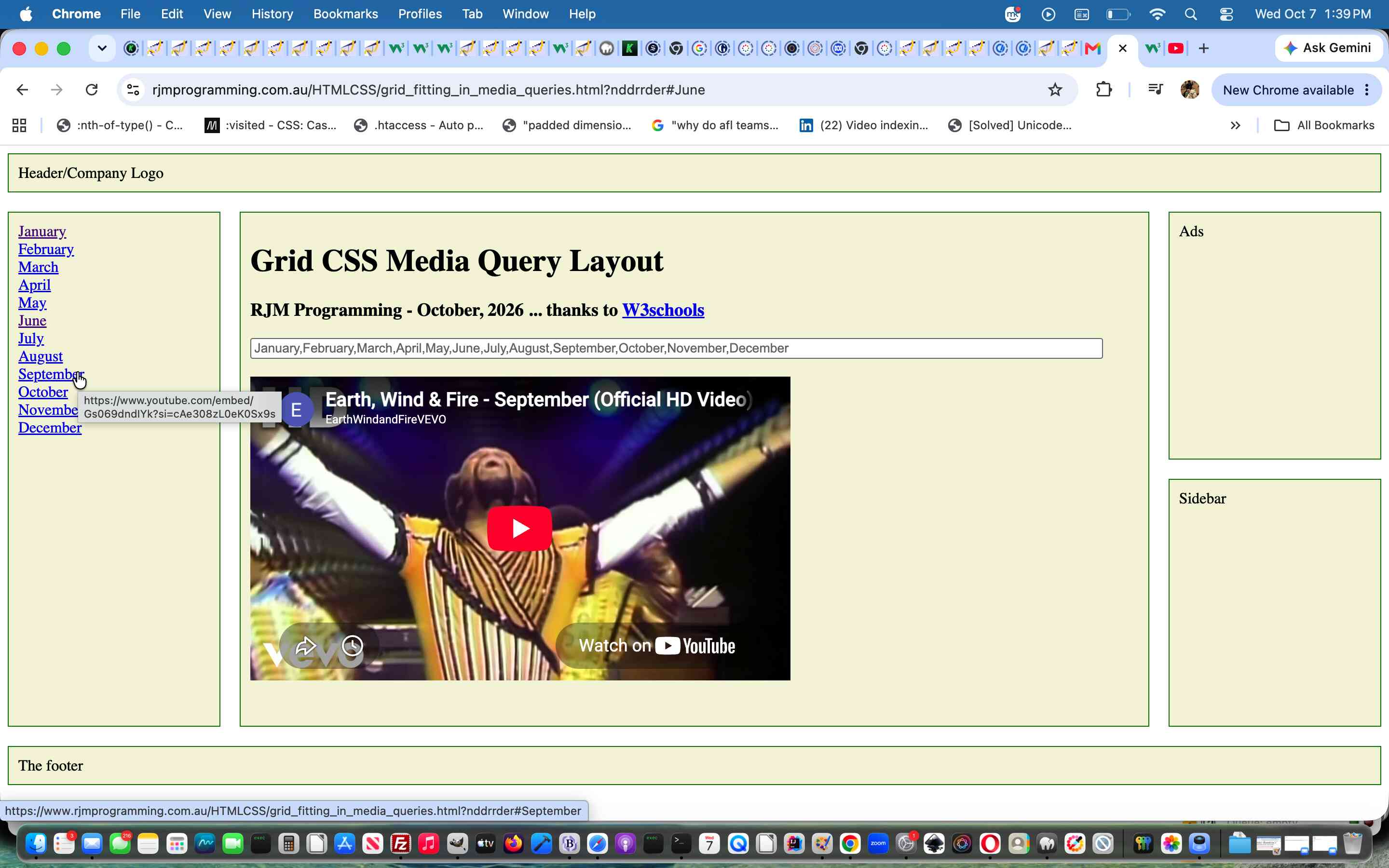
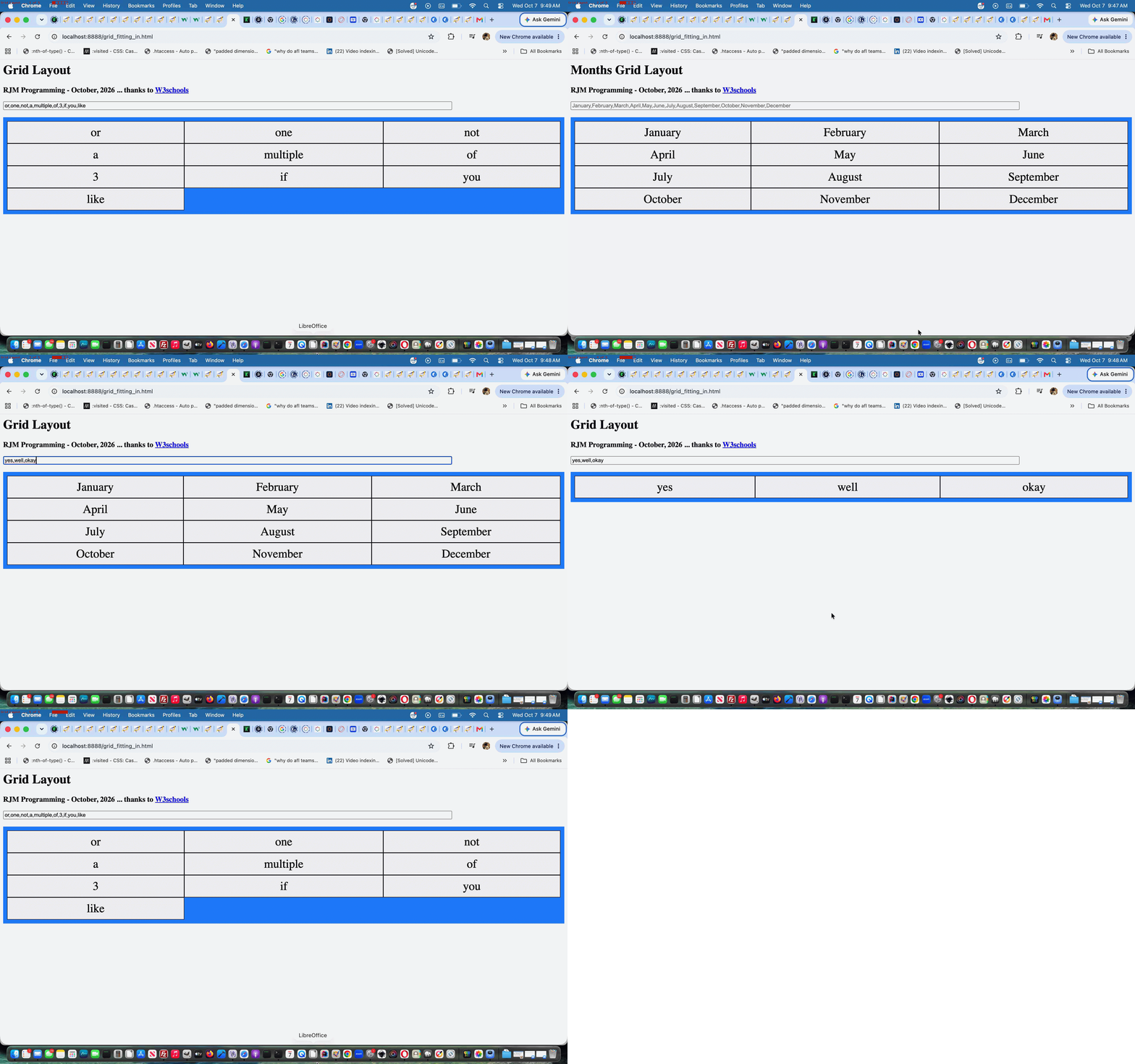
That way, a group of collaborators can build up a list of How Come questions they can share with friends and everybody’s entries can be accepted and perused by the group, because if they use new (append a space) web browser remembering via window.localStorage methodologies along with to and from comma separated recipient designations then clicking on email or SMS body links featuring hashtagged user entered How Come question link lists will be all that is needed for the collaboration to look the same for all participants.

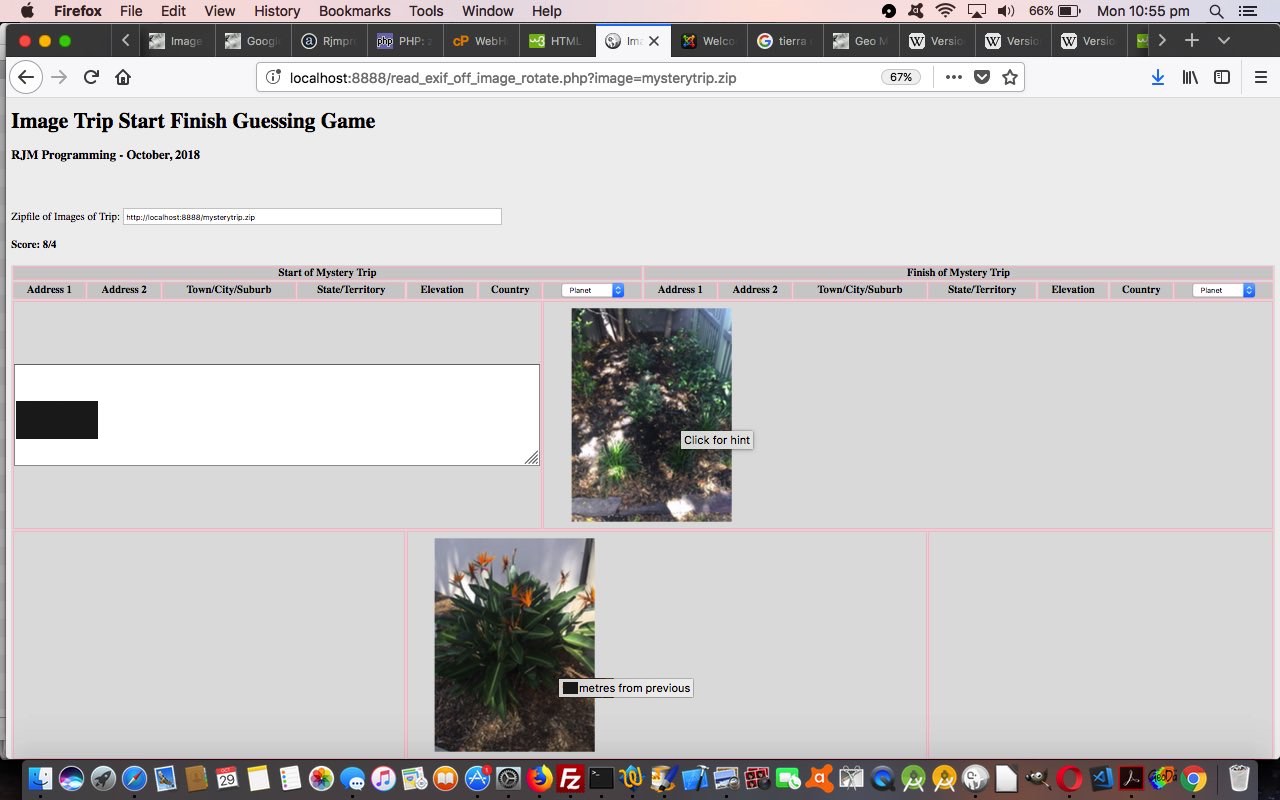
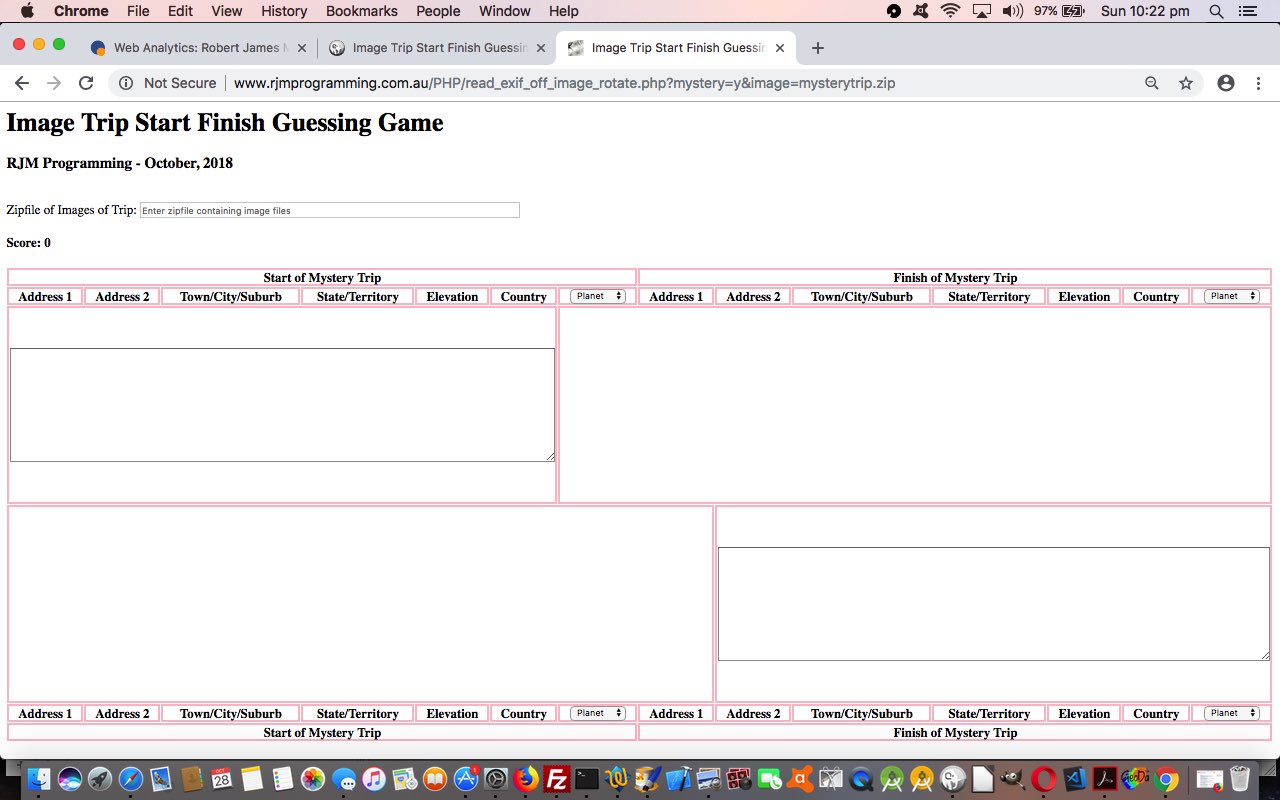
And so, again, feel free to try our changed second draft how_come.html How Come web application, or try below


Previous relevant How Come Primer Tutorial is shown below.

How Come Primer Tutorial

How Come Primer Tutorial

Were you around when, with Calendar Location Services Integration Tutorial‘s blurb we surmised that …

why

… may be the least accessible English question word as far as online content goes? Well …

  1. pretty obviously, this is just an opinion …
  2. we think questions starting with “why” are better catered for, as time goes on …
  3. it’s very natural for the younger members of our community to ask a “why” question using the English words …

    how come

    … more often … in our opinion

This disarming modification sure works better getting a response from me, and is this us remembering our childhood?! Is it a way in to ask the questions “you were always afraid to ask”?

Anyway, channeling All because you asked for it we’ve written a tiny web application today, asking “How come” questions of Google for our (and we’re hoping, your) curiosity, because you can form your own questions.

Yeh, but you can just type your question into a web browser address bar!

Indeed, and we highly recommend it! But do remember, not everything you read online is necessarily the “gospel truth”. It’s best, when matters are controversial, to read more than one source, and the links that make it to the top of a Google search can be there via sponsorship (though some of these are indicated that way).

Feel free to try our proof of concept first draft how_come.html How Come web application …


Previous relevant Calendar Location Services Integration Tutorial is shown below.

Calendar Location Services Integration Tutorial

Calendar Location Services Integration Tutorial

Of all those English question words …

  • why
  • which
  • how
  • what
  • who
  • when
  • where

… which is more apt as far as software goes? Well, and sorry to our regulars who have heard our theories so often, it goes in order of prominence …

  • where
  • when

… then the rest … ie. the reverse order of order way above, we reckon.

And so, being reminded on an upgrade of our macOS version to Big Sur version 11.6 the other day, opening the macOS Calendar desktop application version 11.0 (2811.5.1) (as we did earlier, with a previous version, with Calendar iCal Integration Itinerary Time Tutorial), that locations were honoured with an Apple Maps integration (should you permit Location Services to help you) along with news about Siri integration improving Calendar’s AI credentials, we were pretty much tickled pink to be combining the “when” with the “where” in the one desktop application.

Maybe you will be too?!


Previous relevant Calendar Location Services Integration Tutorial is shown below.

Calendar iCal Integration Itinerary Time Tutorial

Calendar iCal Integration Itinerary Time Tutorial

A while back we left off our software integration of Calendar iCal Events into Google Chart Timeline Chart functionality (last visited with Calendar iCal Integration Itinerary Post Tutorial as shown below) with the quote …

… closing the circle, for now, with our Calendar Event software integrated Timelines.

… but want to retreat from that “finality”, because it’s been burning away within us as an annoyance, regarding this software integration. We think we can do better (with the integration). And we now think that, doing the research and development on this, that it is technically fairly easy to make that improvement, which goes …

We want to have the Google Chart Timeline Chart date resolution to match the Calendar iCal Event resolution, which is to the nearest second, rather than to the nearest day, as it used to be for our Google Chart Timeline Charts

… but we are going to hang back from asking for time hh24:mi:ss entries in the Google Chart Timeline Chart web application itself (when executing as the “parent” web application), because we can accept time data coming in from, say, the Itinerary web application, specifying the date and times to the nearest second (optionally). The reason for this is that to ask for the time everywhere can be offputting when there are so many Timeline scenarios where it is not really the “go” … think, “dates in history” for example.

What is in the “innards” of the Google Chart Timeline Chart web application controlling this “date” (data) resolution? It is controlled by calls to create Javascript Date objects via Javascript Date object constructor (calls), and up to now, they have been exclusively of the form …


var date_object = new Date(year, month, date);

… and this set us to exploring other Javascript Date object constructors, and, as you’d expect … but is a little non-intuitive because of the “Date” object naming … well that’s my excuse, anyway … it allows for (the overload) …


var date_object = new Date(year, month, date, hour, minute, second);

But that is not to say that just to see that this (Javascript functionality) is so, doesn’t always make it so (for Google Chart usage). However, it just so happens, it does, in this case, because there are no problems changing these Date constructor calls as far as the software interface to the Google Charts Timeline Chart API is concerned (we unit tested to confirm) … yayyyy!!

It does mean, though, that the code should handle either type of constructor, and this constructor is significant to our Google Chart select (onclick) event coding, as we examine these constructors from document.head.innerHTML to glean this information.

We may, next, but not for now, extend the Google Chart Timeline Chart web application to ask for times optionally, perhaps, via the clicking of an HTML input type=checkbox element, but for now we’re happy, because a user can do any of …

  • Google Chart Timeline Chart web application execution where it is the parent web application … date resolution: day
  • Itinerary (web application) that displays into the Google Chart Timeline Chart web application … date resolution: second
  • Date and Time Timeline with Calendar iCal Events (web application) that displays into the Google Chart Timeline Chart web application … date resolution: second

… and the last two are available as links from the first, so, we figure, the user can end up with what they were after, with all these choices of execution modes.

And so, what timezones happen here?

  • Google Chart Timeline Chart web applications use your local date (and time)
  • Calendar iCal Event destination use your local date (and time) too … but …
  • iCal interfacing messages most easily use “Z” form, that uses GMT dates (and time)
  • Itinerary (or Date and Time Timeline with Calendar iCal Events) web application allows for times in any timezone you designate

… and we have to map any non-local timezone usage to local time, especially with the last option above, to avoid confusion, and to make Calendar iCal Event destination application data match the content, and now, resolution, of its Google Chart Timeline Chart counterpart. Annoyance over!

The results of this work consisted of …

  • no changes to external Javascript you could call gettopost.js … called defer=’defer’ by …
  • our PHP “Itinerary”, and now, also, “Generic Timeline with Dates and Times” code you could call itinerary.php which changed a lot, and has the “Itinerary” type of live run and has the “Generic Timeline with Dates and Times (and Calendar Events)” type of live run
  • our PHP above calls the original Google Chart Timeline Chart (with its “onclick” select event functionality) you could call timeline_chart.php which changed a little to recognize Timelines that can Involve Times (and Calendar Events) as well as the usual Dates (and if you want to try its live run … then there it went?!)

Previous relevant Calendar iCal Integration Itinerary Post Tutorial is shown below.

Calendar iCal Integration Itinerary Post Tutorial

Calendar iCal Integration Itinerary Post Tutorial

We’re improving software integration on a few fronts today, extending the existing Itinerary software from Calendar iCal Integration Itinerary Tutorial as shown below, namely …

  • realizing that the only difference between an “Itinerary” and any “Timeline Involving Dates and Times (and Calendar Events)” is the descriptive bits about airports and such things, so why not use the same code, and allow for a call a certain way, to turn that “Itinerary” code into the code for that generic “Timeline Involving Dates and Times (and Calendar Events)” … which affected …
  • the Google Chart Timeline Chart needs to allow for these new functionalities … and so it does with code in between <head> and </head> …

    setTimeout(itintobitsatend, 900);
    function itintobitsatend() {
    <?php
    if (file_exists("itinerary.php")) {
    echo "
    if (document.getElementById('bitsatend').innerHTML.indexOf('Itinerary') == -1) {
    document.getElementById('bitsatend').innerHTML+='&nbsp;<a target=_blank title=Itinerary href=http://www.rjmprogramming.com.au/PHP/TimelineChart/itinerary.php>Itinerary with Calendar Events</a>&nbsp;<a target=_blank title=Times href=http://www.rjmprogramming.com.au/PHP/TimelineChart/itinerary.php?justaddtime=y>Timeline with Dates and Times and Calendar Events</a>';
    }
    ";
    }
    ?>
    }

    … as well as …
  • our software integration improvement we did that “proof of concept” preparation about yesterday with HTML Div Overlay Jigsaw Talents Primer Tutorial that is actually the means by which we cater for large amounts of “Itinerary” or “Generic Timeline with Dates and Times” data by
    1. establishing a new external Javascript using HTML script property defer=’defer’ loaded after the local Javascript (that contains a “stub” function maybegettopost(instg, showit) { return instg; }) with two major functions … namely …
      • a page load setTimeout started function lookforjigsaw() that looks for an HTML div “jigsaw” arrangement like talked about yesterday, and if not, create the scenario, and leave the user with a 3 member array of HTML div id list for original content, iframe perhaps later overlays content, form to fire off iframe data as required content respectively, usage … and …
      • an external Javascript overloading version of function maybegettopost(instg, showit) that checks the length of the proposed get $_GET[] type parameter call (ie. using ? and & on address bar with long URLs), and if too long, convert that $_GET[] type parameter call data into $_POST[] type parameter call (remembering … doh … that the PHP (sorrrryyyy) receiver code should cater for this)
    2. change the “Itinerary” PHP web application code to, from now on, when calling another web application in a (default) $_GET[] type parameter call way, filter that call data through function maybegettopost(instg, showit) … the showit is a boolean that is true if we end up navigating to that call data “URL” (ie. we “show it”)

Maybe you need to see the software additions and changes to see this for yourself, which consisted of …

  • new external Javascript you could call gettopost.js … called defer=’defer’ by …
  • our PHP “Itinerary”, and now, also, “Generic Timeline with Dates and Times” code you could call itinerary.php which changed a little, and now has the “Itinerary” type of live run and has the “Generic Timeline with Dates and Times (and Calendar Events)” type of live run
  • our PHP above calls the original Google Chart Timeline Chart (with its “onclick” select event functionality) you could call timeline_chart.php which changed a little to recognize Timelines that can Involve Times (and Calendar Events) as well as the usual Dates (and if you want to try its live run … then there it was?!)

… closing the circle, for now, with our Calendar Event software integrated Timelines. With such software integration, break complex integrations into bits you can unit test, and don’t move on until that unit test works. On the next level of unit testing, make sure you prove that previous unit tests still work.


Previous relevant Calendar iCal Integration Itinerary Tutorial is shown below.

Calendar iCal Integration Itinerary Tutorial

Calendar iCal Integration Itinerary Tutorial

After the recent Calendar iCal Integration Timeline Tutorial you may have associated a Timeline with a Calendar event, even when the End Time of that event is not a defined concept, but what about a software integration, again with a Google Chart, but this time with …


Google Chart Timeline Chart

… “shaped” into a web application suitable to enter Itinerary information and then be able to associate these Timeline Start and End Events with iCal Calendar Starts and Ends to events, created …

  • interactively, using the user’s default iCal application … and/or (in the case of “mobile” we should say “but rather”) via …
  • email via PHP mail function

? This “Itinerary” concept has a huge amount of synergy with Calendar events, especially as a reminder service to people going on the trip (of the Itinerary) and/or to those affected by their absence, and so we found it a concrete type of web application to “start” out on. Yes, and there’s more! Tomorrow’s blog posting, you’ll have trouble believing, will have a connection, as a “proof of concept”, of where we go next with this project. So, after tomorrow’s explanation, we’ll probably see you back hereabouts in two days.

But, in the meantime, for starters, try the PHP source code of itinerary.php and its live run to see what we are getting at here. If you try it, you’ll see that the Emoji Overlay sizing is determined on a integration “parent” subject by integration “parent” subject basis.


Previous relevant Calendar iCal Integration Timeline Tutorial is shown below.

Calendar iCal Integration Timeline Tutorial

Calendar iCal Integration Timeline Tutorial

After the recent Calendar iCal Integration WordPress Tutorial we found another integration candidate for our Calendar Event (creating) (component) “tool” web application that could be used in a variety of ways by other web applications. The second cab off the rank for this we decided should be (this) …


Google Chart Annotated Timeline Chart

… which should come as no surprise of a candidate for Calendar integration.

So a few things have come together for this work, those being …

  • Calendar iCal Integration WordPress Tutorial got us into an integration with PHP and fitting in with existing Javascript DOM issues … but only for discrete Emoji concepts … whereas …
  • Emoji Overlay Share Tutorial yesterday was a proof of concept in two ways …
    1. code to respond to click events with regard to Emoji Overlays … but it also had within the code, and we tested it behind the scenes, the way it could …
    2. work off HTML primed with the special class “emojioverlay” and primed with a Javascript DOM property that would yield Emoji discrete “characters” but with the “#” missed out … believe me, this “kludgy feeling” idea saves a lot of bother because when you go back and retrieve the innerHTML property of Emoji data you do not easily arrive back at …

      &#[codepoint];

      … and we work via our homegrown Javascript docgetclass function to be able to overlay Emojis via the usual …

      • position:absolute property
      • opacity … and though it was optional for today’s work, we also included the third often used “overlay” CSS “player” … namely …
      • z-index

      … and this Javascript function …

      function checkforclass() {
      var buildup="";
      var cfcs=docgetclass('emojioverlay','*');
      for (var ij=0; ij<cfcs.length; ij++) {
      if (cfcs[ij].innerHTML.replace(/&amp;/g,'&').indexOf(';&') != -1) {
      var emjs=cfcs[ij].innerHTML.replace(/&amp;/g,'&').split("&");
      buildup='';
      cfcs[ij].style.opacity=eval(cfcs[ij].style.opacity / eval(-1 + emjs.length));
      for (var iemjs=1; iemjs<emjs.length; iemjs++) {
      buildup+='<span style="position:absolute;top:' + cfcs[ij].style.top + ';left:' + cfcs[ij].style.left + ';font-size:' + cfcs[ij].style.fontSize + ';opacity:' + cfcs[ij].style.opacity + ';z-index:' + cfcs[ij].style.zIndex + ';">&#' + emjs[iemjs].split(';')[0] + ';</span>';
      }
      cfcs[ij].innerHTML=buildup;
      cfcs[ij].style.visibility='visible';
      }
      }
      }

    … that is the method used today to display an Emoji Overlay “character” to reflect, for a mobile application WebView scenario, of PHP mail created email usage for the Calendar Event creation functionality

  • Google Chart Annotated Timeline Flash Legacy Tutorial introduced the flexible non-flash and flash toggling functionality of the Google Chart for Timelines PHP web application we wrote called annotatedtimeline_chart.php which changed quite a lot, like “function checkforclass” above, for this Calendar Event creation integration

Why not try a Google Chart Annotated Timeline Chart live run to see what we are getting at, and while you’re there, try turning on a Calendar Event linked to one of the Timeline Events?


Previous relevant Calendar iCal Integration WordPress Tutorial is shown below.

Calendar iCal Integration WordPress Tutorial

Calendar iCal Integration WordPress Tutorial

After yesterday’s Calendar iCal Integration Email Tutorial we hoped we had a Calendar Event (creating) (component) “tool” web application that could be used in a variety of ways by other web applications. The first cab off the rank for this we decided should be (this) …


WordPress Blog

… that being our TwentyTen themed local effort. One of the reasons we plumped for this is that it involves Publishing Dates and we can even get access to a Publishing Time and even a Publishing Timezone (though this last one is a “hardcoded” (piece of) knowledge, rather than it being gleaned by WordPress (data) in any way). So we had the choice of means of display of this new functionality …

  • adding to logic of the already hyperlinked Publishing Date data string
  • adding the Publishing Time as a new HTML a (hyper)link placed after the Publishing Date and linking to the Calendar functionality
  • adding relevant Emojis as new HTML a (hyper)links after the Publishing Date and linking to the Calendar functionality

… and we plumped for the last of these thoughts with our work today, as we liked the look of 📅 ➕ 📧 (that we tried out with our proof of concept p_o_f.html) to point at …

  • Create iCal Calendar Entry
  • Create and Email iCal Calendar Entry
  • Email (only) iCal Calendar Entry

… respectively. The “go” with the email functionalities could be that you share a tutorial link with a friend whose email you know and correspond with.

And so it behoves us to show you (good ol’) TwentyTen header.php (the usual suspect) changes to make this happen below, for your perusal and/or interest …


function docgetclass(inc, intag) {
if (document.getElementsByClassName) {
return document.getElementsByClassName(inc);
} else {
var ijl;
var anarris=[];
var huhs=document.getElementsByTagName(intag);
for (ijl=0; ijl<huhs.length; ijl++) {
if (huh[ijl].className.indexOf(inc) != -1) {
anarris.push(huhs[ijl]);
}
}
return anarris;
}
}

function calendar_pass() {
var thisc='', thiscc='', thist='', jiicp=0, thisdate='', thistime='', nexttime='', thishour=0, nexthour=0, thisminute='', thissecond='00', thisurl='';
var h1cps=docgetclass('entry-title','*'); //document.getElementsByTagName('h2');
var cps=document.getElementsByTagName('a');
for (var iicp=0; iicp<h1cps.length; iicp++) {
thist=h1cps[iicp].innerHTML.split(' <')[0].split('<')[0];
thisurl='';
if (h1cps[iicp].innerHTML.indexOf(' id="d') != -1) {
thisurl="https://www.rjmprogramming.com.au/ITblog/" + h1cps[iicp].innerHTML.split(' id="d')[1].split('"')[0];
}
if (jiicp < cps.length) {
while (jiicp < cps.length && (cps[jiicp].innerHTML.indexOf(' content="') == -1 || cps[jiicp].innerHTML.indexOf('&#') != -1)) {
jiicp++;
}
if (jiicp < cps.length) {
if (cps[jiicp].title.indexOf(':') != -1) {
thisdate=cps[jiicp].innerHTML.split(' content="')[1].split('"')[0].replace('-','').replace('-','');
thishour=eval(cps[jiicp].title.split(':')[0]);
nexthour=thishour;
if (cps[jiicp].title.indexOf(' pm') != -1 && thishour < 12) thishour+=12;
if (thishour < 12) {
nexthour+=12;
} else if (nexthour < 23) {
nexthour=23;
}
thisminute=cps[jiicp].title.split(':')[1].split(' ')[0];
thistime=':' + ('0' + thishour).slice(-2) + thisminute + thissecond;
nexttime=':' + ('0' + nexthour).slice(-2) + thisminute + thissecond;
//alert(thist + ' ' + thisurl + ' ' + thisdate + thistime);
//alert("http://www.rjmprogramming.com.au/PHP/ics_attachment.php?id=0&eventwords=test&title=" + encodeURIComponent(thist) + '&stage=' + encodeURIComponent(h1cps[iicp].innerHTML.split(' id="d')[1].split('"')[0]) + '&datestart=' + encodeURIComponent(thisdate + thistime) + '&dateend=' + encodeURIComponent(thisdate + thistime) + '&emode=Address&address=Address&description=Description&url=' + encodeURIComponent(thisurl));
//window.open("http://www.rjmprogramming.com.au/PHP/ics_attachment.php?id=0&tz=" + encodeURIComponent("Australia/Perth,Australia/Perth") + "&eventwords=test&title=" + encodeURIComponent(thist) + '&stage=' + encodeURIComponent(h1cps[iicp].innerHTML.split(' id="d')[1].split('"')[0]) + '&datestart=' + encodeURIComponent(thisdate + thistime) + '&dateend=' + encodeURIComponent(thisdate + nexttime) + '&emode=AndTo&address=' + encodeURIComponent('rmetcalfe15@gmail.com') + '&description=Description&url=' + encodeURIComponent(thisurl), '_blank', 'top=45,left=55,width=600,height=600');
thisc="http://www.rjmprogramming.com.au/PHP/ics_attachment.php?id=0&tz=" + encodeURIComponent("Australia/Perth,Australia/Perth") + "&eventwords=test&title=" + encodeURIComponent(thist) + '&stage=' + encodeURIComponent(h1cps[iicp].innerHTML.split(' id="d')[1].split('"')[0]) + '&datestart=' + encodeURIComponent(thisdate + thistime) + '&dateend=' + encodeURIComponent(thisdate + nexttime) + '&emode=To&address=emailAddress&description=Description&url=' + encodeURIComponent(thisurl);
thiscc="http://www.rjmprogramming.com.au/PHP/ics_attachment.php?id=0&tz=" + encodeURIComponent("Australia/Perth,Australia/Perth") + "&eventwords=test&title=" + encodeURIComponent(thist) + '&stage=' + encodeURIComponent(h1cps[iicp].innerHTML.split(' id="d')[1].split('"')[0]) + '&datestart=' + encodeURIComponent(thisdate + thistime) + '&dateend=' + encodeURIComponent(thisdate + nexttime) + '&emode=Address&address=&description=Description&url=' + encodeURIComponent(thisurl);
cps[jiicp].innerHTML+=' <a id="ce' + h1cps[iicp].innerHTML.split(' id="d')[1].split('"')[0] + '" title="Create iCal Calendar Event ' + thist + '" target=_blank href="' + "http://www.rjmprogramming.com.au/PHP/ics_attachment.php?id=0&tz=" + encodeURIComponent("Australia/Perth,Australia/Perth") + "&eventwords=test&title=" + encodeURIComponent(thist) + '&stage=' + encodeURIComponent(h1cps[iicp].innerHTML.split(' id="d')[1].split('"')[0]) + '&datestart=' + encodeURIComponent(thisdate + thistime) + '&dateend=' + encodeURIComponent(thisdate + nexttime) + '&emode=AndTo&address=' + encodeURIComponent('rmetcalfe15@gmail.com') + '&description=Description&url=' + encodeURIComponent(thisurl) + '">&#128197;</a>';
cps[jiicp].innerHTML+=' <iframe id="ice' + h1cps[iicp].innerHTML.split(' id="d')[1].split('"')[0] + '" src="about:blank" style="display:none;width:1px;height:1px;"></iframe><a title="Email and Create iCal Calendar Event ' + thist + '" target=_blank href="#" onclick=" var emtwo=prompt(' + "'" + 'Who do we email to?' + "','fillin@email.in'); document.getElementById('ice" + h1cps[iicp].innerHTML.split(' id="d')[1].split('"')[0] + "').src='" + thisc + "'.replace(/emailAddress/g, encodeURIComponent(emtwo)); window.open('" + thiscc + "','_blank'); \">&#10133;</a>";
cps[jiicp].innerHTML+=' <a id="ee' + h1cps[iicp].innerHTML.split(' id="d')[1].split('"')[0] + '" title="Email iCal Calendar Event ' + thist + '" target=_blank href="#" onclick=" var em=prompt(' + "'" + 'Who do we email to?' + "','fillin@email.in'); window.open('" + thisc + "'.replace(/emailAddress/g, encodeURIComponent(em)),'_blank'); \">&#128231;</a>";
jiicp+=3;
cps=document.getElementsByTagName('a');
}
}
}
}
}

</script>
<?php
if (isset($_GET['showtags'])) {
echo "<link href='//www.rjmprogramming.com.au/HTMLCSS/showtags.css' rel='stylesheet' type='text/css'>";
}
?>
</head>
<body onload=" checkonl(); setTimeout(initpostedoncc, 3000); sdescih(); widgetcon(); precc(); courseCookies(); cookie_fonts(); is_mentioned_by(); calendar_pass(); " <?php body_class(); ?>>

We hope you try out this WordPress TwentyTen themed blog functionality introduced with this code above.


Previous relevant Calendar iCal Integration Email Tutorial is shown below.

Calendar iCal Integration Email Tutorial

Calendar iCal Integration Email Tutorial

With yesterday’s Calendar iCal Integration Timezone Tutorial‘s emphasis on timezones, we turn our attention now, thinking of our web application as a “tool” and an integrated software product, to two interrelated issues …

  1. What does the future hold as far as using this Calendar “tool” (web application)? In other words, what software and/or operating system platforms will use it and in what way.
  2. How do we respond with this Calendar “tool” web application, fitting in with the requirements implicit in what the whole gammut of software and/or operating system platforms needing its services will need.

The most “asking” of “software and/or operating system platforms” that we can think of here is to cater for a mobile application WebView (please read here regarding Android WebView (using Eclipse or Android Studio IDEs) and iOS UIWebView (using Xcode IDE)) using the Calendar “tool” web application. Mobile platform WebViews can be programmed with Back and Forward navigation buttons, but that is not the ideal thing to rely on to get you out of a pickle that your web application may cause a mobile application WebView, if it navigates out to a place where there is no navigable return. The Back and Forward mobile application WebView buttons may work to return from a Calendar Event population event … honestly don’t know … but we’d prefer to cater for a new means by which such an “offshoot” feeling of navigation can be avoided. So in our new incarnation of the Calendar (event) web application we allow any/all of the following three modes of rjmprogramming-event.ics creation …

  1. Create iCal Calendar Entry
  2. Email (only) iCal Calendar Entry
  3. Create and Email iCal Calendar Entry

… where the second of those above would leave you, within the web application running within a mobile application’s WebView, not moving off the webpage you are on, and thus not falling foul of any “offshoot” navigation weaknesses (to the process).

This new emailing functionality, again only in serverside PHP (and not in clientside Javascript), is relatively easy to arrange by rearranging many of the PHP header statements and feeding that through to the PHP mail function to shoot off the email, given that the user, ahead of time, has supplied you with that filled in email address, which we also attend to today.

Our web application has, in two separate areas of the code, made use of an HTML select element’s child option elements’ title properties to contain useful information for the web application’s workings. We’ll show you below some code to access the information stored from such an arrangement …


<select onchange='document.getElementById("subb").value=this.options[this.selectedIndex].title;' id='emode' name='emode'><option title='Create iCal Calendar Entry' value='Address'>Address</option><option title='Email (only) iCal Calendar Entry' value='To'>Email To (only)</option><option title='Create and Email iCal Calendar Entry' value='AndTo'>Email To (as well)</option></select>

… and you might wonder about the destination for the HTML option title property storage here? We use it to rename our HTML form’s input type=submit button that fires off the callback message. The “guises” of our one HTML input type=submit thus have a one to one correspondence with the values on that HTML select (dropdown) element, and with that list of “modes of output” we showed above. This is our approach to this today, but there are other approaches to such requirements regarding HTML form element HTML input type=submit element arrangements, and you may prefer to use multiple forms and/or multiple input type=submit buttons as we talk about with the series of blog posts finishing, so far, with HTML Multiple Form Multiple Submit Buttons Primer Tutorial.

Actually yesterday we prepared for another eventuality down the road of usefulness for this web application, but before we tell you about that, what we’d encourage you to do yourself should you put such a Calendar (event) web application into production is, interface your data flow not with $_POST[] (nor $_GET[] … damn, gave away the secret) but we’d prefer you to have it be that data in and out, as required, is stored in a secure database of some sort, for security purposes. But back to our (not very well kept) secret, yesterday, we prepared the ground for the web application (callback functionality) to be accessible via PHP $_GET[] arguments.

So, sorry not to have moved off “tool” (web application) work today, but it is very important to try to think of most/all eventualities you can imagine, ahead of the time when you get to the integration tasks the other way around, that is, the integration from the viewpoint of the software acting as “parent” or “co-operative peer” to your Calendar (event) “tool” web application.

The reshaped PHP code now additionally catering for email “messaging” functionality you could call ics_attachment.php, which changed in this way, able to be run with this live run link. We hope you try out the new email functionality yourself.


Previous relevant Calendar iCal Integration Timezone Tutorial is shown below.

Calendar iCal Integration Timezone Tutorial

Calendar iCal Integration Timezone Tutorial

You might have thought with yesterday’s Calendar iCal Integration Primer Tutorial‘s emphasis on timezones we’d have …

  • had too much
  • seen too little
  • invited Goldilocks for some porridge

… but time is quite a complex scenario on Earth, when it comes to timezones for at least two reasons, one being a functional improvement, and one being to fix a bug, that being …

  1. things like WebEx or Skype or GoTo Meeting are not tied down by geography and you may want Calendar functionality to reflect this, or you may also want it to cater for airplane departure and arrival times in various timezones around the world, and it would be best if the HTML form user entry phase catered for a user specifying a date and time not necessarily in either of their local timezone nor the GMT timezone (of the iCal “Z” property special interest) … is the functional improvement, whereas …
  2. we had a bug, leaving off from yesterday’s work with timezones whose GMT offset involved half hour differences … and yes, that happens quite often … and the bug will occur as of yesterday’s code when you come to use those PHP DateTime object add and/or sub methods where the PT[offset]H argument has an [offset] involving a decimal point, so it behoves us to update that relevant PHP code snippet for you, again, below, regarding that (and remind … forgot yesterday … that $ts variable is a user HTML form passed date and time) …

    $di="PT" . str_replace("-","",("" . $start_end_offsets[$thisi])) . "H";
    $parsed_date = DateTime::createFromFormat('Ymd:His', $ts);
    if (strpos(("" . $start_end_offsets[$thisi]), "-") !== false) {
    if (strpos($di, ".") !== false) {
    $parsed_date->sub(new DateInterval(explode(".",$di)[0] . "H"));
    $parsed_date->sub(new DateInterval("PT30M"));
    } else {
    $parsed_date->sub(new DateInterval($di));
    }
    } else {
    if (strpos($di, ".") !== false) {
    $parsed_date->add(new DateInterval(explode(".",$di)[0] . "H"));
    $parsed_date->add(new DateInterval("PT30M"));
    } else {
    $parsed_date->add(new DateInterval($di));
    }
    }
    $outts = $parsed_date->format('Ymd:His');

Now allowing for the first idea above is not as involved as you may think, but only if you think serverside PHP, rather than think it will be easy with clientside Javascript. And what makes it a doddle, generally, are all those Open Source contributors to knowledge out there, and those great computing program language documenters out there exemplified in their brilliance with this totally useful link to the PHP timezone_identifiers_list and PHP DateTimeZone object method getOffset method links. So we allow the user to enter any of …

  • Local
  • GMT
  • Any of the half hour timezone numerical offset (indicators) from -24 to 24
  • Any of the timezone names as per those PHP methods above, with valid continental prefix names

… to define the start and end date and time parameters to express for their Calendar iCal Event that they define. Along the way we also add in dropdowns and HTML input type=number (year) elements to help for those not so keen on keyboard entry.

Guess you’d say we are still on the “tool” feel of the web application, but aim to move more on the “integration” front into the future.

Here is the renewed PHP code you could call ics_attachment.php, that changed in this way, able to be run with this live run link. We hope you try it out for yourself, especially as we’ve added some Google Chart Map Chart linking of the “when” and “where” of defined timezone thinking, via the use of PHP’s DateTimeZone object method getLocation, as you can see happening with today’s tutorial picture.


Previous relevant Calendar iCal Integration Primer Tutorial is shown below.

Calendar iCal Integration Primer Tutorial

Calendar iCal Integration Primer Tutorial

Do you remember us talking about the ICS extension file when we presented WebEx Prerecording Primer Tutorial as shown below? It is an integration input to working with iCal Calendar software.

So here we are at a “when” of life tutorial, which is always an interesting exercise in our book. And “book” could be the go for an application to use this type of functionality. When you “book” something, you’d often want to remind yourself and/or others of such an event. But for now, we are concentrating on making a “tool” type of web application that will suit future purposes.

We’ve built a web application around the useful logic presented in this great Git repository today, writing our code in PHP, because you are dealing with header manipulation here centering around …


header('Content-type: text/calendar; charset=utf-8');
header('Content-Disposition: attachment; filename=rjmprogramming-event.ics');
echo $ical;

… where the PHP variable $ical contents has been pieced together in response to a callback from an earlier HTML form execution of the same ics_attachment.php code where the necessary details are collected off the user.

If you try the live run you’ll probably glean that most of our concern centered around the date and time, regarding timezone use so that we …

  • in the HTML form execution we use client Javascript to glean the local timezone and local date and time to default the form appropriately … so that …
  • in the HTML form execution the user fills out Calendar Event start and end times with respect to local time and this, along with an offset to get these times back to UTC or (Greenwich Mean Time) are passed to the callback web application (which is the same web application) … so that …
  • the second callback execution constructs the iCal (for an rjmprogramming-event.ics attachment) with these UTC (or GMT) date and times in mind, whereby the “Z” timezone parameter fits the bill nicely … and when …
  • the user saves this rjmprogramming-event.ics event into the iCal Calendar application, where the event will be shown back relative to the local date and time

The date and time functions used to make this happen are …

  1. Javascript’s Date object …

    var dd=new Date();
    var qw=eval((eval(dd.toTimeString().replace('-',' ').replace('+',' ').split(' ')[2]) - eval(dd.toTimeString().replace('-',' ').replace('+',' ').split(' ')[2] % 100)) / 100) + eval((0.0 + eval(dd.toTimeString().replace('-',' ').replace('+',' ').split(' ')[2] % 100)) / 60.0);
    if (dd.toTimeString().indexOf('+') != -1) qw=-qw;
    document.getElementById('tz').value=qw;
  2. Javascript’s Date object’s toTimeString method (as shown above) to glean the local timezone offset, and its opposite
  3. PHP’s DateTime object …

    $di="PT" . str_replace("-","",urldecode($_POST['tz'])) . "H";
    $parsed_date = DateTime::createFromFormat('Ymd:His', $ts);
    if (strpos(urldecode($_POST['tz']), "-") !== false) {
    $parsed_date->sub(new DateInterval($di));
    } else {
    $parsed_date->add(new DateInterval($di));
    }
    $outts = $parsed_date->format('Ymd:His');

  4. PHP’s DateTime object’s createFromFormat constructor method (as above) to create a DateTime object from the passed through user details
  5. PHP’s DateInterval object
  6. PHP’s DateTime object’s add and/or sub methods (as above) to create a DateTime object with a DateInterval offset to UTC (or GMT) (expressed in hours)
  7. PHP’s DateInterval object’s format method (as above) to end up with a UTC (or GMT) expression of date and time to be placed into the rjmprogramming-event.ics iCal message

We’ll probably be revisiting with improvements soon, but we hope you try it for yourself.


Previous relevant WebEx Prerecording Primer Tutorial is shown below.

WebEx Prerecording Primer Tutorial

WebEx Prerecording Primer Tutorial

We’ve been trying out WebEx (by Cisco) prerecording as a video conferencing idea as an alternative to …

… regarding video conferencing products we’ve tried at this blog.

Have to say, WebEx is great, even with respect to the “wide eyed and bushy tailed” reaction “this little black duck” has to all these networky communicaty ideas on the net (at least we spelt “net” correctly).

Have to thank my wife, Maree, for her expertise and the facilities her company, Thomson Reuters, supplies for the serving of WebEx recordings … thanks everyone. Have been assured they are periodically deleted, and my lame impersonations of the old “ducks on the wall” can rest in peace shortly.

And so, we have a slideshow starting with a WebEx email link to join a meeting, and we pan down the email to show you other WebEx functionalities, such as adding a Calendar reference to the meeting time, and though we haven’t shown you detail here, rest assured it handles timezone scenarios very well, unless you lie about living in Antarctica, that is … sorry, scientists in Antarctica reading this blog posting … all 237 of you.

During this “earlier than today exploration of WebEx” session the necessary software installs just happened for this MacBook Pro Mac OS X laptop as if we were shelling peas … it’s always good to have some handy when installing any software. So we won’t show you this unless we deem it essential at a later date. You can perhaps do as I did, and ask a real WebEx user invite you to a meeting, to set yourself up. In fact, today’s session meeting creation time you may notice is well in the past from that earlier introductory learning session Maree and I had, and you can bring back up that old email, and resurrect that meeting again and again, if you like … am not sure if there is an expiry date on this too, like with server stored WebEx prerecordings.

So also rest assured, WebEx handles …

  • video via webcam on your device
  • audio via microphone on your device (“Use Computer”) or via a phone line
  • the synchronization of the two above
  • mobile devices

Did you know?

A .ics extension file, as you can see being used as an email attachment file extension in is, as explained in this link‘s sublink

ICS is a global format for calendar files widely being utilized by various calendar and email programs including Google Calendar, Apple iCal, and Microsoft Outlook. These files enable users to share and publish information directly from their calendars over email or via uploading it to the world wide web.

… as helping interface meetings to online calendar appointments. Cute, huh?!

If this was interesting you may be interested in this too.


If this was interesting you may be interested in this too.

If this was interesting you may be interested in this too.

If this was interesting you may be interested in this too.

If this was interesting you may be interested in this too.

If this was interesting you may be interested in this too.

If this was interesting you may be interested in this too.

If this was interesting you may be interested in this too.

If this was interesting you may be interested in this too.


If this was interesting you may be interested in this too.

If this was interesting you may be interested in this too.

If this was interesting you may be interested in this too.

Posted in eLearning, Tutorials | Tagged , , , , , , , , , , , , , , , , , , , , , , , , , | Leave a comment

The Word Web Primer Tutorial

The Word Web Primer Tutorial

The Word Web Primer Tutorial

Depending on how young you are it may be hard to swallow the fact that …

There was a computerized world before the Internet

… even before GraphicalUserInterface even, when in the 1970’s Xerox wrote an operating system inspiring the GUI Windows and Mac OS X thinking of later years after a period that went through command line only IBM DOS and MicroSoft-DOS (placed on an IBM PersonalComputer (alas, not called “Hal”)) operating systems, some years before that desktop personal computing of Windows and Mac OS X and Commodores and XBox and GameBoys and PlayStations etcetera etcetera etcetera.

In the current Internet online world the word “web” appears a lot, originally deriving from the concept of the World Wide Web. Think …

  • web browser … in all likelihood you’re using one (ie. a desktop application in a GUI operating system) now reading this … presented on a …
  • webpage … UniformResourceLocator via that web browser’s address bar or a link off another webpage or email or SMS or some other online form of communication, in all likelihood as content based on the HTML format … which was constructed, as content, based on HTML files (and/or server based files such as PHP *.php or .Net Framework *.aspx etcetera ones that get translated to HTML) under the auspices of a …
  • web protocol … delivery system

    Web protocols are sets of rules that define how data is formatted and transmitted over the internet, enabling devices and applications to communicate with each other. Key protocols include HTTP for web page transfer, HTTPS for secure connections, DNS for translating domain names to IP addresses, and TCP/IP for reliable data transmission across networks.

    … those webpages the representative content for a …

  • website

    A website (also written as a web site) is any web page whose content is identified by a common domain name and is published on at least one web server. Websites are typically dedicated to a particular topic or purpose, such as news, education, commerce, entertainment, or social media. Hyperlinking between web pages guides the navigation of the site, which often starts with a home page. The most-visited sites are Google, YouTube, and Facebook.

    … living on a …

  • web server … computer, this RJM Programming one being an AlmaLinux operating system based Apache web server supporting PHP server computer language and MySql database server (though other web server type names you might come across could be Tomcat or Nginx, Microsoft IIS (Internet Information Services) or LiteSpeed or Node.js) … where that webpage content can be enhanced via the use of a …
  • web application

    A web application (or web app) is application software that is created with web technologies and runs via a web browser.[1][2] Web applications emerged during the late 1990s and allowed for the server to dynamically build a response to the request, in contrast to static web pages.

    … sponsored by, for a lot of web servers, a …

  • web host

    A web hosting service is a type of Internet hosting service that hosts websites for clients, i.e. it offers the facilities required for them to create and maintain a site and makes it accessible on the World Wide Web. Companies providing web hosting services are sometimes called web hosts.

    … and whether you refer to it this way or not, coming off reading this you may well then be accessing technology based on …

  • web streaming

    Web streaming is the continuous delivery of audio/video content over the internet, letting you watch or listen instantly without downloading the whole file, common in services like Netflix, YouTube, and live broadcasts (e.g., Twitch, TV channels). It’s either on-demand (like movies) or live, sending data in real-time for events like sports or video calls, making media accessible instantly on internet-connected devices.

    … most likely for entertainment or educational purposes … or perhaps more your style gravitates towards a …

  • web game

    A browser game is a video game that is played over the Internet using a web browser, typically without the need for dedicated hardware or software installation.[1] They are sometimes referred to more specifically by their format, such as Flash games[2] or HTML5 games.

… as just a “tipping our toe” into the vast ocean of uses of the word “web” regarding today’s World Wide Web online world.

If this was interesting you may be interested in this too.

Posted in eLearning, GUI, Hardware, Networking, Operating System, Software, Tutorials | Tagged , , , , , , , , , , , , , , , , , , , , , , , , , , , | Leave a comment

How Come Primer Tutorial

How Come Primer Tutorial

How Come Primer Tutorial

Were you around when, with Calendar Location Services Integration Tutorial‘s blurb we surmised that …

why

… may be the least accessible English question word as far as online content goes? Well …

  1. pretty obviously, this is just an opinion …
  2. we think questions starting with “why” are better catered for, as time goes on …
  3. it’s very natural for the younger members of our community to ask a “why” question using the English words …

    how come

    … more often … in our opinion

This disarming modification sure works better getting a response from me, and is this us remembering our childhood?! Is it a way in to ask the questions “you were always afraid to ask”?

Anyway, channeling All because you asked for it we’ve written a tiny web application today, asking “How come” questions of Google for our (and we’re hoping, your) curiosity, because you can form your own questions.

Yeh, but you can just type your question into a web browser address bar!

Indeed, and we highly recommend it! But do remember, not everything you read online is necessarily the “gospel truth”. It’s best, when matters are controversial, to read more than one source, and the links that make it to the top of a Google search can be there via sponsorship (though some of these are indicated that way).

Feel free to try our proof of concept first draft how_come.html How Come web application …


Previous relevant Calendar Location Services Integration Tutorial is shown below.

Calendar Location Services Integration Tutorial

Calendar Location Services Integration Tutorial

Of all those English question words …

  • why
  • which
  • how
  • what
  • who
  • when
  • where

… which is more apt as far as software goes? Well, and sorry to our regulars who have heard our theories so often, it goes in order of prominence …

  • where
  • when

… then the rest … ie. the reverse order of order way above, we reckon.

And so, being reminded on an upgrade of our macOS version to Big Sur version 11.6 the other day, opening the macOS Calendar desktop application version 11.0 (2811.5.1) (as we did earlier, with a previous version, with Calendar iCal Integration Itinerary Time Tutorial), that locations were honoured with an Apple Maps integration (should you permit Location Services to help you) along with news about Siri integration improving Calendar’s AI credentials, we were pretty much tickled pink to be combining the “when” with the “where” in the one desktop application.

Maybe you will be too?!


Previous relevant Calendar Location Services Integration Tutorial is shown below.

Calendar iCal Integration Itinerary Time Tutorial

Calendar iCal Integration Itinerary Time Tutorial

A while back we left off our software integration of Calendar iCal Events into Google Chart Timeline Chart functionality (last visited with Calendar iCal Integration Itinerary Post Tutorial as shown below) with the quote …

… closing the circle, for now, with our Calendar Event software integrated Timelines.

… but want to retreat from that “finality”, because it’s been burning away within us as an annoyance, regarding this software integration. We think we can do better (with the integration). And we now think that, doing the research and development on this, that it is technically fairly easy to make that improvement, which goes …

We want to have the Google Chart Timeline Chart date resolution to match the Calendar iCal Event resolution, which is to the nearest second, rather than to the nearest day, as it used to be for our Google Chart Timeline Charts

… but we are going to hang back from asking for time hh24:mi:ss entries in the Google Chart Timeline Chart web application itself (when executing as the “parent” web application), because we can accept time data coming in from, say, the Itinerary web application, specifying the date and times to the nearest second (optionally). The reason for this is that to ask for the time everywhere can be offputting when there are so many Timeline scenarios where it is not really the “go” … think, “dates in history” for example.

What is in the “innards” of the Google Chart Timeline Chart web application controlling this “date” (data) resolution? It is controlled by calls to create Javascript Date objects via Javascript Date object constructor (calls), and up to now, they have been exclusively of the form …


var date_object = new Date(year, month, date);

… and this set us to exploring other Javascript Date object constructors, and, as you’d expect … but is a little non-intuitive because of the “Date” object naming … well that’s my excuse, anyway … it allows for (the overload) …


var date_object = new Date(year, month, date, hour, minute, second);

But that is not to say that just to see that this (Javascript functionality) is so, doesn’t always make it so (for Google Chart usage). However, it just so happens, it does, in this case, because there are no problems changing these Date constructor calls as far as the software interface to the Google Charts Timeline Chart API is concerned (we unit tested to confirm) … yayyyy!!

It does mean, though, that the code should handle either type of constructor, and this constructor is significant to our Google Chart select (onclick) event coding, as we examine these constructors from document.head.innerHTML to glean this information.

We may, next, but not for now, extend the Google Chart Timeline Chart web application to ask for times optionally, perhaps, via the clicking of an HTML input type=checkbox element, but for now we’re happy, because a user can do any of …

  • Google Chart Timeline Chart web application execution where it is the parent web application … date resolution: day
  • Itinerary (web application) that displays into the Google Chart Timeline Chart web application … date resolution: second
  • Date and Time Timeline with Calendar iCal Events (web application) that displays into the Google Chart Timeline Chart web application … date resolution: second

… and the last two are available as links from the first, so, we figure, the user can end up with what they were after, with all these choices of execution modes.

And so, what timezones happen here?

  • Google Chart Timeline Chart web applications use your local date (and time)
  • Calendar iCal Event destination use your local date (and time) too … but …
  • iCal interfacing messages most easily use “Z” form, that uses GMT dates (and time)
  • Itinerary (or Date and Time Timeline with Calendar iCal Events) web application allows for times in any timezone you designate

… and we have to map any non-local timezone usage to local time, especially with the last option above, to avoid confusion, and to make Calendar iCal Event destination application data match the content, and now, resolution, of its Google Chart Timeline Chart counterpart. Annoyance over!

The results of this work consisted of …

  • no changes to external Javascript you could call gettopost.js … called defer=’defer’ by …
  • our PHP “Itinerary”, and now, also, “Generic Timeline with Dates and Times” code you could call itinerary.php which changed a lot, and has the “Itinerary” type of live run and has the “Generic Timeline with Dates and Times (and Calendar Events)” type of live run
  • our PHP above calls the original Google Chart Timeline Chart (with its “onclick” select event functionality) you could call timeline_chart.php which changed a little to recognize Timelines that can Involve Times (and Calendar Events) as well as the usual Dates (and if you want to try its live run … then there it went?!)

Previous relevant Calendar iCal Integration Itinerary Post Tutorial is shown below.

Calendar iCal Integration Itinerary Post Tutorial

Calendar iCal Integration Itinerary Post Tutorial

We’re improving software integration on a few fronts today, extending the existing Itinerary software from Calendar iCal Integration Itinerary Tutorial as shown below, namely …

  • realizing that the only difference between an “Itinerary” and any “Timeline Involving Dates and Times (and Calendar Events)” is the descriptive bits about airports and such things, so why not use the same code, and allow for a call a certain way, to turn that “Itinerary” code into the code for that generic “Timeline Involving Dates and Times (and Calendar Events)” … which affected …
  • the Google Chart Timeline Chart needs to allow for these new functionalities … and so it does with code in between <head> and </head> …

    setTimeout(itintobitsatend, 900);
    function itintobitsatend() {
    <?php
    if (file_exists("itinerary.php")) {
    echo "
    if (document.getElementById('bitsatend').innerHTML.indexOf('Itinerary') == -1) {
    document.getElementById('bitsatend').innerHTML+='&nbsp;<a target=_blank title=Itinerary href=http://www.rjmprogramming.com.au/PHP/TimelineChart/itinerary.php>Itinerary with Calendar Events</a>&nbsp;<a target=_blank title=Times href=http://www.rjmprogramming.com.au/PHP/TimelineChart/itinerary.php?justaddtime=y>Timeline with Dates and Times and Calendar Events</a>';
    }
    ";
    }
    ?>
    }

    … as well as …
  • our software integration improvement we did that “proof of concept” preparation about yesterday with HTML Div Overlay Jigsaw Talents Primer Tutorial that is actually the means by which we cater for large amounts of “Itinerary” or “Generic Timeline with Dates and Times” data by
    1. establishing a new external Javascript using HTML script property defer=’defer’ loaded after the local Javascript (that contains a “stub” function maybegettopost(instg, showit) { return instg; }) with two major functions … namely …
      • a page load setTimeout started function lookforjigsaw() that looks for an HTML div “jigsaw” arrangement like talked about yesterday, and if not, create the scenario, and leave the user with a 3 member array of HTML div id list for original content, iframe perhaps later overlays content, form to fire off iframe data as required content respectively, usage … and …
      • an external Javascript overloading version of function maybegettopost(instg, showit) that checks the length of the proposed get $_GET[] type parameter call (ie. using ? and & on address bar with long URLs), and if too long, convert that $_GET[] type parameter call data into $_POST[] type parameter call (remembering … doh … that the PHP (sorrrryyyy) receiver code should cater for this)
    2. change the “Itinerary” PHP web application code to, from now on, when calling another web application in a (default) $_GET[] type parameter call way, filter that call data through function maybegettopost(instg, showit) … the showit is a boolean that is true if we end up navigating to that call data “URL” (ie. we “show it”)

Maybe you need to see the software additions and changes to see this for yourself, which consisted of …

  • new external Javascript you could call gettopost.js … called defer=’defer’ by …
  • our PHP “Itinerary”, and now, also, “Generic Timeline with Dates and Times” code you could call itinerary.php which changed a little, and now has the “Itinerary” type of live run and has the “Generic Timeline with Dates and Times (and Calendar Events)” type of live run
  • our PHP above calls the original Google Chart Timeline Chart (with its “onclick” select event functionality) you could call timeline_chart.php which changed a little to recognize Timelines that can Involve Times (and Calendar Events) as well as the usual Dates (and if you want to try its live run … then there it was?!)

… closing the circle, for now, with our Calendar Event software integrated Timelines. With such software integration, break complex integrations into bits you can unit test, and don’t move on until that unit test works. On the next level of unit testing, make sure you prove that previous unit tests still work.


Previous relevant Calendar iCal Integration Itinerary Tutorial is shown below.

Calendar iCal Integration Itinerary Tutorial

Calendar iCal Integration Itinerary Tutorial

After the recent Calendar iCal Integration Timeline Tutorial you may have associated a Timeline with a Calendar event, even when the End Time of that event is not a defined concept, but what about a software integration, again with a Google Chart, but this time with …


Google Chart Timeline Chart

… “shaped” into a web application suitable to enter Itinerary information and then be able to associate these Timeline Start and End Events with iCal Calendar Starts and Ends to events, created …

  • interactively, using the user’s default iCal application … and/or (in the case of “mobile” we should say “but rather”) via …
  • email via PHP mail function

? This “Itinerary” concept has a huge amount of synergy with Calendar events, especially as a reminder service to people going on the trip (of the Itinerary) and/or to those affected by their absence, and so we found it a concrete type of web application to “start” out on. Yes, and there’s more! Tomorrow’s blog posting, you’ll have trouble believing, will have a connection, as a “proof of concept”, of where we go next with this project. So, after tomorrow’s explanation, we’ll probably see you back hereabouts in two days.

But, in the meantime, for starters, try the PHP source code of itinerary.php and its live run to see what we are getting at here. If you try it, you’ll see that the Emoji Overlay sizing is determined on a integration “parent” subject by integration “parent” subject basis.


Previous relevant Calendar iCal Integration Timeline Tutorial is shown below.

Calendar iCal Integration Timeline Tutorial

Calendar iCal Integration Timeline Tutorial

After the recent Calendar iCal Integration WordPress Tutorial we found another integration candidate for our Calendar Event (creating) (component) “tool” web application that could be used in a variety of ways by other web applications. The second cab off the rank for this we decided should be (this) …


Google Chart Annotated Timeline Chart

… which should come as no surprise of a candidate for Calendar integration.

So a few things have come together for this work, those being …

  • Calendar iCal Integration WordPress Tutorial got us into an integration with PHP and fitting in with existing Javascript DOM issues … but only for discrete Emoji concepts … whereas …
  • Emoji Overlay Share Tutorial yesterday was a proof of concept in two ways …
    1. code to respond to click events with regard to Emoji Overlays … but it also had within the code, and we tested it behind the scenes, the way it could …
    2. work off HTML primed with the special class “emojioverlay” and primed with a Javascript DOM property that would yield Emoji discrete “characters” but with the “#” missed out … believe me, this “kludgy feeling” idea saves a lot of bother because when you go back and retrieve the innerHTML property of Emoji data you do not easily arrive back at …

      &#[codepoint];

      … and we work via our homegrown Javascript docgetclass function to be able to overlay Emojis via the usual …

      • position:absolute property
      • opacity … and though it was optional for today’s work, we also included the third often used “overlay” CSS “player” … namely …
      • z-index

      … and this Javascript function …

      function checkforclass() {
      var buildup="";
      var cfcs=docgetclass('emojioverlay','*');
      for (var ij=0; ij<cfcs.length; ij++) {
      if (cfcs[ij].innerHTML.replace(/&amp;/g,'&').indexOf(';&') != -1) {
      var emjs=cfcs[ij].innerHTML.replace(/&amp;/g,'&').split("&");
      buildup='';
      cfcs[ij].style.opacity=eval(cfcs[ij].style.opacity / eval(-1 + emjs.length));
      for (var iemjs=1; iemjs<emjs.length; iemjs++) {
      buildup+='<span style="position:absolute;top:' + cfcs[ij].style.top + ';left:' + cfcs[ij].style.left + ';font-size:' + cfcs[ij].style.fontSize + ';opacity:' + cfcs[ij].style.opacity + ';z-index:' + cfcs[ij].style.zIndex + ';">&#' + emjs[iemjs].split(';')[0] + ';</span>';
      }
      cfcs[ij].innerHTML=buildup;
      cfcs[ij].style.visibility='visible';
      }
      }
      }

    … that is the method used today to display an Emoji Overlay “character” to reflect, for a mobile application WebView scenario, of PHP mail created email usage for the Calendar Event creation functionality

  • Google Chart Annotated Timeline Flash Legacy Tutorial introduced the flexible non-flash and flash toggling functionality of the Google Chart for Timelines PHP web application we wrote called annotatedtimeline_chart.php which changed quite a lot, like “function checkforclass” above, for this Calendar Event creation integration

Why not try a Google Chart Annotated Timeline Chart live run to see what we are getting at, and while you’re there, try turning on a Calendar Event linked to one of the Timeline Events?


Previous relevant Calendar iCal Integration WordPress Tutorial is shown below.

Calendar iCal Integration WordPress Tutorial

Calendar iCal Integration WordPress Tutorial

After yesterday’s Calendar iCal Integration Email Tutorial we hoped we had a Calendar Event (creating) (component) “tool” web application that could be used in a variety of ways by other web applications. The first cab off the rank for this we decided should be (this) …


WordPress Blog

… that being our TwentyTen themed local effort. One of the reasons we plumped for this is that it involves Publishing Dates and we can even get access to a Publishing Time and even a Publishing Timezone (though this last one is a “hardcoded” (piece of) knowledge, rather than it being gleaned by WordPress (data) in any way). So we had the choice of means of display of this new functionality …

  • adding to logic of the already hyperlinked Publishing Date data string
  • adding the Publishing Time as a new HTML a (hyper)link placed after the Publishing Date and linking to the Calendar functionality
  • adding relevant Emojis as new HTML a (hyper)links after the Publishing Date and linking to the Calendar functionality

… and we plumped for the last of these thoughts with our work today, as we liked the look of 📅 ➕ 📧 (that we tried out with our proof of concept p_o_f.html) to point at …

  • Create iCal Calendar Entry
  • Create and Email iCal Calendar Entry
  • Email (only) iCal Calendar Entry

… respectively. The “go” with the email functionalities could be that you share a tutorial link with a friend whose email you know and correspond with.

And so it behoves us to show you (good ol’) TwentyTen header.php (the usual suspect) changes to make this happen below, for your perusal and/or interest …


function docgetclass(inc, intag) {
if (document.getElementsByClassName) {
return document.getElementsByClassName(inc);
} else {
var ijl;
var anarris=[];
var huhs=document.getElementsByTagName(intag);
for (ijl=0; ijl<huhs.length; ijl++) {
if (huh[ijl].className.indexOf(inc) != -1) {
anarris.push(huhs[ijl]);
}
}
return anarris;
}
}

function calendar_pass() {
var thisc='', thiscc='', thist='', jiicp=0, thisdate='', thistime='', nexttime='', thishour=0, nexthour=0, thisminute='', thissecond='00', thisurl='';
var h1cps=docgetclass('entry-title','*'); //document.getElementsByTagName('h2');
var cps=document.getElementsByTagName('a');
for (var iicp=0; iicp<h1cps.length; iicp++) {
thist=h1cps[iicp].innerHTML.split(' <')[0].split('<')[0];
thisurl='';
if (h1cps[iicp].innerHTML.indexOf(' id="d') != -1) {
thisurl="https://www.rjmprogramming.com.au/ITblog/" + h1cps[iicp].innerHTML.split(' id="d')[1].split('"')[0];
}
if (jiicp < cps.length) {
while (jiicp < cps.length && (cps[jiicp].innerHTML.indexOf(' content="') == -1 || cps[jiicp].innerHTML.indexOf('&#') != -1)) {
jiicp++;
}
if (jiicp < cps.length) {
if (cps[jiicp].title.indexOf(':') != -1) {
thisdate=cps[jiicp].innerHTML.split(' content="')[1].split('"')[0].replace('-','').replace('-','');
thishour=eval(cps[jiicp].title.split(':')[0]);
nexthour=thishour;
if (cps[jiicp].title.indexOf(' pm') != -1 && thishour < 12) thishour+=12;
if (thishour < 12) {
nexthour+=12;
} else if (nexthour < 23) {
nexthour=23;
}
thisminute=cps[jiicp].title.split(':')[1].split(' ')[0];
thistime=':' + ('0' + thishour).slice(-2) + thisminute + thissecond;
nexttime=':' + ('0' + nexthour).slice(-2) + thisminute + thissecond;
//alert(thist + ' ' + thisurl + ' ' + thisdate + thistime);
//alert("http://www.rjmprogramming.com.au/PHP/ics_attachment.php?id=0&eventwords=test&title=" + encodeURIComponent(thist) + '&stage=' + encodeURIComponent(h1cps[iicp].innerHTML.split(' id="d')[1].split('"')[0]) + '&datestart=' + encodeURIComponent(thisdate + thistime) + '&dateend=' + encodeURIComponent(thisdate + thistime) + '&emode=Address&address=Address&description=Description&url=' + encodeURIComponent(thisurl));
//window.open("http://www.rjmprogramming.com.au/PHP/ics_attachment.php?id=0&tz=" + encodeURIComponent("Australia/Perth,Australia/Perth") + "&eventwords=test&title=" + encodeURIComponent(thist) + '&stage=' + encodeURIComponent(h1cps[iicp].innerHTML.split(' id="d')[1].split('"')[0]) + '&datestart=' + encodeURIComponent(thisdate + thistime) + '&dateend=' + encodeURIComponent(thisdate + nexttime) + '&emode=AndTo&address=' + encodeURIComponent('rmetcalfe15@gmail.com') + '&description=Description&url=' + encodeURIComponent(thisurl), '_blank', 'top=45,left=55,width=600,height=600');
thisc="http://www.rjmprogramming.com.au/PHP/ics_attachment.php?id=0&tz=" + encodeURIComponent("Australia/Perth,Australia/Perth") + "&eventwords=test&title=" + encodeURIComponent(thist) + '&stage=' + encodeURIComponent(h1cps[iicp].innerHTML.split(' id="d')[1].split('"')[0]) + '&datestart=' + encodeURIComponent(thisdate + thistime) + '&dateend=' + encodeURIComponent(thisdate + nexttime) + '&emode=To&address=emailAddress&description=Description&url=' + encodeURIComponent(thisurl);
thiscc="http://www.rjmprogramming.com.au/PHP/ics_attachment.php?id=0&tz=" + encodeURIComponent("Australia/Perth,Australia/Perth") + "&eventwords=test&title=" + encodeURIComponent(thist) + '&stage=' + encodeURIComponent(h1cps[iicp].innerHTML.split(' id="d')[1].split('"')[0]) + '&datestart=' + encodeURIComponent(thisdate + thistime) + '&dateend=' + encodeURIComponent(thisdate + nexttime) + '&emode=Address&address=&description=Description&url=' + encodeURIComponent(thisurl);
cps[jiicp].innerHTML+=' <a id="ce' + h1cps[iicp].innerHTML.split(' id="d')[1].split('"')[0] + '" title="Create iCal Calendar Event ' + thist + '" target=_blank href="' + "http://www.rjmprogramming.com.au/PHP/ics_attachment.php?id=0&tz=" + encodeURIComponent("Australia/Perth,Australia/Perth") + "&eventwords=test&title=" + encodeURIComponent(thist) + '&stage=' + encodeURIComponent(h1cps[iicp].innerHTML.split(' id="d')[1].split('"')[0]) + '&datestart=' + encodeURIComponent(thisdate + thistime) + '&dateend=' + encodeURIComponent(thisdate + nexttime) + '&emode=AndTo&address=' + encodeURIComponent('rmetcalfe15@gmail.com') + '&description=Description&url=' + encodeURIComponent(thisurl) + '">&#128197;</a>';
cps[jiicp].innerHTML+=' <iframe id="ice' + h1cps[iicp].innerHTML.split(' id="d')[1].split('"')[0] + '" src="about:blank" style="display:none;width:1px;height:1px;"></iframe><a title="Email and Create iCal Calendar Event ' + thist + '" target=_blank href="#" onclick=" var emtwo=prompt(' + "'" + 'Who do we email to?' + "','fillin@email.in'); document.getElementById('ice" + h1cps[iicp].innerHTML.split(' id="d')[1].split('"')[0] + "').src='" + thisc + "'.replace(/emailAddress/g, encodeURIComponent(emtwo)); window.open('" + thiscc + "','_blank'); \">&#10133;</a>";
cps[jiicp].innerHTML+=' <a id="ee' + h1cps[iicp].innerHTML.split(' id="d')[1].split('"')[0] + '" title="Email iCal Calendar Event ' + thist + '" target=_blank href="#" onclick=" var em=prompt(' + "'" + 'Who do we email to?' + "','fillin@email.in'); window.open('" + thisc + "'.replace(/emailAddress/g, encodeURIComponent(em)),'_blank'); \">&#128231;</a>";
jiicp+=3;
cps=document.getElementsByTagName('a');
}
}
}
}
}

</script>
<?php
if (isset($_GET['showtags'])) {
echo "<link href='//www.rjmprogramming.com.au/HTMLCSS/showtags.css' rel='stylesheet' type='text/css'>";
}
?>
</head>
<body onload=" checkonl(); setTimeout(initpostedoncc, 3000); sdescih(); widgetcon(); precc(); courseCookies(); cookie_fonts(); is_mentioned_by(); calendar_pass(); " <?php body_class(); ?>>

We hope you try out this WordPress TwentyTen themed blog functionality introduced with this code above.


Previous relevant Calendar iCal Integration Email Tutorial is shown below.

Calendar iCal Integration Email Tutorial

Calendar iCal Integration Email Tutorial

With yesterday’s Calendar iCal Integration Timezone Tutorial‘s emphasis on timezones, we turn our attention now, thinking of our web application as a “tool” and an integrated software product, to two interrelated issues …

  1. What does the future hold as far as using this Calendar “tool” (web application)? In other words, what software and/or operating system platforms will use it and in what way.
  2. How do we respond with this Calendar “tool” web application, fitting in with the requirements implicit in what the whole gammut of software and/or operating system platforms needing its services will need.

The most “asking” of “software and/or operating system platforms” that we can think of here is to cater for a mobile application WebView (please read here regarding Android WebView (using Eclipse or Android Studio IDEs) and iOS UIWebView (using Xcode IDE)) using the Calendar “tool” web application. Mobile platform WebViews can be programmed with Back and Forward navigation buttons, but that is not the ideal thing to rely on to get you out of a pickle that your web application may cause a mobile application WebView, if it navigates out to a place where there is no navigable return. The Back and Forward mobile application WebView buttons may work to return from a Calendar Event population event … honestly don’t know … but we’d prefer to cater for a new means by which such an “offshoot” feeling of navigation can be avoided. So in our new incarnation of the Calendar (event) web application we allow any/all of the following three modes of rjmprogramming-event.ics creation …

  1. Create iCal Calendar Entry
  2. Email (only) iCal Calendar Entry
  3. Create and Email iCal Calendar Entry

… where the second of those above would leave you, within the web application running within a mobile application’s WebView, not moving off the webpage you are on, and thus not falling foul of any “offshoot” navigation weaknesses (to the process).

This new emailing functionality, again only in serverside PHP (and not in clientside Javascript), is relatively easy to arrange by rearranging many of the PHP header statements and feeding that through to the PHP mail function to shoot off the email, given that the user, ahead of time, has supplied you with that filled in email address, which we also attend to today.

Our web application has, in two separate areas of the code, made use of an HTML select element’s child option elements’ title properties to contain useful information for the web application’s workings. We’ll show you below some code to access the information stored from such an arrangement …


<select onchange='document.getElementById("subb").value=this.options[this.selectedIndex].title;' id='emode' name='emode'><option title='Create iCal Calendar Entry' value='Address'>Address</option><option title='Email (only) iCal Calendar Entry' value='To'>Email To (only)</option><option title='Create and Email iCal Calendar Entry' value='AndTo'>Email To (as well)</option></select>

… and you might wonder about the destination for the HTML option title property storage here? We use it to rename our HTML form’s input type=submit button that fires off the callback message. The “guises” of our one HTML input type=submit thus have a one to one correspondence with the values on that HTML select (dropdown) element, and with that list of “modes of output” we showed above. This is our approach to this today, but there are other approaches to such requirements regarding HTML form element HTML input type=submit element arrangements, and you may prefer to use multiple forms and/or multiple input type=submit buttons as we talk about with the series of blog posts finishing, so far, with HTML Multiple Form Multiple Submit Buttons Primer Tutorial.

Actually yesterday we prepared for another eventuality down the road of usefulness for this web application, but before we tell you about that, what we’d encourage you to do yourself should you put such a Calendar (event) web application into production is, interface your data flow not with $_POST[] (nor $_GET[] … damn, gave away the secret) but we’d prefer you to have it be that data in and out, as required, is stored in a secure database of some sort, for security purposes. But back to our (not very well kept) secret, yesterday, we prepared the ground for the web application (callback functionality) to be accessible via PHP $_GET[] arguments.

So, sorry not to have moved off “tool” (web application) work today, but it is very important to try to think of most/all eventualities you can imagine, ahead of the time when you get to the integration tasks the other way around, that is, the integration from the viewpoint of the software acting as “parent” or “co-operative peer” to your Calendar (event) “tool” web application.

The reshaped PHP code now additionally catering for email “messaging” functionality you could call ics_attachment.php, which changed in this way, able to be run with this live run link. We hope you try out the new email functionality yourself.


Previous relevant Calendar iCal Integration Timezone Tutorial is shown below.

Calendar iCal Integration Timezone Tutorial

Calendar iCal Integration Timezone Tutorial

You might have thought with yesterday’s Calendar iCal Integration Primer Tutorial‘s emphasis on timezones we’d have …

  • had too much
  • seen too little
  • invited Goldilocks for some porridge

… but time is quite a complex scenario on Earth, when it comes to timezones for at least two reasons, one being a functional improvement, and one being to fix a bug, that being …

  1. things like WebEx or Skype or GoTo Meeting are not tied down by geography and you may want Calendar functionality to reflect this, or you may also want it to cater for airplane departure and arrival times in various timezones around the world, and it would be best if the HTML form user entry phase catered for a user specifying a date and time not necessarily in either of their local timezone nor the GMT timezone (of the iCal “Z” property special interest) … is the functional improvement, whereas …
  2. we had a bug, leaving off from yesterday’s work with timezones whose GMT offset involved half hour differences … and yes, that happens quite often … and the bug will occur as of yesterday’s code when you come to use those PHP DateTime object add and/or sub methods where the PT[offset]H argument has an [offset] involving a decimal point, so it behoves us to update that relevant PHP code snippet for you, again, below, regarding that (and remind … forgot yesterday … that $ts variable is a user HTML form passed date and time) …

    $di="PT" . str_replace("-","",("" . $start_end_offsets[$thisi])) . "H";
    $parsed_date = DateTime::createFromFormat('Ymd:His', $ts);
    if (strpos(("" . $start_end_offsets[$thisi]), "-") !== false) {
    if (strpos($di, ".") !== false) {
    $parsed_date->sub(new DateInterval(explode(".",$di)[0] . "H"));
    $parsed_date->sub(new DateInterval("PT30M"));
    } else {
    $parsed_date->sub(new DateInterval($di));
    }
    } else {
    if (strpos($di, ".") !== false) {
    $parsed_date->add(new DateInterval(explode(".",$di)[0] . "H"));
    $parsed_date->add(new DateInterval("PT30M"));
    } else {
    $parsed_date->add(new DateInterval($di));
    }
    }
    $outts = $parsed_date->format('Ymd:His');

Now allowing for the first idea above is not as involved as you may think, but only if you think serverside PHP, rather than think it will be easy with clientside Javascript. And what makes it a doddle, generally, are all those Open Source contributors to knowledge out there, and those great computing program language documenters out there exemplified in their brilliance with this totally useful link to the PHP timezone_identifiers_list and PHP DateTimeZone object method getOffset method links. So we allow the user to enter any of …

  • Local
  • GMT
  • Any of the half hour timezone numerical offset (indicators) from -24 to 24
  • Any of the timezone names as per those PHP methods above, with valid continental prefix names

… to define the start and end date and time parameters to express for their Calendar iCal Event that they define. Along the way we also add in dropdowns and HTML input type=number (year) elements to help for those not so keen on keyboard entry.

Guess you’d say we are still on the “tool” feel of the web application, but aim to move more on the “integration” front into the future.

Here is the renewed PHP code you could call ics_attachment.php, that changed in this way, able to be run with this live run link. We hope you try it out for yourself, especially as we’ve added some Google Chart Map Chart linking of the “when” and “where” of defined timezone thinking, via the use of PHP’s DateTimeZone object method getLocation, as you can see happening with today’s tutorial picture.


Previous relevant Calendar iCal Integration Primer Tutorial is shown below.

Calendar iCal Integration Primer Tutorial

Calendar iCal Integration Primer Tutorial

Do you remember us talking about the ICS extension file when we presented WebEx Prerecording Primer Tutorial as shown below? It is an integration input to working with iCal Calendar software.

So here we are at a “when” of life tutorial, which is always an interesting exercise in our book. And “book” could be the go for an application to use this type of functionality. When you “book” something, you’d often want to remind yourself and/or others of such an event. But for now, we are concentrating on making a “tool” type of web application that will suit future purposes.

We’ve built a web application around the useful logic presented in this great Git repository today, writing our code in PHP, because you are dealing with header manipulation here centering around …


header('Content-type: text/calendar; charset=utf-8');
header('Content-Disposition: attachment; filename=rjmprogramming-event.ics');
echo $ical;

… where the PHP variable $ical contents has been pieced together in response to a callback from an earlier HTML form execution of the same ics_attachment.php code where the necessary details are collected off the user.

If you try the live run you’ll probably glean that most of our concern centered around the date and time, regarding timezone use so that we …

  • in the HTML form execution we use client Javascript to glean the local timezone and local date and time to default the form appropriately … so that …
  • in the HTML form execution the user fills out Calendar Event start and end times with respect to local time and this, along with an offset to get these times back to UTC or (Greenwich Mean Time) are passed to the callback web application (which is the same web application) … so that …
  • the second callback execution constructs the iCal (for an rjmprogramming-event.ics attachment) with these UTC (or GMT) date and times in mind, whereby the “Z” timezone parameter fits the bill nicely … and when …
  • the user saves this rjmprogramming-event.ics event into the iCal Calendar application, where the event will be shown back relative to the local date and time

The date and time functions used to make this happen are …

  1. Javascript’s Date object …

    var dd=new Date();
    var qw=eval((eval(dd.toTimeString().replace('-',' ').replace('+',' ').split(' ')[2]) - eval(dd.toTimeString().replace('-',' ').replace('+',' ').split(' ')[2] % 100)) / 100) + eval((0.0 + eval(dd.toTimeString().replace('-',' ').replace('+',' ').split(' ')[2] % 100)) / 60.0);
    if (dd.toTimeString().indexOf('+') != -1) qw=-qw;
    document.getElementById('tz').value=qw;
  2. Javascript’s Date object’s toTimeString method (as shown above) to glean the local timezone offset, and its opposite
  3. PHP’s DateTime object …

    $di="PT" . str_replace("-","",urldecode($_POST['tz'])) . "H";
    $parsed_date = DateTime::createFromFormat('Ymd:His', $ts);
    if (strpos(urldecode($_POST['tz']), "-") !== false) {
    $parsed_date->sub(new DateInterval($di));
    } else {
    $parsed_date->add(new DateInterval($di));
    }
    $outts = $parsed_date->format('Ymd:His');

  4. PHP’s DateTime object’s createFromFormat constructor method (as above) to create a DateTime object from the passed through user details
  5. PHP’s DateInterval object
  6. PHP’s DateTime object’s add and/or sub methods (as above) to create a DateTime object with a DateInterval offset to UTC (or GMT) (expressed in hours)
  7. PHP’s DateInterval object’s format method (as above) to end up with a UTC (or GMT) expression of date and time to be placed into the rjmprogramming-event.ics iCal message

We’ll probably be revisiting with improvements soon, but we hope you try it for yourself.


Previous relevant WebEx Prerecording Primer Tutorial is shown below.

WebEx Prerecording Primer Tutorial

WebEx Prerecording Primer Tutorial

We’ve been trying out WebEx (by Cisco) prerecording as a video conferencing idea as an alternative to …

… regarding video conferencing products we’ve tried at this blog.

Have to say, WebEx is great, even with respect to the “wide eyed and bushy tailed” reaction “this little black duck” has to all these networky communicaty ideas on the net (at least we spelt “net” correctly).

Have to thank my wife, Maree, for her expertise and the facilities her company, Thomson Reuters, supplies for the serving of WebEx recordings … thanks everyone. Have been assured they are periodically deleted, and my lame impersonations of the old “ducks on the wall” can rest in peace shortly.

And so, we have a slideshow starting with a WebEx email link to join a meeting, and we pan down the email to show you other WebEx functionalities, such as adding a Calendar reference to the meeting time, and though we haven’t shown you detail here, rest assured it handles timezone scenarios very well, unless you lie about living in Antarctica, that is … sorry, scientists in Antarctica reading this blog posting … all 237 of you.

During this “earlier than today exploration of WebEx” session the necessary software installs just happened for this MacBook Pro Mac OS X laptop as if we were shelling peas … it’s always good to have some handy when installing any software. So we won’t show you this unless we deem it essential at a later date. You can perhaps do as I did, and ask a real WebEx user invite you to a meeting, to set yourself up. In fact, today’s session meeting creation time you may notice is well in the past from that earlier introductory learning session Maree and I had, and you can bring back up that old email, and resurrect that meeting again and again, if you like … am not sure if there is an expiry date on this too, like with server stored WebEx prerecordings.

So also rest assured, WebEx handles …

  • video via webcam on your device
  • audio via microphone on your device (“Use Computer”) or via a phone line
  • the synchronization of the two above
  • mobile devices

Did you know?

A .ics extension file, as you can see being used as an email attachment file extension in is, as explained in this link‘s sublink

ICS is a global format for calendar files widely being utilized by various calendar and email programs including Google Calendar, Apple iCal, and Microsoft Outlook. These files enable users to share and publish information directly from their calendars over email or via uploading it to the world wide web.

… as helping interface meetings to online calendar appointments. Cute, huh?!

If this was interesting you may be interested in this too.


If this was interesting you may be interested in this too.

If this was interesting you may be interested in this too.

If this was interesting you may be interested in this too.


If this was interesting you may be interested in this too.
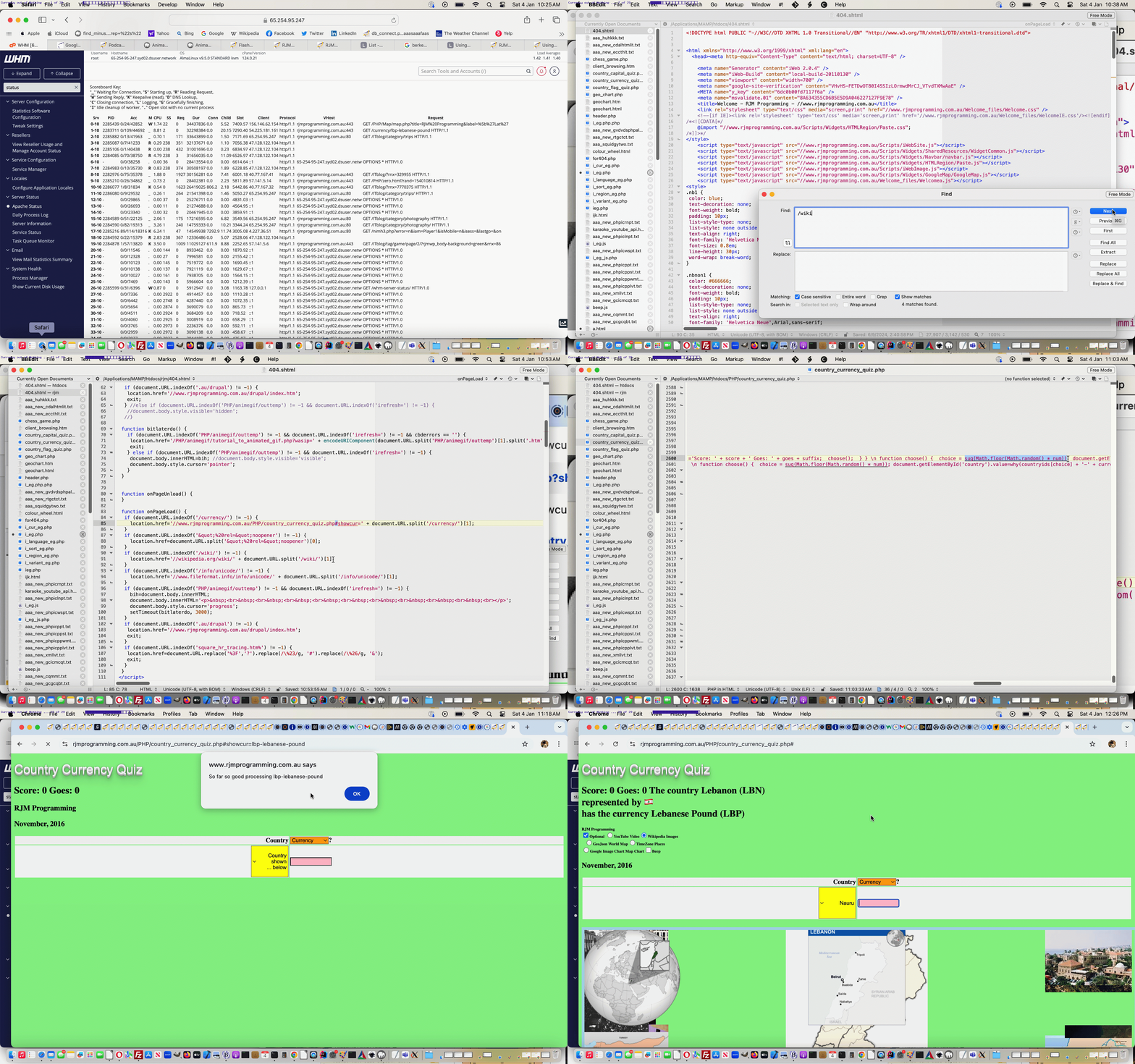

If this was interesting you may be interested in this too.
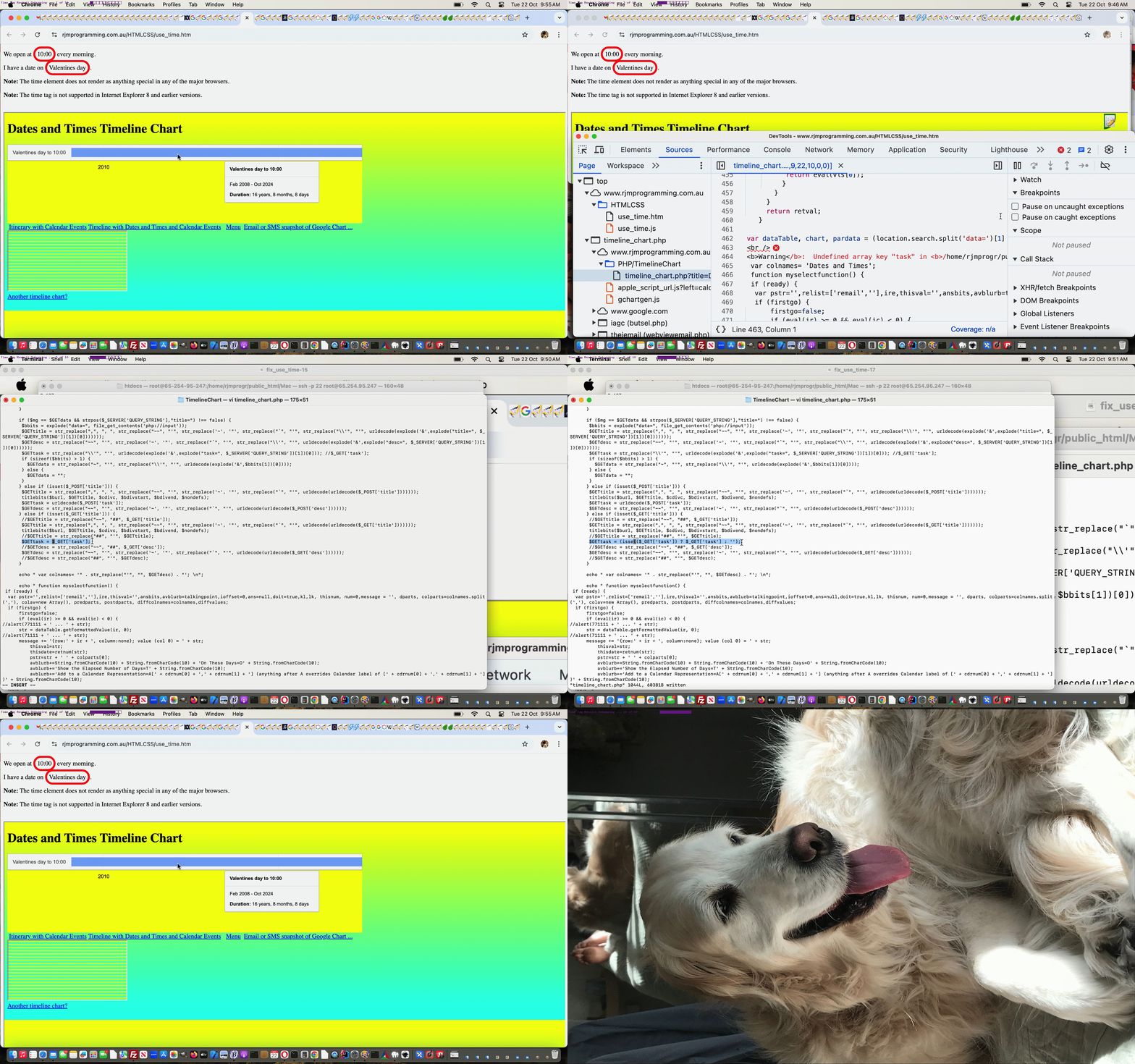

If this was interesting you may be interested in this too.
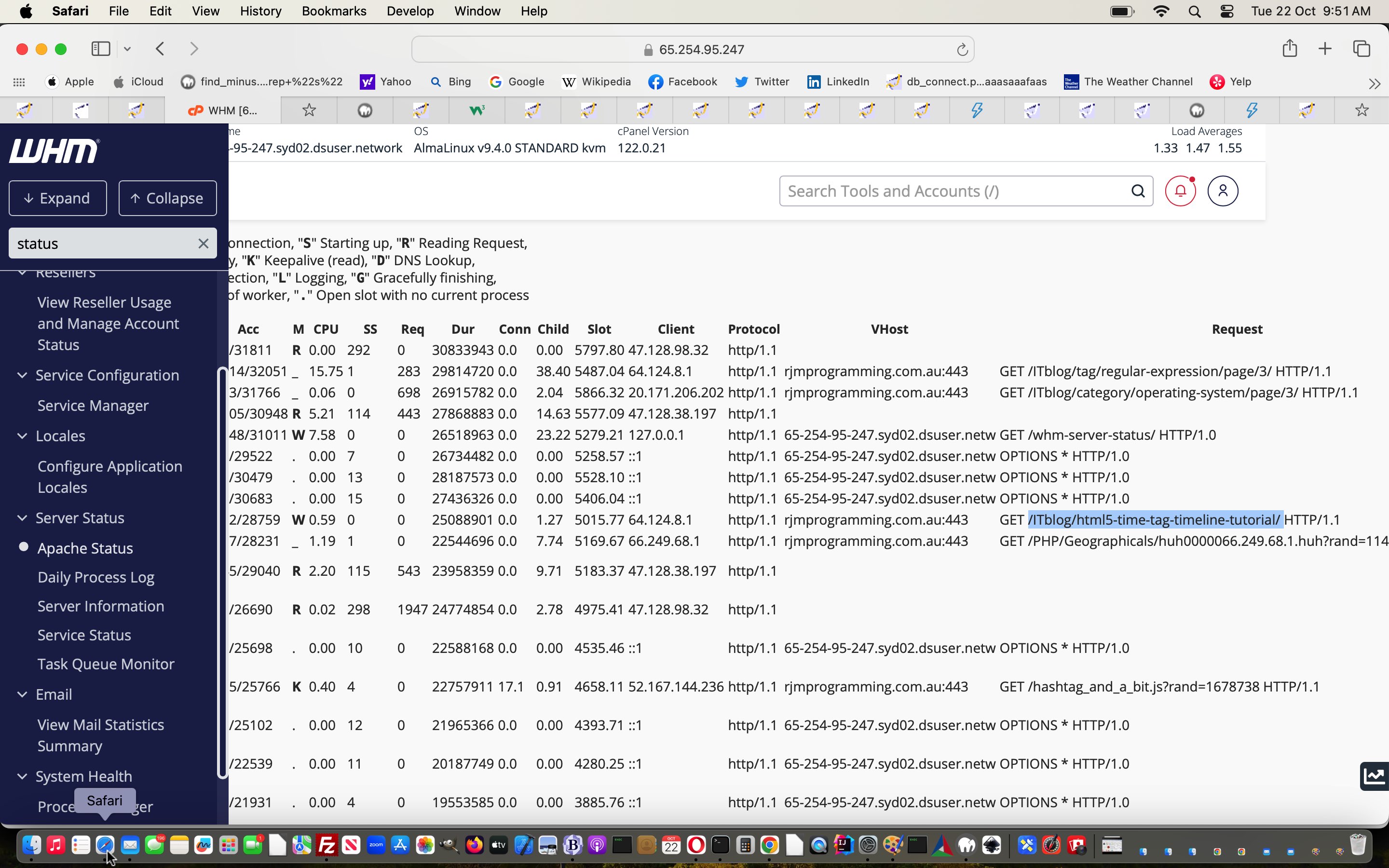

If this was interesting you may be interested in this too.


If this was interesting you may be interested in this too.
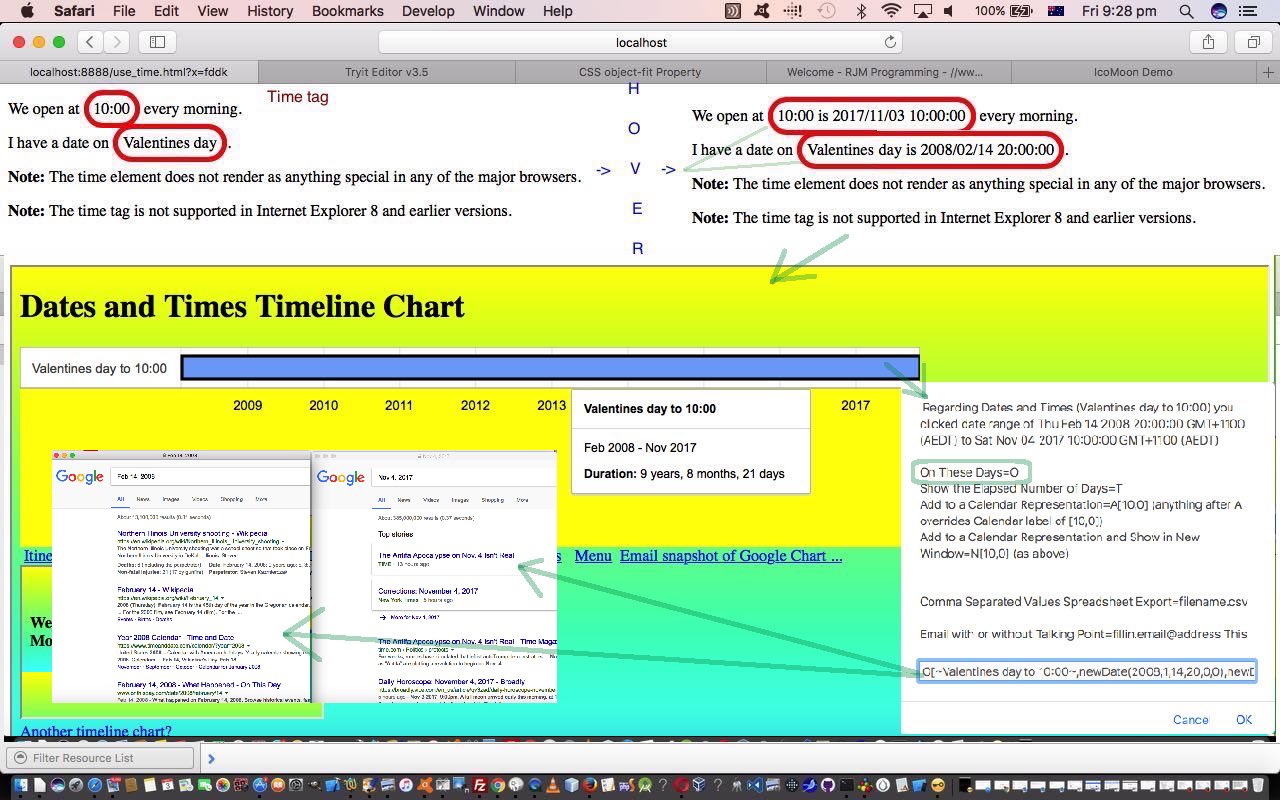

If this was interesting you may be interested in this too.
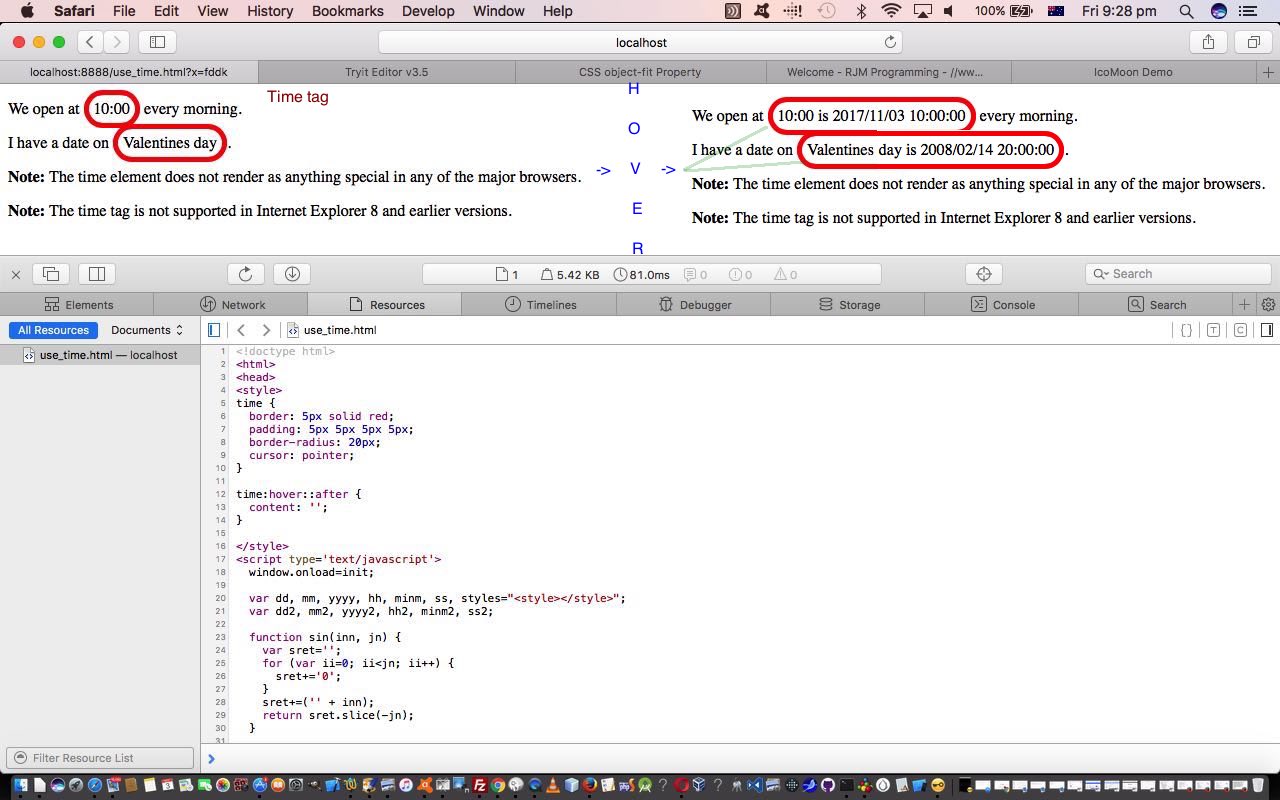

If this was interesting you may be interested in this too.

Posted in eLearning, Tutorials | Tagged , , , , , , , , , , , , | Leave a comment

HTML/Javascript Canvas Fraction Problems Collaborating Tutorial

HTML/Javascript Canvas Fraction Problems Collaborating Tutorial

HTML/Javascript Canvas Fraction Problems Collaborating Tutorial

What happens when you re-clone a clone?

Well, around here, we’d say …

  • difference reports
  • recency
  • reliability is enhanced because these web applications (with canvas elements and mathematics as a common thread we probably thought represented good “clone material” in the first place) are largely cloned

… are three salient factors regarding the work. It might even improve on the source web application of the difference report (given a “recency value” of less than a couple of days, we reckon). In other words, it was a win-win exercise to undertake this work, today, in this re-cloning line of thinking.

Why are we fans of Linux (and works on macOS) diff command based difference reports?

  1. it will remind you of all the places of interest to consider
  2. blocks of new function code will stick out to achieve progress faster

This all helped us apply a lot of the work of the previous two days regarding our Surd Mathematics web application to one of our Fraction Mathematics web applications today.

And so, further to “the very recent” HTML/Javascript Canvas Image Copy Collaborating Tutorial a changed surd_withimagecopy_chalkboard.html Surd Reduction web application represents the “source” to a re-cloning of a changed fraction_chalkboard.html Fraction Reduction web application which now includes re-cloned “++?” button collaboration possibilities.


Previous relevant HTML/Javascript Canvas Image Copy Collaborating Tutorial is shown below.

HTML/Javascript Canvas Image Copy Collaborating Tutorial

HTML/Javascript Canvas Image Copy Collaborating Tutorial

Onto yesterday’s HTML/Javascript Canvas Image Copy Sharing Tutorial

  • added some interim calculation numbers into the mix of email and SMS link passed arguments that come into play regarding any ongoing “collaboration” programmatical communications regarding top right attempts at surd reductions …
  • allowed for display:none; scenarios …
  • allowed for a new surd problem canvas click to reinstigate the collaboration logic settings

… in a changed surd_withimagecopy_chalkboard.html Surd Reduction web application.


Previous relevant HTML/Javascript Canvas Image Copy Sharing Tutorial is shown below.

HTML/Javascript Canvas Image Copy Sharing Tutorial

HTML/Javascript Canvas Image Copy Sharing Tutorial

With new work today revisiting the Mathematics Surd related web application of the recent HTML/Javascript Canvas Image Copy Tutorial we use the word …

collaboration

… rather than …

sharing

… and though we’re “getting there” in our opinion it will take another day of work to shore it up better.

What’s the aim?

We wanted a collaborator (email or SMS) be able to see …

  • the same surd problem (that the user attempts to reduce) as the originator … via new ++? element click …
  • should the user “collaborate” via entering both to and from email addresses … see the results of the collaborator’s thinking within an email body section

To our mind a changed surd_withimagecopy_chalkboard.html Surd Reduction web application is worth a revisit.


Previous relevant HTML/Javascript Canvas Image Copy Tutorial is shown below.

HTML/Javascript Canvas Image Copy Tutorial

HTML/Javascript Canvas Image Copy Tutorial

The Canvas HTML element tag can be used as the container to draw graphics on the fly usually via the use of Javascript functions for rendering and event management.

In today’s tutorial we add to the functionality of the previous HTML/Javascript Canvas Surds Game Tutorial, as shown below, where we draw an image on the canvas via drawImage() method, by, today, allowing the user to copy (via the toDataURL() method) the Canvas’s image ready to email (as the body of the email) to a fellow user collaborating or sharing the game with you. In the case of this tutorial that image contributes to the user answering some mathematics questions regarding Surds on a simulated “chalkboard”.

You’ll notice we don’t mention PHP as a server-side language here, so you will have to have less automation of this process (because Javascript client-side cannot write to the server file system) … so you use the browser’s (right-click) Copy Image functionality as a way to Paste the image data into the body of your email.

You may want to read more at HTML Canvas Reference as a generic reference, or here, at the tutorial javascript – How do I add a simple onClick event handler to a canvas element? – Stack Overflow.

As you can imagine, this HTML canvas element, new to HTML5, can be very useful for some practical client-side web functionality.

Link to some downloadable HTML programming code … rename to surd_withimagecopy_chalkboard.html

You’ll notice heavy use of the Javascript Math.random() function.

We hope you enjoy this tutorial as a live run.

Almost finally, need to thank a great link for coding ideas with this tutorial, here, at this link.

Finally, have a look at the differences in code that arrived at this extra functionality by examining surd_withimagecopy_chalkboard.html link.

Yes … you’ve reached the end … hope you have a good time practising your mathematics knowledge of Surds (there is advice, if you want to learn … you can get it when you give an incorrect answer)! Try the emailing, via image copying, functionality, as well, if you like.


Previous HTML/Javascript Canvas Surds Game Tutorial of interest is shown below.

HTML/Javascript Canvas Chalkboard Game Tutorial

HTML/Javascript Canvas Surds Game Tutorial

The Canvas HTML element tag can be used as the container to draw graphics on the fly usually via the use of Javascript functions for rendering and event management.

In today’s tutorial we touch on the functionality to draw an image on the canvas via drawImage() method. In the case of this tutorial that image contributes to the user answering some mathematics questions regarding Surds on a simulated “chalkboard”.

You may want to read more at HTML Canvas Reference as a generic reference, or here, at the tutorial javascript – How do I add a simple onClick event handler to a canvas element? – Stack Overflow.

As you can imagine, this HTML canvas element, new to HTML5, can be very useful for some practical client-side web functionality.

Link to some downloadable HTML programming code … rename to surd_chalkboard.html

You’ll notice heavy use of the Javascript Math.random() function.

We hope you enjoy this tutorial as a live run.

Yes … you’ve reached the end … hope you have a good time practising your mathematics knowledge of Surds (there is advice, if you want to learn … you can get it when you give an incorrect answer)!

If this was interesting you may be interested in this too.


If this was interesting you may be interested in this too.


If this was interesting you may be interested in this too.


If this was interesting you may be interested in this too.


If this was interesting you may be interested in this too.

Posted in eLearning, Event-Driven Programming, Tutorials | Tagged , , , , , , , , , , , , , , , , , , , , , , | Leave a comment

HTML/Javascript Canvas Image Copy Collaborating Tutorial

HTML/Javascript Canvas Image Copy Collaborating Tutorial

HTML/Javascript Canvas Image Copy Collaborating Tutorial

Onto yesterday’s HTML/Javascript Canvas Image Copy Sharing Tutorial

  • added some interim calculation numbers into the mix of email and SMS link passed arguments that come into play regarding any ongoing “collaboration” programmatical communications regarding top right attempts at surd reductions …
  • allowed for display:none; scenarios …
  • allowed for a new surd problem canvas click to reinstigate the collaboration logic settings

… in a changed surd_withimagecopy_chalkboard.html Surd Reduction web application.


Previous relevant HTML/Javascript Canvas Image Copy Sharing Tutorial is shown below.

HTML/Javascript Canvas Image Copy Sharing Tutorial

HTML/Javascript Canvas Image Copy Sharing Tutorial

With new work today revisiting the Mathematics Surd related web application of the recent HTML/Javascript Canvas Image Copy Tutorial we use the word …

collaboration

… rather than …

sharing

… and though we’re “getting there” in our opinion it will take another day of work to shore it up better.

What’s the aim?

We wanted a collaborator (email or SMS) be able to see …

  • the same surd problem (that the user attempts to reduce) as the originator … via new ++? element click …
  • should the user “collaborate” via entering both to and from email addresses … see the results of the collaborator’s thinking within an email body section

To our mind a changed surd_withimagecopy_chalkboard.html Surd Reduction web application is worth a revisit.


Previous relevant HTML/Javascript Canvas Image Copy Tutorial is shown below.

HTML/Javascript Canvas Image Copy Tutorial

HTML/Javascript Canvas Image Copy Tutorial

The Canvas HTML element tag can be used as the container to draw graphics on the fly usually via the use of Javascript functions for rendering and event management.

In today’s tutorial we add to the functionality of the previous HTML/Javascript Canvas Surds Game Tutorial, as shown below, where we draw an image on the canvas via drawImage() method, by, today, allowing the user to copy (via the toDataURL() method) the Canvas’s image ready to email (as the body of the email) to a fellow user collaborating or sharing the game with you. In the case of this tutorial that image contributes to the user answering some mathematics questions regarding Surds on a simulated “chalkboard”.

You’ll notice we don’t mention PHP as a server-side language here, so you will have to have less automation of this process (because Javascript client-side cannot write to the server file system) … so you use the browser’s (right-click) Copy Image functionality as a way to Paste the image data into the body of your email.

You may want to read more at HTML Canvas Reference as a generic reference, or here, at the tutorial javascript – How do I add a simple onClick event handler to a canvas element? – Stack Overflow.

As you can imagine, this HTML canvas element, new to HTML5, can be very useful for some practical client-side web functionality.

Link to some downloadable HTML programming code … rename to surd_withimagecopy_chalkboard.html

You’ll notice heavy use of the Javascript Math.random() function.

We hope you enjoy this tutorial as a live run.

Almost finally, need to thank a great link for coding ideas with this tutorial, here, at this link.

Finally, have a look at the differences in code that arrived at this extra functionality by examining surd_withimagecopy_chalkboard.html link.

Yes … you’ve reached the end … hope you have a good time practising your mathematics knowledge of Surds (there is advice, if you want to learn … you can get it when you give an incorrect answer)! Try the emailing, via image copying, functionality, as well, if you like.


Previous HTML/Javascript Canvas Surds Game Tutorial of interest is shown below.

HTML/Javascript Canvas Chalkboard Game Tutorial

HTML/Javascript Canvas Surds Game Tutorial

The Canvas HTML element tag can be used as the container to draw graphics on the fly usually via the use of Javascript functions for rendering and event management.

In today’s tutorial we touch on the functionality to draw an image on the canvas via drawImage() method. In the case of this tutorial that image contributes to the user answering some mathematics questions regarding Surds on a simulated “chalkboard”.

You may want to read more at HTML Canvas Reference as a generic reference, or here, at the tutorial javascript – How do I add a simple onClick event handler to a canvas element? – Stack Overflow.

As you can imagine, this HTML canvas element, new to HTML5, can be very useful for some practical client-side web functionality.

Link to some downloadable HTML programming code … rename to surd_chalkboard.html

You’ll notice heavy use of the Javascript Math.random() function.

We hope you enjoy this tutorial as a live run.

Yes … you’ve reached the end … hope you have a good time practising your mathematics knowledge of Surds (there is advice, if you want to learn … you can get it when you give an incorrect answer)!

If this was interesting you may be interested in this too.


If this was interesting you may be interested in this too.


If this was interesting you may be interested in this too.


If this was interesting you may be interested in this too.

Posted in eLearning, Event-Driven Programming, Tutorials | Tagged , , , , , , , , , , , , , , , , , , | Leave a comment

HTML/Javascript Canvas Image Copy Sharing Tutorial

HTML/Javascript Canvas Image Copy Sharing Tutorial

HTML/Javascript Canvas Image Copy Sharing Tutorial

With new work today revisiting the Mathematics Surd related web application of the recent HTML/Javascript Canvas Image Copy Tutorial we use the word …

collaboration

… rather than …

sharing

… and though we’re “getting there” in our opinion it will take another day of work to shore it up better.

What’s the aim?

We wanted a collaborator (email or SMS) be able to see …

  • the same surd problem (that the user attempts to reduce) as the originator … via new ++? element click …
  • should the user “collaborate” via entering both to and from email addresses … see the results of the collaborator’s thinking within an email body section

To our mind a changed surd_withimagecopy_chalkboard.html Surd Reduction web application is worth a revisit.


Previous relevant HTML/Javascript Canvas Image Copy Tutorial is shown below.

HTML/Javascript Canvas Image Copy Tutorial

HTML/Javascript Canvas Image Copy Tutorial

The Canvas HTML element tag can be used as the container to draw graphics on the fly usually via the use of Javascript functions for rendering and event management.

In today’s tutorial we add to the functionality of the previous HTML/Javascript Canvas Surds Game Tutorial, as shown below, where we draw an image on the canvas via drawImage() method, by, today, allowing the user to copy (via the toDataURL() method) the Canvas’s image ready to email (as the body of the email) to a fellow user collaborating or sharing the game with you. In the case of this tutorial that image contributes to the user answering some mathematics questions regarding Surds on a simulated “chalkboard”.

You’ll notice we don’t mention PHP as a server-side language here, so you will have to have less automation of this process (because Javascript client-side cannot write to the server file system) … so you use the browser’s (right-click) Copy Image functionality as a way to Paste the image data into the body of your email.

You may want to read more at HTML Canvas Reference as a generic reference, or here, at the tutorial javascript – How do I add a simple onClick event handler to a canvas element? – Stack Overflow.

As you can imagine, this HTML canvas element, new to HTML5, can be very useful for some practical client-side web functionality.

Link to some downloadable HTML programming code … rename to surd_withimagecopy_chalkboard.html

You’ll notice heavy use of the Javascript Math.random() function.

We hope you enjoy this tutorial as a live run.

Almost finally, need to thank a great link for coding ideas with this tutorial, here, at this link.

Finally, have a look at the differences in code that arrived at this extra functionality by examining surd_withimagecopy_chalkboard.html link.

Yes … you’ve reached the end … hope you have a good time practising your mathematics knowledge of Surds (there is advice, if you want to learn … you can get it when you give an incorrect answer)! Try the emailing, via image copying, functionality, as well, if you like.


Previous HTML/Javascript Canvas Surds Game Tutorial of interest is shown below.

HTML/Javascript Canvas Chalkboard Game Tutorial

HTML/Javascript Canvas Surds Game Tutorial

The Canvas HTML element tag can be used as the container to draw graphics on the fly usually via the use of Javascript functions for rendering and event management.

In today’s tutorial we touch on the functionality to draw an image on the canvas via drawImage() method. In the case of this tutorial that image contributes to the user answering some mathematics questions regarding Surds on a simulated “chalkboard”.

You may want to read more at HTML Canvas Reference as a generic reference, or here, at the tutorial javascript – How do I add a simple onClick event handler to a canvas element? – Stack Overflow.

As you can imagine, this HTML canvas element, new to HTML5, can be very useful for some practical client-side web functionality.

Link to some downloadable HTML programming code … rename to surd_chalkboard.html

You’ll notice heavy use of the Javascript Math.random() function.

We hope you enjoy this tutorial as a live run.

Yes … you’ve reached the end … hope you have a good time practising your mathematics knowledge of Surds (there is advice, if you want to learn … you can get it when you give an incorrect answer)!

If this was interesting you may be interested in this too.


If this was interesting you may be interested in this too.


If this was interesting you may be interested in this too.

Posted in eLearning, Event-Driven Programming, Tutorials | Tagged , , , , , , , , , , , , , , , , | Leave a comment

Ffmpeg Interfacing Intranet Feeling New Temporary Folder Tutorial

Ffmpeg Interfacing Intranet Feeling New Temporary Folder Tutorial

Ffmpeg Interfacing Intranet Feeling New Temporary Folder Tutorial

Onto yesterday’s Ffmpeg Interfacing Intranet Feeling Tutorial today’s work moving forward is to change references to temporary folder …


/tmp/

… now not writeable to by the website account user on our AlmaLinux web server, to …


the folder down the directory tree from the Apache Document Root folder

… because …

  1. it can be read and written to by the RJM Programming web server username … and yet …
  2. cannot be referenced by users surfing the net … being lower down the directory tree than the /home/rjmprogr/public_html which corresponds to our Apache Document Root folder
  3. it can be read and written to by the cPanel username … meaning …
  4. our web server’s main functioning crontab scheduling can reference it, like with yesterday’s New Temporary Folder Arrangements Tidying Tutorial

… in the downloadable and tweaked macos_ffmpeg_convert.php works Ffmpeg Converter Tool PHP web application.


Previous relevant Ffmpeg Interfacing Intranet Feeling Tutorial is shown below.

Ffmpeg Interfacing Intranet Feeling Tutorial

Ffmpeg Interfacing Intranet Feeling Tutorial

Today, onto the recent Ffmpeg User Defined Video Editing Crontab Assisted Sharing Tutorial, as far as interfacing to the great ffmpeg video editing software goes …

  • we start, in the work today, calling any existant macOS installed …
    1. ffmpeg
    2. downloaded macos_ffmpeg_convert.php placed into a macOS MAMP local Apache web server port 8888 Document Root folder
  • fix /tmp/ usage as flagged in the blog posting New Temporary Folder Arrangements PHP Primer Tutorial
  • whatever else that becomes an issue or can be an improvement

… in a new makeover operation.

What did we discover today? We think, perhaps, the “named iframe element called by second parameter of window.open” may not be an approach we can take on this makeover, perhaps because HTML content gets into the mix, whereas with the Talking Select Multiple Webpage Palette Speech Bubble Tutorial threads, “the content” has no HTML, just PHP calling the operating system via the macOS “say” command … unless tomorrow reveals today’s folly … that is?!

We can still use window.open second parameter “_blank” and third parameter “positioning” scenarios, though, as how we leave today’s machinations within a tweaked macos_ffmpeg_convert.php works Ffmpeg Converter Tool PHP web application.


Previous relevant Ffmpeg User Defined Video Editing Crontab Assisted Sharing Tutorial is shown below.

Ffmpeg User Defined Video Editing Crontab Assisted Sharing Tutorial

Ffmpeg User Defined Video Editing Crontab Assisted Sharing Tutorial

In yesterday’s Ffmpeg User Defined Video Editing Sharing Tutorial about sharing video data (that might have been edited by ffmpeg command line means) we warned …

even though it is only likely to work for shorter videos

… regarding the data URI hashtagged parts to SMS or email links that we were exclusively using … then. But, with this in mind, what do …

  1. data URI based URLs (hashtagged in an email or SMS link) … and …
  2. absolute URL that points to a web server soft link file, itself pointing to /tmp/ video data files ((we’re still hashtagging, but now, don’t really have to, apply) in an email or SMS link)

… share? We’d say, as far as sharing goes …

A sense of permanency.

But …

  • the second one does not “push the barrow” as much as the first regarding the amount of data … whereas …
  • the first is totally ephemeral and not asking anything more of the web server (ie. the RJM Programming associated one) regarding ongoing storage but is asking a lot of web browsers and client mail applications in the case of video data of any bulk

In terms of sharing videos of any bulk, we’re now, with our web application …

  • renaming the top button (that used to be “Display”) as “Display for a Day” and applying absolute URL (that point at web server soft links that, in turn, point at what can be sizeable video data files that might hang around in RJM Programming domain associated web server /tmp/ location) logics which call on “crontab” … (

    */53 * * * * /etc/init.d/every_hour.sh

    … now mentions …

    ksh -c 'for i in `find /tmp -name "my_video_*.*" -mmin -1440`; do rm -f $i; done'

    ) … assistance to do with the tidy up we feel we need to do on the web server so that large files do not hang around forever (and as you might surmise, at most a day, regarding the bulk of data requirements that are temporarily stored in /tmp/ locations with user associated IP addresses part of the file naming paradigm) … whereas …
  • the bottom button remains as “Display” and still uses data URI based logic

… so that these bulky videos can be successfully shared (via clicks of that “Display for a Day” button) as long as the email or SMS link is attended to by the collaboration recipient within those 24 hours, further to yesterday’s Ffmpeg User Defined Video Editing Sharing Tutorial.

As well, today, as a genericization measure, we stop seeing govetts_leap in any video file naming, replaced by my_video now that the input video control has become less rigid, and now can be controlled, to some extent, by the user in our changed fourth draft of Your Own Ffmpeg Video Changes, which can be that much more useful in a new way in the AlmaLinux web server environment.


Previous relevant Ffmpeg User Defined Video Editing Sharing Tutorial is shown below.

Ffmpeg User Defined Video Editing Sharing Tutorial

Ffmpeg User Defined Video Editing Sharing Tutorial

Sharing options for video based data are often more restrictive regarding email and SMS conduits, but we’ll still go ahead with a …

  • “a” link “mailto:” (for emails) or “sms:” (for SMS) methodology …
  • email subject containing ffmpeg command used for an output video mode of sharing … or …
  • input video mode of sharing before any ffmpeg involvement … based on …
  • email or SMS links where the video data URI (as necessary) is hashtagged

… set of ideas to try out, even though it is only likely to work for shorter videos. The other more obvious sharing mechanism is to download video data via right click options the web browser product you are using offers anyway. And another sharing idea, independent, and working for input videos is to browse for a video using the helper web application from yesterday, and use its Share API based button below the browsing button to share that input video using one of …

  • Mail
  • Messages
  • AirDrop
  • Notes
  • Simulator
  • Freeform

… on our macOS Safari web browser here on a MacBook Air.

Further to yesterday’s Ffmpeg User Defined Browsed Video Editing Tutorial, then, we have some new (PHP writes) Javascript functions …

<?php echo ”

function smsit() {
var smsno=prompt('Please enter SMS number.', '');
if (smsno != null) {
if (document.getElementById('cto').title.indexOf('data:') == 0) {
document.getElementById('asms').href='sms:' + smsno + '&body=' + encodeURIComponent(document.URL.split('?')[0].split('#')[0] + '#vcont=' + document.getElementById('cto').title);
} else {
document.getElementById('asms').href='sms:' + smsno + '&body=' + encodeURIComponent(document.URL.split('?')[0].split('#')[0] + '#vcont=' + document.getElementById('resultav').value);
}
document.getElementById('asms').click();
}
}


function emailit() {
var emailaddr=prompt('Please enter Email address.', '');
if (emailaddr != null) {
if (document.getElementById('cto').title.indexOf('data:') == 0) {
document.getElementById('aemail').href='mailto:' + emailaddr + '?subject=Ffmpeg%20Video' + encodeURIComponent(' ... ' + document.getElementById('mysubtwo').value.replace(/^Display$/g,'')) + '&body=' + encodeURIComponent(document.URL.split('?')[0].split('#')[0] + '#vcont=' + document.getElementById('cto').title);
} else {
document.getElementById('aemail').href='mailto:' + emailaddr + '?subject=Ffmpeg%20Video' + encodeURIComponent(' ... ' + document.getElementById('mysubtwo').value.replace(/^Display$/g,'')) + '&body=' + encodeURIComponent(document.URL.split('?')[0].split('#')[0] + '#vcont=' + document.getElementById('resultav').value);
}
document.getElementById('aemail').click();
}
}

function documentgetElementByIdmysubpclick() { // new arrangement for the programmatic click of form submit button
if (eval('' + document.getElementById('resultav').value.length) < 300) {
document.getElementById('myiftwo').src=document.URL.split('?')[0].split('#')[0] + '?becomes=' + encodeURIComponent(document.getElementById('becomes').value) + '&browsed=' + encodeURIComponent(document.getElementById('resultav').value);
} else {
document.getElementById('mysubp').click();
}
}

“; ?>

… in our changed third draft of Your Own Ffmpeg Video Changes, which can be that much more useful in a new way in the AlmaLinux web server environment.


Previous relevant Ffmpeg User Defined Browsed Video Editing Tutorial is shown below.

Ffmpeg User Defined Browsed Video Editing Tutorial

Ffmpeg User Defined Browsed Video Editing Tutorial

Today’s work, onto yesterday’s Ffmpeg User Defined Video Editing Tutorial, is to loosen the restrictions regarding “input video file source” we had happening in that “first draft” incarnation of our Ffmpeg User Defined Video Editing web application.

In order to achieve this, we called on a previous Ffmpeg Install and Public Face Tutorial inspired change to our inhouse macos_ffmpeg_convert.php PHP web application, which can serve as our conduit to either/or …

  • browse for a video file off the user local operating system environment … or …
  • path to a web server placed video file … or …
  • URL to a video file

… extra means by which the user can define the “input video file source” that we’re loosening the shackles regarding usage.

To do this, we look for user actions (via PHP writing out Javascript) …

<?php echo ”

var lastpathc='';
var lastopathc='';
var lastvidc='';
var lastvalue='.m4v';
var exactvalue='';
var vext='.mp4';

function lookfor() {
vext='.mp4';
var thisext='';
if (document.getElementById('opath').value != '') {
if (lastopathc != document.getElementById('opath').value && document.getElementById('opath').title != document.getElementById('opath').value) {
lastopathc=document.getElementById('opath').value;
}
}
if (document.getElementById('path').value != '') {
if (lastpathc != document.getElementById('path').value) {
lastpathc=document.getElementById('path').value;
if (lastopathc == ' ') { lastopathc=document.getElementById('opath').value; }
}
}
if (lastopathc.trim() != '') {
thisext=(lastopathc + '.').split('.')[1].split('.')[0].trim();
if (thisext != '') {
document.getElementById('opath').title=lastopathc;
document.getElementById('path').title='video/' + thisext + ';' + lastpathc + lastopathc;
document.getElementById('resultav').value=lastpathc + lastopathc;
lastopathc=' ';
}
}
if (document.getElementById('resultav').value != '') {
if (lastvidc != document.getElementById('resultav').value) {
if ((document.getElementById('path').title + document.getElementById('resultav').value).indexOf('video/') != -1) {
if (document.getElementById('ifbrowse').src.indexOf('=') != -1) {
document.getElementById('myaltin').value=decodeURIComponent(document.getElementById('ifbrowse').src.split('=')[1].split('&')[0].split('#')[0]);
}
if ((document.getElementById('path').title + document.getElementById('resultav').value).indexOf('video/') != -1) {
if (vext.indexOf((document.getElementById('path').title + document.getElementById('resultav').value).split('video/')[1].split(';')[0].split(',')[0]) == -1) {
vext='.' + document.getElementById('resultav').value.split('video/')[1].split(';')[0].split(',')[0];
document.getElementById('myaltin').value=document.getElementById('myaltin').value.split('.')[0] + vext;
document.getElementById('becomes').value=document.getElementById('becomes').value.split('.')[0] + vext;
}
}
lastvidc=document.getElementById('resultav').value;
document.getElementById('resultav').title='rework';
document.getElementById('mysubp').click();
setTimeout(function(){
if (1 == 1) {
document.getElementById('divvid').innerHTML=\"<video id=myinvideo style=width:95%; controls><source id=myinsource type='video/\" + vext.substring(1) + \"' src='\" + document.getElementById('resultav').value + \"'></source></video>\";
} else {
document.getElementById('myinsource').src=document.getElementById('resultav').value;
}
}, 2000);
//setTimeout(function(){
//document.getElementById('resultav').value='';
//}, 20000);
//alert(lastvidc);
setTimeout(lookfor, 23000);
return '';
}
setTimeout(lookfor, 3000);
return '';
}
}
setTimeout(lookfor, 3000);
return '';
}

setTimeout(lookfor, 3000);

“; ?>

… and then arrange the /tmp/ placed temporary video data via …

<?php

if (isset($_POST['browsed']) && isset($_POST['becomes'])) {
$fgccont='';
//file_put_contents('xzm.xzm', '1');
$outtmpfile=str_replace('+',' ',urldecode($_POST['becomes']));
//file_put_contents('xzm2.xzm2', $outtmpfile);
$outext=explode('.', $outtmpfile)[-1 + sizeof(explode('.', $outtmpfile))];
//file_put_contents('xzm3.xzm3', str_replace(' ','+',urldecode($_POST['browsed'])));
if (strpos(('xwq' . $_POST['browsed']), 'xwqdata') !== false) {
file_put_contents(str_replace('+',' ',urldecode($_POST['becomes'])), base64_decode(explode(";base64,", str_replace(' ','+',urldecode($_POST['browsed'])))[1]));
} else if (strpos(('xwq' . strtolower($_POST['browsed'])), 'xwqhttps') !== false) {
$fgccont=file_get_contents('http' . substr(str_replace('+',' ',urldecode($_POST['browsed'])),5));
if (trim($fgccont) != '') {
file_put_contents(str_replace('+',' ',urldecode($_POST['becomes'])), $fgccont);
}
} else if (strpos(('xwq' . strtolower($_POST['browsed'])), 'xwqhttp') !== false) {
$fgccont=file_get_contents('http' . substr(str_replace('+',' ',urldecode($_POST['browsed'])),4));
if (trim($fgccont) != '') {
file_put_contents(str_replace('+',' ',urldecode($_POST['becomes'])), $fgccont);
}
} else if (strpos(('xwq' . strtolower(str_replace('+',' ',urldecode($_POST['browsed'])))), 'xwq//') !== false) {
$fgccont=file_get_contents('http:' . substr(str_replace('+',' ',urldecode($_POST['browsed'])),0));
if (trim($fgccont) != '') {
file_put_contents(str_replace('+',' ',urldecode($_POST['becomes'])), $fgccont);
}
} else if (strpos(('xwq' . strtolower(str_replace('+',' ',urldecode($_POST['browsed'])))), 'xwqwww.') !== false) {
$fgccont=file_get_contents('http://' . substr(str_replace('+',' ',urldecode($_POST['browsed'])),0));
if (trim($fgccont) != '') {
file_put_contents(str_replace('+',' ',urldecode($_POST['becomes'])), $fgccont);
}
} else if (file_exists(str_replace('+',' ',urldecode($_POST['browsed'])))) {
file_put_contents(str_replace('+',' ',urldecode($_POST['becomes'])), file_get_contents(str_replace('+',' ',urldecode($_POST['browsed']))));
}
//file_put_contents('xzm4.xzm4', explode(";base64,", str_replace(' ','+',urldecode($_POST['browsed'])))[1]);
exit;
}

?>

… all the while being helped out by a tweaked macos_ffmpeg_convert.php works Ffmpeg Converter Tool PHP web application helper to our changed second draft of Your Own Ffmpeg Video Changes, which can be that much more useful in a new way in the AlmaLinux web server environment.


Previous relevant Ffmpeg User Defined Video Editing Tutorial is shown below.

Ffmpeg User Defined Video Editing Tutorial

Ffmpeg User Defined Video Editing Tutorial

Today we’re combining video contents from …

  • yesterday’s Ffmpeg Helps iPhone Video to YouTube Tutorial … with …
  • our newly created public interface to ffmpeg with the “soon to be DNS version of rjmprogramming.com.au … but not yet” AlmaLinux Apache/PHP/MySql web server install we talked about at Ffmpeg Install and Public Face Tutorial … and …
  • IP address redirecting, as needed, ifconfig (via PHP shell_exec and $_SERVER[‘SERVER_ADDR’]) based logic …
    <?php

    $whereplace=shell_exec("ifconfig | grep -Eo 'inet (addr:)?([0-9]*\.){3}[0-9]*' | grep -Eo '([0-9]*\.){3}[0-9]*' | grep -v '127.0.0.1'");
    if (strpos(($whereplace . ' ' . $_SERVER['SERVER_ADDR']), '65.254.92.213') !== false) {
    $sv='/usr/bin/ffmpeg';
    header('Location: https://65.254.95.247/PHP/tmp_ffmpeg.php'); //$smallpath='https://65.254.95.247/PHP/'; //header('Location: https://65.254.95.247/PHP/tmp_ffmpeg.php');
    exit; //exit;
    }

    ?>
    … we talked about at AlmaLinux Landing Page WordPress Content Update Solution Tutorial … as well as …
  • user definable form navigation … using …
  • optional dropdown ideas incorporating ideas from Sepia Video via ffmpeg Primer Tutorial … and using …
  • temporary storage places to place output video … and making use of …
  • soft links regarding URLs we talked about at Linux Web Server Soft Link URL Tutorial (saving us having to use ‘data:video/mp4;base64,’ . base64_encode(file_get_contents(trim($endout))) style PHP interventions (which were testing friendships))

… to start down this road towards public facing ffmpeg video editing around here (which we have been hankering for for several years now).

In this first draft of Your Own Ffmpeg Video Changes (via command line ffmpeg) we’re really buttoning down (via not allowing the forward slash character in amongst the user defined ffmpeg command innards) what happens regarding …

  • output video file source location … and …
  • input video file source …

… but who knows what the future holds?!


Previous relevant Ffmpeg Helps iPhone Video to YouTube Tutorial is shown below.

Ffmpeg Helps iPhone Video to YouTube Tutorial

Ffmpeg Helps iPhone Video to YouTube Tutorial

Today we recorded a video looking out from Govetts Leap, Blackheath, here in the Blue Mountains. We captured it via the Camera app on an iPhone via its Video option.

Nineteen seconds long, to share to this MacBook Air we needed AirDrop, the size of it precluding us from using the Photo app’s Mail sharing option.

And that’s where we wanted to use the great ffmpeg in an optimal way to create a video that we could upload to YouTube. In this, we arrived at this excellent link getting us to try …


ffmpeg -i govetts_leap.MOV -c:v libx264 -preset slow -crf 18 -vf scale=out_color_matrix=bt709 -color_primaries bt709 -color_trc bt709 -colorspace bt709 -c:a aac -ar 48000 -ac 2 -b:a 320k -profile:v high -level 4.0 -bf 2 -coder 1 -pix_fmt yuv420p -b:v 10M -threads 4 -cpu-used 0 -r 30 -g 15 -movflags +faststart govetts_leap.mp4

… with success. Checking with this other excellent link, thanks, we were comforted that they would have recommended an output mp4 file format as well, it seems …

If this was interesting you may be interested in this too.


If this was interesting you may be interested in this too.


If this was interesting you may be interested in this too.


If this was interesting you may be interested in this too.


If this was interesting you may be interested in this too.


If this was interesting you may be interested in this too.


If this was interesting you may be interested in this too.

Posted in eLearning, Operating System, Tutorials | Tagged , , , , , , , , , , , , , , , , , | Leave a comment

Ffmpeg Interfacing Intranet Feeling Tutorial

Ffmpeg Interfacing Intranet Feeling Tutorial

Ffmpeg Interfacing Intranet Feeling Tutorial

Today, onto the recent Ffmpeg User Defined Video Editing Crontab Assisted Sharing Tutorial, as far as interfacing to the great ffmpeg video editing software goes …

  • we start, in the work today, calling any existant macOS installed …
    1. ffmpeg
    2. downloaded macos_ffmpeg_convert.php placed into a macOS MAMP local Apache web server port 8888 Document Root folder
  • fix /tmp/ usage as flagged in the blog posting New Temporary Folder Arrangements PHP Primer Tutorial
  • whatever else that becomes an issue or can be an improvement

… in a new makeover operation.

What did we discover today? We think, perhaps, the “named iframe element called by second parameter of window.open” may not be an approach we can take on this makeover, perhaps because HTML content gets into the mix, whereas with the Talking Select Multiple Webpage Palette Speech Bubble Tutorial threads, “the content” has no HTML, just PHP calling the operating system via the macOS “say” command … unless tomorrow reveals today’s folly … that is?!

We can still use window.open second parameter “_blank” and third parameter “positioning” scenarios, though, as how we leave today’s machinations within a tweaked macos_ffmpeg_convert.php works Ffmpeg Converter Tool PHP web application.


Previous relevant Ffmpeg User Defined Video Editing Crontab Assisted Sharing Tutorial is shown below.

Ffmpeg User Defined Video Editing Crontab Assisted Sharing Tutorial

Ffmpeg User Defined Video Editing Crontab Assisted Sharing Tutorial

In yesterday’s Ffmpeg User Defined Video Editing Sharing Tutorial about sharing video data (that might have been edited by ffmpeg command line means) we warned …

even though it is only likely to work for shorter videos

… regarding the data URI hashtagged parts to SMS or email links that we were exclusively using … then. But, with this in mind, what do …

  1. data URI based URLs (hashtagged in an email or SMS link) … and …
  2. absolute URL that points to a web server soft link file, itself pointing to /tmp/ video data files ((we’re still hashtagging, but now, don’t really have to, apply) in an email or SMS link)

… share? We’d say, as far as sharing goes …

A sense of permanency.

But …

  • the second one does not “push the barrow” as much as the first regarding the amount of data … whereas …
  • the first is totally ephemeral and not asking anything more of the web server (ie. the RJM Programming associated one) regarding ongoing storage but is asking a lot of web browsers and client mail applications in the case of video data of any bulk

In terms of sharing videos of any bulk, we’re now, with our web application …

  • renaming the top button (that used to be “Display”) as “Display for a Day” and applying absolute URL (that point at web server soft links that, in turn, point at what can be sizeable video data files that might hang around in RJM Programming domain associated web server /tmp/ location) logics which call on “crontab” … (

    */53 * * * * /etc/init.d/every_hour.sh

    … now mentions …

    ksh -c 'for i in `find /tmp -name "my_video_*.*" -mmin -1440`; do rm -f $i; done'

    ) … assistance to do with the tidy up we feel we need to do on the web server so that large files do not hang around forever (and as you might surmise, at most a day, regarding the bulk of data requirements that are temporarily stored in /tmp/ locations with user associated IP addresses part of the file naming paradigm) … whereas …
  • the bottom button remains as “Display” and still uses data URI based logic

… so that these bulky videos can be successfully shared (via clicks of that “Display for a Day” button) as long as the email or SMS link is attended to by the collaboration recipient within those 24 hours, further to yesterday’s Ffmpeg User Defined Video Editing Sharing Tutorial.

As well, today, as a genericization measure, we stop seeing govetts_leap in any video file naming, replaced by my_video now that the input video control has become less rigid, and now can be controlled, to some extent, by the user in our changed fourth draft of Your Own Ffmpeg Video Changes, which can be that much more useful in a new way in the AlmaLinux web server environment.


Previous relevant Ffmpeg User Defined Video Editing Sharing Tutorial is shown below.

Ffmpeg User Defined Video Editing Sharing Tutorial

Ffmpeg User Defined Video Editing Sharing Tutorial

Sharing options for video based data are often more restrictive regarding email and SMS conduits, but we’ll still go ahead with a …

  • “a” link “mailto:” (for emails) or “sms:” (for SMS) methodology …
  • email subject containing ffmpeg command used for an output video mode of sharing … or …
  • input video mode of sharing before any ffmpeg involvement … based on …
  • email or SMS links where the video data URI (as necessary) is hashtagged

… set of ideas to try out, even though it is only likely to work for shorter videos. The other more obvious sharing mechanism is to download video data via right click options the web browser product you are using offers anyway. And another sharing idea, independent, and working for input videos is to browse for a video using the helper web application from yesterday, and use its Share API based button below the browsing button to share that input video using one of …

  • Mail
  • Messages
  • AirDrop
  • Notes
  • Simulator
  • Freeform

… on our macOS Safari web browser here on a MacBook Air.

Further to yesterday’s Ffmpeg User Defined Browsed Video Editing Tutorial, then, we have some new (PHP writes) Javascript functions …

<?php echo ”

function smsit() {
var smsno=prompt('Please enter SMS number.', '');
if (smsno != null) {
if (document.getElementById('cto').title.indexOf('data:') == 0) {
document.getElementById('asms').href='sms:' + smsno + '&body=' + encodeURIComponent(document.URL.split('?')[0].split('#')[0] + '#vcont=' + document.getElementById('cto').title);
} else {
document.getElementById('asms').href='sms:' + smsno + '&body=' + encodeURIComponent(document.URL.split('?')[0].split('#')[0] + '#vcont=' + document.getElementById('resultav').value);
}
document.getElementById('asms').click();
}
}


function emailit() {
var emailaddr=prompt('Please enter Email address.', '');
if (emailaddr != null) {
if (document.getElementById('cto').title.indexOf('data:') == 0) {
document.getElementById('aemail').href='mailto:' + emailaddr + '?subject=Ffmpeg%20Video' + encodeURIComponent(' ... ' + document.getElementById('mysubtwo').value.replace(/^Display$/g,'')) + '&body=' + encodeURIComponent(document.URL.split('?')[0].split('#')[0] + '#vcont=' + document.getElementById('cto').title);
} else {
document.getElementById('aemail').href='mailto:' + emailaddr + '?subject=Ffmpeg%20Video' + encodeURIComponent(' ... ' + document.getElementById('mysubtwo').value.replace(/^Display$/g,'')) + '&body=' + encodeURIComponent(document.URL.split('?')[0].split('#')[0] + '#vcont=' + document.getElementById('resultav').value);
}
document.getElementById('aemail').click();
}
}

function documentgetElementByIdmysubpclick() { // new arrangement for the programmatic click of form submit button
if (eval('' + document.getElementById('resultav').value.length) < 300) {
document.getElementById('myiftwo').src=document.URL.split('?')[0].split('#')[0] + '?becomes=' + encodeURIComponent(document.getElementById('becomes').value) + '&browsed=' + encodeURIComponent(document.getElementById('resultav').value);
} else {
document.getElementById('mysubp').click();
}
}

“; ?>

… in our changed third draft of Your Own Ffmpeg Video Changes, which can be that much more useful in a new way in the AlmaLinux web server environment.


Previous relevant Ffmpeg User Defined Browsed Video Editing Tutorial is shown below.

Ffmpeg User Defined Browsed Video Editing Tutorial

Ffmpeg User Defined Browsed Video Editing Tutorial

Today’s work, onto yesterday’s Ffmpeg User Defined Video Editing Tutorial, is to loosen the restrictions regarding “input video file source” we had happening in that “first draft” incarnation of our Ffmpeg User Defined Video Editing web application.

In order to achieve this, we called on a previous Ffmpeg Install and Public Face Tutorial inspired change to our inhouse macos_ffmpeg_convert.php PHP web application, which can serve as our conduit to either/or …

  • browse for a video file off the user local operating system environment … or …
  • path to a web server placed video file … or …
  • URL to a video file

… extra means by which the user can define the “input video file source” that we’re loosening the shackles regarding usage.

To do this, we look for user actions (via PHP writing out Javascript) …

<?php echo ”

var lastpathc='';
var lastopathc='';
var lastvidc='';
var lastvalue='.m4v';
var exactvalue='';
var vext='.mp4';

function lookfor() {
vext='.mp4';
var thisext='';
if (document.getElementById('opath').value != '') {
if (lastopathc != document.getElementById('opath').value && document.getElementById('opath').title != document.getElementById('opath').value) {
lastopathc=document.getElementById('opath').value;
}
}
if (document.getElementById('path').value != '') {
if (lastpathc != document.getElementById('path').value) {
lastpathc=document.getElementById('path').value;
if (lastopathc == ' ') { lastopathc=document.getElementById('opath').value; }
}
}
if (lastopathc.trim() != '') {
thisext=(lastopathc + '.').split('.')[1].split('.')[0].trim();
if (thisext != '') {
document.getElementById('opath').title=lastopathc;
document.getElementById('path').title='video/' + thisext + ';' + lastpathc + lastopathc;
document.getElementById('resultav').value=lastpathc + lastopathc;
lastopathc=' ';
}
}
if (document.getElementById('resultav').value != '') {
if (lastvidc != document.getElementById('resultav').value) {
if ((document.getElementById('path').title + document.getElementById('resultav').value).indexOf('video/') != -1) {
if (document.getElementById('ifbrowse').src.indexOf('=') != -1) {
document.getElementById('myaltin').value=decodeURIComponent(document.getElementById('ifbrowse').src.split('=')[1].split('&')[0].split('#')[0]);
}
if ((document.getElementById('path').title + document.getElementById('resultav').value).indexOf('video/') != -1) {
if (vext.indexOf((document.getElementById('path').title + document.getElementById('resultav').value).split('video/')[1].split(';')[0].split(',')[0]) == -1) {
vext='.' + document.getElementById('resultav').value.split('video/')[1].split(';')[0].split(',')[0];
document.getElementById('myaltin').value=document.getElementById('myaltin').value.split('.')[0] + vext;
document.getElementById('becomes').value=document.getElementById('becomes').value.split('.')[0] + vext;
}
}
lastvidc=document.getElementById('resultav').value;
document.getElementById('resultav').title='rework';
document.getElementById('mysubp').click();
setTimeout(function(){
if (1 == 1) {
document.getElementById('divvid').innerHTML=\"<video id=myinvideo style=width:95%; controls><source id=myinsource type='video/\" + vext.substring(1) + \"' src='\" + document.getElementById('resultav').value + \"'></source></video>\";
} else {
document.getElementById('myinsource').src=document.getElementById('resultav').value;
}
}, 2000);
//setTimeout(function(){
//document.getElementById('resultav').value='';
//}, 20000);
//alert(lastvidc);
setTimeout(lookfor, 23000);
return '';
}
setTimeout(lookfor, 3000);
return '';
}
}
setTimeout(lookfor, 3000);
return '';
}

setTimeout(lookfor, 3000);

“; ?>

… and then arrange the /tmp/ placed temporary video data via …

<?php

if (isset($_POST['browsed']) && isset($_POST['becomes'])) {
$fgccont='';
//file_put_contents('xzm.xzm', '1');
$outtmpfile=str_replace('+',' ',urldecode($_POST['becomes']));
//file_put_contents('xzm2.xzm2', $outtmpfile);
$outext=explode('.', $outtmpfile)[-1 + sizeof(explode('.', $outtmpfile))];
//file_put_contents('xzm3.xzm3', str_replace(' ','+',urldecode($_POST['browsed'])));
if (strpos(('xwq' . $_POST['browsed']), 'xwqdata') !== false) {
file_put_contents(str_replace('+',' ',urldecode($_POST['becomes'])), base64_decode(explode(";base64,", str_replace(' ','+',urldecode($_POST['browsed'])))[1]));
} else if (strpos(('xwq' . strtolower($_POST['browsed'])), 'xwqhttps') !== false) {
$fgccont=file_get_contents('http' . substr(str_replace('+',' ',urldecode($_POST['browsed'])),5));
if (trim($fgccont) != '') {
file_put_contents(str_replace('+',' ',urldecode($_POST['becomes'])), $fgccont);
}
} else if (strpos(('xwq' . strtolower($_POST['browsed'])), 'xwqhttp') !== false) {
$fgccont=file_get_contents('http' . substr(str_replace('+',' ',urldecode($_POST['browsed'])),4));
if (trim($fgccont) != '') {
file_put_contents(str_replace('+',' ',urldecode($_POST['becomes'])), $fgccont);
}
} else if (strpos(('xwq' . strtolower(str_replace('+',' ',urldecode($_POST['browsed'])))), 'xwq//') !== false) {
$fgccont=file_get_contents('http:' . substr(str_replace('+',' ',urldecode($_POST['browsed'])),0));
if (trim($fgccont) != '') {
file_put_contents(str_replace('+',' ',urldecode($_POST['becomes'])), $fgccont);
}
} else if (strpos(('xwq' . strtolower(str_replace('+',' ',urldecode($_POST['browsed'])))), 'xwqwww.') !== false) {
$fgccont=file_get_contents('http://' . substr(str_replace('+',' ',urldecode($_POST['browsed'])),0));
if (trim($fgccont) != '') {
file_put_contents(str_replace('+',' ',urldecode($_POST['becomes'])), $fgccont);
}
} else if (file_exists(str_replace('+',' ',urldecode($_POST['browsed'])))) {
file_put_contents(str_replace('+',' ',urldecode($_POST['becomes'])), file_get_contents(str_replace('+',' ',urldecode($_POST['browsed']))));
}
//file_put_contents('xzm4.xzm4', explode(";base64,", str_replace(' ','+',urldecode($_POST['browsed'])))[1]);
exit;
}

?>

… all the while being helped out by a tweaked macos_ffmpeg_convert.php works Ffmpeg Converter Tool PHP web application helper to our changed second draft of Your Own Ffmpeg Video Changes, which can be that much more useful in a new way in the AlmaLinux web server environment.


Previous relevant Ffmpeg User Defined Video Editing Tutorial is shown below.

Ffmpeg User Defined Video Editing Tutorial

Ffmpeg User Defined Video Editing Tutorial

Today we’re combining video contents from …

  • yesterday’s Ffmpeg Helps iPhone Video to YouTube Tutorial … with …
  • our newly created public interface to ffmpeg with the “soon to be DNS version of rjmprogramming.com.au … but not yet” AlmaLinux Apache/PHP/MySql web server install we talked about at Ffmpeg Install and Public Face Tutorial … and …
  • IP address redirecting, as needed, ifconfig (via PHP shell_exec and $_SERVER[‘SERVER_ADDR’]) based logic …
    <?php

    $whereplace=shell_exec("ifconfig | grep -Eo 'inet (addr:)?([0-9]*\.){3}[0-9]*' | grep -Eo '([0-9]*\.){3}[0-9]*' | grep -v '127.0.0.1'");
    if (strpos(($whereplace . ' ' . $_SERVER['SERVER_ADDR']), '65.254.92.213') !== false) {
    $sv='/usr/bin/ffmpeg';
    header('Location: https://65.254.95.247/PHP/tmp_ffmpeg.php'); //$smallpath='https://65.254.95.247/PHP/'; //header('Location: https://65.254.95.247/PHP/tmp_ffmpeg.php');
    exit; //exit;
    }

    ?>
    … we talked about at AlmaLinux Landing Page WordPress Content Update Solution Tutorial … as well as …
  • user definable form navigation … using …
  • optional dropdown ideas incorporating ideas from Sepia Video via ffmpeg Primer Tutorial … and using …
  • temporary storage places to place output video … and making use of …
  • soft links regarding URLs we talked about at Linux Web Server Soft Link URL Tutorial (saving us having to use ‘data:video/mp4;base64,’ . base64_encode(file_get_contents(trim($endout))) style PHP interventions (which were testing friendships))

… to start down this road towards public facing ffmpeg video editing around here (which we have been hankering for for several years now).

In this first draft of Your Own Ffmpeg Video Changes (via command line ffmpeg) we’re really buttoning down (via not allowing the forward slash character in amongst the user defined ffmpeg command innards) what happens regarding …

  • output video file source location … and …
  • input video file source …

… but who knows what the future holds?!


Previous relevant Ffmpeg Helps iPhone Video to YouTube Tutorial is shown below.

Ffmpeg Helps iPhone Video to YouTube Tutorial

Ffmpeg Helps iPhone Video to YouTube Tutorial

Today we recorded a video looking out from Govetts Leap, Blackheath, here in the Blue Mountains. We captured it via the Camera app on an iPhone via its Video option.

Nineteen seconds long, to share to this MacBook Air we needed AirDrop, the size of it precluding us from using the Photo app’s Mail sharing option.

And that’s where we wanted to use the great ffmpeg in an optimal way to create a video that we could upload to YouTube. In this, we arrived at this excellent link getting us to try …


ffmpeg -i govetts_leap.MOV -c:v libx264 -preset slow -crf 18 -vf scale=out_color_matrix=bt709 -color_primaries bt709 -color_trc bt709 -colorspace bt709 -c:a aac -ar 48000 -ac 2 -b:a 320k -profile:v high -level 4.0 -bf 2 -coder 1 -pix_fmt yuv420p -b:v 10M -threads 4 -cpu-used 0 -r 30 -g 15 -movflags +faststart govetts_leap.mp4

… with success. Checking with this other excellent link, thanks, we were comforted that they would have recommended an output mp4 file format as well, it seems …

If this was interesting you may be interested in this too.


If this was interesting you may be interested in this too.


If this was interesting you may be interested in this too.


If this was interesting you may be interested in this too.


If this was interesting you may be interested in this too.


If this was interesting you may be interested in this too.

Posted in eLearning, Operating System, Tutorials | Tagged , , , , , , , , , , , , , | Leave a comment